Integrations
QRTRAC integrates directly with Google Analytics and Meta Pixel — letting you track QR code scans as online events, measure offline-to-online ROI, and build retargeting audiences from your physical print campaigns.
What can I connect?
- Google Analytics — supports both Universal Analytics (UA-XXXXXXXXX-X) and Google Analytics 4 (G-XXXXXXXXXX). Every scan fires a pageview event in your GA property so you can see QR traffic alongside your web traffic.
- Meta Pixel — enter your Pixel ID to fire the Meta Pixel on every QR code scan. Use this to build custom audiences in Meta Ads Manager and retarget people who scanned your QR codes.
The Integrations Page
Click Integration in the left sidebar to open the Integrations page. You will see two side-by-side panels — one for Google Analytics and one for Meta Pixel.
Each panel has input fields for the relevant IDs and a Save button. You can connect one or both integrations independently — they work separately and do not depend on each other.
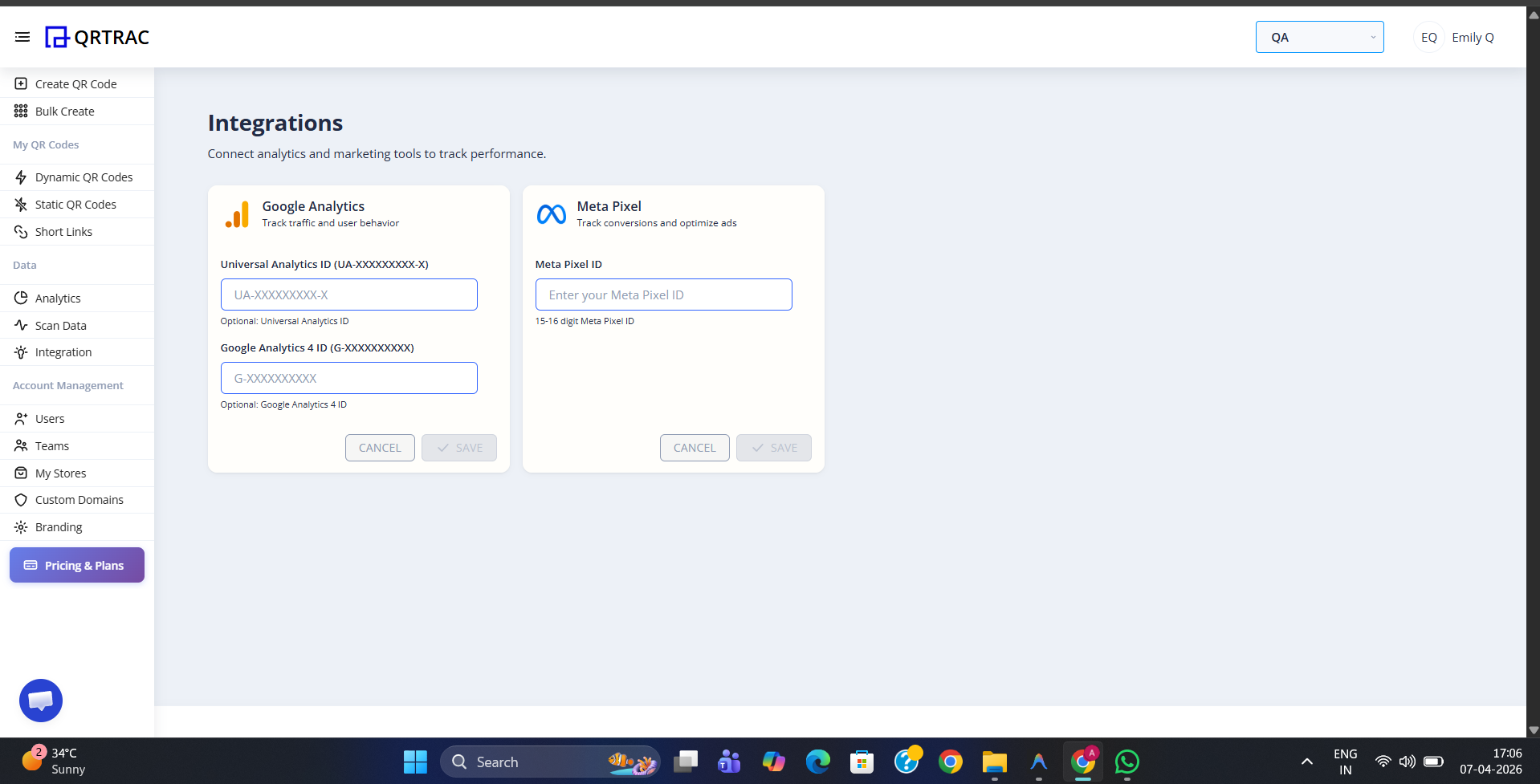
The Integrations page — connect Google Analytics and Meta Pixel independently
Google Analytics
The Google Analytics panel has three fields:
- Universal Analytics ID — enter your
UA-XXXXXXXXX-Xtracking ID if you are using Universal Analytics - Optional: Universal Viewpoint — an optional view ID for filtering data within a Universal Analytics property
- Google Analytics 4 ID — enter your
G-XXXXXXXXXXMeasurement ID if you are using GA4
Fill in the ID(s) that apply to your setup and click Save. QRTRAC will begin sending scan events to your Google Analytics property within a few minutes.
Note: You can enter both a Universal Analytics ID and a GA4 ID at the same time if you are running both properties in parallel during a migration. QRTRAC will send events to both.
Meta Pixel
The Meta Pixel panel has a single Meta Pixel ID field. Enter your numeric Pixel ID (found in Meta Events Manager) and click Save. From that point, every QR code scan will fire the Meta Pixel — allowing you to:
- Build Custom Audiences of people who scanned your QR codes
- Create Lookalike Audiences based on your QR scanners
- Track conversion events from offline print to online purchases
Integrations apply to Dynamic QR codes only
Google Analytics and Meta Pixel events are fired when a Dynamic QR code redirect is processed. Static QR codes go directly to the destination URL without passing through QRTRAC, so no events are sent.
For a detailed step-by-step guide on finding your IDs, verifying the connection, and setting up GA4 event tracking, see the Google Analytics & Meta Pixel article.