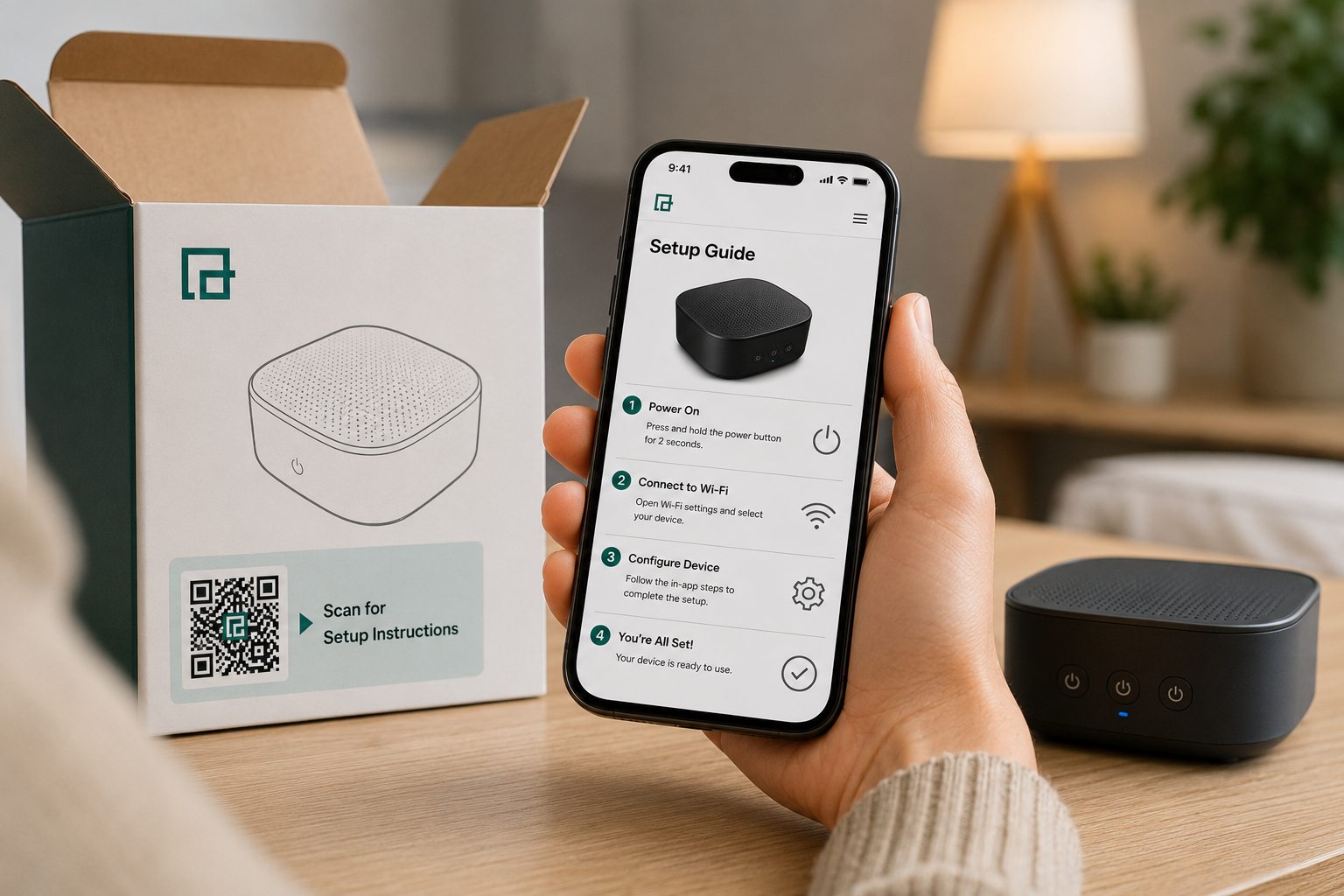
Opening a new product should be an exciting moment for a customer, but the product setup process is often a source of frustration. For years, the standard approach to onboarding has involved dense, multi-language paper manuals that are easily misplaced or discarded.
When customers cannot easily find setup instructions, they often struggle. They might not know which manual belongs to their specific product model, find the small printed diagrams difficult to understand, or resort to searching Google and finding unofficial, potentially inaccurate videos. In many cases, customers need setup information precisely while they are physically handling the product, making a bulky paper manual cumbersome to juggle.
Printed product documentation also often becomes outdated, different hardware versions require different instructions, and physical packaging simply lacks the space for comprehensive guides.
This is where QR Codes act as a critical bridge between the physical product and digital instructions.
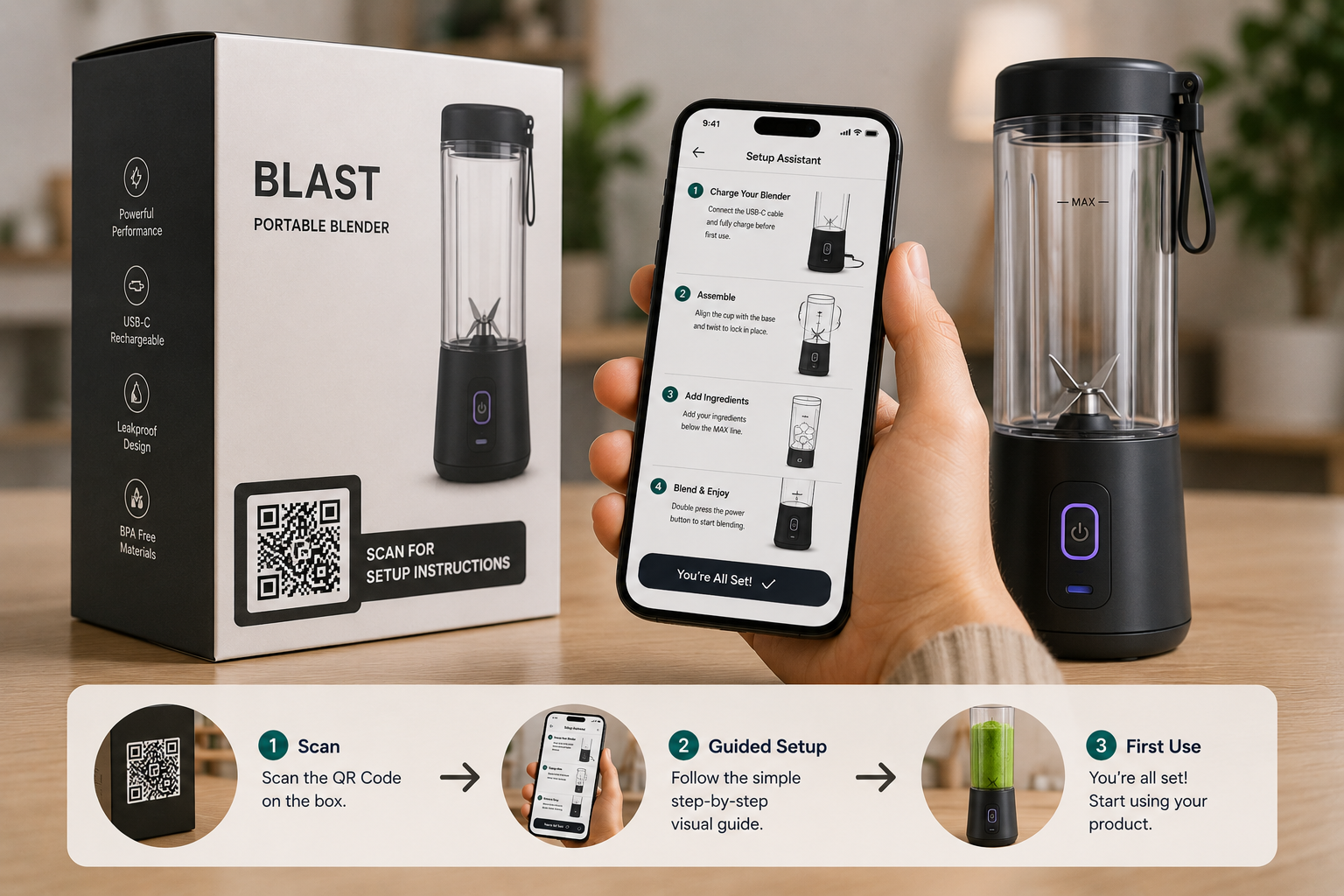
By scanning a QR Code printed directly on the product or its packaging, the customer journey is transformed into a smooth experience:
Purchase → Unbox → Scan → Identify Product → Follow Setup → Configure → First Use
A QR Code for Setup Instructions is a scannable graphic placed on a physical product, its package, a label, or an instruction card. When scanned with a smartphone camera, it directs the customer to the digital information required to successfully configure, assemble, install, or start using the product.
The destination behind the QR Code can take many forms depending on the manufacturer's strategy:
- A digital PDF setup guide
- A getting-started guide
- Step-by-step installation instructions
- Detailed assembly instructions
- Interactive product documentation
- An immersive interactive setup experience
- A video tutorial
- A troubleshooting page
- A comprehensive support hub
It is vital to understand the fundamental distinction in this workflow:
The QR Code is the access mechanism. It provides the frictionless physical-to-digital link.
The Setup Instructions are the digital content or experience. This is the destination where the actual value is delivered to the user.
Whether you use a PDF QR Code Generator to host your existing PDF documentation or link to a fully responsive mobile webpage, the goal remains the same: instantly connecting the user to the correct setup data.
Instant Access
Customers no longer need to rummage through packaging or search through a drawer of old manuals to find the correct setup steps. The instructions are immediately available via a simple scan.
Better First-Use Experience
First impressions matter. By ensuring instructions are accessible at the exact moment customers need them, businesses eliminate friction from the unboxing and setup process.
Mobile Access
Customers can easily hold a smartphone in one hand while physically interacting with the product with the other. This mobility is invaluable when setting up appliances, assembling furniture, or installing equipment in tight spaces.
Less Reliance on Printed Manuals
Manufacturers can significantly reduce the amount of paper used in packaging. Comprehensive and lengthy documentation can be delivered digitally, reducing printing costs and environmental impact.
Easier Documentation Maintenance
Digital destinations can be updated smoothly. If a firmware update changes the setup procedure or an error is discovered in a diagram, the digital document can be corrected long after the packaging has been printed.
Product-Specific Instructions
QR destinations can be intelligently organized around specific products, exact models, SKUs, or even individual assets, ensuring the customer is never reading instructions for the wrong hardware version.
Better Support Journey
The setup experience is often just the beginning. A QR Code can connect the initial setup guide directly to troubleshooting resources, warranty registration, spare parts purchasing, and broader customer support channels.
To understand the power of digital setup instructions, we can look at a verified, real-world implementation by a major consumer brand.
In a May 19, 2026 article published by Salesforce, it was detailed how SharkNinja uses a QR-code-triggered, mobile-first experience to guide customers through product setup. According to Salesforce, the experience begins the moment a customer opens the box. A QR Code is printed directly on the product packaging.
When the customer scans the code, they are not dropped onto a generic corporate homepage. Instead, they enter a mobile-first setup experience providing product-specific, step-by-step guidance. This includes visual guidance, follow-up questions to tailor the setup, and relevant videos. The entire flow is backed by SharkNinja's product documentation, acting as the knowledge source for the onboarding journey.
For example, when setting up premium espresso machines, customers receive a guided, step-by-step visual assistant rather than a dense booklet of text. The QR Code becomes an intuitive entry point into a sophisticated, guided product onboarding experience.
The transition toward digital product information is supported by major global standards organizations. GS1, the global authority on product barcodes and supply chain standards, actively supports the use of QR Codes powered by GS1 Digital Link standards to connect physical packaging to the digital world.
According to GS1, QR Codes can act as a powerful gateway from physical product packaging to online product information, encompassing usage instructions, instruction manuals, and critical consumer information. GS1 India also notes the importance of Digital Link QR Codes as a mechanism to provide detailed product information—such as user manuals and leaflets—directly through a smartphone scan.
This industry-wide shift highlights that scanning a product for setup and usage data is rapidly becoming a standard consumer expectation, moving beyond basic retail barcodes to encompass safety information, sustainability metrics, and detailed instructional guides.
It is important to categorize your digital documents appropriately. A setup guide is not the same as a full manual.
| Document Type | Primary Purpose | Typical Content | QR Destination |
|---|
| Setup Instructions | Initial configuration | Setup steps, configuration, first use | Setup guide |
| Quick-Start Guide | Essential first-use information | Basic steps | Quick-start guide |
| Installation Manual | Detailed installation | Technical installation | Installation manual |
| User Manual | Complete product operation | Features, operation, maintenance | Full manual |
| Troubleshooting Guide | Resolve problems | Errors, solutions | Troubleshooting guide |
Keep in mind that one reliable QR Code destination can easily serve as a central documentation hub, providing links to all these varying resources in one convenient mobile interface.
The exact contents depend heavily on the nature of the product, but a comprehensive digital setup guide checklist should consider the following elements:
- ✓ Product identification
- ✓ Model number
- ✓ What's included
- ✓ Parts identification
- ✓ Required tools
- ✓ Safety precautions
- ✓ Power requirements
- ✓ Battery installation
- ✓ Assembly
- ✓ Physical installation
- ✓ Cable connections
- ✓ Device pairing
- ✓ Wi-Fi configuration
- ✓ Bluetooth configuration
- ✓ App installation
- ✓ Account setup
- ✓ Initial settings
- ✓ Calibration
- ✓ Firmware/software updates
- ✓ First-use procedure
- ✓ Test procedure
- ✓ Common setup errors
- ✓ Troubleshooting
- ✓ Warranty registration
- ✓ Customer support
- ✓ Full manual
- ✓ Replacement parts
- ✓ Accessories
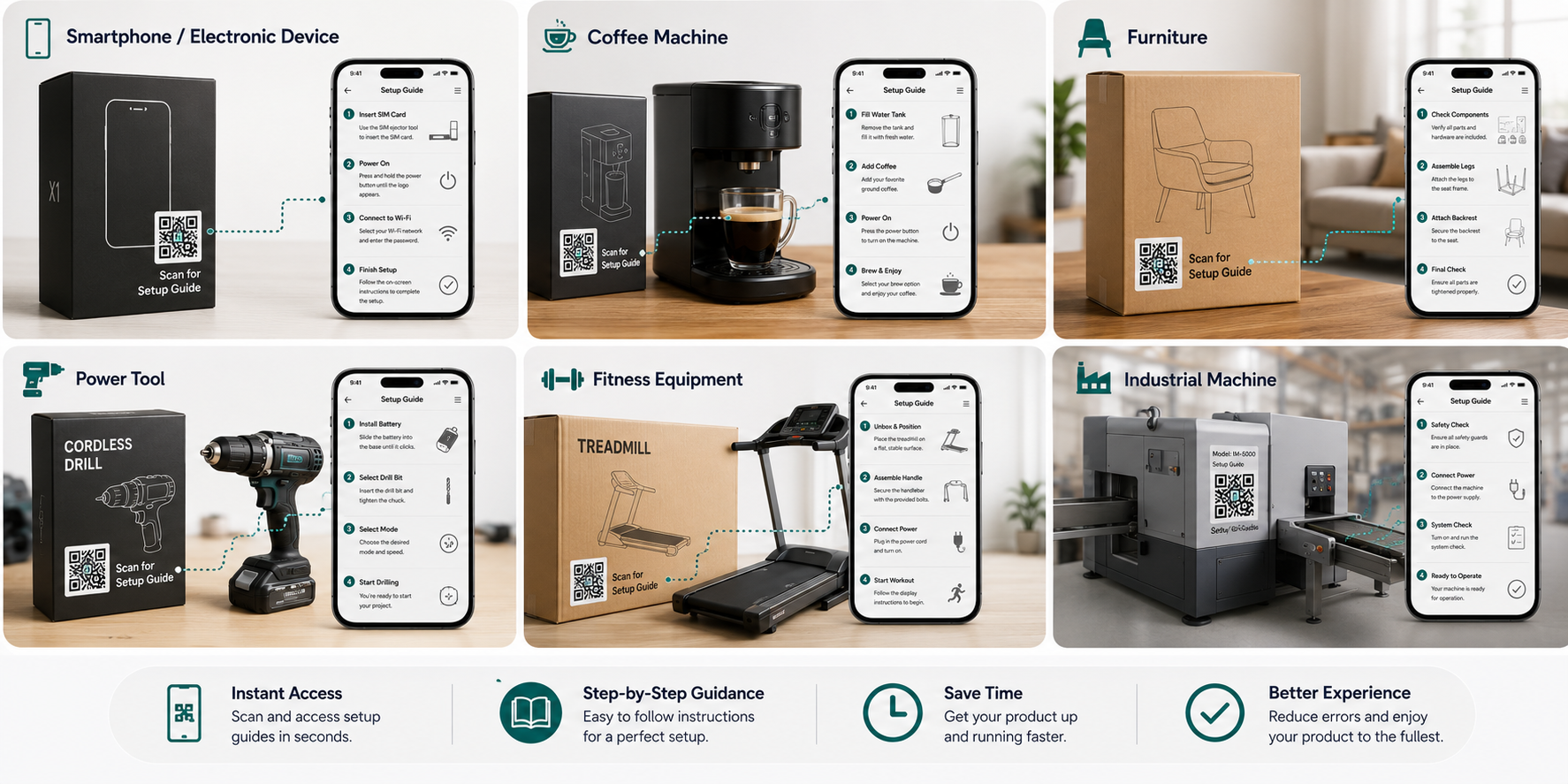
Digital setup access is a universal need across countless manufacturing sectors.
Electronics
Products like headphones, smart speakers, cameras, routers, monitors, and smart-home devices frequently require digital handshakes. QR access helps users quickly download companion apps, pair Bluetooth, and connect to Wi-Fi networks.
Home Appliances
Coffee machines, vacuum cleaners, air purifiers, washing machines, and modern kitchen appliances require physical preparation (removing transit bolts, inserting filters) before they can be safely powered on.
Furniture
Desks, chairs, shelving units, and flat-pack furniture are notorious for confusing paper manuals. A QR Code leading to visual assembly instructions can drastically reduce customer frustration.
Tools
Power drills, saws, and measuring equipment demand strict adherence to safety protocols during initial setup, battery installation, and blade calibration.
Fitness Equipment
Treadmills, exercise bikes, rowing machines, and home gyms require significant physical assembly and digital console calibration before their first use.
Automotive
Dash cameras, chargers, infotainment accessories, and replacement components often require specific vehicle-based installation workflows.
Industrial Equipment
Machines, pumps, compressors, generators, and control systems require highly technical, step-by-step setup sequences by trained operators, where digital checklists and technical diagrams are invaluable.
Networking & Technical Hardware
Routers, POS systems, security devices, and servers demand precise configuration, cabling, and software initialization.
Consumer Products
Beauty devices, toys, kitchen products, and outdoor equipment benefit from immediate visual guides explaining their initial usage.
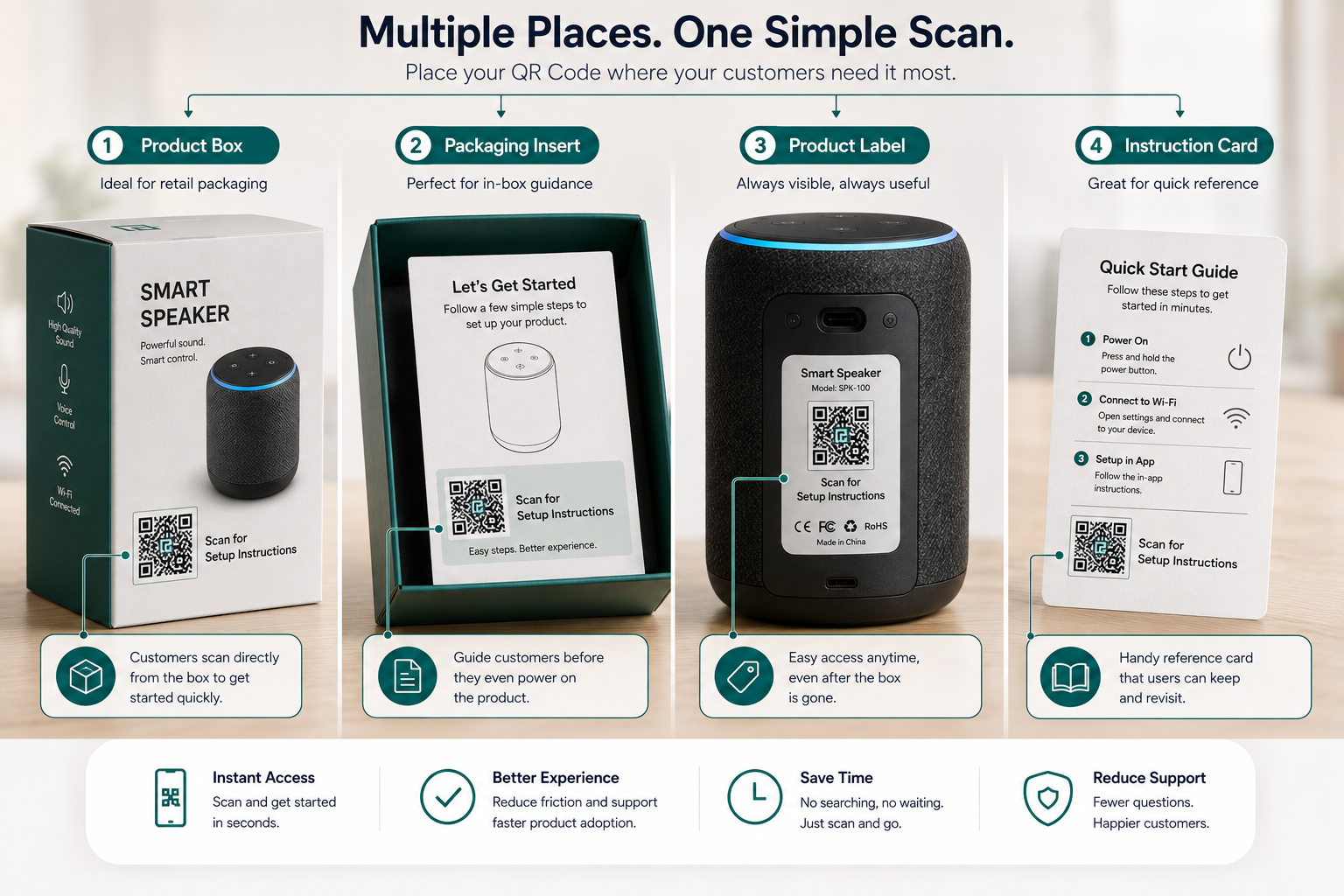
Using QR Codes on product packaging is a strategic decision that determines when and how a customer interacts with your documentation.
A QR Code placed on the front, side, or back panel of the exterior box offers pre-purchase visibility, though it is often more beneficial to place setup codes where they are discovered during the unboxing flow.
Using an inner packaging flap, a dedicated packaging insert, or an instruction card ensures the QR Code is found precisely when the customer is ready to begin setup.
When placing a setup QR Code on packaging, always use descriptive Call-To-Action (CTA) text. Never use only "Scan Here." Without context, a customer might assume the code is for inventory tracking or marketing. Descriptive CTAs provide necessary context:
- Scan for Setup Instructions
- Scan to Get Started
- Scan for Getting Started Guide
- Scan for Assembly Instructions
- Scan for Installation Instructions
- Scan for First-Use Guide
- Scan for Product Setup
- Scan for Digital Instructions
Product Box
Good for immediate discovery, though the box is often discarded quickly.
Packaging Insert
Highly useful during the unboxing experience, providing a physical cue to transition to a digital workflow.
Product Label
Ideal for long-term access, ensuring that even if the product is sold second-hand or moved years later, the setup and usage instructions remain attached to the physical item.
Instruction Card
A small, dedicated card inside the packaging acts as a setup-focused onboarding tool without overwhelming the user with paper.
Product Itself
Especially useful for industrial equipment, hardware, and long-lived assets where manuals are frequently lost.
Printed Manual
Placing a QR Code on the cover of a printed manual provides users with the option to switch to a more interactive digital version if they prefer.
When planning your printing strategy, consult authoritative packaging guidelines. GS1 documentation, for instance, emphasizes the importance of high-quality printing, appropriate contrast, and maintaining a clear space (quiet zone) around the barcode to ensure reliable scannability.
A well-executed digital setup strategy follows a clear, logical progression that moves the customer from unboxing to successful operation without friction:
Customer receives product
↓
Opens packaging
↓
Finds QR Code
↓
Scans QR Code
↓
Digital setup guide opens
↓
Customer identifies product/model
↓
Follows setup steps
↓
Completes configuration
↓
Starts using product
↓
Gets troubleshooting/support if needed
When generating a QR Code for your product documentation, you must choose between Static and Dynamic formats.
Static QR Code
A Static QR Code encodes the destination URL directly into the graphic pattern. It is suitable for simple, permanent destinations. However, if the web address of your manual changes, the printed QR Code will break, requiring a costly packaging reprint.
Dynamic QR Code
A Dynamic QR Code points through a dynamic routing destination. This allows the destination URL to be changed at any time without replacing the printed QR Code. This is highly useful when setup documentation changes, when managing printed packaging inventory, and when you wish to collect scan analytics.
Using a dynamic platform like QRTRAC ensures that your printed packaging always directs customers to the most up-to-date instructions. It is important to note: a dynamic QR Code allows the destination to be changed without changing the printed QR Code; it does not magically edit the contents of a PDF document itself. You must upload the revised PDF to the new destination.
Hardware iterations present a significant challenge for technical documentation. Product A (Gen 1) and Product B (Gen 2) may look identical but require entirely different setup instructions due to hardware revisions, firmware updates, or regional differences.
The core principle is simple:
Correct Product → Correct Instructions → Correct Setup
Manufacturers must avoid the mistake of sending customers scanning a specific hardware model to a generic corporate homepage, forcing them to manually search for their specific model number. This defeats the purpose of the QR Code. Using Dynamic QR Code routing enables businesses to manage the lifecycle of their archived documentation, ensuring every SKU maps directly to its precise setup guide.
The digital journey should account for the fact that setups do not always go smoothly. A comprehensive digital destination acts as a full post-purchase support experience:
Setup Instructions→Common Problems→Troubleshooting→Full Manual→Warranty→Support
By connecting setup information to troubleshooting resources, businesses empower customers to independently resolve simple configuration errors without immediately resorting to a support ticket.
Digital destinations have a distinct advantage over printed manuals: they can combine text, images, diagrams, and video into a single step-by-step experience.
For example, scanning a QR Code for furniture assembly can open a mobile page that includes a video tutorial demonstrating a complex hinge installation. Similarly, coffee machine setup, electronics pairing, and fitness equipment calibration all benefit from visual demonstrations.
While video is not always superior to written instructions—different users benefit from different content formats—providing a hybrid approach ensures all learning styles are accommodated.
Once setup is successfully completed, the digital hub can present optional downstream actions. Customers can easily access warranty registration, general product registration, accessory stores, or replacement parts catalogs.
Ultimately, one well-architected digital destination can provide setup instructions, full manuals, FAQs, troubleshooting, warranty access, and direct contact to customer support. The QR Code is the convenient entry point, though it should enhance, not replace, responsive human customer support.
To demonstrate the versatility of this approach, consider these hypothetical illustrative examples of how different products might use setup QR Codes:
- Coffee Machine: QR Code → Setup guide → Water tank preparation → Filter installation → Grinder settings → First brew sequence.
- Smart Speaker: QR Code → App download link → Wi-Fi configuration steps → Bluetooth pairing → Account setup.
- Furniture: QR Code → Parts identification checklist → Step-by-step visual assembly → Safety warnings.
- Vacuum Cleaner: QR Code → Battery installation → Charging guidelines → Attachment overview → First use.
- Power Tool: QR Code → Battery insertion → Critical safety protocols → Safe operating procedure.
- Fitness Equipment: QR Code → Physical assembly → Console calibration → User profile settings.
- Industrial Machine: QR Code → Machine identification → Installation prerequisites → Safety checks → Calibration → Startup sequence.
- Networking Equipment: QR Code → Cabling diagrams → Initial setup → Wi-Fi configuration → Firmware updates.
When researching digital product onboarding, it is vital to distinguish between verified industry evidence and illustrative examples.
Verified Case Studies: Real-world implementations, such as the SharkNinja + Salesforce deployment, provide documented proof of how major brands execute mobile-first setup experiences via QR Codes.
Industry Evidence: Standards organizations like GS1 validate the technical framework for using QR-enabled digital links to deliver product information and usage instructions securely and reliably.
Illustrative Examples: The hypothetical scenarios provided above help visualize potential workflows across various industries, demonstrating the adaptable nature of QR technology for product onboarding.
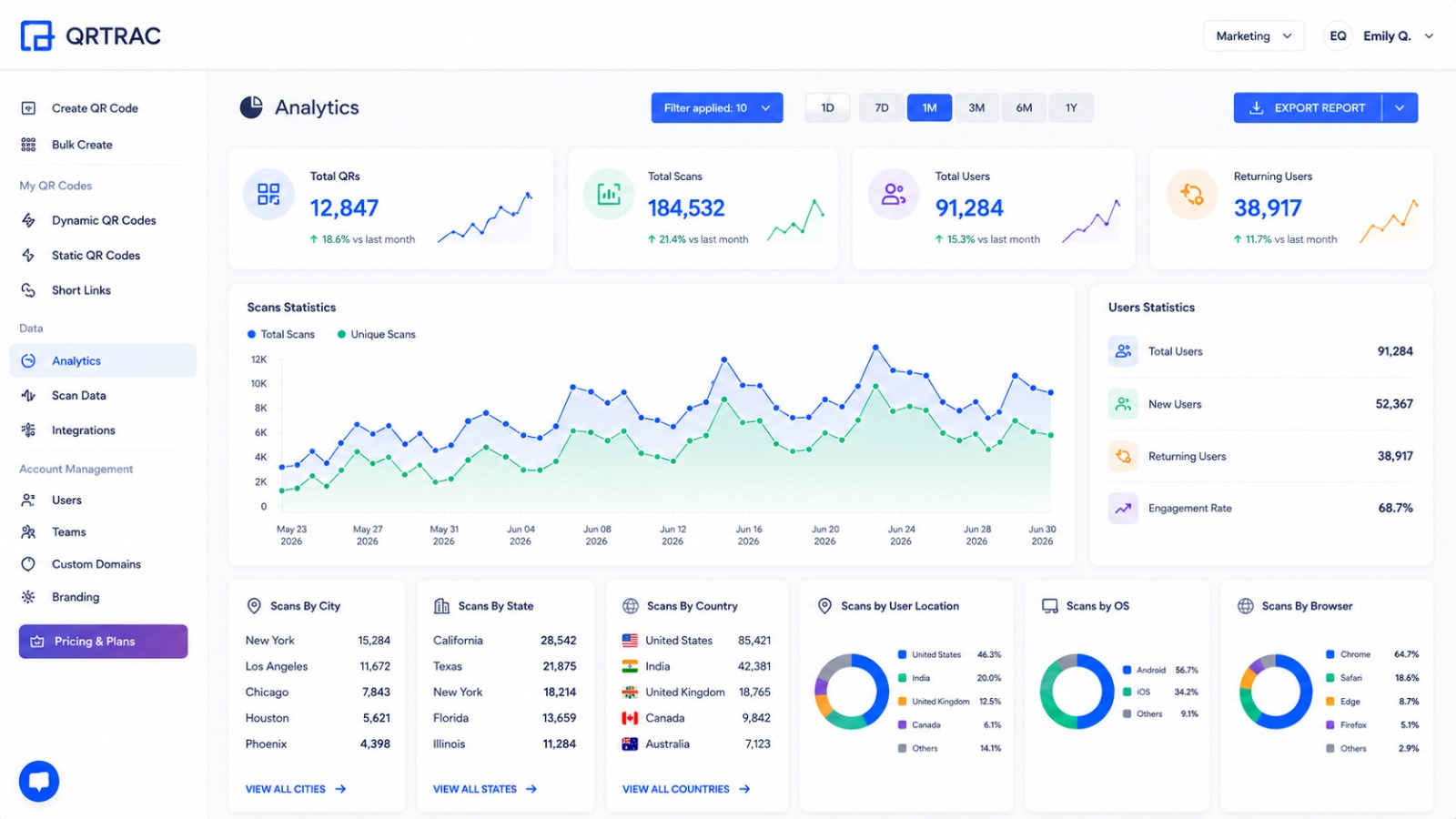
A significant advantage of digital documentation is visibility. When using a dynamic platform, businesses can access comprehensive QR Code Analytics.
Analytics can help businesses understand critical documentation usage metrics, including:
- Total scans
- Unique scanners
- Scan trends over time
- Device information (e.g., mobile vs tablet)
- Geographic information (where available)
- Performance comparisons across different products or campaigns
By understanding when and where customers access instructions, businesses can identify high-scan products, monitor deployment performance, and optimize their digital documentation strategy.
Implementing QR Codes for setup offers distinct advantages to the manufacturer:
- Better Customer Onboarding: A smoother first-use experience directly impacts brand perception.
- Faster Access to Instructions: Eliminating the friction of finding the right manual.
- Less Dependence on Printed Manuals: Reducing documentation clutter and printing costs.
- Easier Documentation Maintenance: Correcting digital files is instantly effective across all future scans.
- Product-Specific Information: Delivering exact instructions for exact models.
- Flexible Digital Content: Using video and interactive elements alongside text.
- Actionable Analytics: Gaining insight into post-purchase customer engagement.
The end-user experiences significant quality-of-life improvements:
- Instant Access: No manual searching required.
- Mobile Access: Instructions are available right in their hand while they handle the product.
- Visual Guidance: Better diagrams and embedded videos simplify complex steps.
- Less Paper: A cleaner unboxing experience.
- Easier Setup and Troubleshooting: Immediate access to the right answers.
- Long-Term Access: The QR Code on the product ensures the manual is never lost.
Packaging Teams benefit from needing less printed content, freeing up valuable packaging space for branding, and embracing a digital-first documentation approach that reduces the need to print large, heavy manuals.
Customer Support Teams benefit because a well-designed setup destination provides customers with immediate self-service access to setup steps, FAQs, troubleshooting, and manuals. While it is inaccurate to claim QR Codes automatically slash support volumes, providing better, easily accessible self-service information can help customers resolve basic questions without contacting support, depending entirely on the quality of the digital content.
Deploying a QR Code for your product documentation requires a methodical approach. Follow these steps:
- Prepare the setup instructions: Create a clear PDF or a mobile-friendly setup webpage.
- Confirm product and model: Make sure the documentation matches the exact product version.
- Choose the destination: Decide if the link will point directly to a PDF, a webpage, or a comprehensive documentation hub.
- Create the QR Code with QRTRAC: Select the appropriate QRTRAC QR Code type (e.g., PDF or URL).
- Customize the QR Code: Use brand styling and colors while maintaining high contrast for scannability.
- Add a CTA: Include clear text like "Scan for Setup Instructions."
- Test digitally: Scan the generated code on screen using multiple iOS and Android smartphones.
- Test the printed version: Print a physical proof on the actual packaging material to verify real-world scannability.
- Deploy: Place the QR Code prominently where customers can easily find it during unboxing.
- Monitor and maintain: Use analytics to track usage and ensure the destination link remains active and accurate over time.
A QR Code is only useful if it can be scanned reliably and the destination is readable on a small screen.
Printing considerations: Ensure high-quality artwork and good print quality. Maintain adequate contrast between the code and its background, and always preserve a clear quiet zone around the edges. Avoid placing the code over folds, seams, or highly reflective metallic surfaces. Test the printed code on the actual packaging under realistic lighting conditions.
Mobile Optimization: Setup QR Codes are almost exclusively scanned by smartphones while customers are physically handling a product. Therefore, the destination must load quickly, use readable text without requiring zooming, feature large tap targets, and clearly display numbered steps and useful images. Avoid unnecessary navigation menus and ensure troubleshooting access is prominent. A QR Code can scan perfectly, but if the resulting PDF is unreadable on a phone, the customer experience fails.
If you are building a dedicated mobile setup page, consider this logical structure:
- Product name
- Model number
- Before You Begin
- What's Included
- Safety Information
- Required Tools
- Step 1 (Actionable)
- Step 2 (Actionable)
- Step 3 (Actionable)
- Configuration
- First-Use Test
- Troubleshooting
- Full Manual Link
- Warranty Information
- Support Contact
For enterprise manufacturers managing massive product catalogs, manually generating individual codes is inefficient. Using a Bulk QR Code Generator allows businesses to generate thousands of codes for multiple SKUs and product variants simultaneously (e.g., mapping SKU to specific Setup Instructions).
Asset-based setup is also critical for industrial environments. By placing a unique QR Code on specific long-lived assets (machines, equipment, HVAC systems, vehicles), technicians can scan a Machine ID QR Code to instantly access machine-specific setup, installation, and calibration documentation. This guarantees the technician is viewing the correct schematics for that exact serial number.
Similarly, setup QR Codes empower distributors, dealers, retail staff, and professional installers by providing them immediate access to installation documentation, product specifications, and demonstration guides.
- Linking to the homepage instead of the specific setup guide.
- Using "Scan Here" without contextual CTA text.
- Linking to the wrong model's documentation.
- Serving outdated instructions.
- Failing to test the printed physical QR Code.
- Poor placement on the packaging.
- Using low contrast colors that cameras cannot read.
- Printing a distorted or stretched QR Code.
- Linking to a desktop-only destination that is unusable on mobile.
- Making customers search a massive PDF after scanning.
- Replacing old documentation URLs without considering older products still in the field.
- Not providing a clear path to troubleshooting or support.
- ✓ Correct product identified
- ✓ Correct model verified
- ✓ Correct setup guide linked
- ✓ QR destination tested and working
- ✓ Multiple smartphones tested (iOS/Android)
- ✓ Clear CTA included (e.g., "Scan for Setup")
- ✓ Good contrast confirmed
- ✓ Quiet zone preserved
- ✓ QR code is not distorted
- ✓ Physical proof printed and tested
- ✓ Mobile page displays correctly
- ✓ Troubleshooting readily available
- ✓ Support links available
- ✓ Documentation version confirmed
Sources & References
- GS1 Global: GS1 Digital Link Standard for Packaging
- Salesforce: SharkNinja + Salesforce Case Study
- Packaging Digest (2024): 78% of consumers prefer scanning a smart label over typing a URL for product support.
Ready to Streamline Product Setup?
Customers shouldn't have to search for setup instructions after opening a product. Give them a direct path: Scan → Setup → First Use. Use QRTRAC to connect your products, packaging, and equipment with the digital instructions customers need.
 By Aawes Shaikh
· Published