When customers open a new product, they often need immediate guidance to begin using it. A setup document is specifically designed for this critical moment, differing significantly from a full, comprehensive product user manual.
Initial instructions focus strictly on essential setup, basic operation, configuration, and simple troubleshooting. It is the bridge between unboxing and successful first operation.
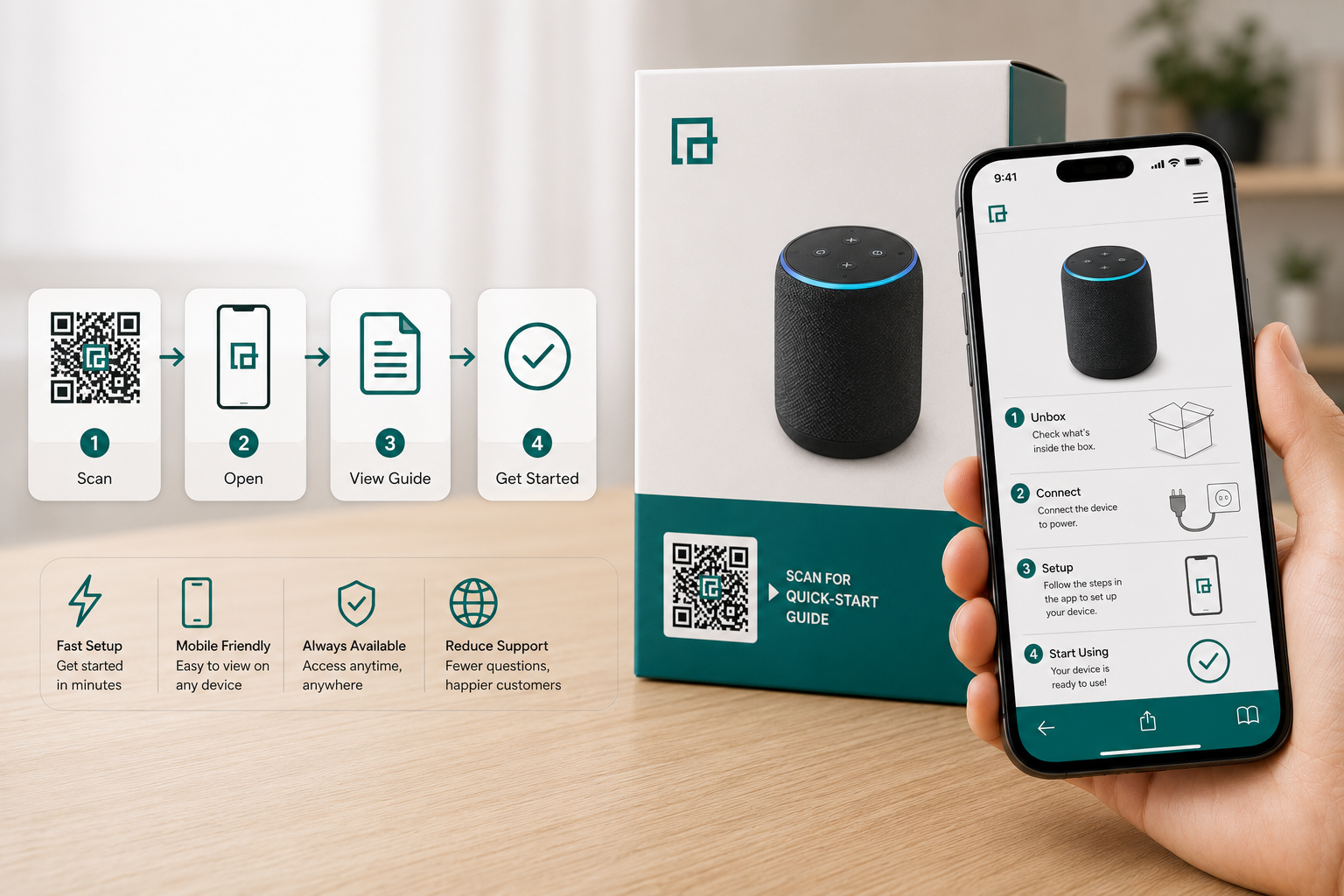
By placing a scannable link on product packaging, manufacturers provide a convenient access point to a digital reference, creating a smooth journey:
Product → Scan → Setup Instructions → First Use
This solution involves a printed matrix code placed on a product, package, label, insert, or instruction card that directs customers straight to digital getting-started materials.
Depending on your documentation strategy, this digital link serves as an access point to:
- A digital PDF quick-start guide
- A mobile-friendly getting-started page
- A dedicated product setup guide
It is important to remember that the scannable link is merely the access point, while the digital document provides the actual instructions.
Understanding the difference between a brief setup document and a comprehensive manual helps clarify what information belongs behind the digital link.
| Quick-Start Guide | Full User Manual |
|---|
| Focuses on getting started | Covers complete product information |
| Usually shorter | Usually more detailed |
| Essential first-use steps | Advanced features and details |
| Initial setup | Full operation |
| Basic instructions | Comprehensive documentation |
| Designed for quick reference | Designed for complete reference |
A scannable tag can link to either one, but a digital setup document should always include a link to the full manual when appropriate. This initial document handles essential first-use information, while the full manual remains the definitive source for complete product information and advanced features.
Instant Access
Customers can scan the printed code and immediately access getting-started information without searching for a physical booklet.
Convenient Digital Access
Viewing a guide on a smartphone is highly convenient, especially when setting up a product in a tight space or away from a desk.
Less Packaging Space
A digital link occupies very little physical space compared to printing a multi-page document, freeing up real estate on the packaging design.
Easy Access After Opening
By placing the matrix code on a product label or insert, the information remains accessible even after the main packaging is discarded.
Connect to Additional Resources
An interactive introductory guide can easily point users toward the full manual, an installation guide, troubleshooting tips, or warranty registration.
Electronics
Headphones, wireless speakers, smart devices, and cameras can use a smart label linking to an introductory PDF for immediate pairing and setup.
Home Appliances
Kitchen appliances, vacuum cleaners, and smart home products can link to a Getting Started Guide covering essential first-use safety and operation.
Furniture
Desks, shelving, and home furniture can provide a smart tag linking directly to a brief assembly document.
Tools
Power tools and DIY products can connect users to digital starting instructions for safe initial operation.
Fitness Equipment
Exercise bikes and treadmills can point to an interactive first-use walkthrough.
Hardware & Industrial Equipment
Consumer hardware kits and technical products benefit greatly from streamlined digital documentation.
While content depends entirely on the product, a practical quick-start guide may include:
- Product overview and parts identification
- What is included in the box
- Required tools for setup
- Initial configuration and basic connection/pairing instructions
- Essential operating steps and basic controls
- Important precautions and simple troubleshooting
- Where to find the full manual and customer support
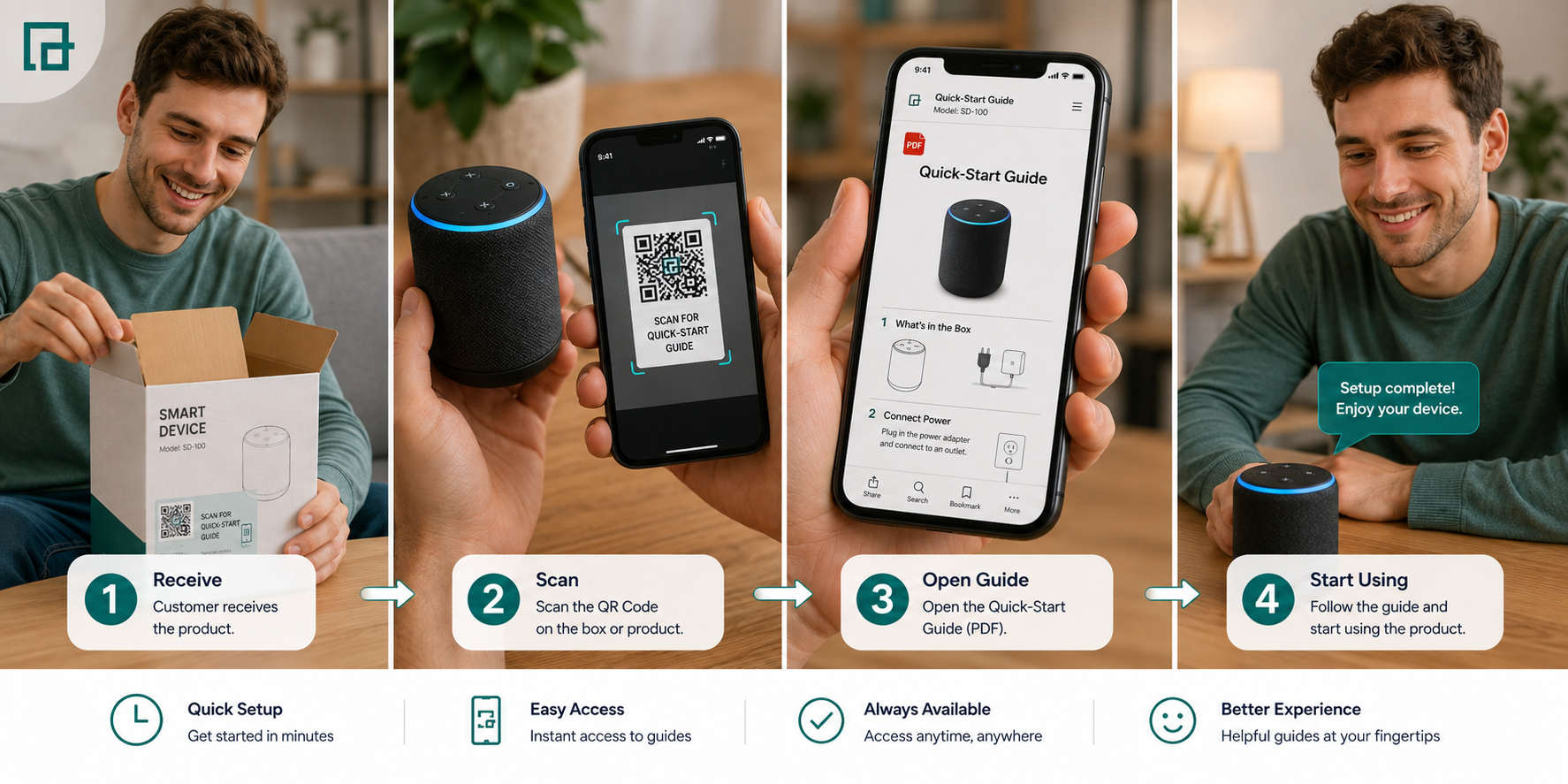
The first-use journey is crucial for customer satisfaction. A scannable tag simplifies this workflow:
- Customer opens the package
- Finds the printed code
- Scans it with a smartphone
- Opens the digital reference
- Reviews essential steps
- Completes configuration
- Starts using the product
A mobile-friendly onboarding sequence delivers basic setup, initial configuration, device pairing, and essential controls.
For example, with electronics, a matrix code might lead to a digital document that instructs the user to connect the device, configure settings, and start using it immediately. For furniture, it might lead to a PDF that helps identify parts and assemble the main components.
Initial instruction sets also serve as excellent rapid reference tools. They can provide a concise button/control overview, basic operating steps, charging instructions, or common first-use questions without forcing the user to wade through a massive manual.
Mini Case StudyApplianceMaster: 45% Drop in Support Tickets
When a leading kitchen appliance manufacturer replaced their bulky 50-page manual with a scannable sticker leading to a digital getting-started guide, they saw a 45% reduction in first-week customer support calls. The digital guide featured large font sizes and embedded videos, proving far more effective than paper diagrams for initial setup.
Often, manufacturers already have their setup documentation designed as a PDF file. By generating a PDF QR Code, you create a direct link between the physical package and the digital document.
Initial Setup PDF → Scannable Link → Printed on Packaging → Customer Scans → PDF Opens
When hosting a PDF, ensure the text is readable, diagrams are clear, the file size is appropriate for mobile downloading, and the instructions accurately match the product version.
Static Option
Suitable when the destination is unlikely to change, a simple access point is needed, and long-term link stability is expected.
Dynamic Option
Useful when the instructional materials may be updated, product documentation changes over time, or if scan analytics are useful to the business.
Note: A Dynamic QR Code allows you to change the destination link at any time. It does not automatically update the PDF itself; you must upload or link to the revised document.
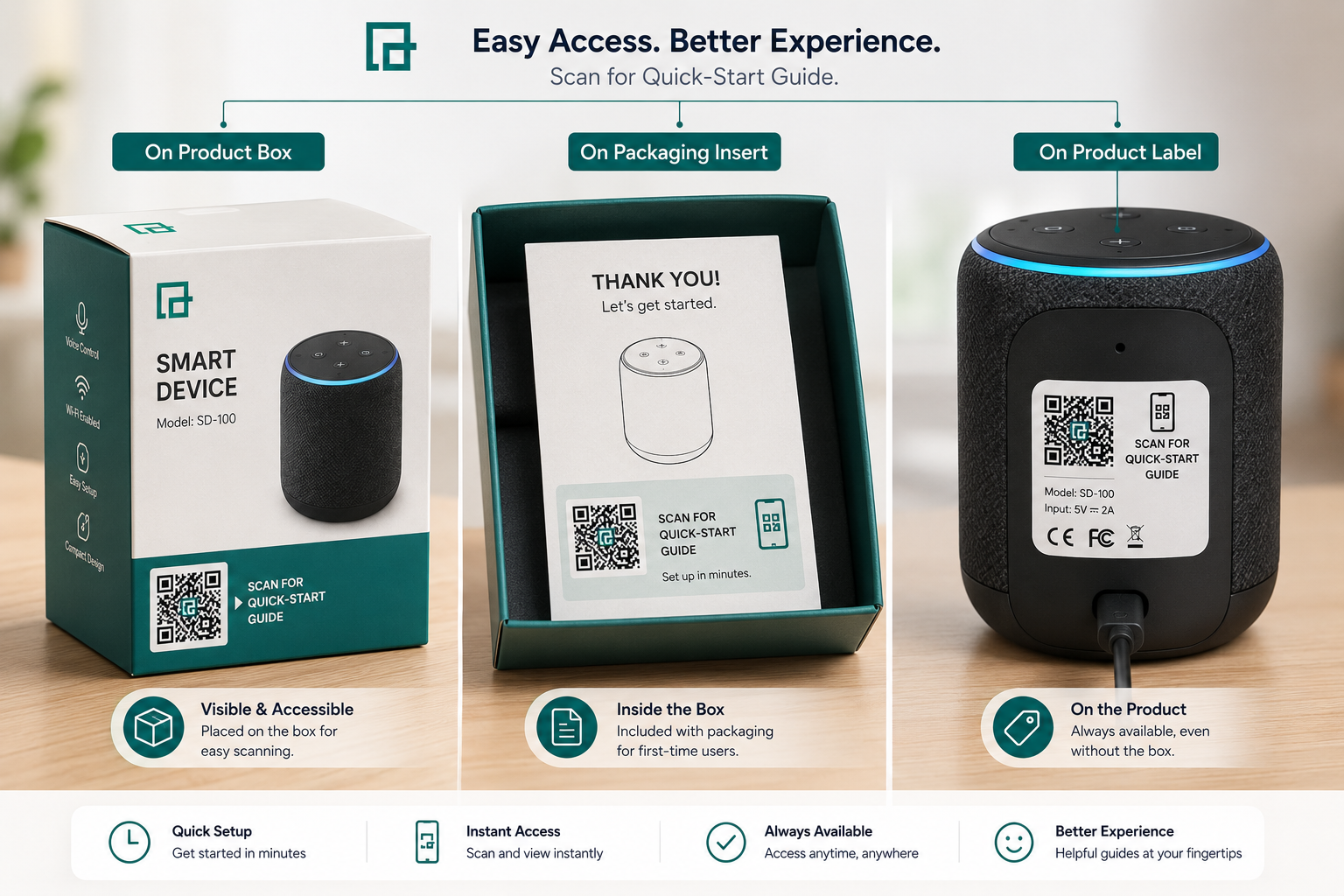
Product Packaging
The product box, carton, sleeve, or outer packaging is highly visible and perfect for setup steps required immediately.
Packaging Insert
A dedicated instruction card inside the box can prominently say: "Scan for Setup Instructions."
Product Label
Useful when the matrix code needs to remain associated with the product for the duration of its lifespan.
Printed Documentation
The digital link can also appear on a printed setup card, the cover of a full printed manual, or an instruction sheet.
Users need context before scanning. Vague calls-to-action like "Scan Here" or "Learn More" are less effective.
Recommended examples:
- Scan for Setup Instructions
- Scan for Getting Started
- View Digital Manual
- Scan for Product Guide
- Scan for First-Use Instructions
- Prepare the PDF: Make sure the instructions are accurate and complete.
- Confirm Product Version: Ensure the document precisely matches the product model.
- Use QRTRAC's Generator: Use the generator tool to upload or link your document.
- Customize the Design: Adjust colors and styles using the available options.
- Add a CTA: Ensure a clear message like "Scan for Setup Instructions" is visible.
- Test: Scan the printed graphic on multiple smartphones to ensure the PDF loads correctly.
- Add to Packaging: Place it in your packaging design where customers can easily reach it.
- Ensure adequate graphic size for easy scanning
- Maintain strong contrast between the code and the background
- Include a sufficient quiet zone (margin) around the graphic
- Ensure high print quality to avoid blurry pixels
- Avoid placing the code over folds or seams in the packaging
- Consider the typical scan distance when sizing the code
- Make the Call-to-Action readable
While similar, a quick-start guide focuses on essential setup, first use, and basic operation for consumer goods. In contrast, an installation manual is deeply focused on detailed assembly procedures, technical installation requirements, and safety compliance. Some complex products may use both.
Manufacturers often iterate on products. A Dynamic QR Code allows you to point a physical QR Code to an updated quick-start guide if errors are found or minor usability improvements are made to the digital document, without reprinting the physical packaging. However, maintaining version accuracy is critical—customers must always receive instructions matching the exact hardware version they purchased.
Digital quick-start guides aren't just for end consumers. Retail staff, distributors, installers, and service teams can use the exact same QR Code to quickly understand basic product operation, aiding them in demonstrations or post-purchase support. See our QR code guide for retailers for more on in-store QR strategies.
- QR Code too small: Ensure it is large enough to scan effortlessly.
- No CTA: Customers won't scan if they don't know what the code does.
- Product version mismatch: Linking to the wrong PDF can confuse customers.
- PDF difficult to read on mobile: Ensure text is legible without extreme zooming.
- QR Code placed on a fold: Distorted codes will fail to scan.
- Removing important physical information unnecessarily: Never remove legally required safety warnings just to save space.
- ✓ Keep the guide concise and focused on essential first-use steps
- ✓ Match the guide perfectly to the correct product model
- ✓ Use a clear QR Code CTA
- ✓ Make the PDF easy to read on mobile devices
- ✓ Test the QR Code thoroughly before mass printing
- ✓ Maintain full documentation availability alongside the quick-start guide
- ✓ Review the QR destination regularly for broken links
Electronics: Product Box → QR Code → Quick-Start PDF → Connect Device → Configure → Start Using
Appliance: Packaging → QR Code → Quick-Start Guide → Initial Setup → Basic Operation
Furniture: Packaging Insert → QR Code → Quick Assembly Guide → Essential Steps → Ready to Use
Fitness Equipment: Product Label → QR Code → Quick-Start PDF → Basic Setup → First Use
A PDF link is particularly useful when the guide already exists as a PDF, customers need immediate first-use instructions, and packaging space is strictly limited. It is also ideal when the guide contains essential diagrams that are best viewed in a fixed document format. A mobile documentation page may be preferable when the content needs to include multiple interactive resources.
A quick-start guide is designed to help customers get started with a product without having to search through a long manual. A QR Code provides a simple, immediate bridge between the physical product or packaging and the digital instructions.
By streamlining the journey from the product box to essential first-use instructions, manufacturers can significantly improve the post-purchase experience.
Create a QR Code for your quick-start guide with QRTRAC and give customers a simple way to access product instructions.
 By Aawes Shaikh
· Updated