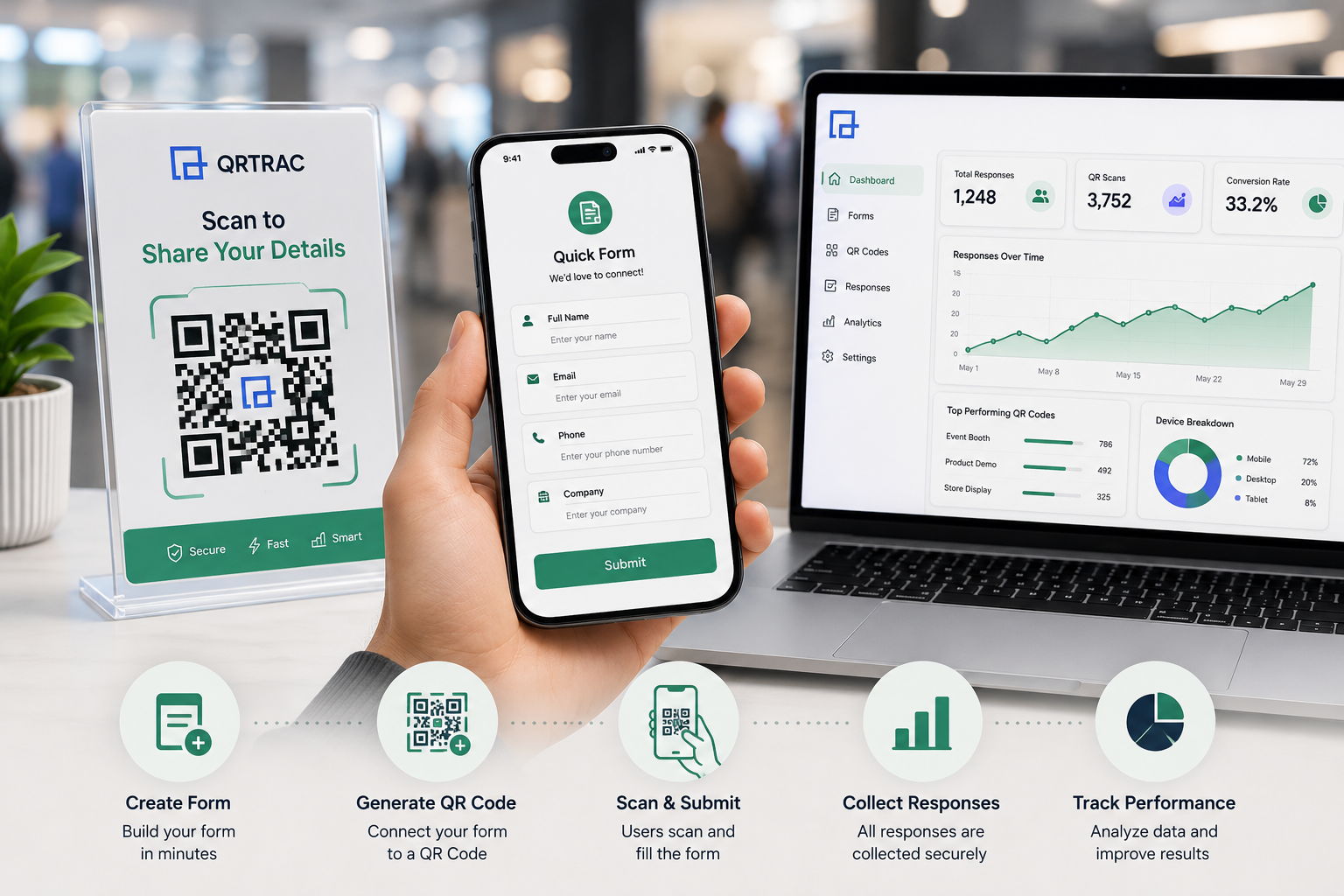
Replace paper clipboards with a scannable Form QR Code. Create forms, connect them to QR Codes, collect responses, and track performance directly from your dashboard.
No credit card required • GDPR & CCPA Compliant
A Form QR Code is a dynamic QR Code that instantly opens a mobile-friendly digital form when scanned. It completely replaces manual data collection, allowing anyone to submit structured information directly from their smartphone without typing long URLs.
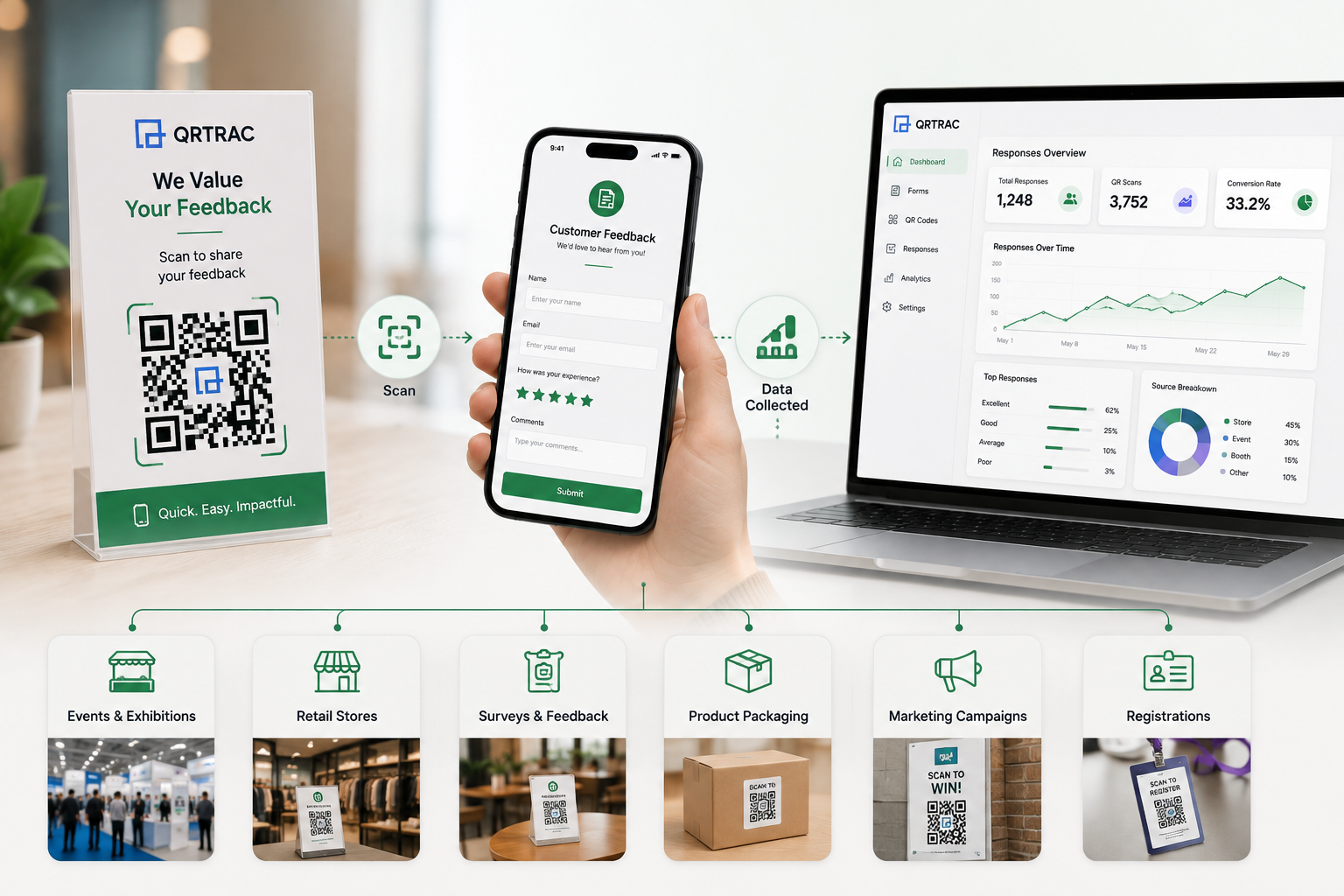
A restaurant places a QR Code on a table. A customer finishes their meal, scans the code, and a feedback form opens instantly. The customer submits a quick 5-star rating and leaves a comment. The restaurant manager immediately receives the digital response in their dashboard.
Solve real business problems by bridging the gap between physical locations and digital data collection.
Eliminate the cost, storage, and mess of physical clipboards and paper surveys.
Stop retyping handwritten forms into Excel. Responses are digitized instantly.
Make forms accessible on physical assets like posters, tables, and product packaging.
Capture emails and contact details at events in seconds without friction.
Know exactly when and where your forms are being scanned to measure campaign ROI.
Centralize all collected data in one dashboard for easy review and export.
From creating your fields to analyzing the final submissions, it takes just minutes.
Add questions and define input fields in the builder.
Apply your brand colors, logo, and personalized messaging.
Instantly create a dynamic Form QR Code.
Place the code on physical marketing materials or screens.
Customers point their phone camera to open the form.
Fast, mobile-friendly data entry yields high completion rates.
View submissions and tracking data in real-time.
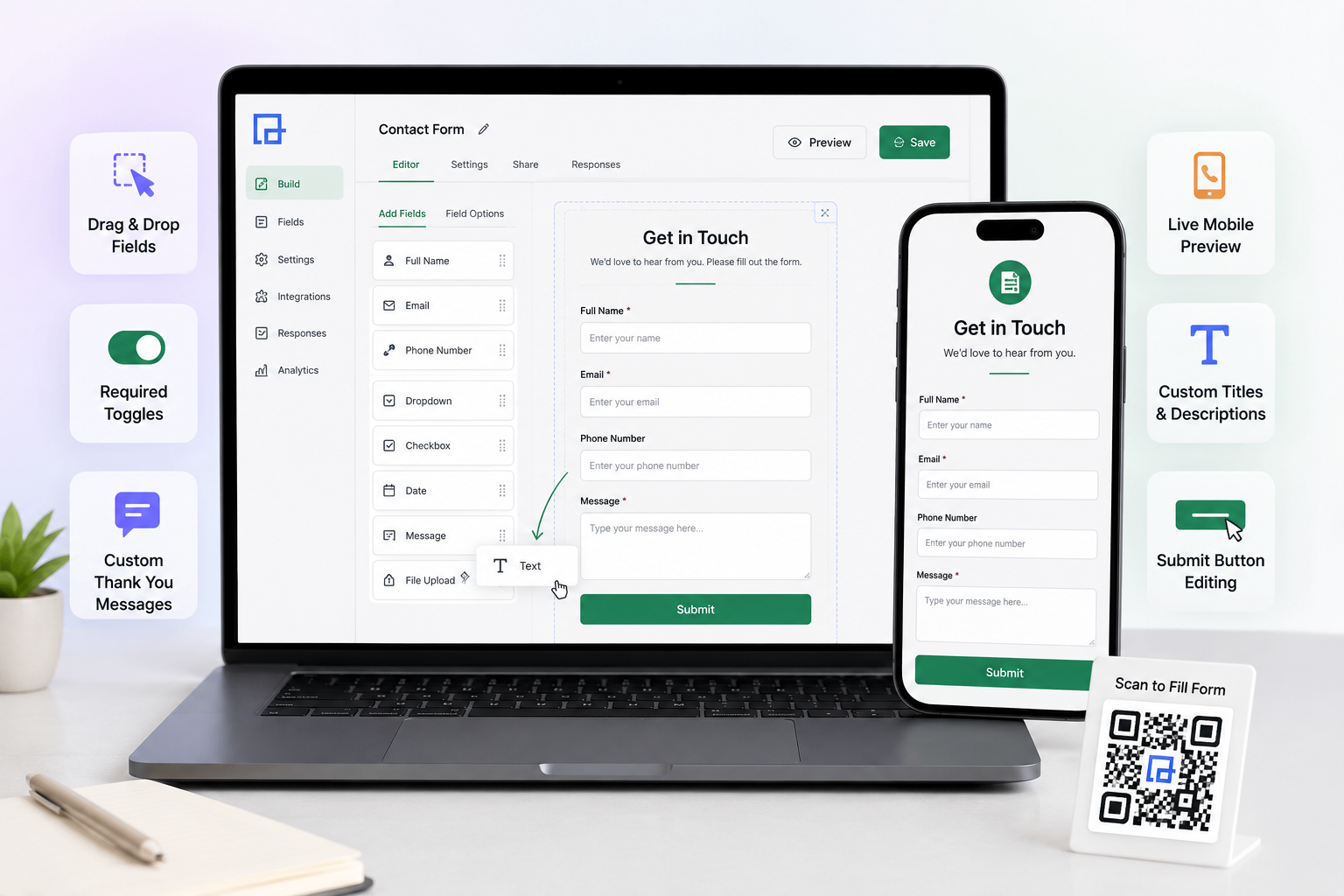
You don't need external tools. Create, configure, and manage forms directly within QRTRAC.
Easily add and rearrange form fields without writing any code.
Ensure you capture essential data by marking specific fields as required.
Display a personalized success message or redirect users to a custom URL.
See exactly how your form will look on a smartphone before you print the QR Code.
Provide clear instructions to your users at the top of the form.
Change the call-to-action button text to match your goal (e.g., 'RSVP Now' vs 'Submit').
Mix and match input fields to collect exactly what your business needs. Mobile-optimized fields ensure the correct smartphone keyboard appears instantly.
Your form shouldn't look like a generic third-party tool. Apply comprehensive branding so users trust the destination after scanning.
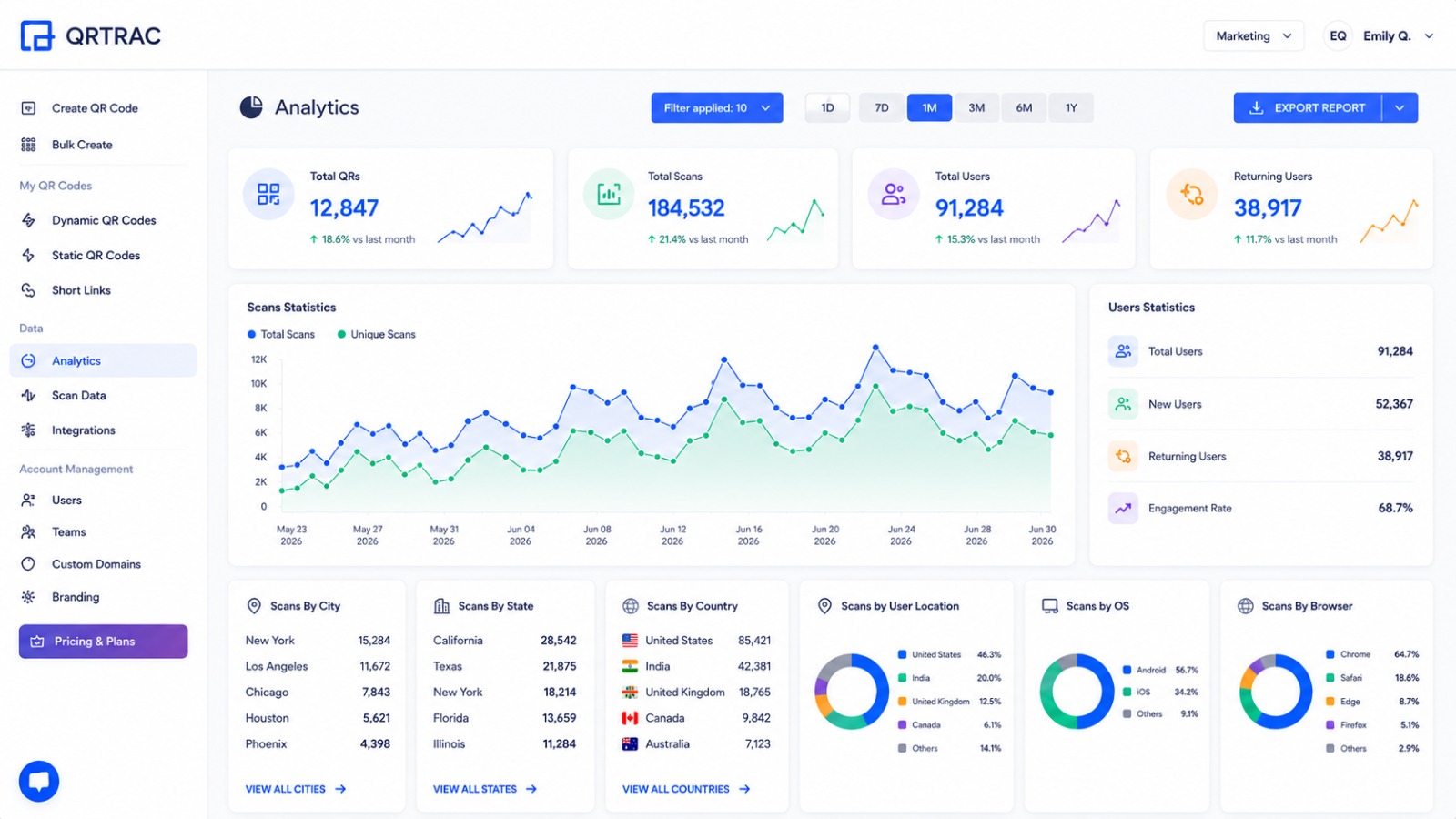
Understand exactly how your QR Code campaign is performing and manage responses effortlessly.
Track the physical performance of your QR Code separately from form submissions.
View and export the actual data submitted by your users securely.
Discover how businesses use Form QR Codes to bridge the physical gap.
Placed on table tents or receipts to gather immediate reviews on food and service quality. Customers submit a rating before leaving.
Printed on posters or direct mail. Walk-ins scan to instantly register for a session or confirm attendance without laptops.
Displayed on 'For Sale' signs. Interested buyers scan to submit their email and phone number to receive property brochures.
Added to product packaging or checkout counters. Customers scan to join the mailing list for future discounts.
Placed on service vehicles or business cards. Potential clients scan to quickly request a service quote on the spot.
Placed in waiting rooms. Patients scan to securely provide initial contact information, reducing clipboard paperwork.
Why Dynamic QR Codes are essential for professional form campaigns.
| Feature | Dynamic (QRTRAC) | Static |
|---|---|---|
| Edit form contents after printing | Yes | No |
| Track scan analytics | Yes | No |
| Change redirect destination | Yes | No |
| Print longevity | Permanent | Breaks if URL dies |
Modernize your data collection infrastructure.
Paper forms require a clipboard and pen. Form QR Codes let hundreds of people submit simultaneously from their own devices.
Paper requires hours of typing into Excel with high risk of typos. QR Codes digitize the data at the source instantly.
Traditional web forms require users to type a long URL. A scan bypasses the URL entirely, maximizing conversion rates.
Use a branded short link (e.g., qrtrac.com/yourbrand) alongside the QR Code.
Automatically send users to your homepage or a special offer after they complete the form.
Download your responses in a standardized format ready for CRM import.
Form QR Codes collect sensitive personal information. We ensure responsible and secure data handling.
Follow these rules to maximize your submission rate.
Mobile users abandon long forms. Limit your questions to 3-5 essential fields.
Avoid making users type long answers. Use multiple choice or dropdowns when possible.
Always place text next to the physical QR Code explaining *why* they should scan it.
Always scan the code and submit a test response yourself before printing materials.
Yes! When a user scans the Form QR Code, it instantly opens a mobile-optimized webpage containing your form. They do not need to download any apps.
Yes. Because QRTRAC uses Dynamic QR Codes, you can add, remove, or modify form fields at any time in your dashboard without needing to reprint the physical QR Code.
Yes. The analytics dashboard separates "Scans" from "Submissions," allowing you to see your exact conversion rate.
Absolutely. All collected data is stored securely in your dashboard and can be exported as a CSV file to be imported into Excel or your CRM.
Yes. You can configure the form to redirect to any URL automatically after a successful submission.
Create your Form QR Code in minutes and modernize how you capture leads and feedback.
Create Free Form QR Code