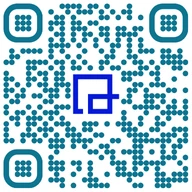
Editable WhatsApp QR Codes for Business

Customers scan and land in a WhatsApp chat with your business, message already typed. No saving your number first. Change the number or message after printing, and see which sign or box the scans came from.


  • Free for 7 days
  • No credit card needed
  • Unlimited scans
  1. 1 Printed on Yard sign at 4512 Ridgeview Dr
  2. 2 Short link qrtrac.link/•••• The scan is counted here: date, approximate city, device
  3. 3 WhatsApp chat, message typed Hi, is 4512 Ridgeview still available?
Illustration. Your code gets its own short link when you create it.

Brands that trust QRTRAC

Marriott
Harvard University
Hilton
Airbnb
Shopify
Wipro
Baltimore Sun
FCB
Girl Scouts
Milspin
Gallatin AI
Symal
MBG
Mayo Clinic
DaVita
LSU
Remmers
City of Sacramento
Barnhart Crane & Rigging
NBA House

What is a WhatsApp QR code?

A WhatsApp QR code is a code that opens a WhatsApp chat with a specific phone number when someone scans it, often with a message already typed in. Under the hood it's a wa.me click-to-chat link. The customer only has to tap send; they never type or save your number.

That last part matters more than it sounds. Asking someone to save a contact before they can ask a question loses most of them. A code skips the step, and the pre-filled message tells them what to say, which also tells you what they're asking about before you've read a word.

WhatsApp's own QR code vs. a QRTRAC code

WhatsApp has a free code for your account in its settings, and WhatsApp Business adds a short link with a code. They're fine for showing on your phone. Printed in quantity, they can't change and don't count anything.

WhatsApp app codeQRTRAC code
What it opens A chat with you (Business app: optionally with a default message) A chat with you, with the message you choose
Change the number or message No, not on codes already printed Yes, after printing
Design WhatsApp's standard look Your colors, logo and frame
Scan counts No Yes, by date, city and device
Extras None Schedule, scan limit, password, age gate
Cost Free in the WhatsApp app Paid plans, after a 7-day free trial

How to create a WhatsApp QR code

Five steps, a few minutes.

  1. 1

    Choose WhatsApp

    In the dashboard, click Create QR Code and pick WhatsApp.

  2. 2

    Enter the number and message

    Country code and the phone number that has WhatsApp, then the pre-filled message. Optionally pick a domain and a custom short URL.

  3. 3

    Set advanced options

    GPS tracking, a start and end date, a password, an age gate or a scan limit, if you need them.

  4. 4

    Design the code

    Colors, pattern, eyes, frame and your logo, or a saved template.

  5. 5

    Download and test

    Pick a size and PNG, JPEG, SVG or WEBP. Scan it and check that the chat opens with the right number and message.

Screenshots of each step: how to create a WhatsApp QR code.

Write a pre-filled message that does two jobs

The obvious job: get the conversation started, so nobody stares at an empty box wondering how to begin.

The less obvious one: tell you where the chat came from. Give each placement its own code and its own message, and the first line of every chat says which sign, box or booth sent it. Keep messages short, one or two lines, and leave blanks the customer fills in.

  • Real estate yard sign Hi, I'm interested in 4512 Ridgeview Dr. Is it still available?
  • Product box Hi, I need help setting up my Pro Blender X2.
  • Restaurant table tent Hi, I'd like to book a table for ___ people on ___.
  • Trade show booth Hi, we met at the Austin Expo. Can you send pricing?

Settings for specific situations

Most codes need none of these. When you do, they're in the code's advanced settings.

Schedule
Set a start and end date. A code on a seasonal promo stops opening chats when the promo ends.
Scan limit
Turn the code off after a set number of scans, for a giveaway with a fixed number of spots.
Password
People enter a password before the chat opens. Useful for a members-only or staff line.
Age gate
Ask people to confirm their age first, for alcohol, tobacco or cannabis businesses.

Where WhatsApp codes work best

  • Property signs. Buyers ask about a listing without a phone call, and the agent replies with photos.
  • Product packaging and inserts. Setup questions and returns go to a chat your support team already answers.
  • Storefront windows. After hours, people ask about stock or hours and get an answer in the morning.
  • Shipping boxes. "Where's my replacement?" in a chat, with the order number in the pre-filled message.

Check your customers use WhatsApp

WhatsApp is the default in much of the world and among many US communities, and far less so with others. Before you print, ask a few customers how they'd rather reach you.

If the answer is mixed, print an SMS QR code or a phone QR code beside it, or put every option on one page with a list of links. Scan counts will show you which one people pick.

Frequently Asked Questions

How do I create a WhatsApp QR code?
In QRTRAC, click Create QR Code, choose WhatsApp, enter your country code and number, add a pre-filled message, design the code and download it. Step-by-step guide with screenshots.
Can I add a pre-filled message?
Yes. Whatever you write, like "Hi, I need help with my order", appears in the customer's message box when the chat opens. They can edit it or just tap send.
Does it work with WhatsApp Business?
Yes. The code opens a chat with any number that has WhatsApp, on the regular app or WhatsApp Business.
Where is WhatsApp's own QR code?
In the WhatsApp app, tap Settings and the QR code icon next to your name. WhatsApp Business also offers a short link and QR code under its business tools. Menus vary by app version. These codes are free, but can't be edited after printing or tracked.
What happens if someone doesn't have WhatsApp?
WhatsApp's link page opens in the browser and prompts them to install the app. If many of your customers don't use WhatsApp, offer an SMS or phone code next to it.
Can I see how many people scanned my WhatsApp QR code?
Yes. Each scan is counted with its date, approximate city and country, and device. You see scans, not the messages: chats stay between you and the customer in WhatsApp.
Can I change the number after printing?
Yes. Edit the code in the dashboard and update the number or the message. Every printed code opens the new chat from the next scan.

Make your WhatsApp QR code

Enter your number and a message, and download a code you can change later.

Start your free trial

7 days free. No credit card needed.