Traditional printed product manuals present several practical challenges for manufacturers and consumers alike. They consume valuable space within product packaging, increase printing and shipping costs, and are frequently misplaced by customers shortly after purchase.
Modern products also often require detailed, multi-step instructions or regular updates. If a manufacturer publishes additional documentation, troubleshooting steps, or instructional videos post-launch, the physical manual inside a sealed box immediately becomes outdated.
As customers increasingly rely on their smartphones to access information, QR Codes offer a highly efficient bridge between the physical product and digital documentation.
Product → QR Code → Digital Manual → Customer
It is important to note that the QR Code provides a convenient access point to a digital destination; it does not replace the manufacturer's foundational documentation process or responsibility to provide necessary safety information.
What is a QR Code for a Product User Manual?
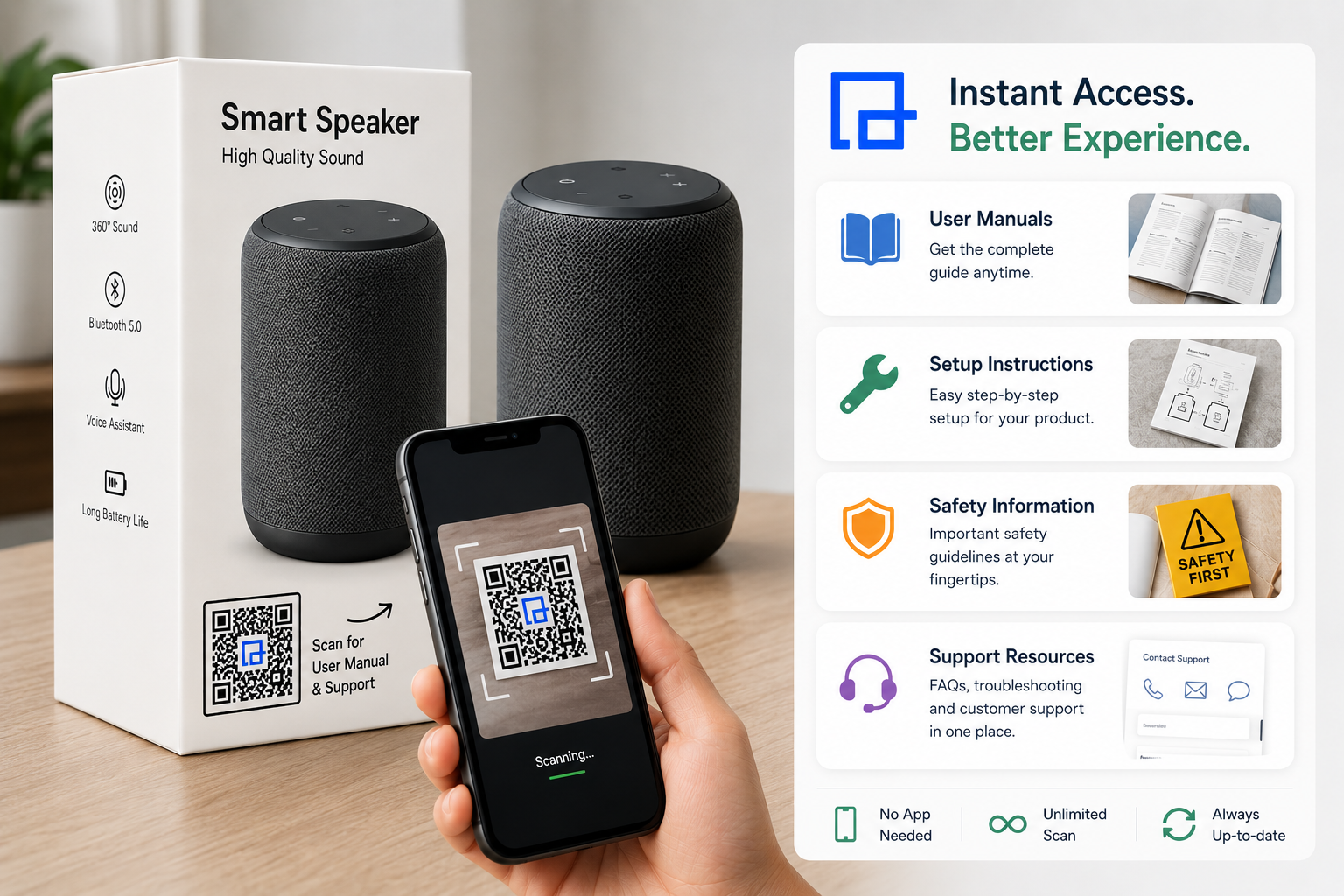
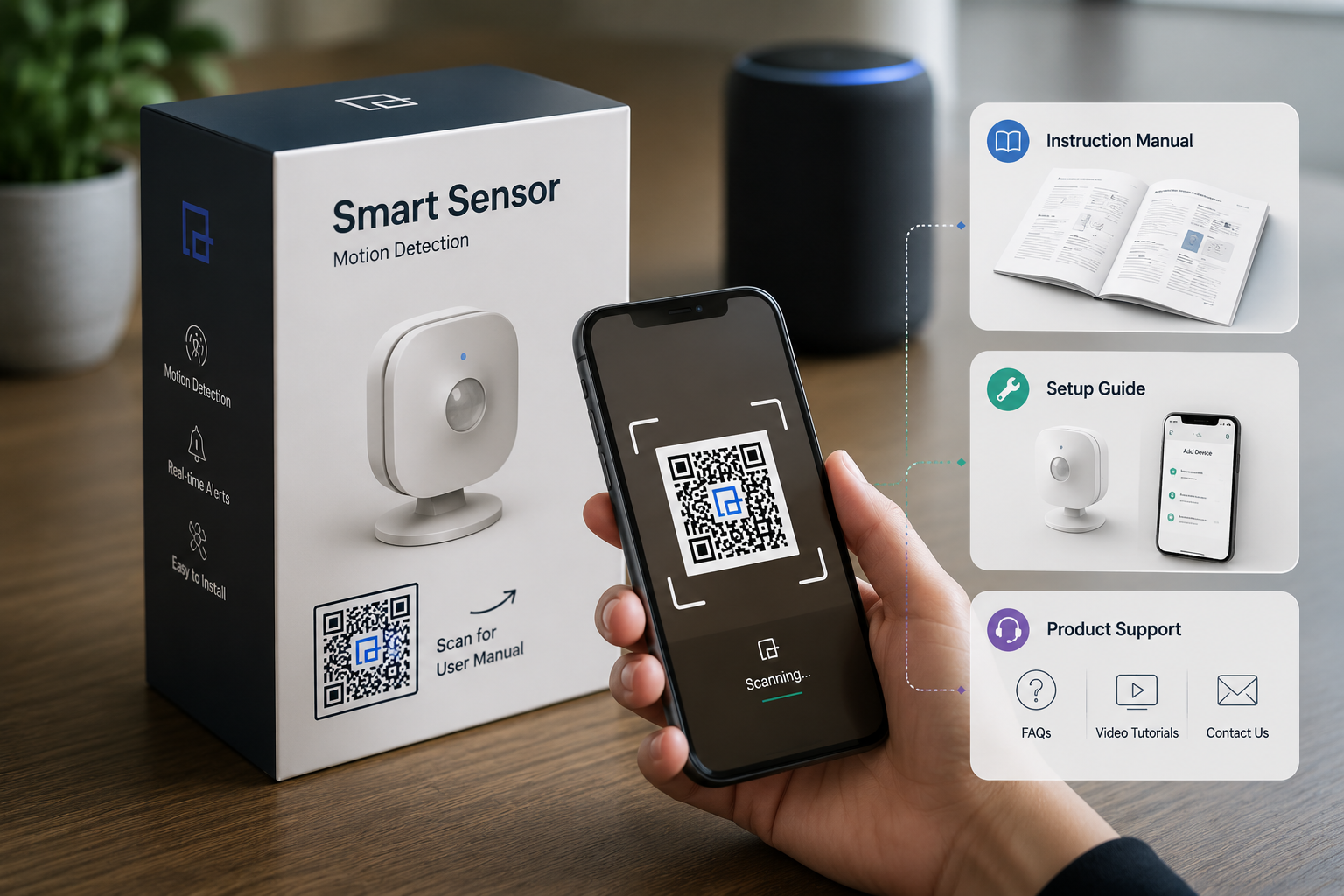
A product-manual QR Code is a scannable barcode printed directly on a product's packaging, label, or insert. When a customer scans it with their smartphone camera, they are instantly directed to a digital resource designated by the manufacturer.
Product Packaging ↓ Scan digital link ↓ Digital Product Manual ↓ Setup Instructions ↓ Product Usage / Support
This digital destination can take many forms depending on the product's complexity. A QR Code can open:
A downloadable PDF manual
A mobile-friendly HTML manual page
A comprehensive product documentation portal
Step-by-step setup and installation instructions
Troubleshooting guides
Warranty information and product registration forms
Instructional product videos
Why Put a QR Code on Product Packaging?
Easy Access to Product Instructions
Customers can access necessary documentation directly from the product or its packaging, eliminating the frustration of searching for a lost paper booklet.
Less Dependency on a Separate Printed Manual
A scannable QR Code is an immediate, reliable digital access point. While manufacturers should not blindly eliminate printed manuals (especially regarding critical safety warnings), a digital manual significantly reduces dependency on physical paper for general instructions.
Access to Multiple Resources
A single dynamic QR Code does not have to link to just one document. It can direct users to a mobile-friendly landing page containing the user manual, a quick-start setup guide, troubleshooting tips, instructional videos, FAQs, and direct customer support links.
Easier Content Updates
By utilizing a Dynamic QR Code, manufacturers can update the digital destination at any time. If an error is found in the manual or a new troubleshooting video is created, the content can be updated instantly without altering the QR Code printed on the thousands of boxes already in retail stores.
Product-Specific Documentation
Different product versions or models can each have their own unique QR Code, ensuring the customer always accesses the precise documentation for the exact item they purchased.
Post-Purchase Support
A QR Code extends the manufacturer-customer relationship beyond the point of sale, offering an easy avenue for customers to access help exactly when they need it.
Products That Can Use QR Codes for User Manuals
Electronics
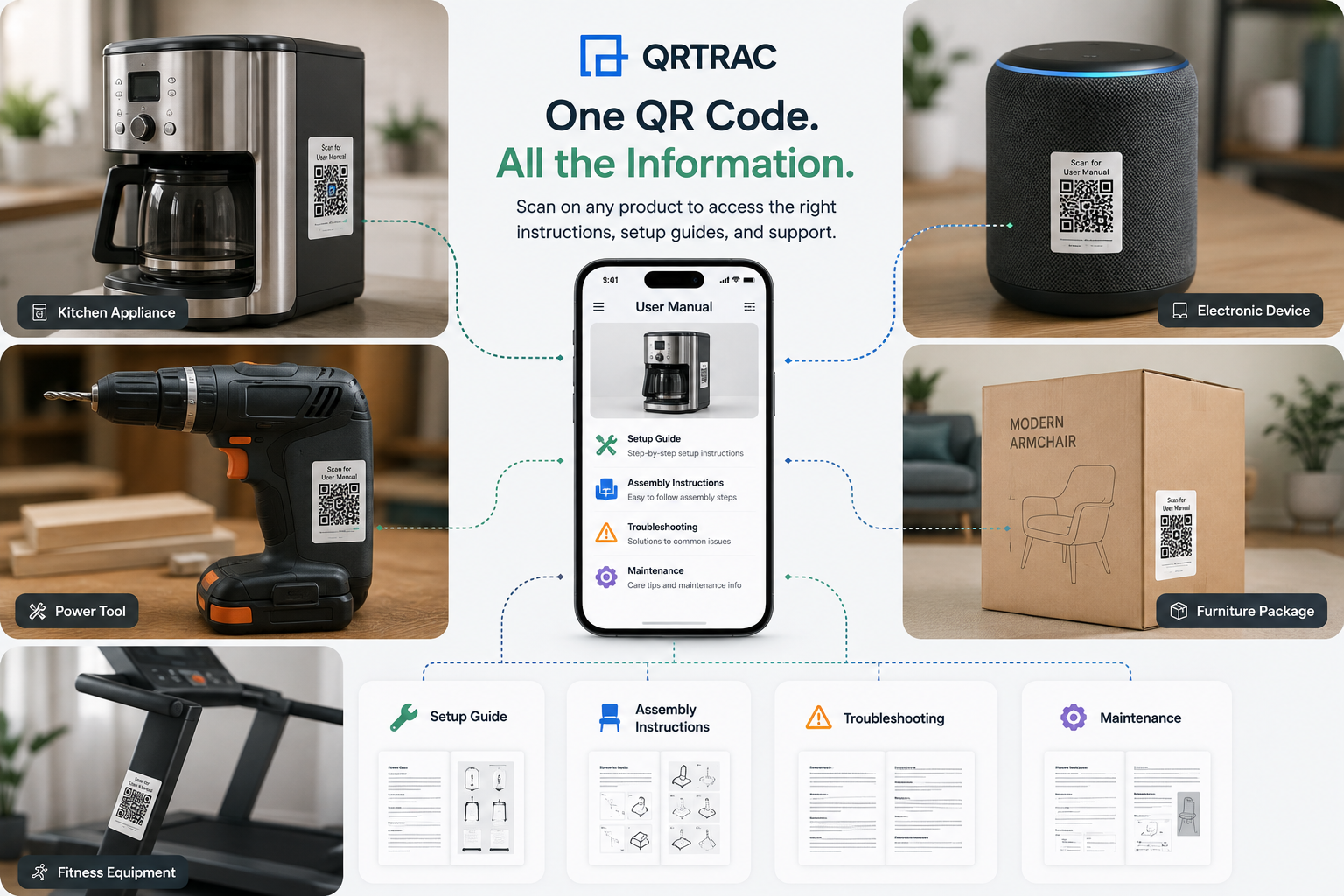
Headphones, wireless speakers, digital cameras, smart home devices, computer accessories, and general home electronics benefit greatly from digital quick-start guides and detailed specification sheets.
Home Appliances
Kitchen appliances, vacuum cleaners, air purifiers, and small appliances often require maintenance schedules and cleaning instructions that are easily formatted for mobile screens.
Tools & Hardware
Power tools, hand tools, workshop equipment, and DIY products can use QR Codes to provide essential operating instructions and maintenance documentation.
Furniture
Ready-to-assemble furniture relies heavily on clear visual instructions. QR Codes can link to assembly diagrams, care instructions, and installation video guides.
Fitness Equipment
Exercise machines and fitness accessories can link to equipment setup instructions, safety guidelines, and recommended usage routines.
Toys & Games
Complex toys and board games can provide digital assembly instructions, complete game rules, and digital guidebooks.
Beauty & Personal Care Products
QR Codes can provide detailed product application instructions, ingredient information, and usage guidelines.
Outdoor & Garden Products
Lawnmowers, grills, and garden equipment often require assembly, installation, and ongoing maintenance guides.
Choosing the right location for your QR Code ensures customers actually see and scan it.
Product Packaging
Printing the QR Code on the outer product box, carton, sleeve, or packaging sticker is highly visible. This is ideal for setup instructions the customer needs immediately upon unboxing.
Product Label
Where appropriate and aesthetically acceptable, placing the QR Code on the product's information label ensures the documentation remains accessible long after the original packaging has been discarded.
Inside the Package
Printing the QR Code on an internal flap or dedicated insert card provides a clean unboxing experience while keeping the digital access point prominent.
Printed Manual
A QR Code can complement an existing printed manual by linking to rich media, such as a video tutorial that cannot be printed on paper.
Product Instruction Card
A simple, single-page quick-start card featuring a prominent QR Code is a highly effective way to guide users to comprehensive digital documentation.
Product Hang Tags
For apparel, accessories, or certain consumer goods, a hang tag is a natural location for a digital manual link.
What Should the QR Code Open?
The destination depends entirely on the complexity of your product. A QR Code can direct users to:
Spare parts information and maintenance instructions
Often, a dedicated product resource page is more useful than sending a customer directly to a 50-page PDF. A resource page acts as a hub, allowing the customer to choose between viewing the manual, watching a setup video, or contacting support.
QR Code for Product Setup Instructions
The initial setup phase is often the most critical touchpoint in the customer journey. QR Codes can provide frictionless access to quick-start guides, assembly diagrams, installation instructions, initial configuration steps, and device pairing instructions.
New Product → Scan QR Code → Quick Start Guide → Setup Steps → Product Ready
QR Code for Product Troubleshooting
When a product behaves unexpectedly, customers want immediate solutions. A QR Code can connect customers directly to troubleshooting guides, explanations for common error codes, FAQs, reset instructions, and maintenance information.
The QR Code itself does not diagnose the problem; it simply serves as a rapid access point to the manufacturer's official troubleshooting resources, empowering the customer to find a solution quickly.
Real-World Case Study
TechGear Audio: 40% Reduction in Print Costs
When TechGear Audio launched their latest wireless headphones, they replaced their bulky 50-page multi-language paper manuals with a simple QRTRAC digital link printed on a single instruction card.
40%
Print Cost Savings
2.5x
More Registrations
15k
Monthly Scans
-18%
Support Tickets
QR Code for Product Safety Information
Digital documentation can effectively deliver detailed safety instructions, warnings, handling precautions, and maintenance guidance.
Important Note: QR Codes should complement, not blindly replace, required physical safety information or labeling. For safety-critical information, manufacturers must ensure that all appropriate warnings remain available in legally required formats directly on the product or packaging.
QR Codes for Product Warranty & Support
Beyond the manual, QR Codes are excellent tools for connecting customers to warranty information, product registration forms, service details, and help centers.
A scan does not automatically register a product, but it can smoothly direct the customer to the exact web form required to complete their warranty activation and access post-purchase support.
Static vs Dynamic QR Codes for Product Manuals
Choosing the right type of QR Code is crucial for long-term product packaging.
Use Case
Static QR
Dynamic QR
Permanent manual
Suitable
Suitable
Manual may be updated
Limited
Useful
Product support page
Suitable
Useful
Troubleshooting resources
Possible
Useful
Product campaigns
Possible
Useful
Analytics
Limited/none
Available where supported
Different product versions
Possible
Useful
Long-term packaging
Suitable
Useful
The right choice depends on whether the destination needs to change in the future and whether analytics and flexibility are required for your packaging strategy.
Product Version & Documentation Updates
A realistic challenge for manufacturers is managing updates. Product Version A ships with Manual A. A year later, Product Version B ships requiring an updated Manual B.
A Dynamic QR Code is highly useful when documentation needs to be updated post-production, allowing the manufacturer to change the destination URL while keeping the printed QR Code on the box unchanged. However, manufacturers must still carefully manage product versions, archived manuals, and support documentation to ensure users of older models can still find accurate information.
QR Codes for Product Packaging Workflow
Step 1 — Create the digital manual
Prepare your product documentation, ensuring it is formatted for digital viewing (e.g., a mobile-optimized PDF or HTML page).
Step 2 — Choose the destination
Decide whether the QR Code should open a direct PDF file, a specific product page, a dedicated documentation portal, or a general support hub.
Step 3 — Generate the QR Code
Create the appropriate QR Code (Static or Dynamic) using your generator platform.
Step 4 — Add it to packaging
Place the QR Code in your packaging design files where customers can easily find and scan it.
Step 5 — Add a CTA
Always include a Call-to-Action next to the code, such as: "Scan for User Manual", "Scan for Setup Instructions", or "Scan for Product Support".
Step 6 — Test Before Printing
Test the QR Code thoroughly with multiple devices and scanning apps before sending the packaging to mass production.
Step 7 — Monitor and Maintain
Regularly check that the destination URL remains active, available, and accurate.
How to Design a Product Manual QR Code Label
A QR Code is only useful if it can be easily scanned. Keep these practical design requirements in mind:
Size: Ensure it is large enough to be scanned from a comfortable distance.
Contrast: Maintain high contrast between the dark QR patterns and a light background.
Quiet Zone: Leave a clear margin of empty space around the entire QR Code.
Placement: Avoid placing the code where packaging folds, scratches, or seals will distort the image.
Surfaces: Be cautious with highly curved surfaces (like small cylinders) or highly reflective lamination that causes glare.
QR Codes for Product Support After Purchase
The post-purchase journey is critical for customer satisfaction. A single product QR Code can guide the user through multiple stages:
Purchase → Open Product → Scan QR Code → Read Manual → Set Up Product → Troubleshoot if Needed → Contact Support if Needed
QR Code Analytics for Product Manuals
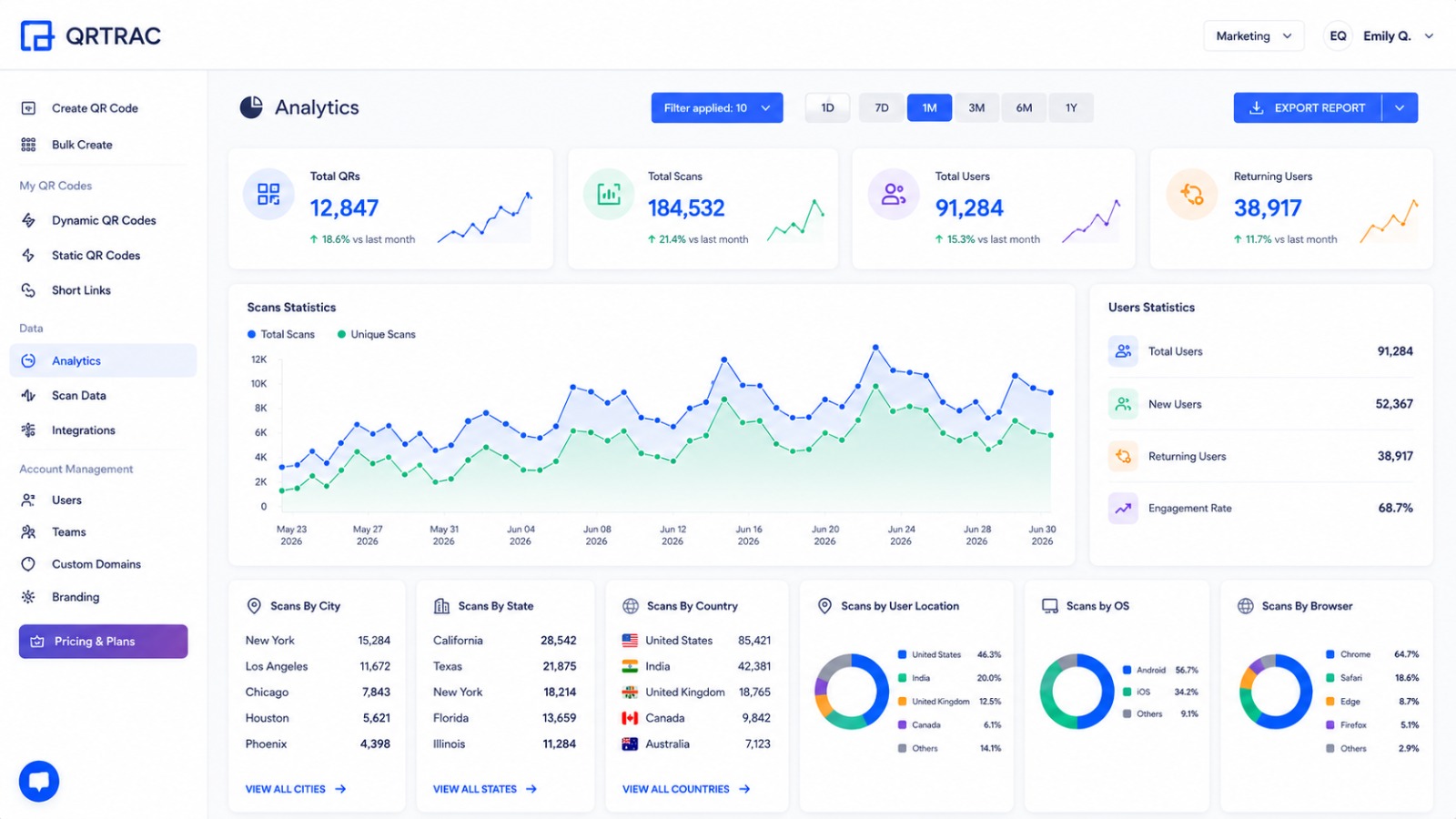
If utilizing Dynamic QR Codes, manufacturers can gain valuable insights into how their documentation is being accessed. Potential metrics include total scans, scan activity over time, device information, and geographic insights (where available).
Note: A QR scan simply indicates that the destination was accessed. It does not definitively prove product ownership, successful setup, or warranty activation unless the user completes a specific form on the resulting web page.
Common Mistakes with Product Manual QR Codes
Broken manual link: Ensure URLs are permanent or use a Dynamic QR Code to fix broken links instantly.
QR Code too small: Scale the code appropriately for the scanning distance.
No CTA: Always tell the user what they will get by scanning.
Mobile-unfriendly PDF: Ensure the manual text is legible on a smartphone screen without excessive pinching and zooming.
Destination removed after launch: Maintain long-term hosting for legacy product documentation.
Relying completely on the QR Code for critical information: Essential safety warnings must still be physically present.
Product Manual QR Code Best Practices
Use a clear CTA next to the code
Make the digital destination mobile-friendly
Test before mass printing and after packaging production
Use version-controlled documentation
Use Dynamic smart labels when future updates are expected
Avoid placing codes on packaging folds or highly curved surfaces
Realistic Product Manual QR Code Examples
Example 1 — Electronics
Product Box → QR Code → Digital Manual → Setup Instructions → Troubleshooting
Example 2 — Furniture
Packaging → QR Code → Assembly Guide → Installation Instructions
Example 3 — Power Tool
Product Label → QR Code → User Manual → Safety / Usage Information → Maintenance Guide
Example 4 — Appliance
Product Packaging → QR Code → Quick Start Guide → Full Manual → Support
Product Manual QR Code Implementation Checklist
Prepare the digital manual
Confirm the correct product version
Select the destination (PDF or webpage)
Choose Static or Dynamic QR
Generate QR Code
Add clear CTA
Place QR Code on packaging
Check size and contrast
Test on multiple smartphones
Test after printing
Verify the manual URL
Verify mobile usability
Should QR Codes Replace Printed Product Manuals?
Not necessarily. While QR Codes are an excellent way to provide access to full manuals, updated instructions, videos, and troubleshooting, they should complement printed documentation rather than blindly replace it. Manufacturers must consider product requirements, customer needs, accessibility, safety information, and any applicable regulatory documentation requirements before removing printed materials from the box.
Conclusion
A product does not have to stop communicating with the customer once the package is opened. A QR Code can smoothly connect the physical product to its user manual, setup guide, troubleshooting resources, safety information, and product registration portal.
Packaging Digest (2024): 78% of consumers prefer scanning a smart label over typing a URL for product support.
QR Codes for Product User Manuals — Common Questions
Everything you need to know about placing digital manuals on your product packaging.
QWhat is a QR Code for a product user manual?
It is a QR Code printed on a product or its packaging that, when scanned by a smartphone, directs the customer to a digital version of the user manual, setup guide, or product documentation.
QWhere should I place a QR Code for a product manual?
You can place it on the product box, carton, sleeve, product label, an instruction card inside the package, or even on the physical product itself if appropriate.
QCan a QR Code link directly to a PDF manual?
Yes, you can generate a PDF QR Code that allows customers to instantly view and download a standard PDF manual to their devices.
QCan a QR Code open a mobile-friendly user guide?
Yes, instead of a PDF, the QR Code can link to a dedicated HTML landing page or product support hub designed specifically for mobile screens.
QCan I update a product manual after printing the QR Code?
Yes, if you use a Dynamic QR Code, you can update the destination URL or replace the PDF file in your dashboard without needing to reprint the physical QR Code on your packaging.
QShould I use a Static or Dynamic QR Code for product manuals?
Dynamic QR Codes are highly recommended for product manuals because they allow you to update instructions, fix errors, and track scan analytics after the product has shipped.
QCan QR Codes be placed directly on product packaging?
Yes, placing the QR Code on the outer packaging or an internal insert is one of the most common and effective ways to deliver digital setup instructions.
QCan QR Codes be used for troubleshooting instructions?
Absolutely. A QR Code can link directly to a troubleshooting page, FAQ, or video guide to help customers resolve common issues independently.
QCan QR Codes link to product warranty information?
Yes, the digital destination can include links to warranty terms, registration forms, and support contact details alongside the user manual.
QCan QR Codes be used for product registration?
Yes, you can include a product registration link on the landing page that the QR Code opens, making it easier for customers to register their purchase.
QCan I track scans of a product manual QR Code?
Yes, Dynamic QR Codes provide analytics such as total scans, scan activity over time, and device information, helping you understand how often your manuals are accessed.
QShould QR Codes replace printed product manuals?
Not necessarily. QR Codes are best used to complement printed documentation. Manufacturers must still consider safety requirements, regulations, and accessibility before completely removing printed manuals.
QWhat should the CTA next to a product-manual QR Code say?
A clear Call-to-Action is essential. Examples include 'Scan for User Manual', 'Scan for Setup Instructions', or 'Scan for Product Support'.
QHow large should a product-manual QR Code be?
The QR Code should be at least 2x2 cm (0.8x0.8 inches) for close-range scanning on packaging, ensuring there is high contrast and a quiet zone around it.
QHow do I test a QR Code before printing product packaging?
Always print a sample of the packaging and scan it with multiple different smartphone models (iOS and Android) under various lighting conditions to ensure it scans easily.
Ready to Digitize Your Product Manuals?
Create a QR Code for your product manual today and connect your physical packaging to digital documentation.
 By Aawes Shaikh
· Published