


Digital Menus that
Drive Revenue.

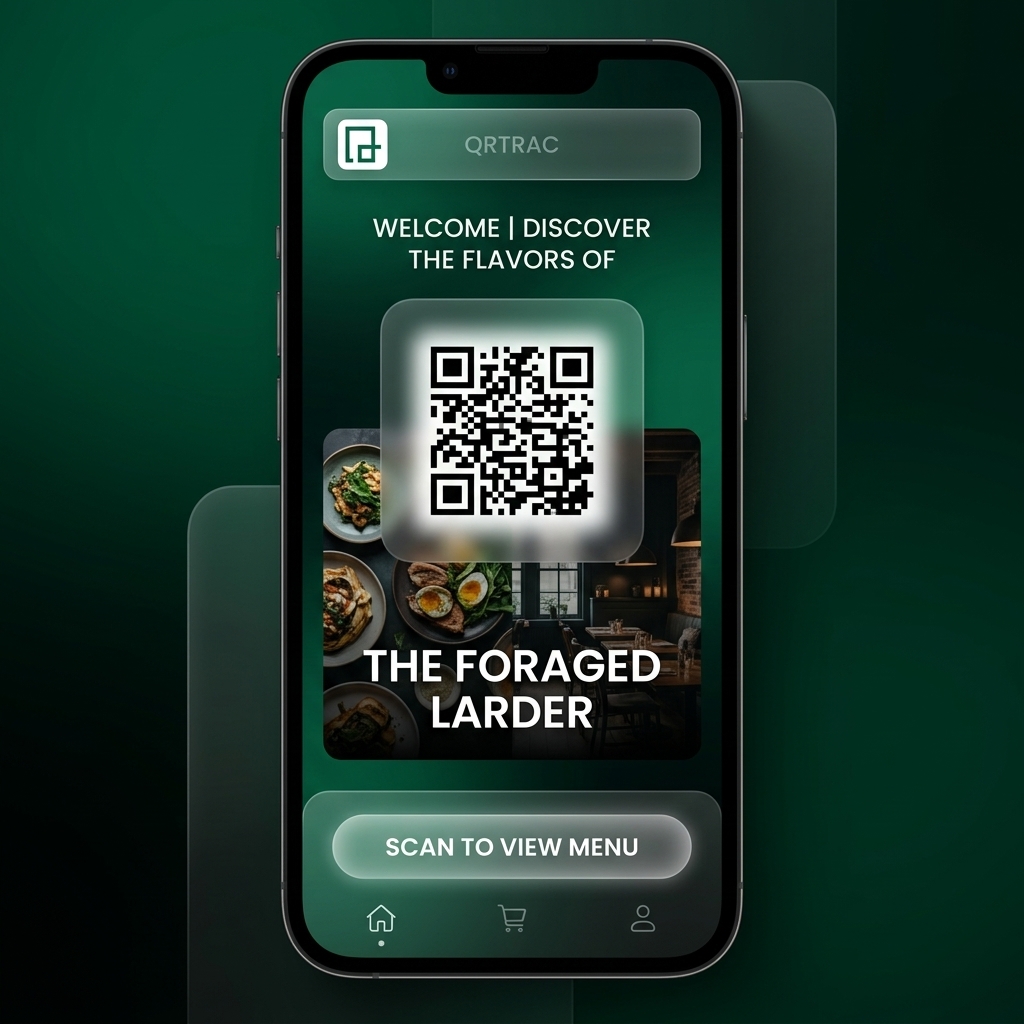
Stop paying for constant menu reprints. Generate dynamic restaurant QR codes to update prices and items in real time. Track scans by table, run loyalty programs, and grow average ticket sizes by 20%.

Create Menu QR Code

Free 7-Day Trial • No Card Required

Restaurant QR Code Generator

Trusted by Leading Organizations

Join thousands of businesses using QRTRAC for their QR code needs

Menus that
Never Outdate.

Traditional paper menus are a money pit. They get stained, torn, and outdated the moment wholesale prices change. QRTRAC lets you update your digital menu instantly without touching a printer. Swap items, test price elasticity, and redirect scanners to special event pages.

Instant Price Updates

Adjust prices or 86 a sold-out IPA in five seconds. The physical QR code on your wooden table tents stays active and links to the newest menu version automatically.

Table-by-Table Analytics

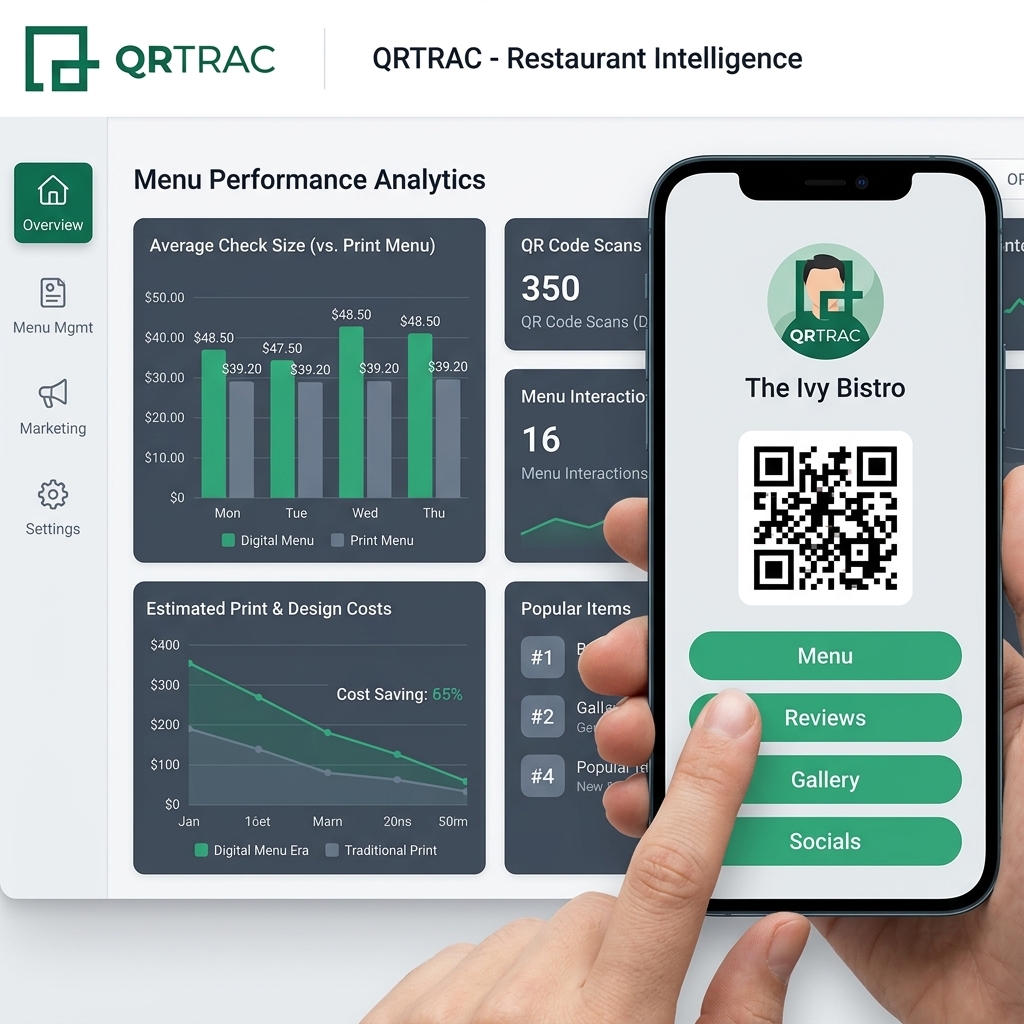
See which tables scan most. Track lunchtime rushes and monitor guest devices without invading their privacy.

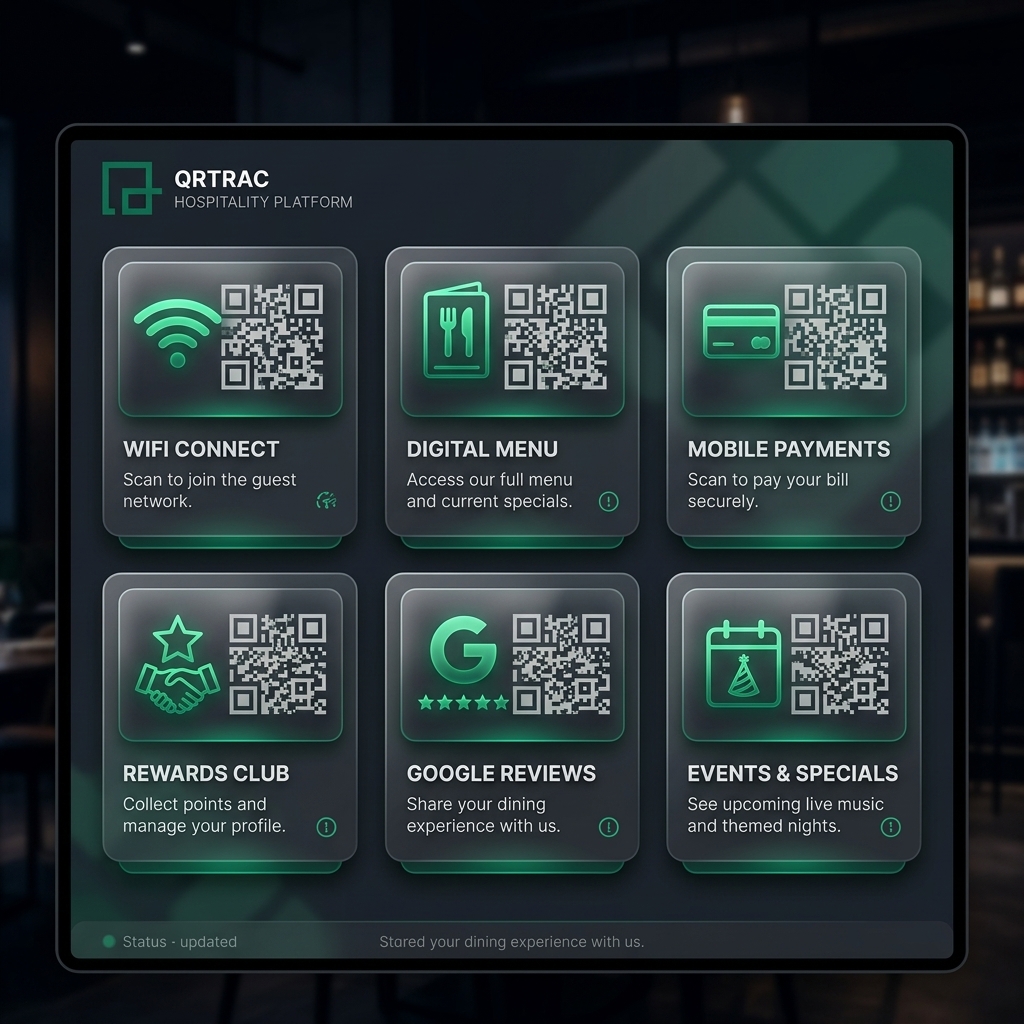
✨ The Smart Tabletop

  • Google Reviews

    Send happy guests straight to your review page as they finish dessert.

  • WiFi Access

    Connect guests to guest WiFi without making staff repeat the password.

  • Loyalty Sign-ups

    Grow your email list by linking QR codes to your rewards program.

  • Tabletop Payments

    Let guests settle their tab using Apple Pay or credit card on their phone.

How Restaurant QR Codes Work

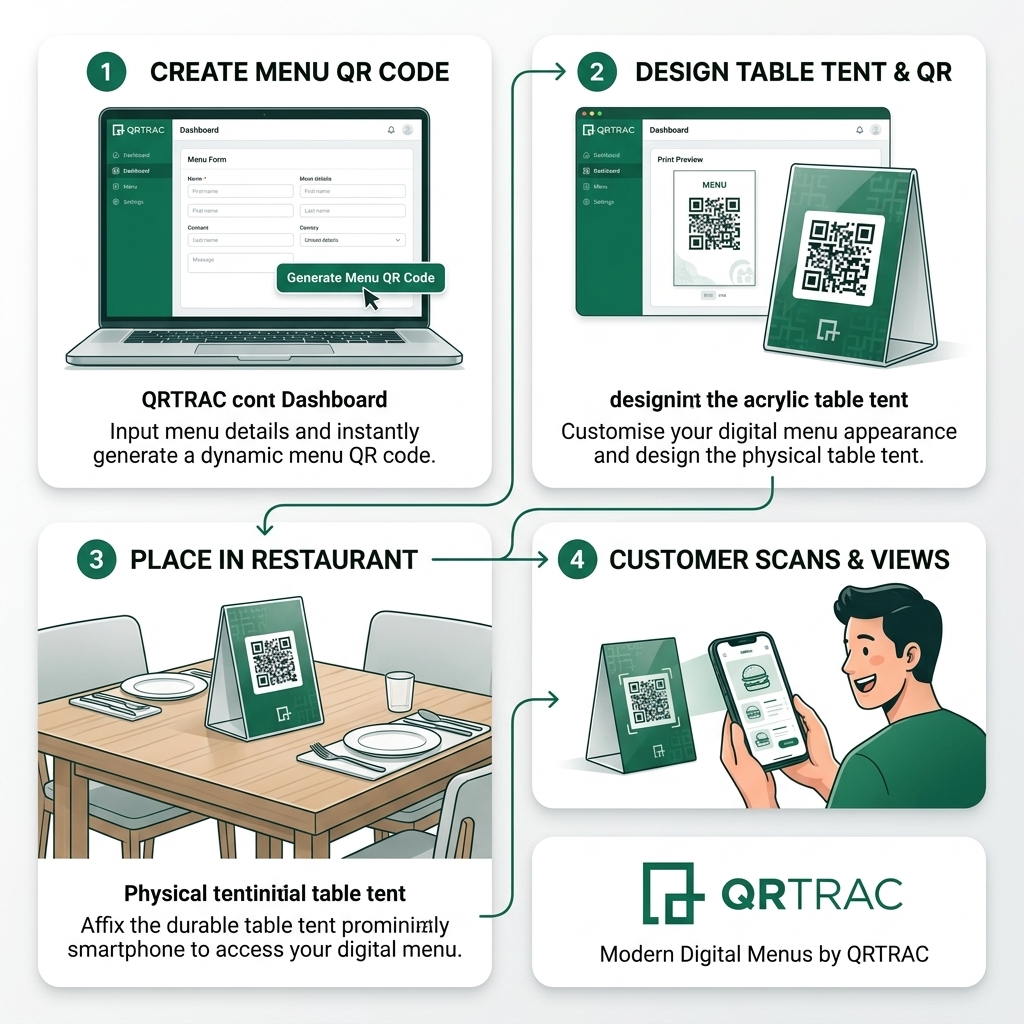
Transform your menu into an interactive, trackable experience in 4 simple steps.

How Restaurant QR Codes Work
1

Upload Your File

Upload your menu PDF or link to your current website menu.

Instant conversion
2

Style Your Brand

Pick your brand colors and upload your restaurant logo to the center.

100% white-label
3

Export & Print

Download 300 DPI files as PNG or SVG for table tents, stickers, or metal plates.

Vector SVG/EPS
4

Scan and Browse

Guests point their default phone camera at the code to view the menu instantly.

Zero app required

Why Restaurants Use Digital Menus

The smart alternative to physical printing, offering unparalleled flexibility and cost savings.

Ditch the Printer

Save thousands each year on paper cardstock and laminate runs.

Higher Guest Checks

Increase food orders by 20% with mouth-watering mobile photos.

Faster Table Turns

Guests browse the menu immediately instead of waiting for a host to bring paper.

Real-Time Adjustments

Mark items out of stock or update pricing on busy Friday nights.

Stain-Free Dining

Say goodbye to sticky, wet menus that collect bacteria.

Promote Margin Items

Pin your high-profit specials right at the top of the screen.

More Five-Star Reviews

Place Google Review prompts on tables or printed check slips.

Friction-Free Service

Let guests look at drinks and mains the second they sit.

Eco-Conscious Tables

Eliminate paper waste from daily menu alterations.

Permanent Placements

Stick durable QR codes to tables once and use them for years.

Financial benefits of restaurant QR codes

One Engine, Infinite Applications

The most versatile QR tool for hospitality and food service.

🍽️

Table Tents

Put direct menu links on acrylic stands or folded cards.

⭐

Review Slips

Place Google Review QR codes on the bottom of receipt slips.

📶

Instant WiFi

Connect diners to guest internet without manual password entry.

💳

Mobile Bills

Speed up checkout by linking to Apple Pay or your POS payment screen.

🎁

Loyalty Sign-ups

Drive enrollments with custom QR codes on takeaway boxes.

🚚

Patio & Windows

Let walk-up guests scan to order food on the go.

Infinite restaurant applications

Hospitality Types Using QR Codes

From local cafes to global franchises, see how different venues use dynamic QR codes.

F

Fine Dining

Use Case: Elegant leather-bound covers with clean wine-list QR inserts.

Benefit: Update vintages without scratching out old prices.
C

Casual Dining

Use Case: Durable tabletop stickers for draft lists and mains.

Benefit: Upsell appetizers and drinks during busy weekend rushes.
C

Cafes & Coffee Shops

Use Case: Counter stickers and window signs for quick grab-and-go ordering.

Benefit: Keep lines moving by letting waiting guests browse early.
B

Bars & Nightclubs

Use Case: Low-light scannable codes on drink mats and bar counters.

Benefit: No more squinting at paper menus in dark lounge seating.
F

Food Trucks

Use Case: Magnetic side-panel graphics and line-cutter QR signs.

Benefit: Let customers choose their order before hitting the order window.
H

Hotels & Resorts

Use Case: Poolside deck chair tags and room bedside table cards.

Benefit: Drive room service and drink orders from pool decks.
G

Ghost Kitchens

Use Case: Takeout box stickers that link to direct-order web pages.

Benefit: Save on high commission fees by driving repeat direct orders.
B

Breweries

Use Case: Coasters printed with QR codes linking to current tap lists.

Benefit: Instantly hide a beer when the keg kicks on busy Saturdays.
Q

QSR & Fast Food

Use Case: Digital display boards and drive-thru lane posters.

Benefit: Display allergy warnings and calorie counts without cluttering wall boards.
C

Catering

Use Case: Buffet card stands and customized wedding table menus.

Benefit: Clearly list ingredients and allergens for thousands of event guests.

Static vs Dynamic Menu QR Codes

Why successful restaurants overwhelmingly choose dynamic QR codes.

Feature
Static QR Code
Dynamic QR Code
Update Menu Link Anytime
❌ No
✅ Yes
Table-by-Table Tracking
❌ No
✅ Yes
Never Reprint Table Tents
❌ No
✅ Yes
Scan Analytics & Data
❌ No
✅ Yes
Fix Typos Post-Print
❌ No
✅ Yes
Custom Branding (Logo)
Limited
Full Control
Add Daily Specials
❌ No
✅ Yes
Long-Term Cost Savings
Low
Extremely High

Our Recommendation

Always use a Dynamic QR Code for your restaurant. The ability to update prices, swap seasonal items, and track table analytics provides infinite ROI and prevents you from ever needing to reprint physical materials.

Menu QR Code Best Practices

Follow these guidelines to maximize scan rates and ensure a perfect guest experience.

✓

Keep PDF Menus Small

Ensure PDF files stay under 3MB so they load instantly on weaker cell signals.

✓

Design for Phone Screens

Use clean single-column layouts so diners don't have to pinch and zoom.

✓

Choose Dynamic Formats

Never print static codes. If your URL changes, static codes break permanently.

✓

Branded Code Center

Place your restaurant logo in the middle of the code to verify it is your official menu.

✓

Write a Call to Action

Add simple text below the code like 'Scan for Drinks & Desserts'.

✓

Segment by Table Number

Use unique tracking codes per table to discover peak seating zones.

✓

Lead with Margin

Place your high-margin appetizers and craft cocktails at the top of your webpage.

✓

Check Contrast and Size

Make sure codes are printed in high contrast and are at least 1.5 inches wide.

Franchise Security & Compliance

Enterprise infrastructure for multi-location restaurant groups.

Custom Web Domains

Map your codes to menu.yourbrand.com to keep your digital identity.

Multi-Location Control

Oversee and update codes for hundreds of locations from one central account.

Reliable Menu Hosting

Fast, reliable hosting keeps your menu loading during Saturday night rush hours.

Staff Access Permissions

Let local store managers update local prices while blocking global changes.

GDPR Compliance

Respect guest privacy by keeping tracking anonymous and cookie-free.

Secure Customer Data

We never sell customer scan logs or track guest personal details.

POS and CRM Integrations

Sync QR codes with your internal point-of-sale terminal software.

Priority Weekend Support

Call or text our support line during peak dinner service hours.

88%
Diners Scanned a Menu
+20%
Average Check Lift
$4K+
Saved in Print Costs
76%
Fewer Order Errors
6x
Growth in Adoption

Helpful Resources

Learn how to maximize your restaurant's digital strategy with our expert guides.

Explore Help Center →

Everything You Need to Know About Restaurant QR Codes

What Is a Restaurant Menu QR Code?

Dynamic QR Codes for Restaurants

A restaurant QR code links physical guests to your online menu, tap list, or payment page. By scanning a code on their phone, diners instantly open a lightweight menu webpage. This replaces traditional paper print runs, cuts down menu maintenance costs, and makes updating prices immediate.

How QR Codes Increase Revenue

Data shows that digital menus push guest checks up by roughly 20%. Guests browse at their own pace. Without pressure from a server, they explore appetizers, sides, and high-margin drinks. Clear imagery of your signature burger or cocktail prompts spontaneous orders that paper menus miss.

The Financial Impact

A typical 25-table dining spot prints new menus every season. Between graphic design hours, heavy cardstock, and lamination, print budgets run between $3,000 and $6,000 each year. Dynamic QR codes wipe out these costs. When food costs jump or supplier prices shift, you change the web destination inside your QRTRAC dashboard. Your physical tabletop cards never leave the tables.

Table-by-Table Analytics

Printing custom QR codes for specific table numbers or dining zones provides clear operational insights. You see which zones pull the most traffic, peak scan hours, and how long guests spend reading the menu. This data lets you schedule floor staff and plan table layouts using hard numbers rather than guesswork.

Collecting Google Reviews

Placing a "Review Us" QR code on guest receipts or exit signs is highly effective. Instead of relying on servers to ask for reviews, this direct scan opens your Google Business page with the review window already open. Operators using this approach generate double to quadruple the amount of monthly feedback, improving search visibility in local map packs. Some operators pair this with a short survey QR code to collect structured feedback alongside public reviews.

Why You Must Use Dynamic Codes

With standard static QR codes, the destination link is permanently hardcoded. If you change your menu web address or switch hosting providers, every single physical table tent becomes useless trash. Dynamic QR codes route scanners through a redirect link. You can swap the menu PDF or website URL in your dashboard in five seconds, while the physical code on the tables continues to work perfectly.

Restaurant QR Code FAQ

Answers to the most common questions about digital dining experiences.

Q How do restaurant QR code menus actually work?

Put a QR code on a laminated table tent or acrylic stand. When guests scan it with their phone camera, your menu opens instantly in their browser. They do not need a custom app. If you change prices or run out of a draft beer, update the link in your dashboard. The printed QR code on the table stays exactly the same.

Q How much do restaurants save by switching to QR menus?

A 25-table dining room usually spends $3,000 to $6,000 annually on print runs, synthetic paper, and design fees. Switching to digital menus drops that print budget to zero. Data from industry studies shows guests order about 20% more when browsing high-res food photos on their own phone at their own pace.

Q Can I use QRTRAC for multiple restaurant locations?

Yes. You can manage 5 or 50 locations from one central login. Create unique QR codes for each venue to track scan counts, lunch-hour traffic, and device types per store. Our white-label plan lets you host the menus under your own web domain (like menu.yourbrand.com) instead of ours.

Q Do restaurant customers need a special app to scan the menu QR?

No. Guests just open their default camera app and point it at the code. A link pops up instantly. There is no app download required, which keeps the table turnaround fast and avoids customer frustration.

Q How do I put a QR code on my restaurant tables?

Print them on folded cardboard table tents, adhesive vinyl table stickers, or acrylic holders. We export print-ready, 300 DPI PNG and vector SVG files. Keep the printed QR code at least 1.5 inches wide so guests can scan it from across the table. Always add a short callout like 'Scan to view menu & specials'.

Q Can I track which tables scan most and when peak ordering happens?

Yes. Assign a unique QR code to each individual table or dining zone. Your analytics dashboard will show you which tables are most active, peak scanning hours, and popular device types. This helps you align your server schedules with real customer foot traffic.

Q Can my restaurant QR codes link to Google Reviews?

Yes. Put a 'Review Us on Google' QR code on the guest check or near the exit. When scanned, it opens your Google business profile with the review window already open. Operators who do this see double or triple the amount of monthly Google reviews.

Q Does QRTRAC offer a nonprofit discount for community food programs?

Yes. Verified non-profit community kitchens, food banks, and school programs get 50% off any paid plan, with the coupon emailed after verification.

Explore Related Solutions

Discover other ways QRTRAC can digitize your business.

Ready to go digital?

Join thousands of restaurants that trust QRTRAC for digital menus.