URL QR Code Generator for Any Website
Turn any web address into a QR code. Link to the exact page your flyer or package is about, change it after printing, and see every scan.
- Free for 7 days
- No credit card needed
- Unlimited scans
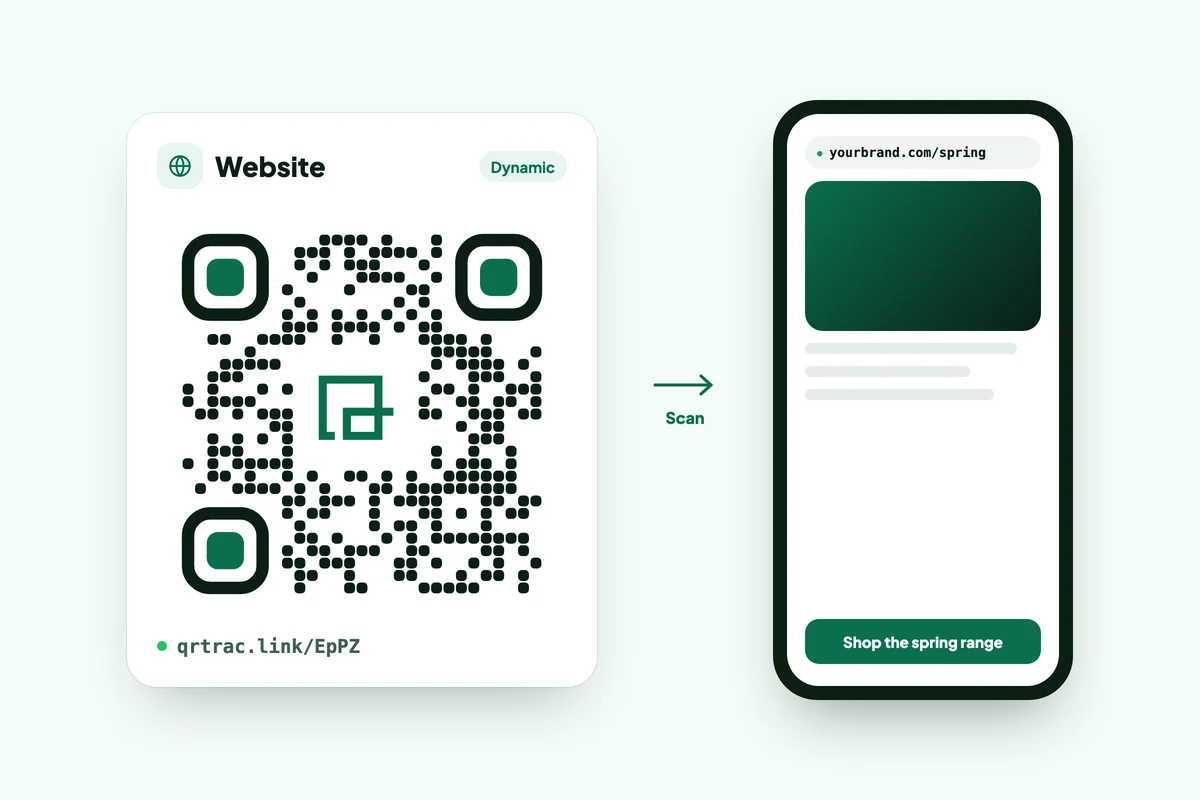
Turn any web address into a QR code. Link to the exact page your flyer or package is about, change it after printing, and see every scan.












Copy the page's address from your browser, paste it into a URL QR code generator, design the code and download it. Scan it with your phone before you print. A dynamic URL QR code lets you change the page later and count scans. A static one is free but fixed for good.
Most failed codes trace back to the link, not the QR pattern: a missing https://, a page behind a login, or a URL that worked on the day and moved a month later.
About two minutes, plus however long the logo takes.
In the dashboard, click Create QR Code, pick Website URL from the list of types and click Next.
Copy the address from your browser and paste it in, starting with https://.
Open the link in a private browser window first. If it asks for a login there, it'll ask everyone who scans.
Set the colors, add your logo in the center, and pick the dot and corner styles.
Keep the dots darker than the background. Light codes on dark backgrounds fail on some phones.
Give the code a name you'll recognize in a list of fifty, then download as PNG, JPEG, SVG or WEBP.
Use SVG for print. Scan the printed proof, not just the screen.
Screenshots of each step: how to create a website URL QR code.
A static code is fine for a page that will never move. For anything you print in quantity, or want to measure, use a dynamic one.
| Static URL code | Dynamic URL code (QRTRAC) | |
|---|---|---|
| What's in the code | Your full URL | A short link that forwards to your URL |
| Change the page after printing | No. Reprint. | Yes, from the dashboard |
| Scan counts | No | Yes, by date, city, country and device |
| Long URLs with tracking tags | The code gets denser and harder to scan small | The code stays the same size, whatever the URL |
| Cost | Free, no account | Paid plans, after a 7-day free trial |
Need a static one now? The free QR code generator makes it without an account. How changing a printed code's link works: URL redirect QR codes.
The code only gets people to the page. These decide whether the scan was worth it.
Every dynamic code reports into the same dashboard, so you can compare the flyer with the poster.
Total and unique scans by day, so you can see the bump after a mailing lands or an event starts.
Approximate city and country from the IP address, plus device, browser and operating system.
Send scans to GA4, or export them as CSV or XLS for a report. How QR code tracking works.
Send readers to the offer, the sign-up form or the event page.
Open the setup guide, warranty page or reorder link, and update it when the page moves.
QR codes on packagingLink to a portfolio or booking page. To share contact details, a vCard code works better.
vCard QR code generatorPoint to online ordering, reviews or opening hours.
Use one code per mailing so you can count which list responded.
Leave a code on the last slide so the audience can open the deck or sign up.
Need several links behind one code? Use a list of links. Making hundreds for print? Start from a spreadsheet with the bulk QR code generator.
Every plan starts with a 7-day free trial, no credit card needed. After that:
| Plan | Monthly price |
|---|---|
| Kickoff | $5 |
| Startup (Business) | $15 |
| Business Plus | $49 |
Code limits, custom domains and annual prices are on the pricing page. Paid plans never cap scans.
Paste a link, scan the result with your phone and watch the first scans come in.
Start your free trialNo credit card needed.