Your HR team just printed 200 QR codes linking to salary review letters. Without password protection, anyone who finds a stray printout can read someone else's compensation. That's the problem we solve.
QRTRAC lets you add a password gate to any dynamic QR code — so the right people get instant access, and everyone else sees a locked door. With unlimited scans and no cap on growth, your security scales with your organization.
A common misconception is that the password is somehow "embedded" inside the QR code. It's not. Here's what actually happens:
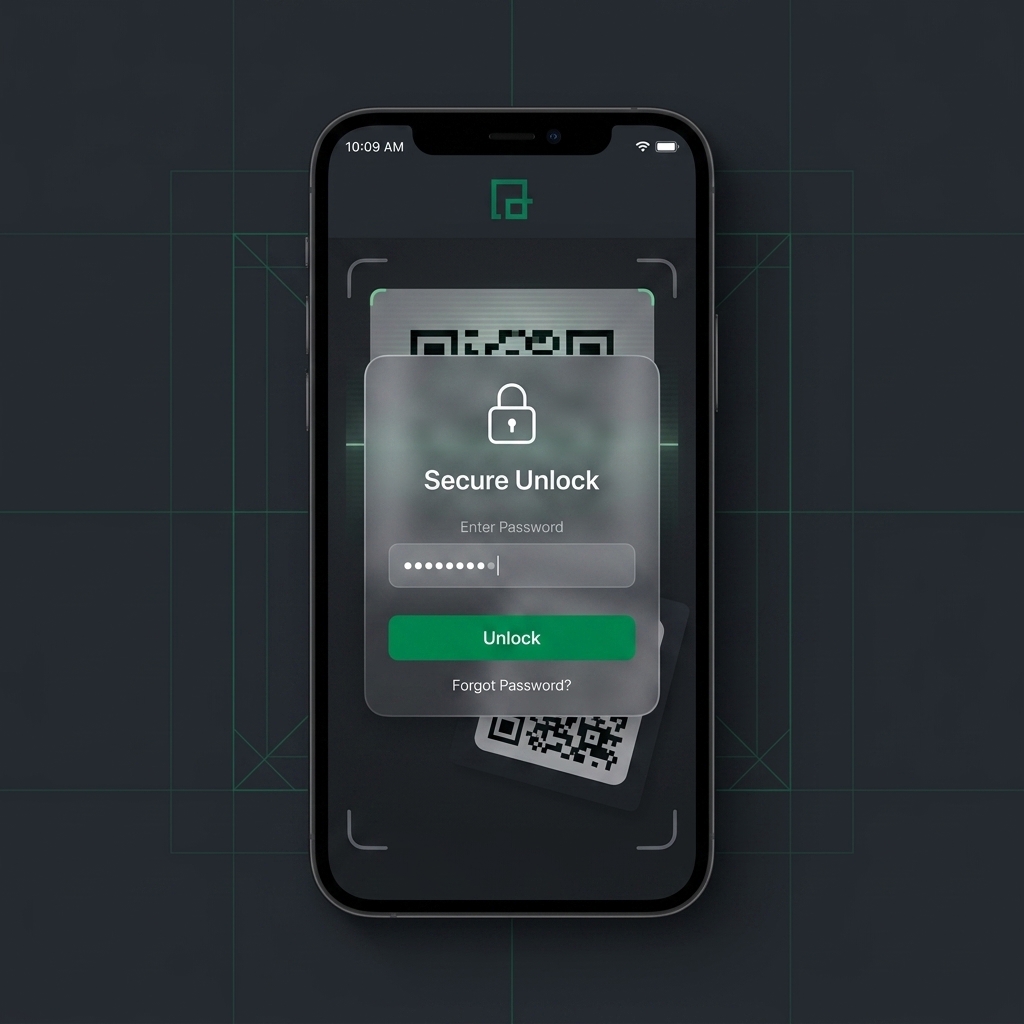
The QR code itself contains only a short URL — something like qrtrac.link/abc123. When someone scans it, their browser opens that URL. But instead of immediately redirecting to your document, our server first shows a clean, mobile-friendly password prompt.
The recipient types the password you set. If it matches, they're instantly redirected to your content — a PDF, a webpage, a video, whatever you linked. If it doesn't match, they see a polite "incorrect password" message. After 5 failed attempts, the code temporarily locks for 15 minutes.
Because the password check happens on our server (not inside the QR code), you can change the password at any time without reprinting anything. The physical code on your flyer, label, or plaque stays exactly the same.
QRTRAC applies all three by default on every dynamic code. You can layer them however you need.
Being honest about this builds trust: not everything needs a password gate. Over-securing public content creates friction that hurts engagement.
No technical skills required. If you can type a URL and choose a password, you can do this.
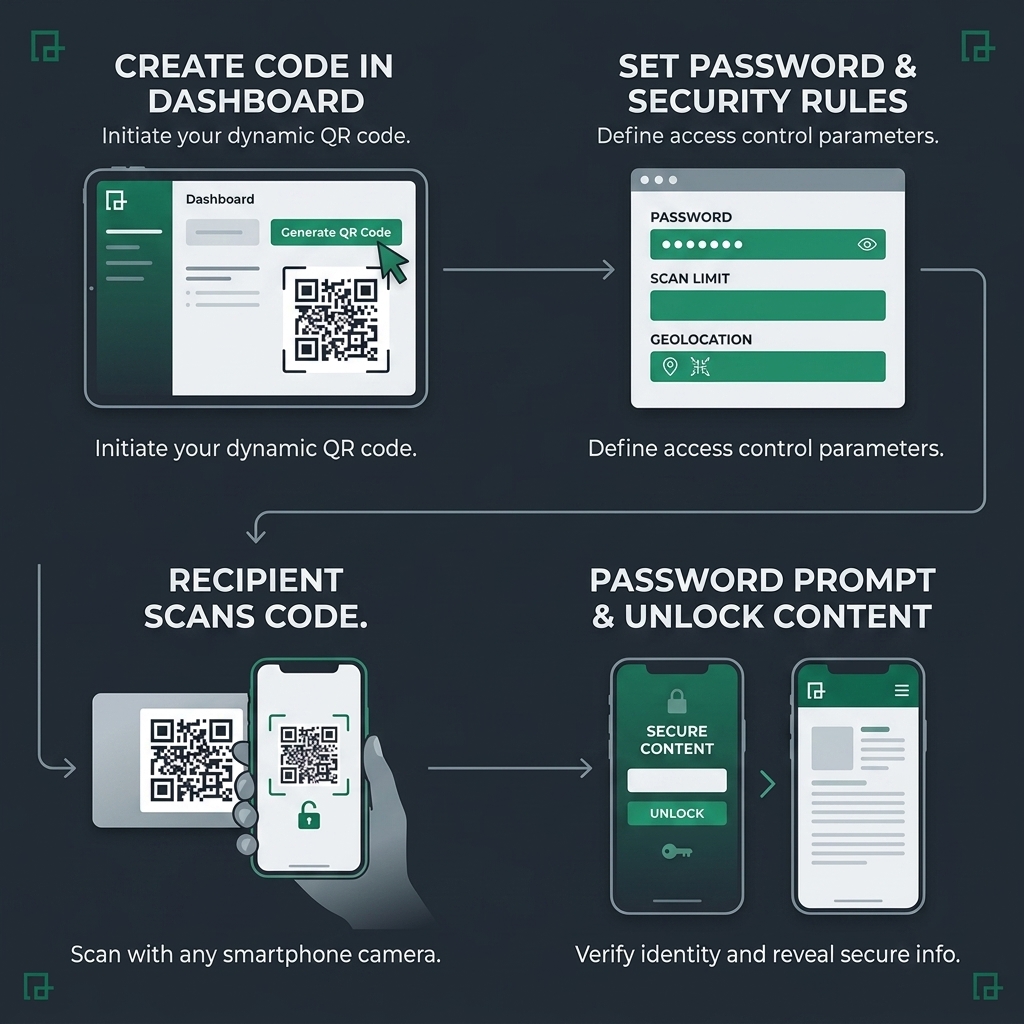
Log into your QRTRAC dashboard and click "Create New Code." Select the type of content you want to protect — a URL, a PDF upload, a vCard, or a custom landing page. For most secure-sharing scenarios, you'll either paste a URL or upload a PDF directly.
Tip: If you're sharing a document that changes frequently (like a policy manual), link to a cloud-hosted version (Google Drive, SharePoint) rather than uploading a static PDF. That way the linked content stays current without you needing to re-upload.
Toggle the "Password Protection" switch in the code settings. Enter a password (we recommend 8+ characters with a mix of letters and numbers). Optionally, configure additional layers:
Tip: Use simple, memorable passwords you can share verbally or in a separate email. "Report2026Q2" is easier to communicate than "x7!kP@9mZ#" — and still secure enough for most use cases.
Download your QR code in SVG (for print) or PNG (for digital). The code works identically whether it's printed on a hospital wristband, embedded in an email, or displayed on a digital signboard.
Always test first. Before printing 500 copies, scan the code with a colleague's phone to verify: (a) the password prompt appears, (b) the correct password unlocks the content, and (c) an incorrect password is rejected. This 60-second test can save you a costly reprint.
For organizations that need more than a simple password gate. All features work with unlimited scans — you set the security rules, not artificial billing caps.
Set a QR code to automatically stop working after a specific date and time. Perfect for exam links that should be inaccessible after the test window closes, or legal documents with confidentiality deadlines. The code itself remains printed — it simply returns a "this link has expired" message.
Limit a code to a specific number of successful scans. Useful for one-time-use vouchers, single-recipient documents, or limited-edition access passes. Once the limit is reached, subsequent scanners see a "this code has reached its access limit" page.
Every password attempt — successful or failed — is logged with timestamp, device type, and approximate geographic location. Export these logs as CSV for compliance documentation. Essential for HIPAA audit trails and legal chain-of-custody requirements.
Instead of showing a generic error when a code expires or a password fails, display a branded page with your logo, a custom message, and a contact link. This maintains a professional experience even when access is denied.
How organizations in different industries are using password-protected QR codes to solve specific, tangible problems.
A hospital discharges 200 patients per day. Each patient receives a printed sheet with a QR code linking to their personalized aftercare instructions — medication schedules, physical therapy exercises, and follow-up appointment details.
Without password protection, anyone who finds that sheet in a waiting room trash can could access another patient's medical information. With a simple 4-digit PIN (shared verbally during discharge), the hospital adds a defensible access-control layer.
Compliance note: HIPAA doesn't explicitly require QR codes to be encrypted, but the HHS guidance on "reasonable safeguards" for ePHI strongly supports adding access controls to any digital pathway containing patient information. Password protection satisfies this requirement.
A professor prints a QR code on the exam cover page that links to supplementary reference tables students can use during the test. The code is password-protected with a PIN announced at the start of the exam.
After the exam window closes, the professor removes the password — turning the same code into an open study resource for students preparing for finals. No new code needed, no new printing.
Bonus: The professor can also set a time expiration so the code automatically stops working 90 minutes after the exam starts, preventing late-arriving students from accessing the reference material outside the testing window.
A law firm sends settlement documents to a client via certified mail. Inside the envelope, a QR code links to the full digital case file. The password is shared separately via a secure client portal.
Even if the envelope is opened by the wrong person, the case file remains inaccessible without the password. The audit trail records exactly when the client accessed the document — creating a verifiable chain of receipt.
A chemical manufacturer prints QR codes on product packaging linking to mixing ratios and formulation data. The public safety data sheet (SDS) is openly accessible, but the proprietary mixing guide is password-protected for authorized contractors only.
This lets the same QR code serve two audiences: regulators and inspectors get instant access to safety data, while only trained contractors with the password can access the detailed application instructions.
See our Product Packaging guide for more on using QR codes for technical documentation.
Many competitors cap scans at 500, 1,000, or 5,000 per month. When your password-protected code hits the cap, it doesn't just stop tracking — the code stops working entirely. Imagine 200 patients unable to access their discharge instructions because you hit a billing threshold.
QRTRAC never caps your scans. Whether your protected code is scanned 10 times or 10 million times, the password gate works identically every time. There are no overage charges, no throttling, and no "upgrade to unlock more scans" traps. Your security infrastructure should grow with your organization, not hold it hostage.
Practical answers to the questions we hear most often.
Our password gate enforces rate-limiting after 5 failed attempts, temporarily locking the code for 15 minutes. Combined with our server-side validation, brute-force attacks are effectively neutralized. For maximum security, use passwords with 8+ characters combining letters, numbers, and symbols.
You can reset or change the password at any time from your QRTRAC dashboard without reprinting the physical QR code. Simply update the password and share the new one with the intended recipient. The printed code itself never changes.
Yes — this is one of the key benefits of dynamic QR codes. The password is enforced server-side, not embedded in the code itself. You can change it as often as you need. The physical printed code remains exactly the same.
No. QRTRAC never caps your scans. Whether your password-protected code is scanned 10 times or 10 million times, the password gate works identically every time. There are no overage charges, no throttling, and no 'upgrade to unlock more scans' traps.
Yes. Our audit log records every successful and failed password attempt, including the timestamp, device type, and approximate geographic location. This is especially useful for compliance documentation in healthcare and legal industries.
The password verification requires an internet connection because it happens server-side (not inside the QR code itself). If the scanner's device is offline, they will see a 'no connection' message and can retry once they have connectivity.
Yes. You can create multiple QR codes linking to the same destination, each with a different password. This allows you to track which group accessed the content and when. Alternatively, on Enterprise plans, you can configure multi-tier access with role-based passwords.
Password protection controls WHO can access the content (anyone with the password). Link expiration controls WHEN the content is accessible (it stops working after a set date). You can combine both — for example, a password-protected exam link that also expires 24 hours after the test.
Create your first password-protected QR code in under 3 minutes. Free 7-day trial, no credit card required.