


How to Create QR Code Vouchers to Redeem In Store
Send one QR code to every customer. Enforce one-per-customer limits automatically. Let your staff scan and confirm redemptions at the counter — every claim tracked in real time.
FREE SERVICE VOUCHER
Your QR Coupon Code
Trusted by Leading Organizations
Join thousands of businesses using QRTRAC for their QR code needs
Watch: How to Create a Coupon QR Code
Full setup from scratch — coupon details, in-store redemption toggle, passcode, and download. Under 5 minutes.
Prefer text? Follow the step-by-step guide below with screenshots at each stage.
What You Get Out of the Box
No serial-number spreadsheets. No per-customer QR codes. One code handles everything.
One QR Code
Send the same code to every customer. Each redemption is tracked individually by device.
Staff Verification
A passcode means only your team can confirm redemptions — customers cannot self-redeem.
Redemption Report
Every confirmed claim is logged with timestamp — separate from your scan analytics.
Step-by-Step Setup Guide
Create a Coupon QR Code
Log in to your QRTRAC dashboard, click Create QR Code, and select Coupon QR Code. Fill in your brand name, offer title, description, and badge text — this is the headline customers see when they scan.
Fill In Coupon Information
In the Coupon Information section, set your campaign rules before enabling redemption:
FLUEVAX2026
Enable In-Store Redemption & Set Rules
Toggle In-Store Redemption on. Configure these four fields:
Critical: Do Not Confuse Scan Limit with Redemption Limit
Scan Limit (in Advanced Settings) controls how many times the QR code link can be opened. Setting it to 1 means only the first customer can even view the coupon — everyone else gets an error. For voucher campaigns, leave Scan Limit off. Use Redemption Per User here instead. Learn more about Scan Limit →
Advanced Settings — Scan Limit should remain Off
Add Couponer Information (Optional)
Still inside In-Store Redemption, enable the Couponer Information toggle. This lets you embed a custom label and value that is printed directly on the customer-facing coupon page — visible under an "Issued For" section when they scan.
SR NO, Patient ID, Booking Ref1293912391293931Use + Add Field to add multiple reference fields to the same coupon — for example, a serial number and an eligibility category.
What customers see after scanning — the SR NO field appears under "Issued For"
In-Store Redemption → Couponer Information
FREE SERVICE VOUCHER
ISSUED FOR
SR NO 1293...931
Your QR Coupon Code
Online Redemption (Optional)
If the same voucher should also work online, toggle Online Redemption on. Add your checkout URL and a button label. Both in-store and online redemption can run simultaneously from one QR code.
Design and Download
Click Next to customise your QR code — add your logo, adjust colours, and pick a pattern style. Download as PNG or SVG. Because this is a dynamic QR code, you can edit the coupon details at any time without reprinting.
Send to Customers via SMS or Email
Attach the QR code PNG to your SMS or email campaign. Customers save it to their phone and present it in store. No physical vouchers, no printing.
Staff Scans to Confirm In Store
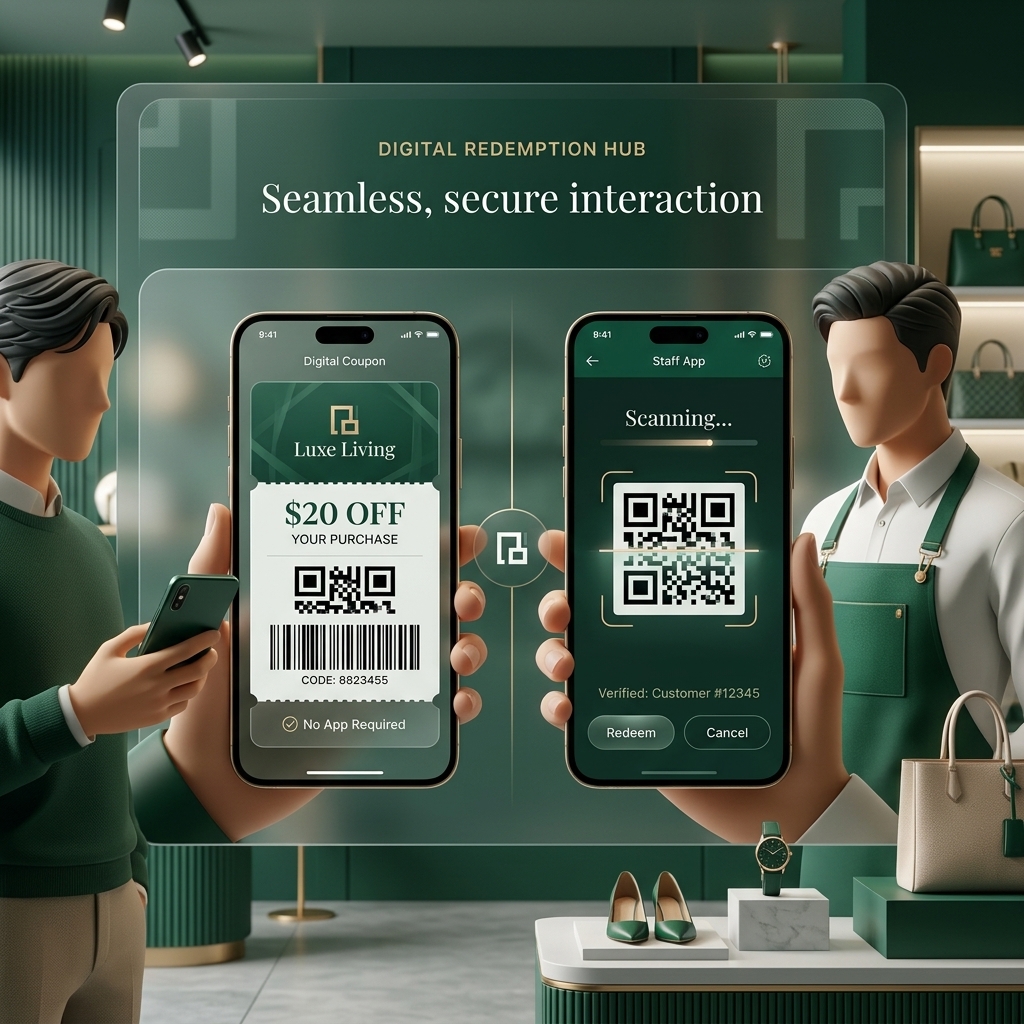
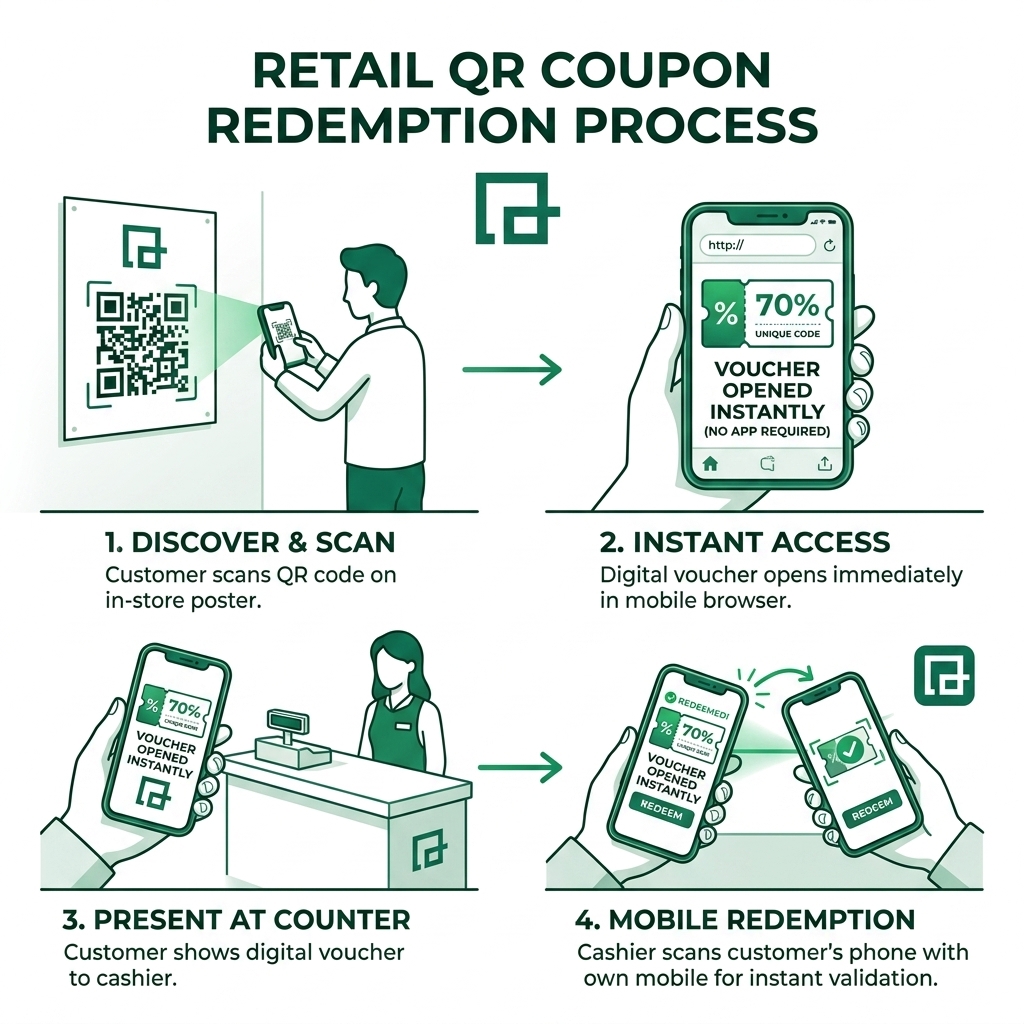
The in-store workflow takes seconds:
- 1. Customer opens their voucher QR code on their phone
- 2. Staff views the coupon page and verifies the details (including SR NO if set)
- 3. Staff taps the Redeem button and enters the store passcode
- 4. Redemption is confirmed and logged — the customer cannot redeem again
Test before launch. Use two devices — one as the customer, one as staff. Scan the QR on the customer device, then complete the redemption on the staff device. Confirm the event appears in your Redemption Report.
View Your Redemption Report
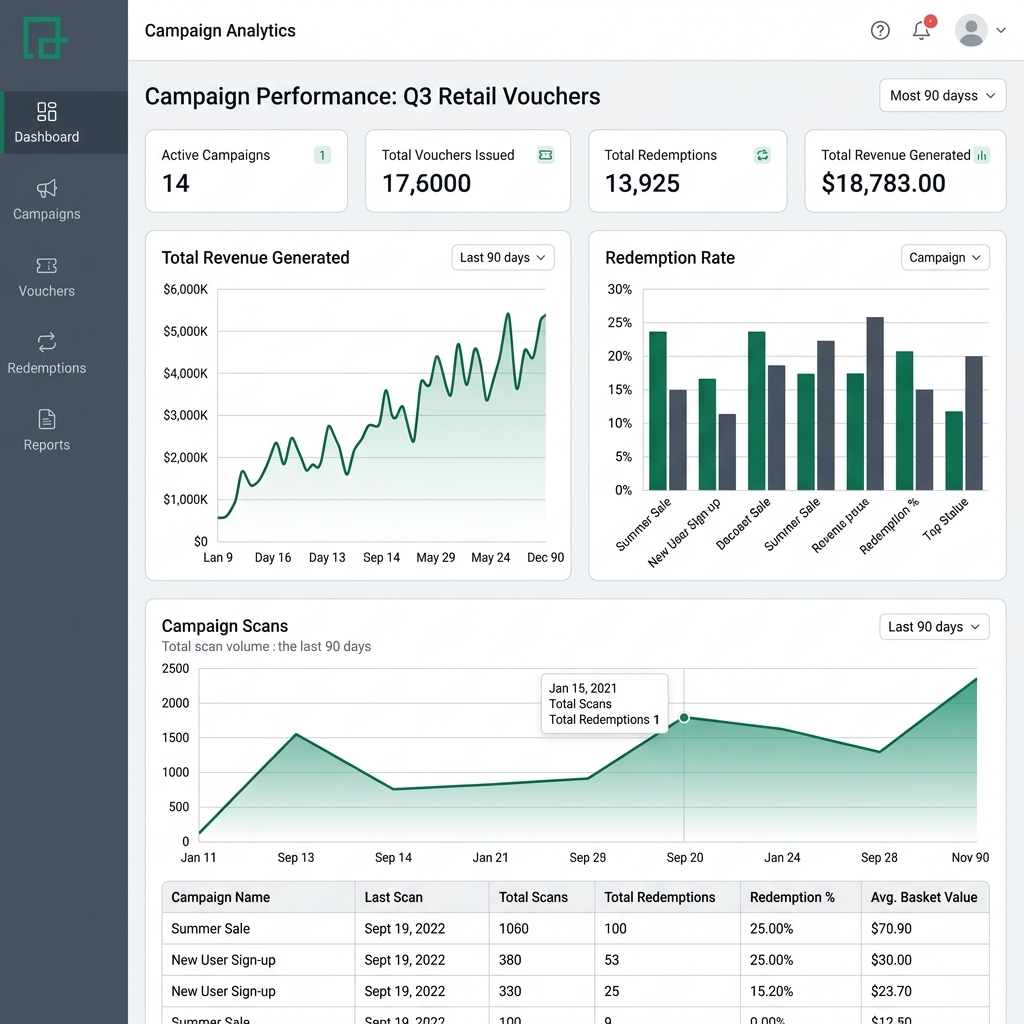
Open the QR code in your dashboard, click More, then select Redemption Report.
Note: The Analytics tab shows scan volume — how many times the code was opened. The Redemption Report shows only confirmed claims. They are different reports.
Running Vouchers Across Multiple Locations?
With Multi-Store Redemption you can see exactly which branch redeemed each voucher — all from one QR code, without creating separate codes per store.
- One QR code across all stores
- Location-level redemption breakdown in the report
- Unique passcode or shared code per branch
- Centralised report for all branches in one view
Perfect for
- 🏥
Healthcare & Clinics
Free service vouchers, immunisation campaigns, health check-ups across multiple sites
- 🏪
Retail Chains
Seasonal promotions, loyalty rewards, franchise-wide campaigns
- 🍔
Hospitality & Food
Free item vouchers, meal deal redemptions per branch
- 🎓
Education & Events
Session passes, workshop admissions, campus discount programs
Watch: Multi-Store Coupon Analytics
See how to track redemption metrics by store location — which branch redeemed, how many, and when — all from a single dashboard.
Proven Results
Real metrics from businesses using QRTRAC coupon QR codes
Built for Every Coupon Campaign
Retail, restaurants, ecommerce, events — launch in minutes and track outcomes in one dashboard.
Retail & Grocery
Shelf talkers, flyers, and receipts with QR coupons. Validate at checkout and prevent re-use.
Learn more →Restaurants & Cafés
Table toppers, delivery inserts, and posters. Redeem at counter with staff scan — no app.
Learn more →Ecommerce & D2C
Auto-apply codes at checkout. Attribute to creators, affiliates, or channels via UTM tracking parameters.
Learn more →Events & Pop-ups
Limited-time coupons with scan caps and expiration redirects to the next event or waitlist.
Learn more →Print & OOH
Shorten copy, push details behind the QR, and update URLs without reprinting media.
Learn more →Loyalty & CRM
Unique one-time QR coupons for segments. Sync to your CRM via webhooks.
Learn more →Frequently Asked Questions
Do I need a unique QR code for every customer?
What is the difference between Scan Limit and Redemption Limit?
Redemption Per User (inside In-Store Redemption) controls how many times any single device can claim the coupon. Leave the Scan Limit off entirely and use Redemption Per User instead.
How do I stop customers from self-redeeming without staff?
Can I add a serial number or reference ID to each coupon?
Where do I find the redemption report?
Can I track which store location redeemed each voucher?
Can I deliver the voucher by SMS or email instead of printing?
Can I prevent re-use or fraud?
What is the difference between per-user and total redemption limits?
What is a dynamic QR code and why does it matter for coupons?
Can I use a single QR code for all customers in a bulk email campaign?
Does QRTRAC support bulk coupon creation?
How does automatic store attribution work?
What devices can staff use for in-store redemption?
Can customers use the same coupon both online and in-store?
Which Plan Do You Need?
In-store redemption is a Business Plus feature. Here is exactly what unlocks at each tier.
All Plans
from $5/mo
Kickoff, Startup
- Password protection
- Redemption cap
- Single-use enforcement
- Duplicate scan prevention
- Redemption reports
- In-store redemption
- Custom coupon information
- Multi-location tracking
Business Plus
$49/mo
or $400/yr — save 32%
- Everything in all plans
- In-store redemption — unlimited
- Custom coupon information (SR NO field)
- Multi-location coupon tracking
- Define redemptions per coupon
- Up to 250 unique redemptions per QR code
- 3 user seats included
Legendary
$99/mo
or $899/yr — save 24%
- Everything in Business Plus
- Unlimited unique redemptions per QR code
- Up to 500 QR codes
- Up to 10 user seats
- High-volume campaigns
| Coupon Feature | All Plans | Business Plus | Legendary+ |
|---|---|---|---|
| Password protection (staff passcode) | |||
| Single-use enforcement & duplicate scan prevention | |||
| Redemption cap (total campaign limit) | |||
| Redemption reports | |||
| Redeem in store (staff flow) | |||
| Custom coupon information (SR NO / reference fields) | |||
| Multi-location coupon tracking | |||
| Define redemptions per coupon | |||
| Unique redemptions per QR code | — | Up to 250 | Unlimited |
Why Choose QRTRAC for Coupon QR Codes
More than a QR link — end-to-end redemption with controls and analytics.
| Feature | QRTRAC | Basic QR Tools |
|---|---|---|
| In-store redemption without app | ✔ Staff scan & tap redeem | — |
| Auto-apply discount online | ✔ Links that apply codes | ± Manual code entry |
| One-time unique coupons | ✔ Single-use tokens | ± Limited |
| Scan limits & expiry controls | ✔ Caps, dates, and redirects | ± Basic |
| Analytics & campaign tracking | ✔ Scans, redemptions, UTM parameters | ± Click counts only |
| Multi-store management | ✔ Store passwords & location tracking | — |
| APIs & webhooks | ✔ Sync to CRM/POS | ± Limited |
Related Resources
Everything else you might need for your coupon campaign.
Help Articles
Solutions
Plans and Pricing
Transparent pricing with no hidden fees. Choose a flexible QR Code plan that scales with your business needs. Start small with our $5 Kickoff plan and upgrade as you grow.
Agency & Enterprise Plans
Scale your organization with white-label solutions, SSO, and custom data residency.
View Advanced Plans
Agency & Enterprise Plans
Scale your organization with white-label solutions, SSO, and custom data residency.
Agency Plan
$250 / month
Everything you need to manage multiple brands or clients with full white-label control.
Enterprise Plus
$5,000+ / year
Global data residency, SSO, and white-glove onboarding for large organizations.
Plans and Feature Comparison
Everything you need to know about our 6 specialized plans.
| Compare Plans | Kickoff Individuals with limited needs | Startup Freelancers & creators going fully branded | Business Plus Most Popular Growing businesses wanting more power | Legendary Businesses with high-volume usage | Agency Agencies managing multiple clients | Enterprise Plus Large organizations with custom needs |
|---|---|---|---|---|---|---|
| | $5 /month
$60 $49 /year
Save 18% vs monthly
| $15 /month
$180 $100 /year
Save 44% vs monthly
| $49 /month
$588 $400 /year
Save 32% vs monthly
| $99 /month
$1188 $899 /year
Save 24% vs monthly
| $250 /month
$3000 $2500 /year
Save 17% vs monthly
| Custom Custom |
| | ||||||
|
?
Total capacity of editable QR codes. This is a total credit limit, not a monthly quota. | Upto 5 | Upto 25 | Upto 250 | Upto 500 | Custom | Custom |
|
?
Static and dynamic QR codes share the same total credit limit — not a monthly quota. | Upto 5 | Upto 25 | Upto 250 | Upto 500 | Custom | Custom |
|
?
Unlimited tracking and scanning for all your QR codes. | Unlimited | Unlimited | Unlimited | Unlimited | Unlimited | Unlimited |
|
?
Unlimited tracking and clicks for all your short links and branded URLs. | Unlimited | Unlimited | Unlimited | Unlimited | Unlimited | Unlimited |
|
?
Create and distribute digital coupon codes via QR codes for in-store or online promotions. | | | | | | |
|
?
Use your own brand domain for links and QR codes. | Add-on | Add-on | 1 Included | 1 Included | Custom | Custom |
|
?
Hosted site built outside QRTRAC, using QRTRAC for hosting, CDN, and SSL. Available as an add-on. | Add-on | Add-on | Add-on | Add-on | Add-on | Add-on |
|
?
Individual logins for team members with specific permissions. | 1 | 1 | 3 | Up to 10 | Custom | Custom |
|
?
Isolated environments for multi-client or multi-brand management. | 1 | 1 | 2 | 3 | Custom | Custom |
| | ||||||
|
?
Add extra custom domains to your account anytime. | | | | | | Custom |
|
?
Add extra team members to your workspace anytime. | | | | | | Custom |
|
?
Hosted site built outside QRTRAC, using QRTRAC for hosting, CDN, and SSL. Available as an add-on. | | | | | | Custom |
|
?
Add extra team workspaces to manage multiple brands or clients. | | | | | | Custom |
|
?
Add extra dynamic QR code credits to your plan beyond the included quota. | | | | | | Custom |
|
?
One-time fee per QR code to migrate printed codes from other providers to QRTRAC. Requires your existing codes use a custom domain short URL. $3 one-time per QR code (min 100 QR codes) for Business Plus & Legendary. Included free on Agency and above. | | | $3 one-time/QR · Min 100 QR codes | $3 one-time/QR · Min 100 QR codes | Included free | Included free |
| | ||||||
|
?
Create hundreds or thousands of QR codes at once using CSV or Excel file uploads. | | | Up to 50 | Up to 500 | Custom | Custom |
|
?
Set start and end dates for your QR codes to automatically activate or expire content. | | | | | | |
|
?
Download in print-ready formats including SVG, EPS, PDF, PNG, and JPG. | | | | | | |
|
?
Use AI to generate artistic, brand-aligned QR code designs. | | | | | | |
|
?
Codes optimized for readability from any angle (360-degree). | | | | | | |
|
?
Optimized server-side redirects for zero-latency user experience. | | | | | | |
|
?
Global edge network ensures your links load instantly anywhere in the world. | | | | | | |
| | ||||||
|
?
Total number of in-store coupon code redemptions allowed. Business Plus and higher plans include unlimited redemptions. | | | Unlimited | Unlimited | Custom | Custom |
|
?
Allow customers to redeem QR code coupons directly at a physical store location via staff-facing redemption flow. | | | | | | |
|
?
Add custom fields and personalized information to your coupons, such as terms, expiry notes, or branded messaging. | | | | | | |
|
?
Track coupon redemptions across multiple store locations and view performance broken down by location. | | | | | | |
|
?
Restrict coupon access with a password so only authorized customers can redeem. | | | | | | |
|
?
View detailed reports of coupon redemption activity, including timestamps and location data. | | | | | | |
|
?
Automatically mark a coupon as redeemed after one scan, preventing it from being used again. | | | | | | |
|
?
Set a custom redemption limit per individual coupon to control exactly how many times each code can be used. | | | | | | |
|
?
Set a maximum total number of redemptions after which the coupon automatically expires. | | | | | | |
|
?
Block the same device or user from redeeming the same coupon more than once. | | | | | | |
|
?
Maximum number of unique individual redemptions allowed per QR code before it deactivates. | | | Upto 250 | Unlimited | Unlimited | Unlimited |
| | ||||||
|
?
Remove 'Powered by QRTRAC' from landing pages and short links for a cleaner look. | | | | | | |
|
?
Automatic SSL encryption for your custom domains. | Supported | Supported | 1 included | 1 included | Custom | Custom |
|
?
Fully branded short links using your custom domain. | Supported | Supported | | | | |
|
?
Customize the text at the end of your links. | | | | | | |
| | ||||||
|
?
Monitor scan activity as it happens with live updates. | | | | | | |
|
?
Comprehensive data on scans over time, peak hours, and trends. | | | | | | |
|
?
Deep insights into where your audience is located globally. | | | | | | |
|
?
Precise coordinate-level scan data with user consent. | | | | | | |
|
?
Analyze which hardware and software your customers use. | | | | | | |
|
?
Understand the preferred languages of your visitors. | | | | | | |
|
?
Easy generation of UTM-parameters for marketing attribution. | | | | | | |
|
?
Native sync to push scan events into your GA4 properties. | | | | | | |
|
?
Share results with stakeholders via protected or public links. | | | | | | |
|
?
Summary views of performance by group or campaign. | | | | | | |
|
?
Filter analytics by specific timeframes and comparison periods. | | | | | | |
|
?
View data in the time zone that matches your business operations. | | | | | | |
|
?
Export raw data for offline analysis and custom reporting. | | | | | | |
|
?
Organize links with custom tags for better filtering and reporting. | | | | | Custom | Custom |
|
?
Dedicated exports for granular traffic and referral sources. | | | | | Custom | Custom |
|
?
Add your brand logo to exported PDF and dashboard reports. | | | | | Custom | Custom |
| | ||||||
|
?
Role-based permissions (Viewer, Editor, Admin) for team members. | | | | | | |
|
?
Centralized dashboard for team-wide collaboration. | | | | | | |
|
?
Securely move QR codes and campaigns between users or accounts. | | | | | | |
| | ||||||
|
?
Create a customizable mobile landing page to host multiple links, social icons, and more. | | | | | | |
|
?
Add contact forms to your QR landing pages to capture user information. | | | | | | |
|
?
Stream videos directly from a branded landing page after a scan. | | | | | | |
|
?
Track which specific QR code or campaign generated each lead form fill. | | | | | | |
|
?
Split traffic between different URLs to test which version performs better. | | | | | | |
|
?
Gate sensitive content with a birthdate verification screen before access. | | | | | | |
|
?
Display content automatically based on the user's browser language or location redirection. | | | | | | |
| | ||||||
|
?
We adhere strictly to global data protection and privacy standards. | | | | | | |
|
?
Securely log in using your company credentials (SAML/Okta). | | | | | | |
|
?
Choose where your data is stored (US, EU, etc.) to meet regulatory needs. | | | | | | |
|
?
Priority access to our technical support team and founders. | Standard | Standard | Priority | Priority | Priority | Dedicated |
Ready to Launch Your In-Store Voucher Campaign?
Set up your first QR code voucher in minutes. No serial numbers, no spreadsheets — just scan and redeem.
Start Free — No Card Required