Digital Business Card QR Code for Teams & Professionals
The digital business card platform built for real teams. Share your contact information instantly, collect contact details in return, and manage and export leads directly from your QRTRAC Contacts dashboard—all without requiring recipients to install an app.
Trusted by Leading Organizations
Join thousands of businesses using QRTRAC for their QR code needs




Why Modern Teams Are Upgrading From Paper
Traditional cards have natural limits. Dynamic digital business cards provide seamless flexibility, measurable impact, and lower costs.
of paper cards are misplaced within a week of an event
per employee on repeated print runs and simple card updates
track scan volume, locations, and networking engagement as it happens
update phone numbers, job titles, or links anytime without reprinting
capture recipient contact details directly into your Contacts dashboard
accessible anytime on mobile screens, digital wallets, and web links
Watch How to Create a Digital Business Card in 60 Seconds
Configure your profile, pick your template, and download your QR card. Recipients save your contact in one tap — no app needed.
How It Works: 4 Steps to Your Digital Business Card QR Code
From setup to handshake in minutes. Here is how your team creates, customizes, and shares dynamic contact cards.
Build Your Profile
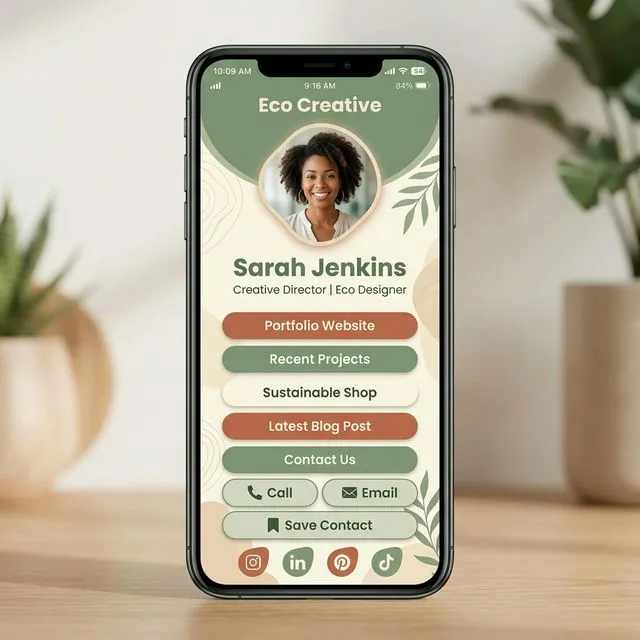
Add your phone, email, job title, company logo, bio, social media handles, and portfolio links in your dashboard.
Generate Your QR Code
Style your scannable QR code with custom brand colors, custom frames, and your logo. Connect your custom domain for 100% white-label trust.
Share Everywhere
Print on badges, event flyers, or physical business cards, or display digitally on your phone screen.
Capture & Manage Leads
Recipients save your contact in one tap with zero app install. They share their info back, saving contacts directly to your dashboard.
Digital Business Card Features for Modern Networking
Build your cards, control your brand, and track every interaction. No hidden complexity.
Instant Contact Sharing
Recipients scan your code and tap save. Works on paper cards, conference badges, and phone screens.
Real-time Analytics
See exactly when a prospect scans your card at a trade show or conference. Track scans, locations, and devices.
Video Intro & Portfolios
Link to your PDF menus, design portfolios, or YouTube intro videos. Edit your page anytime. The changes go live instantly.
Beyond Contact Info: Portfolios & Galleries
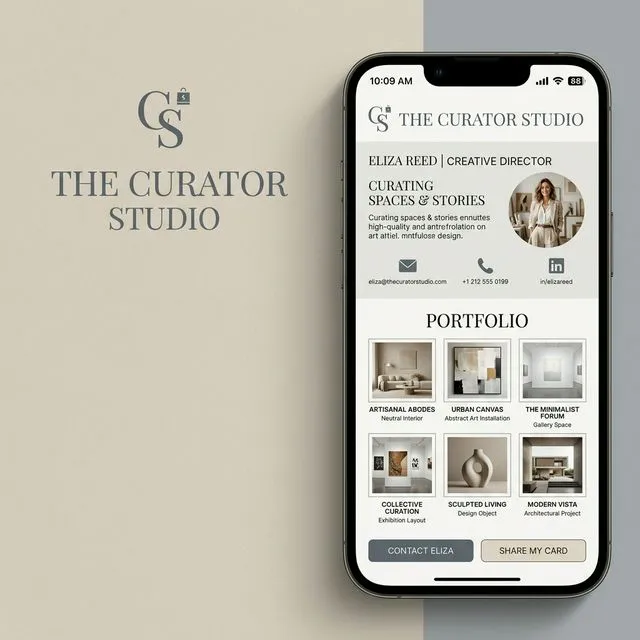
It is a fast landing page for your work. Display kitchen designs, event photos, or real estate listings with built-in image grids.
Clean Image Galleries
High-resolution grids that load instantly on any mobile device.
Embedded YouTube Videos
Play your product demo or video intro directly on your profile page.
Two-Way Contact Exchange & Lead Capture
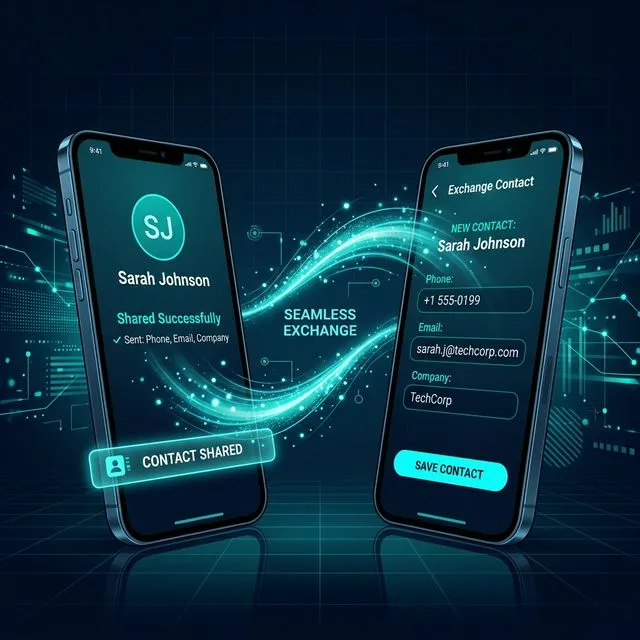
Recipients exchange their info via any mobile browser. Zero hurdles, zero downloads, zero friction.
Lead Capture Auto-Pilot
When they scan your card, they can instantly share their details back with you directly from their browser. No manual entry ever again.
Centralized Contact Management
Captured contacts are organized directly in your QRTRAC Contacts dashboard, ready to view and export in CSV or VCF format.
One-Tap Contact Save
Recipients can save your VCF profile to their phone contacts with a single tap. Optimized for iOS and Android contact standards.
Sustainable Networking
Move away from wasteful paper boxes. When you change your phone number or title, you update one dashboard instead of reordering hundreds of new cards. Save trees and protect your printing budget at the same time.
Zero Printing Waste • Carbon Neutral Tech
Ready to Create Your Digital Business Card?
Build yours in less than two minutes. Cancel anytime.
The ROI of Switching to an Electronic Business Card
Moving your sales reps to digital cards saves direct costs and streamlines contact management.
1. Eliminate Re-printing Costs
Traditional paper cards carry ongoing reprinting overhead as teams grow and titles evolve. When an employee changes phone numbers or receives a promotion, printed cards quickly become outdated. With a virtual business card, administrators can update contact details in the QRTRAC dashboard instantly, without needing to replace printed materials.
2. Lead Capture
A traditional business card exchange is often one-directional. With our vCard QR code generator, networking becomes a two-way connection. Recipients can save your contact details directly to their iPhone or Android device, while the QRTRAC landing page allows them to share their own contact information in return. These details are saved in your QRTRAC Contacts dashboard, where you can manage your contacts and export them in CSV or VCF format for easier contact management and follow-up.
3. Zero Friction for the Recipient
QRTRAC's electronic business cards do not require the recipient to download an app. The contact card opens in their native mobile browser as a Progressive Web App (PWA) and uses the universal .vcf standard to add your details to their address book directly.
Step-by-Step Setup Guides & Tools
Follow our setup guides — from initial contact configuration to bulk CSV generation and custom branding in under 5 minutes.
Digital Business Card — Common Questions
Everything you need before switching from paper.
Q What is a digital business card QR code?
A digital business card QR code links to a mobile page with your name, title, phone, email, social links, and photo. When someone scans it, they save your contact details to their phone in one tap using the standard vCard format. They do not need to install any app.
Q Can I update my card after printing?
Yes. QRTRAC uses dynamic QR codes. You can update your phone number, job title, social links, or profile photo at any time from your dashboard. The printed QR code stays the same, but the contact info updates instantly.
Q Do recipients need to download an app to save my contact?
No. The digital business card opens in the recipient's phone browser. They tap 'Save Contact' to add your details straight to their iOS or Android address book. No app download is required.
Q How does lead capture work?
When someone scans your card, the QRTRAC landing page allows them to share their own contact information in return. Their details are saved directly in your QRTRAC Contacts dashboard, where you can manage contacts and export them in CSV or VCF format for easy follow-up.
Q Can I create cards in bulk for my whole team?
Yes. Upload a CSV with your team's details to generate all cards in one batch. Each person gets a unique QR code, profile page, and scan analytics. You can lock a brand template so every card stays consistent.