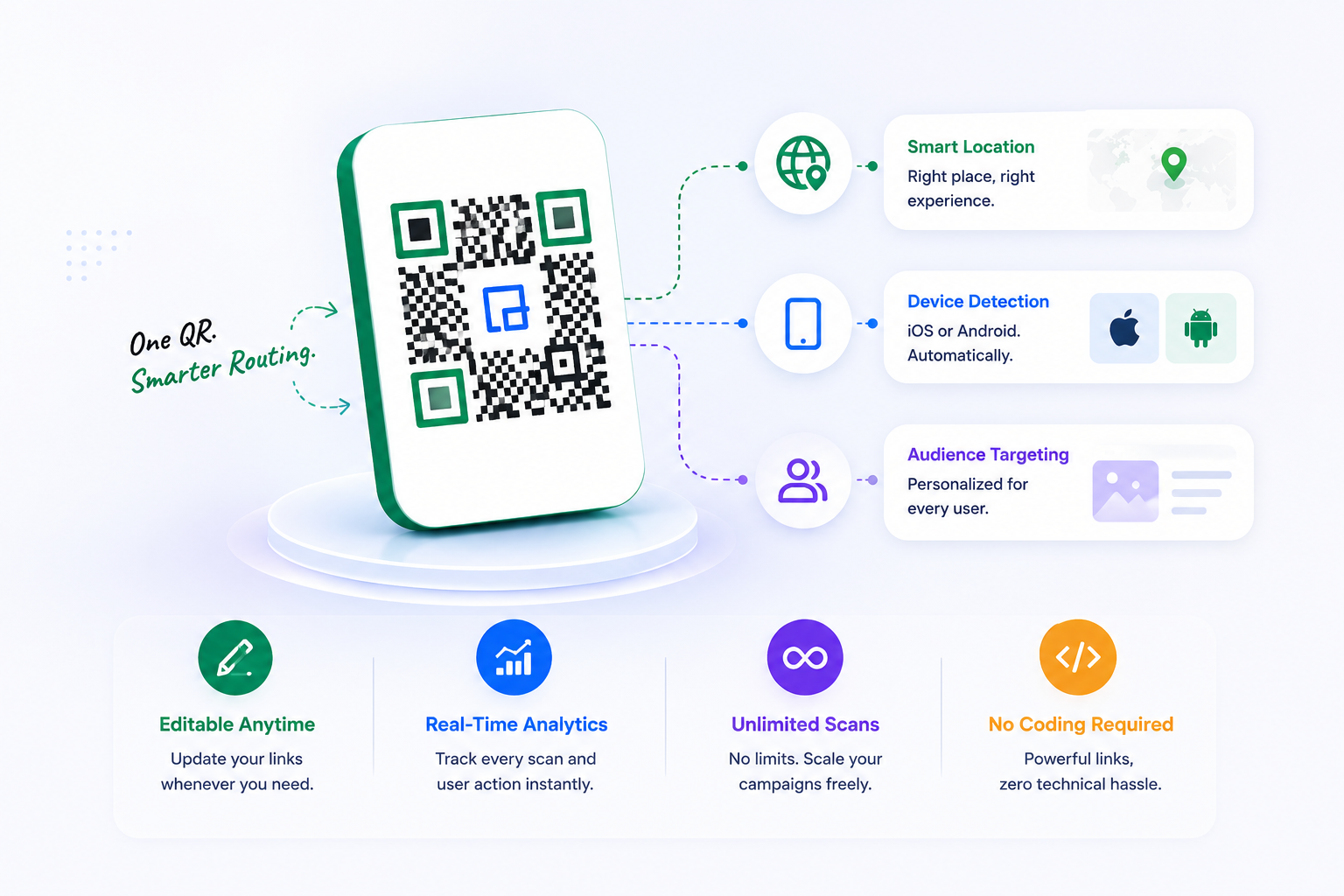
Stop using static, unoptimized URLs. Our advanced URL QR code generator provides a multi-layer routing engine. Use QRTRAC to generate website QR codes that direct users based on device, location, and campaign logic.
Join thousands of businesses using QRTRAC for their QR code needs
How to Create a URL QR Code(or make a QR code for a website)
Wondering how to make a QR code for a link? Convert any long web address into a scannable, trackable, and beautiful dynamic QR code in seconds with our qr link generator.
Watch 2-Min Tutorial
1
Login & Start
Access your dashboard and click 'Create QR Code'. Everything is cloud-synced.
2
Paste URL
Select 'Website URL' and paste your link (always include https://).
3
Design It
Apply your brand colors, upload a center logo, and customize the eye shape.
4
Download
Export as high-res PNG or vector SVG ready for print or digital distribution.
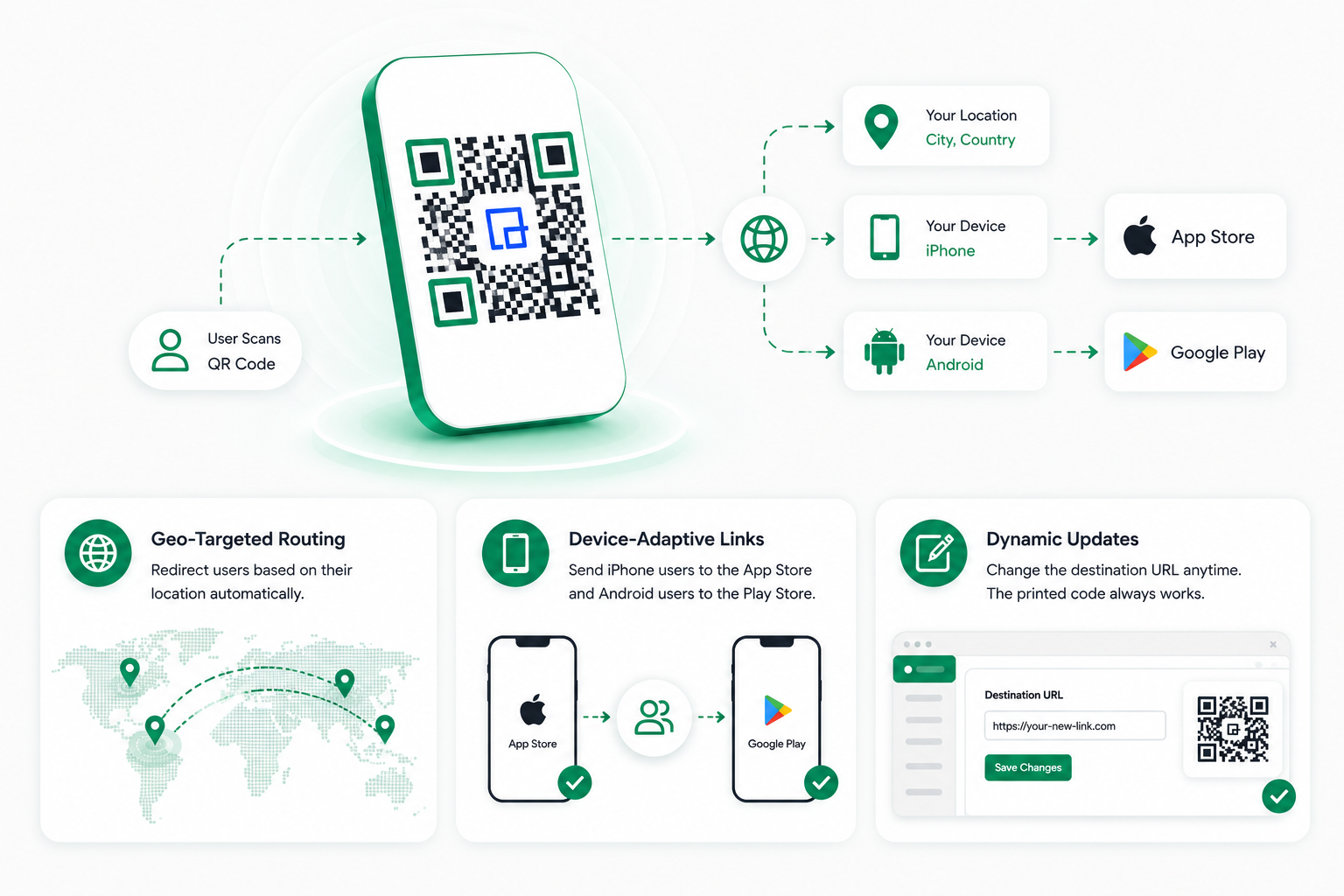
Standard URLs are static and blind to the user's context. If you need a reliable create QR code website tool, QRTRAC provides a high-depth proxy layer that analyzes the scan context in milliseconds to deliver the most relevant experience.
Geo-Targeted Routing
Redirect users based on their country or city. Perfect for multi-regional retail or global chains.
Device-Adaptive Links
Send iPhone users to the App Store and Android users to the Play Store from a single physical scan.
Dynamic Updates
Change the destination URL in the dashboard at any time. The physical printed code never breaks.
Data-Driven Marketing
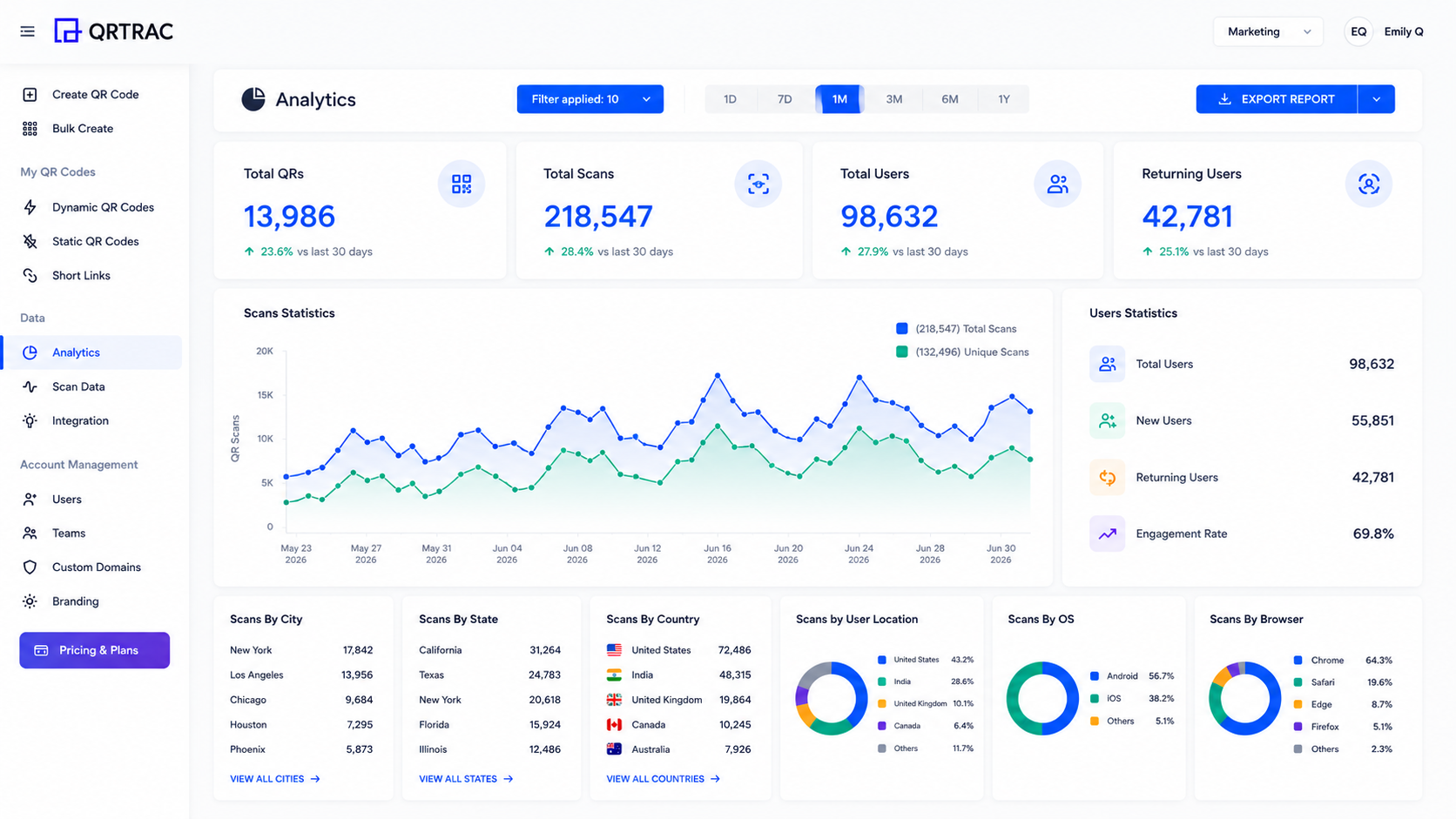
Real-Time QR Analytics Dashboard
Stop guessing. Know exactly who, when, and where your QR codes are scanned with enterprise-grade tracking.
qrtrac.com/analytics
Total & Unique Scans
Measure overall reach vs individual engagers.
Global Location
Track scans down to the country, state, and city.
Device & OS
See if users are on iOS, Android, Desktop, or Tablet.
Time & Trends
Analyze hourly, daily, weekly, and monthly spikes.
Browser Context
Know if they scan via Safari, Chrome, or in-app browsers.
Everything you need to know about linking physical media to the web.
What is a URL QR Code?
A URL QR code is a specific type of barcode that, when scanned by a smartphone, automatically opens a specific website link in the user's mobile browser.
What is a Website QR Code?
It's exactly the same as a URL QR code. It's simply a QR code designed to direct traffic to a website, landing page, or online store.
Are URL QR Codes editable?
Yes, if you choose to create a Dynamic URL QR Code, you can edit the destination link at any time without needing to change the printed code itself.
Can I track how many people scan my Website QR Code?
Yes, dynamic URL QR codes come with full tracking capabilities. You can see total scans, unique visitors, locations, and device types.
How do I create a QR Code for my website?
Simply copy your website's URL, paste it into the QRTRAC qr code generator website dashboard, select 'URL' as the type, customize the design, and click generate. It's the easiest way to create a QR code for a website.
Do URL QR codes expire?
Static URL QR codes never expire. Dynamic URL QR codes will remain active as long as your QRTRAC subscription is active.
Can I use a custom domain for my dynamic links?
Yes, QRTRAC allows you to white-label your dynamic links, meaning users will see your own domain (e.g., qr.yourbrand.com) when they scan.
What are the best business use cases for URL QR codes?
They are perfect for restaurant menus, retail product tags, real estate yard signs, event banners, business cards, and marketing mailers.
Why should I use a dynamic link instead of a static one?
Dynamic links allow you to fix typos, change destinations based on the season, and gather powerful analytics. Static links offer none of these features.
Can I link to a specific page, or just my homepage?
You can link to any specific page on the internet. Deep linking to specific products or hidden landing pages is highly recommended for targeted campaigns.
How do I make sure my URL QR code improves SEO?
While the QR code itself doesn't directly impact SEO, using it to drive offline traffic to specific, high-value landing pages signals strong user engagement to search engines.
Can a URL QR code route users based on their device?
Yes, with advanced routing, a single QR code can send an iOS user to the App Store and an Android user to the Google Play Store.
Can I add UTM parameters to my URL?
Yes! Adding UTM parameters (like ?utm_source=qr) is highly recommended for tracking physical campaigns inside Google Analytics.
Do I have to include 'https://' in the URL?
Yes, you must include the full protocol (https:// or http://) to ensure the QR code functions properly across all scanning devices.
Can I link to a Google Form using a URL QR code?
Absolutely. Just paste the Google Form share link into the URL generator. It works perfectly for surveys and feedback.
Is there a limit to how many times my URL QR code can be scanned?
No, QRTRAC provides unlimited scans for all dynamic URL QR codes.
What happens if I change my website domain later?
If you used a dynamic QR code, you just log in and update the destination URL. Your printed materials are completely safe.
Can I password protect my URL QR code?
Yes, QRTRAC allows you to add password protection to dynamic QR codes, ensuring only authorized users can access the link.
How fast is the redirect for dynamic URL QR codes?
QRTRAC uses a global CDN to ensure redirection happens in milliseconds, meaning users won't notice a delay.
Are URL QR codes secure?
Yes, our dynamic redirects use SSL encryption, and we adhere strictly to GDPR privacy laws for all analytics tracking.