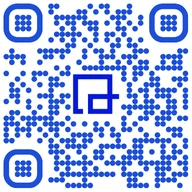
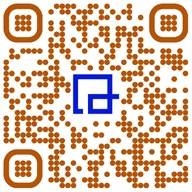
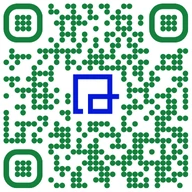
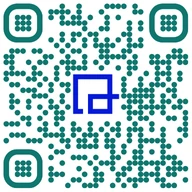
Engrave a code once, on metal, wood or acrylic, and change where it points for as long as the object lasts. A short dynamic link makes a smaller grid that engraves cleaner, and every scan is counted.










Yes. A laser engraved QR code scans like a printed one if it has enough contrast, a clear quiet zone and modules big enough for the material. Use a vector file, invert the artwork on dark materials like anodized aluminum, and test a sample grid before the batch. Use a dynamic code, so the destination can change after engraving.
That last point is the one people learn the expensive way. Ink on paper gets reprinted every few months anyway. A code engraved into a steel nameplate, a brass memorial plaque or a walnut sign is meant to stay for years, longer than most websites keep the same URL. If the code holds the destination directly, the engraving dies when the link does.
A QR code's grid grows with the amount of text inside it. More modules in the same space means smaller modules, and small modules are where engraving goes wrong: burn spreads, edges merge, phones give up. A dynamic code only stores its short link, whatever the destination, so it stays small. Measured on real links:
| What the code holds | Grid, medium error correction | Grid, high error correction | Module width at 0.8 in (20 mm), medium |
|---|---|---|---|
| QRTRAC short linkqrtrac.link/yh3L (24 characters) | 25 × 25 | 29 × 29 | 0.81 mm |
| Long shared-drive linkA Google Drive file link (86 characters) | 37 × 37 | 49 × 49 | 0.55 mm |
| Product page with tracking tagsA product URL with UTM tags (92 characters) | 41 × 41 | 53 × 53 | 0.50 mm |
At the same outside size, the short link's modules are more than half again as wide as the long URL's. That's the difference between a code that engraves crisply on a keychain and one that only works on a door sign.
What matters is whether the laser leaves a dark mark on a light surface (a normal code) or a light mark on a dark one (an inverted code). Many phone cameras read inverted codes, but not all, so for light-on-dark materials invert the artwork instead: engrave the background and quiet zone, and leave the modules unmarked.
| Material | Laser | What the mark looks like | To make it scan |
|---|---|---|---|
| Wood | CO2 or diode | Dark burn on a light surface, a normal code. | Pale, tight-grained woods (maple, birch) give the most even contrast. Mask with transfer tape to keep smoke off the quiet zone. |
| Anodized aluminum | Fiber or CO2 | The laser removes the colored coating and leaves bright bare metal: light marks on a dark surface. | Invert the artwork so the laser clears the background and quiet zone and leaves the modules dark. |
| Stainless steel | Fiber | Annealing can produce dark marks on the bright steel, a normal code. | Brushed and polished finishes reflect light. Check scans at several angles, not only straight on. |
| Cast acrylic | CO2 | A frosted white mark on clear or colored sheet. | On clear acrylic, mount the piece over a dark backing so the frosted modules stand out. |
| Glass | CO2 | A frosted mark with low contrast. | Glass is the hardest common material to scan. A dark surface behind it, or a sticker under it, helps a lot. |
| Slate and black-coated metal | CO2, diode or fiber | Light marks on a dark surface, like anodized aluminum. | Invert the artwork. Black metal business cards work the same way. |
| Leather | CO2 or diode | Dark burn, contrast depends on the leather color. | Light, smooth leather scans best. Textured grain breaks up small modules, so go larger. |
Power, speed and frequency settings depend on your machine and the exact material. Start from your laser maker's material settings and adjust on scrap.
In QRTRAC, create the code for whatever it should open: a web page, a PDF manual, a contact card. Name it for the object, like "Pump 14 nameplate".
Export SVG, EPS or PDF and import it into LightBurn or your laser software. Leave out the logo for small or low-contrast pieces.
Four modules of blank space on every side. Don't let a border, text or the edge of the tag crowd it.
For anodized aluminum, slate and black-coated metal, swap the fill so the laser clears the background and leaves the modules dark.
The code at three sizes on scrap of the same material. Burn that's too strong makes dark modules spread and merge, so try a lighter pass if edges look soft.
An iPhone and an Android phone, normal room light, at an angle as well as straight on. Keep the smallest size every phone reads on the first try.
Engraving one code per item, like serialized asset tags? Create them from a spreadsheet with the bulk QR code generator and import the vector files in order.
The best engraved codes go on things that stay in place for years while the information about them changes.
A code on the compressor or the forklift opens its manual, service history or check-in form. Scan dates show which machines actually get inspected.
Asset and inventory QR codesModel, serial number and a code that opens the current manual and warranty page. When the manual is revised, the nameplate doesn't need to be.
QR codes for manufacturingTechnicians scan the plate on the unit to log a service visit. The plate outlives three service contracts.
Maintenance log QR codesThe engraved code opens a digital card that saves your contact, and you can update the phone number years later.
QR codes on business cardsA code opens a page of photos and stories. The family can add to it, and the stone or brass never changes.
The tag opens the owner's contact page. Move house or change numbers, update the page, keep the tag.
Engraved wood or metal signs open the trail map, plant guide or this season's events. Scan counts show which signs visitors use.
A code on the plaque opens the event photos or a recorded message. Personal, and it costs nothing extra to engrave.
Engraved codes tend to sit on objects you can't watch: equipment in the field, signs on a trail, products in customers' homes. Each scan is counted with its date, approximate city and device, which turns the engraving into a quiet sensor.
A code engraved today should still open in ten years. Two things help:
A short dynamic link, SVG ready for your laser, and scan counts for as long as the object lasts.
Start your free trial7 days free. No credit card needed.