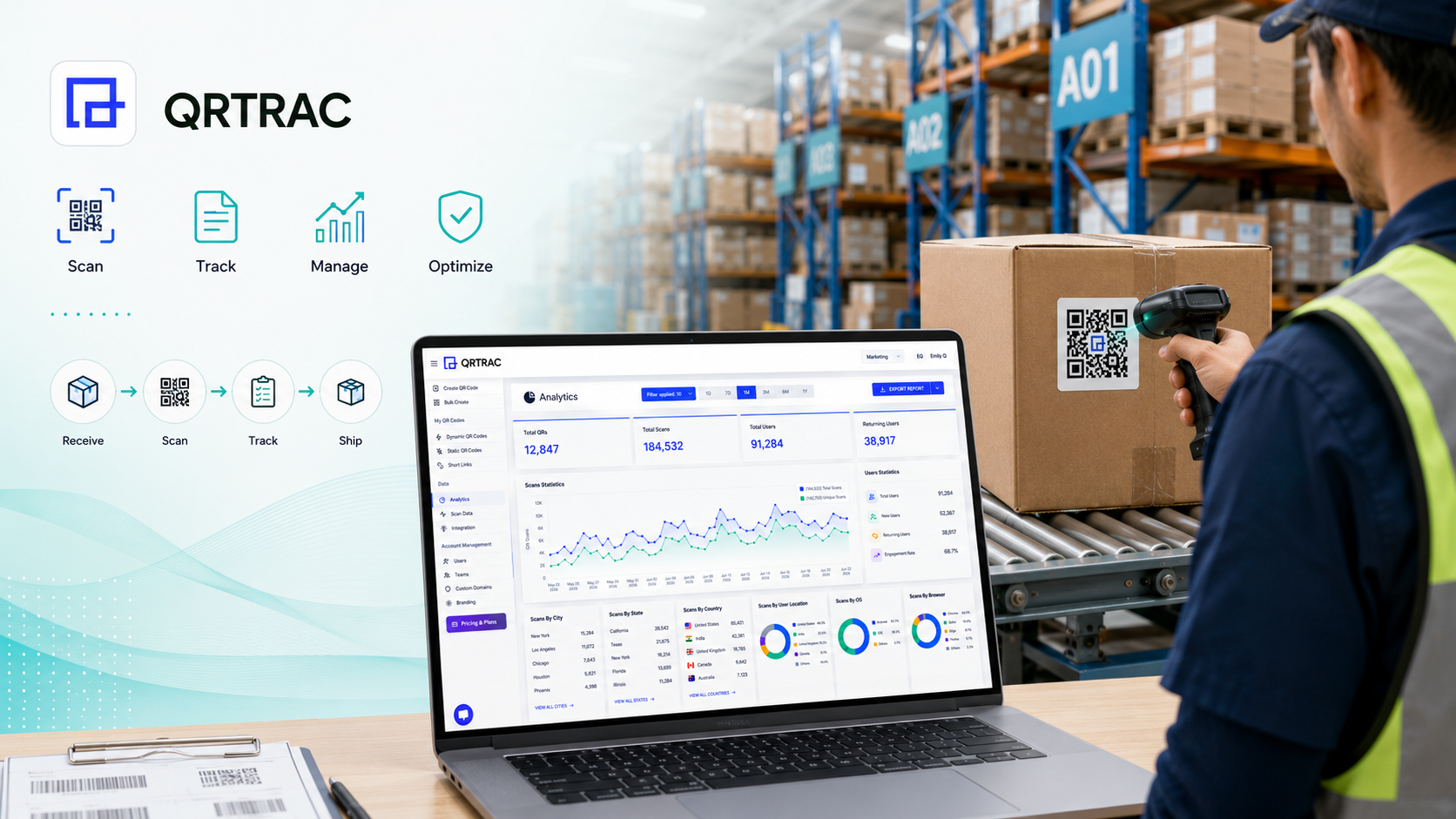
Warehouse QR codes connect physical inventory directly to your WMS, equipment logs, or digital manifests. Scan them to bypass manual entry, find SKUs faster, and cut down shipping delays. We built this guide to show you how to set up QR tracking on your floor.
What is a warehouse QR code? It is a 2D square code that links storage bins, pallets, or tools to your Warehouse Management System (WMS). Unlike standard line barcodes, QR codes hold hundreds of times more data. They scan with any standard smartphone or tablet. This setup lets you verify picks instantly and drop error rates close to zero.
TL;DR
✓Live connection: Link floor stock directly to your WMS databases.
✓Big wins: Fewer picking mistakes and faster dock loading, because staff scan instead of reading and typing.
✓Hardware freedom: Use existing smartphones instead of buying $1,500 dedicated scanners.
✓Quick setup: Get a full floor online in 6 to 8 weeks.
✓Fast payback: Most operations recover their initial setup costs in 3 to 6 months.
✓Solid compliance: Fully supports ISO 18004, GS1 protocols, and OSHA safety tracking.
What Are Warehouse QR Codes and Why Are They Essential?
Warehouse QR codes hold data vertically and horizontally. This 2D design means they store raw text, full URLs, and complex serial numbers in a fraction of the space of a line barcode. Instead of just reading a basic UPC, a quick scan pulls up live database profiles, maintenance history forms, or step-by-step PDF manuals.
Floor managers are replacing old 1D barcodes to get away from expensive proprietary scanners. Because QR codes work with standard tablets and mobile phones, you can onboard new temp staff without buying a fleet of dedicated scanning guns. They follow ISO/IEC 18004:2015 standards, meaning they work with any hardware you run today.
Operational Benefits of Warehouse QR Codes
Moving your inventory tracking to QR codes changes daily floor work immediately:
Locate stock faster: See live SKU counts, arrival dates, and bin locations on a phone screen.
Ditch the clipboards: Stop manually writing down serial numbers and typing them into Excel.
Keep records accurate: Scan items on receipt and dispatch to keep your database matched with physical shelves.
Track heavy equipment: Stick labels on forklifts and pallet jacks so operators can log inspections in seconds.
Unload trucks faster: Scan master manifests right on the receiving dock to update your WMS instantly.
Map your floor clearly: Give every aisle, rack level, and individual storage slot its own digital address.
Empower your pickers: Help your crew find the exact bin on the first try, saving miles of walking every shift.
How to Implement QR Codes in Your Warehouse
Setting up a QR tracking system on your warehouse floor takes planning. Follow this 10-step process to get it right the first time.
1. Map your workflows
Decide where you need speed. Are you targeting inbound dock delays, outbound picking mistakes, or overall bin audits? Start with your biggest bottleneck first.
2. Choose your code types
Use Dynamic QR codes for your floor. This lets you link labels to your cloud database or inventory sheets, meaning you can change the target URL in your dashboard without scraping off the physical label.
3. Generate your codes
Create your codes in bulk using QRTRAC. Set error correction to Level Q or H. This keeps the code readable even when coated in dust or scratched by pallet forks.
4. Print on industrial stock
Skip cheap paper labels. Print on tough polyester or vinyl that resists water, grime, and physical wear. Stick them where scanners can easily target them.
5. Test on the floor
Walk your aisles and scan under your actual lighting. Test different distances and awkward angles using the exact mobile devices your team carries.
6. Run staff walkthroughs
Gather your crew for a 15-minute training session. Show them how to scan high racks, angle around shrink-wrap glare, and log actions in your system.
7. Roll out in stages
Do not swap the whole building at once. Start with a single high-velocity aisle or dock. Find any snags there before labeling the rest of your facility.
8. Track scan patterns
Open your QRTRAC dashboard to see which bins get scanned most often. Move these high-frequency SKUs closer to packing lanes to shave minutes off every pick.
9. Edit links on the fly
When you move product categories, do not reprint labels. If Aisle 4 swaps from electronics to outerwear, redirect the Dynamic QR code in your dashboard. The old physical tag stays on the rack.
10. Refine your system
Do monthly checks. Replace heavily torn labels and simplify your digital forms so pickers can log stock movements in two taps or less.
Build Your Warehouse Tracking System
Create trackable, flexible QR labels for every bin, rack, and asset. Start your free 7-day trial with QRTRAC today.
Solution: Code directly on product master cartons linked to digital record.
QRTRAC Code: Dynamic URL linked to SKU database.
Shelf Identification
Challenge: Locating specific aisles and racks quickly.
Solution: Macro codes on endcaps, micro codes on bins.
QRTRAC Code: Location QR Code or Dynamic URL.
Asset Tracking
Challenge: Tracking expensive equipment and checkout logs.
Solution: Digital checkout system etched directly on vehicle chassis.
QRTRAC Code: Form QR Code for equipment checkout.
Choosing the Right QR Code Type
QR Code Type
Best Warehouse Use Case
Website (Dynamic URL)
Inventory tracking & WMS links
PDF QR
Equipment manuals & MSDS safety sheets
Form QR
Equipment checkout & damage reporting
Location QR
Facility navigation for third-party truckers
QR Codes vs. Traditional Barcodes: Complete Comparison
Standard line barcodes are hit-and-miss on a busy warehouse floor. Here is how they stack up directly against 2D QR codes across everyday operational metrics:
Metric
QR Codes
1D Barcodes
Winner
Data Capacity
4,296 alphanumeric characters
20-25 characters max
QR: 100-200x larger
Scan Speed
0.5-1.0 seconds (any angle)
1-2 seconds (horizontal only)
QR: 2-3x faster
Scanning Angles
360° omnidirectional
Horizontal only (±10°)
QR: Much more flexible
Hardware Required
Any smartphone or 2D scanner
Dedicated laser barcode scanner ($500-2000)
QR: 90% cheaper
Scanning Distance
5-50 feet (depends on size)
3-15 feet (limited range)
QR: 3-5x longer range
Error Correction
30-40% damage recovery
No error correction
QR: Tough & recoverable
Dynamic Updates
Yes (URL can change)
No (fixed data)
QR: Game-changer
Analytics Tracking
Yes (scan location, timestamp, device)
No (binary success/fail)
QR: Full visibility
Bottom Line: Barcodes kept warehouses moving for decades, but QR codes do more for less. They put rich data at your crew's fingertips, scan from any angle, and drop hardware costs. If you are updating a facility today, QR codes are the smartest route.
Best Places to Use QR Codes in Warehouses
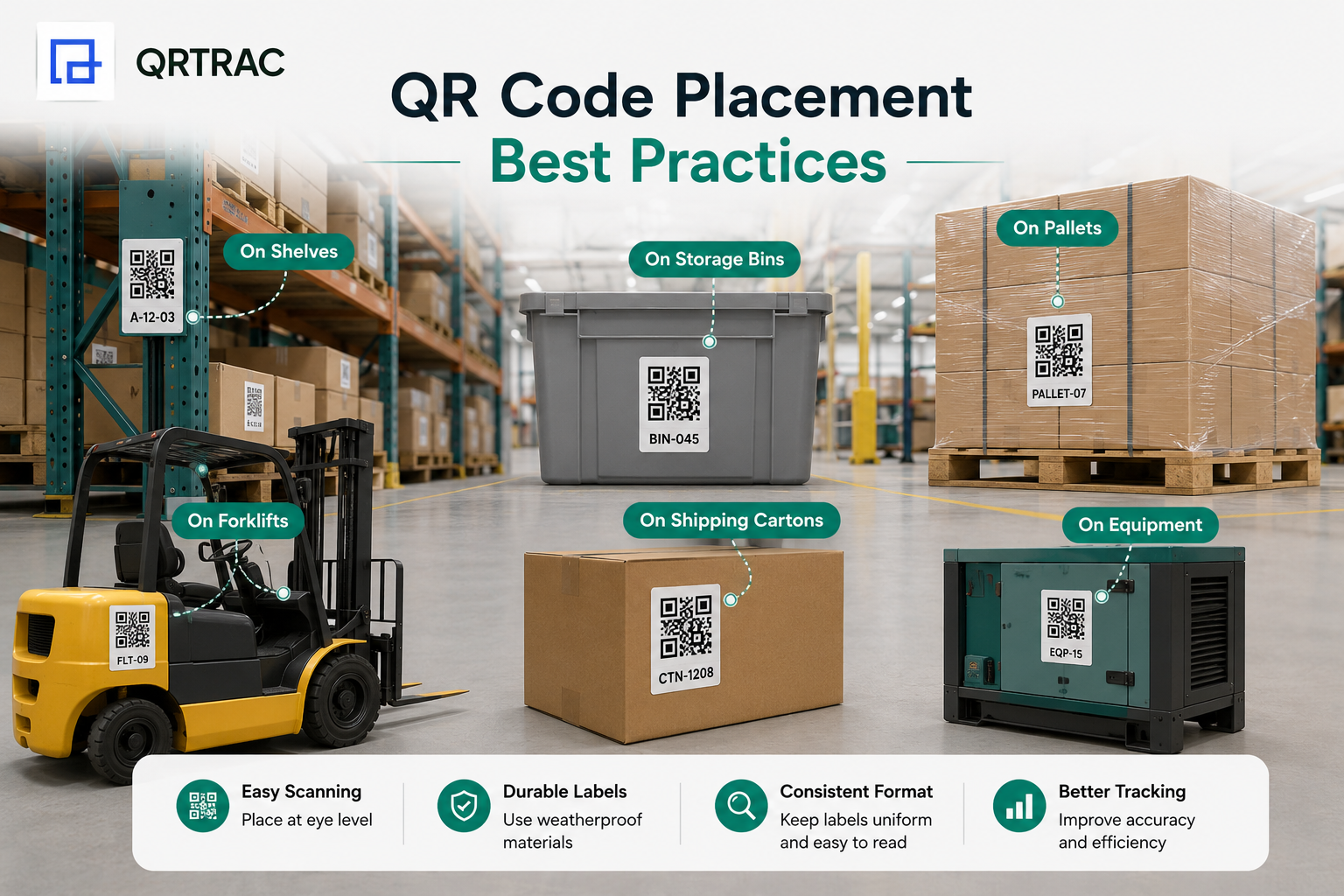
Badly placed labels waste time. Put your codes where they help pickers maintain momentum:
Warehouse shelves: Place them at eye level on horizontal beams so pickers scan without bending.
Inventory bins: Stick them on the front lip of sorting bins to confirm picks instantly.
Product packages: Put codes on the top-right corner of outer boxes to speed up packing lines.
Receiving doors: Stick large-format codes near the loading bay so drivers can check in upon arrival.
Forklifts & equipment: Mount them right on the dashboard to ensure operators log daily safety checks before starting their engines.
Figure 2: Real-world placement guide. Labeling beams, storage bins, and machinery helps your team scan quickly during daily picks and safety audits.
Dynamic vs Static QR Codes
For commercial logistics, printing the wrong type of code can waste thousands of dollars in labor and materials. Here is why you need to choose carefully before printing.
Dynamic QR Codes (Recommended)
✓ Swap links instantly — Redirect scans to a new database folder without touching the physical label
✓ Track scan metrics — See who scanned which item, when they scanned it, and what device they used
✓ Adapt to floor changes — Switch a rack's category in your dashboard when your seasonal stock moves
✓ Kill reprinting costs — Print once and update the software side whenever your processes change
Static QR Codes
✗ Permanently locked — Once printed, the destination link can never change
✗ Blind operations — Zero data tracking—you will never know which codes get scanned
✗ Hard manual updates — If your inventory shifts, you must peel off and replace every single label
✗ High waste — Every catalog change means throwing out old printed stock
Common Mistakes
Tight squeeze placement: Sticking labels where forklift forks scrape the beams leads to shredded, unscannable codes.
Cheap paper printing: Standard paper labels peel, fade, or dissolve in humid, dusty warehouse conditions within weeks.
Skipping floor tests: Relying on phone scans during setup only to discover your industrial hardware struggles to read the codes.
Using Static codes: Locking yourself into static links, forcing you to scrape labels off shelves when inventory shifts.
Best Practices
✓Keep layouts uniform: Always stick bin labels on the bottom-left corner of the beam so pickers do not have to hunt for them.
✓Maximize contrast: Print deep black codes on clean, matte-white backings to avoid laser glare.
✓Buy heavy-duty materials: Use retro-reflective synthetics so forklift drivers can scan high shelves from 30 feet away.
✓Run monthly spot checks: Swap out scratched, faded, or dirty codes before they slow down your picking team.
Measuring Performance with QR Code Analytics
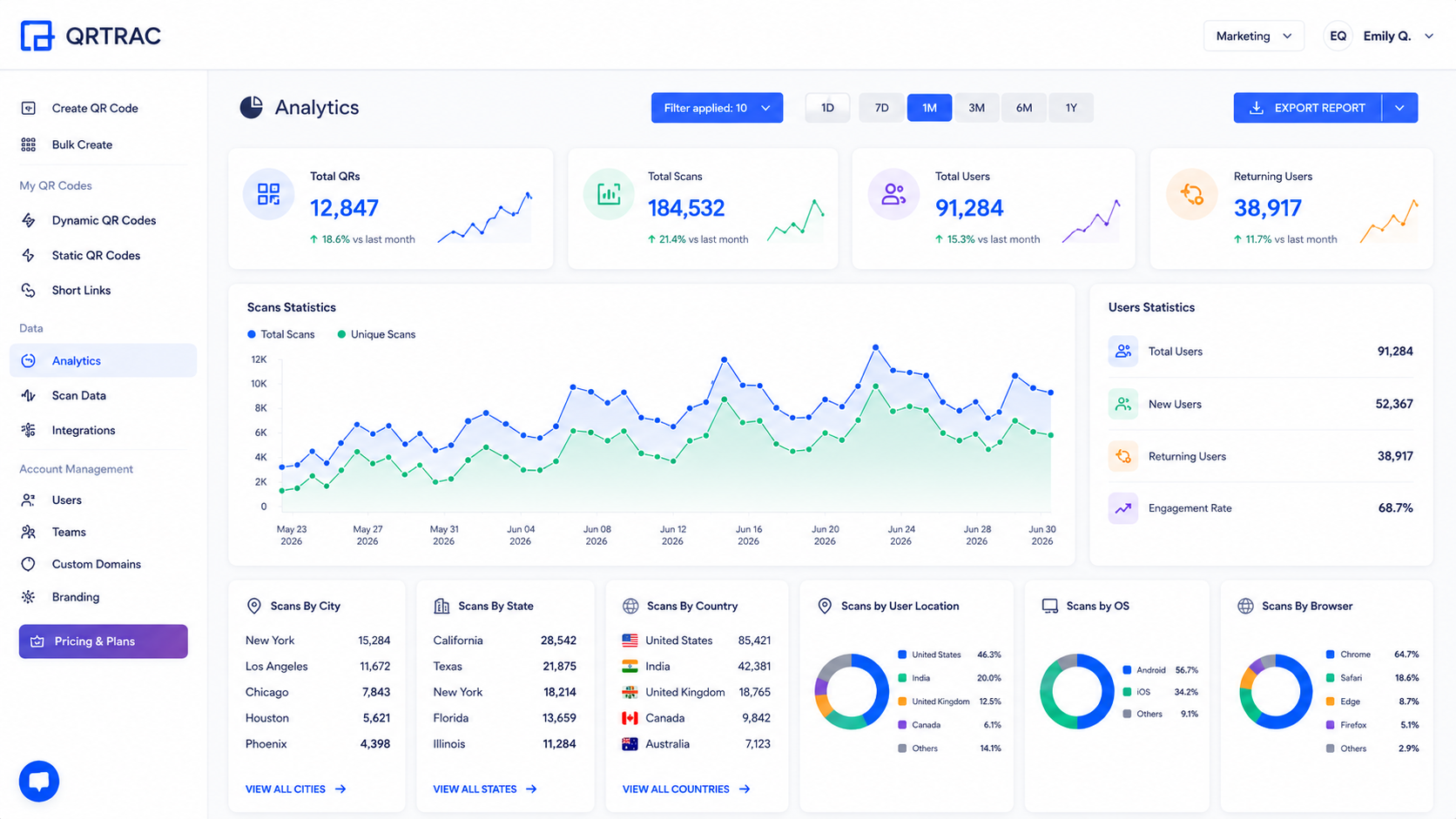
Dynamic QR codes act as physical sensors. When your crew scans them, they log live timestamps and locations. This scan data helps you spot bottlenecks, reorganize slow lanes, and track how fast orders move from shelves to shipping docks.
Figure 3: The QRTRAC dashboard shows scan volume by zone, letting you identify hot spots on your floor and adjust your inventory layout.
Integrating QR Codes with Modern WMS Platforms
QR codes link your physical inventory to your Warehouse Management System (WMS). When integrated correctly, scanning a label updates your digital database instantly, removing the need for manual data entry.
Platforms like SAP EWM, Oracle NetSuite, and Manhattan Active depend on fresh data. When an associate scans a code that opens the right screen in your WMS, that system updates inventory counts in real time.
API vs. Webhook Integrations
There are two primary methods for integrating scan data with your WMS:
API Sync (Pull Method): Your WMS queries QRTRAC at scheduled intervals to grab scan records, timestamps, and location logs. This works well for daily reconciliation or end-of-shift reporting.
Webhooks (Push Method): Our servers push an HTTP POST request to your WMS endpoint the moment a scan happens. It transmits the device profile, timestamp, and asset ID instantly. This is vital for real-time validation, like stopping a picker from shipping the wrong pallet or automatically reordering stock when a bin is low.
Data Mapping and Payload Structures
For the system to work, the URL parameters in your QR codes must match your WMS database fields. For example, a URL like https://yourdomain.com/scan?asset=pal-1042&zone=B4 tells your ERP that pallet 1042 is currently in zone B4. Your IT team simply maps these values to your existing inventory tables.
Floor systems fail when they cannot handle physical wear. Your warehouse environment dictates the exact scanners and sticker materials you need to keep things running.
Choosing the Right Scanning Hardware
Modern smartphones scan fast, but they break when dropped on concrete. Here is how to select your floor hardware:
Rugged Scanners (Zebra, Honeywell): These survive six-foot drops onto concrete and work in cold storage freezers. They use physical 2D image sensors that read QR codes instantly, even in low-light conditions or through layers of dust.
Smartphones: Keep these in the hands of managers or packing-station staff where drop risks are low. If you use them on the floor, buy heavy cases with built-in backup battery packs.
Forklift Mounts: Install fixed terminals on your vehicles paired with long-range wireless scanners. This lets operators scan high-rack bins without climbing down from their seats, speeding up picks-per-hour.
Selecting the Right Label Materials
Cheap paper labels printed on office inkjets will rip and fade within a week. You need materials built for industrial wear.
Retro-Reflective Stock: Best for high-rack scanning. These labels contain tiny glass beads that bounce the scanner's targeting beam directly back to the lens. A standard 2D reader can catch a six-inch retro-reflective label from 50 feet away, letting operators scan high racks from the floor.
Laser-Etched Aluminum: Use these on heavy machinery, returnable metal bins, or outdoor yard racks. They survive direct sunlight, rain, oil leaks, and daily power-washing.
Polyester (PET) with Resin Ribbon: This is our top choice for shelf beams. When printed with a thermal transfer printer, the resin fuses into the polyester. The result is a scratch-proof, smudge-free tag. Avoid direct thermal labels—heat and sunlight will turn them completely black, ruining the code.
Always leave a clean white border (the quiet zone) around your QR codes. If you print too close to the edge of the label, scanners cannot parse the code.
Change Management & Staff Training
New tech always meets friction on the floor. Workers with years of muscle memory will resist shifting from paper pick-lists or legacy guns to phone-based scans unless you make the transition simple.
Developing Standard Operating Procedures (SOPs)
Write simple, direct Standard Operating Procedures (SOPs). Keep training materials down to single-page guides covering:
Distance and angles: Show workers where to hold their scanners. Remind them that QR codes are omnidirectional, so they do not need to line up horizontally.
Beating plastic glare: Teach team members to tilt the scanner slightly when reading codes on shrink-wrapped pallets to bypass light reflection.
Handling torn labels: Set a clear fallback process. Tell them who to notify to print a replacement, and show them how to enter the alphanumeric backup code directly into the WMS.
Driving Adoption Through Gamification
Since Dynamic QR codes track exact scan times, you can tie them to active user sessions. Use this data to track picking speeds and reward top-performing shifts. Be open with your crew about what data you are collecting to avoid feeling like you are micromanaging their every move.
ROI & Cost Analysis of QR Implementation
Any floor upgrade needs to prove its financial worth. Transitioning to Dynamic QR codes requires upfront cash, but you can expect to recover your initial capital quickly through immediate efficiency gains.
Understanding the Initial Costs
When budgeting for a facility-wide QR code rollout, you must account for three primary cost pillars:
SaaS Software: Platforms like QRTRAC charge flat monthly or annual fees based on your active code counts, monthly scans, and API access requirements.
Floor Hardware: This is your largest upfront cost. You will need to budget for hand-held 2D scanners or rugged mobile sleds, plus industrial thermal transfer printers for printing labels on the fly.
Materials and Labor: You must account for the physical cost of polyester, vinyl, or metal labels, along with the staff hours spent tagging every bin, rack, and cart on your floor.
Calculating the Efficiency Returns
You recover these costs by cutting out micro-delays and picking mistakes:
Faster Pick Paths: Because your crew can scan QR codes from longer distances and at sharp angles, they do not waste time squaring up to labels. Saving two seconds per pick adds up to hundreds of hours saved over a single quarter.
Zero Shipping Errors: Wrong shipments cost you money in return freight, restocking, and customer refunds. Forcing a scan check at the shelf and the packing table keeps mistakes off your delivery trucks.
Avoid Compliance Fines: In pharma or cold chain food shipping, poor tracking leads to heavy fines. QR codes create a clean, timestamped path for every item moving through your building.
Worked example: modeling ROI for a mid-market fulfillment center
The numbers below are an illustrative model, not a documented customer result, sized for a facility like this one. Swap in your own numbers to build your own estimate.
Example Facility Profile
120,000 sq ft fulfillment center
450 daily orders, 25 staff members
Food & beverage products
Example Baseline Challenges
• 3-4% picking error rate (~15 errors/day)
• 45 min average order fulfillment time
• 12 hours/week manual inventory audits
• $8,000/month in reverse logistics
Typical Rollout Timeline
Implementation: 6 weeks
Training: 2 weeks
Full optimization: 12 weeks
A Typical Implementation Timeline
Week 1-2: Assess high-velocity zones; generate QR codes for bin locations, staging areas, shipping lanes
Week 3-4: Apply polyester labels with retro-reflective material; roll out handheld or phone-based scanners
Week 5-6: Configure WMS integration via API; run parallel operations (QR + manual picking)
Week 7-8: Full staff training; gather feedback; refine label placement
Week 9-12: Monitor analytics; optimize pick routes based on scan velocity data; decommission manual audit process
What Could Plausibly Change by Week 12
These are directional estimates for a facility with this baseline, not a guarantee. Error rates and fulfillment times that follow from replacing manual data entry with a scan tend to move in these directions; the exact size of the move depends on your current process.
Operational Gains to Model
Picking Error Rate: example 3.2% → 0.15%
Fulfillment Time: example 45 min → 28 min
Inventory Accuracy: example 94% → 99.8%, with cycle counts largely eliminated
Picking Speed: example 18 orders/hour → 32 orders/hour
Plug in your own baseline numbers for the formula above; the line items, not the dollar totals, are what to copy.
Example Cost Breakdown & ROI
Cost Category
Cost
Notes
QRTRAC Software (Annual Agency Plan)
$4,999
Enterprise features with custom high-volume capacity
Hardware (20 Zebra MC9300 scanners)
$35,000
One-time capital expense (~$1,750 each)
Label Materials (1,800 polyester labels)
$900
~$0.50 per label, professionally printed
Labor (implementation + training)
$6,300
350 hours at $18/hour average
WMS Integration Consulting
$3,500
API setup with existing inventory system
TOTAL FIRST-YEAR COST
$50,699
Includes all CapEx and implementation
How the ROI Math Works
Modeled Annual Benefit: $120,336 Year 1 Cost: $50,500 Year 1 Net Gain:$69,836 Modeled ROI:138% (paid back in about 5 months, at this facility's numbers) 5-Year Cumulative Benefit:$551,680 (after the $50,500 initial investment)
This is a worked example for a mid-market warehouse, not a documented customer result. Actual results vary based on facility size, current error rates, and labor costs. A larger warehouse with higher error rates to begin with would typically model a stronger ROI; a smaller facility with a tighter baseline would model a more modest one.
Compliance & Industry Standards
We build our system around standard international rules. This ensures your labels scan properly on all types of devices.
ISO/IEC 18004:2015
Purpose: Universal standards for QR code layouts and recovery levels.
Impact on Warehouses: Ensures any reader—from a forklift scanner to a crew member's personal phone—parses your labels perfectly.
GS1 Standards
Purpose: Global tracking labels for supplier shipments.
Impact on Warehouses: Lets you trade inventory data with external retail partners and third-party logistics (3PL) providers without translation steps.
OSHA Warehouse Safety Standards
Purpose: Rules for warehouse operations and vehicle safety.
Impact on Warehouses: Lets operators scan tags on forklifts to load safety checklists, building the digital paper trail needed for safety audits.
ASCM Certifications (formerly APICS)
Purpose: Industry credentials for inventory strategy.
Impact on Warehouses: Provides your management team with standard best practices for running an automated, scan-validated facility.
Frequently Asked Questions
How many QR Codes should a warehouse use?
It depends on how precise you want your tracking. For full visibility, tag every shelf, bin location, pallet dock, and cart. A typical 50,000 sq ft facility needs about 2,000 labels. We recommend starting with high-volume pick areas and expanding once you see results.
Can warehouse QR Codes be updated after printing?
Yes, if you use Dynamic QR codes. You can update the underlying web link in your QRTRAC dashboard instantly. The physical sticker on the rack stays exactly where it is, saving you from peeling and reprinting tags.
Which QR Code type is best for inventory?
Dynamic URL QR codes are the industry standard. They link directly to your WMS, allowing you to track inventory counts live on your digital screens and view scan metrics for every SKU.
How much do warehouse QR codes cost?
Your main costs are software plans, 2D scanning guns, and heavy-duty labels. Most mid-sized facilities spend between $10,000 and $50,000 on a full setup. You recover this cost within a few months through faster pick times and fewer shipping errors.
What is the difference between QR codes and barcodes?
QR codes hold up to 100 times more data than standard line barcodes. They scan from any angle and work on any phone or tablet. Barcodes hold very little data, require specific laser guns, and force workers to line up scans horizontally.
How long does a QR code label last in a warehouse?
Paper labels fail within weeks. Synthetic polyester labels printed via thermal transfer last 3 to 5 years. Metal tags etched with lasers can last over 10 years, even when exposed to outdoor elements or harsh chemicals.
Can QR codes be scanned in low light or dirty conditions?
Yes. By using high error correction (Level Q or H) and retro-reflective label backings, scanners can read codes even when they are dusty, scratched, or in dim warehouse lighting.
What happens if a QR code label gets damaged?
QR codes use Reed-Solomon error correction to reconstruct missing data. They will still scan even if up to 30% of the sticker is scratched or covered in grease. If a tag is completely destroyed, simply update your dashboard and print a replacement.
How do I train warehouse staff on QR code scanning?
Write a brief 1-page guide. Show your crew how to scan from different distances, how to angle past shiny wrap glare, and how to verify their scan in your app. Most workers learn the system in under 15 minutes.
Can QR codes integrate with my existing WMS?
Yes, through your WMS. A code can open a bin, pallet or order record in SAP, Oracle NetSuite, Manhattan or a custom system, and that system logs the update. QRTRAC's REST API and Zapier integration let your team create codes and connect QRTRAC to other tools.
What is the ROI for implementing warehouse QR codes?
Most fulfillment centers see a full return on their investment in 3 to 6 months. This comes from stopping expensive picking mistakes and helping your crew pick more orders per hour.
Is QR code scanning data secure and compliant?
Yes. We encrypt all scan traffic using HTTPS and secure your logs with AES-256. You keep full control over your scan data, permissions, and location tracking settings.
Ready to Speed Up Your Floor?
Build your first dynamic warehouse labels with QRTRAC today, and replace manual lookups with a scan.
 By Eshwar Deshmukh
· Updated