
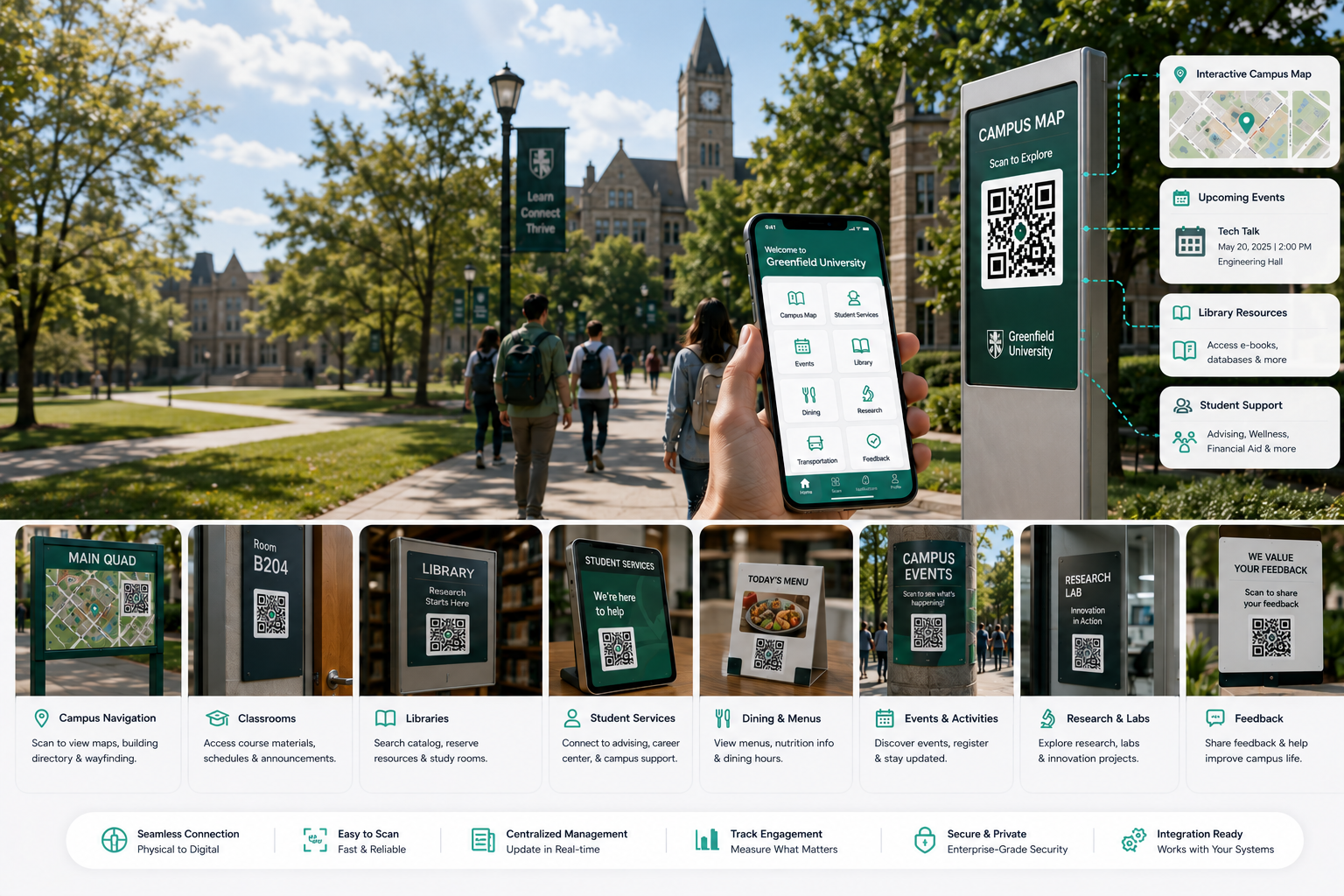
















Universities manage massive physical properties: libraries, laboratories, lecture halls, administrative offices, dining facilities, and residence halls. QR codes link these physical touchpoints directly to your web portal, forms, maps, and online platforms. We help you connect physical spaces to the digital tools your students use every day.
What Are QR Codes for Universities?
A campus QR code acts as a direct shortcut. Instead of forcing students to dig through clunky university portals or type long URLs, they scan a printed code on a wall or desk to open the exact tool they need.
By printing Dynamic QR Codes on signs and doorways, you keep the printed code permanent while retaining the ability to change its destination URL. If a syllabus document updates or a room schedule changes mid-semester, you simply update the link in your dashboard. You do not need to reprint the code.
Practical Campus Examples:
- → Wayfinding boards pointing directly to a live Google Map of the quad.
- → Office doors linking directly to a professor's digital calendar.
- → Lab entryways showing safety instruction sheets or equipment scheduling tools.
- → Library carrels pointing directly to the study room reservation system.
- → Event flyer posters opening a rapid RSVP form.
- → Registrar service desks linking to online add/drop forms.
- → Makerspace gear linking directly to a video training guide.
How Universities Can Use QR Codes
Campus Wayfinding & Maps
Print codes directly on physical directories at campus entrance gates. Scanning the code opens a mobile-friendly map of the grounds. Visitors get real-time walking directions. You can highlight accessible routes, temporary parking lots, and current construction zones.
Student Services
Place codes on desks in the registrar's lobby or the financial aid office. Students scan to join a virtual queue, download academic appeal forms, or book an appointment with their advisor. They avoid long lines and get answers faster.
Admissions
When high schoolers visit for open house, let them scan banners in the welcome center. This links them directly to the application portal, housing options, or a digital copy of the course catalog. You save thousands on paper printing costs.
Classrooms & Learning
Instructors add codes to course syllabi or slide decks. A scan takes students to the online reading list, weekly homework submission folders, or lab safety protocols. It keeps digital resources one tap away during lectures.
Library Resources
Stick codes onto study desks and bookshelves. Students scan a desk code to reserve that exact study room for group projects. Shelf-mounted codes can direct researchers to digital databases, citation templates, or search guides.
University Events
Use these on bulletin board flyers for club fairs, career panels, and games. The code takes students straight to RSVP forms or live digital schedules. If a venue changes, you update the destination URL instantly.
Research & Presentations
Add codes to the bottom corner of research poster boards at symposiums. Observers scan to read your full paper, download raw CSV datasets, or send an email directly to your lab team. This extends your physical poster board into a digital repository.
Campus Dining
Paste codes on dining hall tables or entry doors. Link them to today's lunch menu, nutrition guides, allergy alerts, or online pre-ordering pages. It cuts down on crowds at the ordering stations.
Payments
Link parking kiosks or student account flyers to your digital payment gateway. Students can pay parking tickets or buy club merchandise right from their phones. The code sends them to your secure payment site without making them type complex URLs.
Campus Facilities
Stick codes onto 3D printers, AV panels in lecture halls, and washing machines in dorms. When a machine breaks, a student scans the code to open a pre-filled maintenance request form. Your facilities team gets the exact room number and machine ID instantly.
Feedback
Print codes on dining tables, library doors, or lecture hall exits. Ask simple questions. Students scan to rate their dining experience or evaluate a course. You get instant feedback while the experience is fresh in their minds.
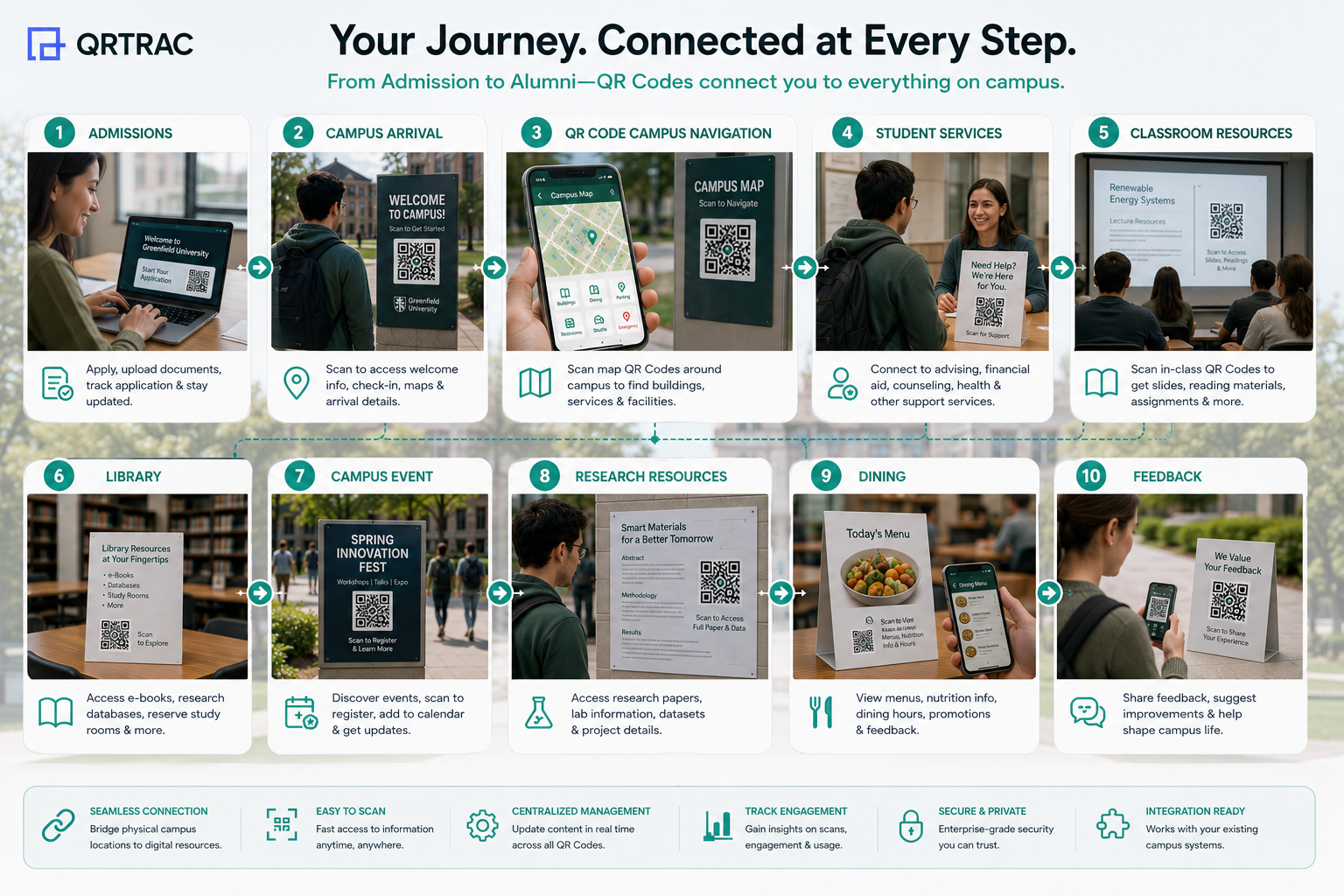
QR Codes Across the Student Journey
Example: Orientation Week Signage
Put dynamic QR codes on temporary A-frame signs along the main campus walkways during orientation, linking to event schedules and campus maps. Students find answers on the spot instead of lining up at the help desk, and scan data shows which signs get used so you can move them where they help most.
Prospective Student
Placement: College fair banners and brochures.
Destination: Digital majors guide and application pages.
Result: Reduces paper waste and keeps application instructions up to date.
Admissions & Campus Visit
Placement: Welcome center signs.
Destination: Self-guided audio tour tracks.
Result: Visitors explore the campus at their own pace with rich historical context.
Enrollment & Navigation
Placement: Orientation packets and physical map kiosks.
Destination: Interactive campus map.
Result: New students find administrative offices and classrooms without getting lost.
Classes & Library
Placement: Syllabi and study desk dividers.
Destination: Live research guides and homework links.
Result: Students connect physical desks directly to their online course databases.
Student Services & Events
Placement: Student union boards and help desks.
Destination: Appointment schedulers and event RSVP portals.
Result: Eliminates waiting lines at academic advising and bursar offices.
QR Codes for Campus Wayfinding
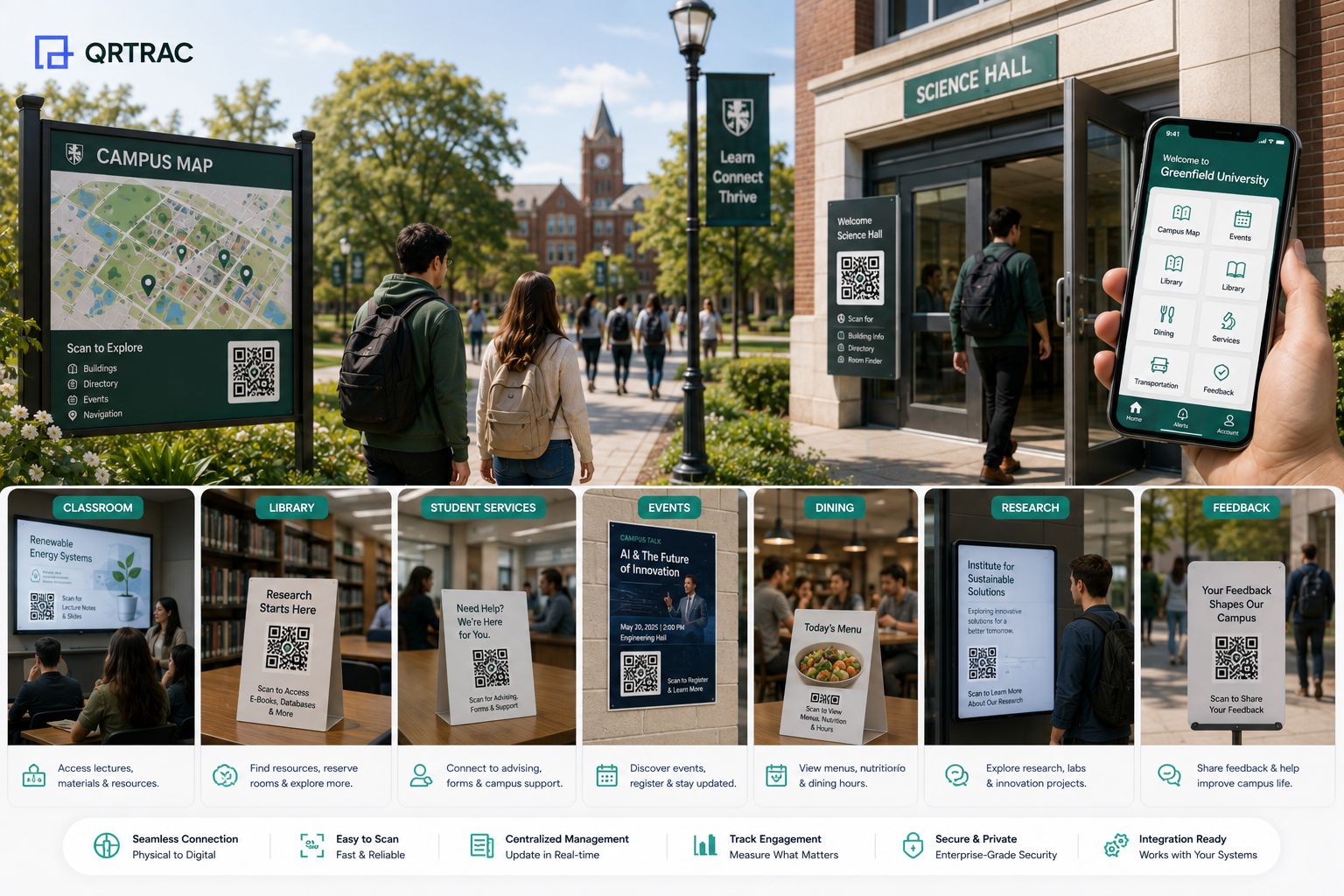
Sprawling university grounds frustrate visitors, new faculty, and students. Placing codes on physical wayfinding systems connects static signs directly to dynamic online maps.
- Map Kiosks: Link directly to mobile-friendly Google Maps pins.
- Hallways: Direct visitors to specific floor plans or office rosters.
- Parking structures: Link to digital pay stations and shuttle schedules.
- Admissions paths: Provide links to self-guided tour audio tracks.
Wayfinding Workflow: Physical directory board → User scans code → Mobile map loads with current position → User follows live walking directions.
QR Codes for Student Services
Make student support services accessible on the spot. Placing codes on front doors and counters reduces hallway wait times.
Use them at the financial aid office, academic advising center, and health clinic. Instead of standing in line, students scan to reserve an appointment slot, read about required documents, or access digital forms on their phones.
QR Codes in Classrooms & Learning
Take classroom materials online instantly. You can simplify resource distribution during lectures.
Add codes to your whiteboard, lecture slides, or syllabi. Students scan to download lab guidelines, safety checklists, or reference videos. This keeps students focused on class rather than hunting down PDFs in an LMS folder.
Classroom Door → Scan QR → Opens Course Links → Student Accesses Lab Rules
QR Codes for Libraries
Connect physical book stacks directly to your database systems. Paste codes directly on library desk panels, group study rooms, and endcaps.
Students scan shelf codes to view digital citation guidelines, database login rules, or specific catalog lists. This connects your physical collections to your online library portal.
QR Codes for University Events
Ditch printed schedules that change at the last minute. Place codes on posters, flyers, and tickets for club fairs, sporting events, and graduation ceremonies.
A single dynamic code can link users to real-time event updates, digital programs, registration pages, and speaker schedules.
QR Codes for Research & Academic Collaboration
Physical posters have limited layout space. Put a code in the corner of your symposium poster board so attendees can quickly pull up your full paper.
You can link to supplemental spreadsheets, high-res lab imagery, video experiments, or direct contact forms. This moves academic exchange beyond static paper displays.
QR Codes for Campus Facilities
Colleges manage thousands of assets. Label tools like 3D printers, AV control boards, and woodshop tools.
Students scan the device code to watch a setup video, check safety rules, or submit a broken gear ticket directly to the department technician.
Best Places to Put QR Codes on Campus
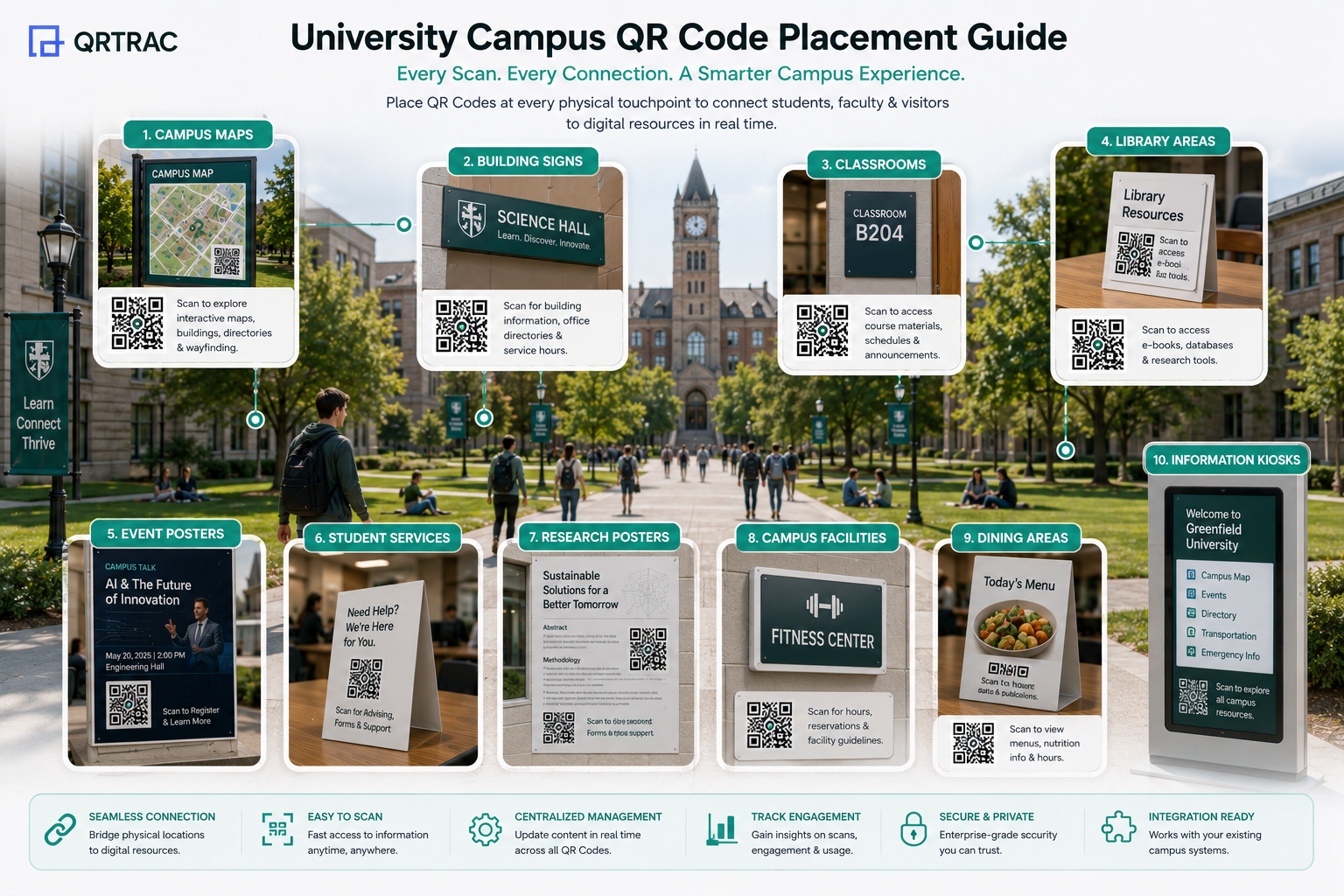
Location matters. Here is a guide to where you should place your codes:
Campus Directories & Entrance Signs
Perfect for loading wayfinding maps directly onto visitors' phones.
Classroom Door Placards
Great for linking to dynamic room schedules and daily class resources.
Libraries & Lab Workbenches
Use these to display equipment manuals, safety checklists, or study space bookings.
Event Banners & Bulletin Boards
Best for collecting student registrations or promoting student activities.
Dining Hall Tables
Links students instantly to food menus, daily specials, and dietary charts.
Dorm laundry rooms & IT helpdesks
Allows users to report broken washers, file IT tickets, or check repair status.
Physical Best Practices:
- Scan Distance: Make codes larger if printed on elevated wall signs or outdoor signs.
- Contrast: Always place dark codes on clean, high-contrast light backgrounds with a clear margin around the image.
- Material choice: Avoid glare by using matte-finish laminations for outdoor signs instead of high-gloss paper.
- Placement height: Place signs at eye level so everyone can scan them.
Use specific instructions alongside the code:
Static vs Dynamic QR Codes for Universities
Static codes bake the destination link directly into the code. Once printed, you can never change that link. Dynamic codes use a redirect URL, meaning you can swap out the final website or file destination at any time without reprinting.
| University Use Case | Static QR | Dynamic QR |
|---|---|---|
| Permanent building history signs | Suitable | Best Choice |
| Campus maps (update periodically) | Risky | Required |
| Weekly event flyers | Not Recommended | Required |
| Registrar forms and links | Risky | Best Choice |
| Course readings and worksheets | Suitable | Best Choice |
| Academic posters and slides | Suitable | Best Choice |
| Dining menus (change daily) | Not Recommended | Required |
| Scan tracking metrics | Not Possible | Built-in |
Dynamic codes are crucial for campus operations. You can reuse the exact same sign frames or placards semester after semester simply by changing the target links in your software portal.
QR Code Analytics for Universities
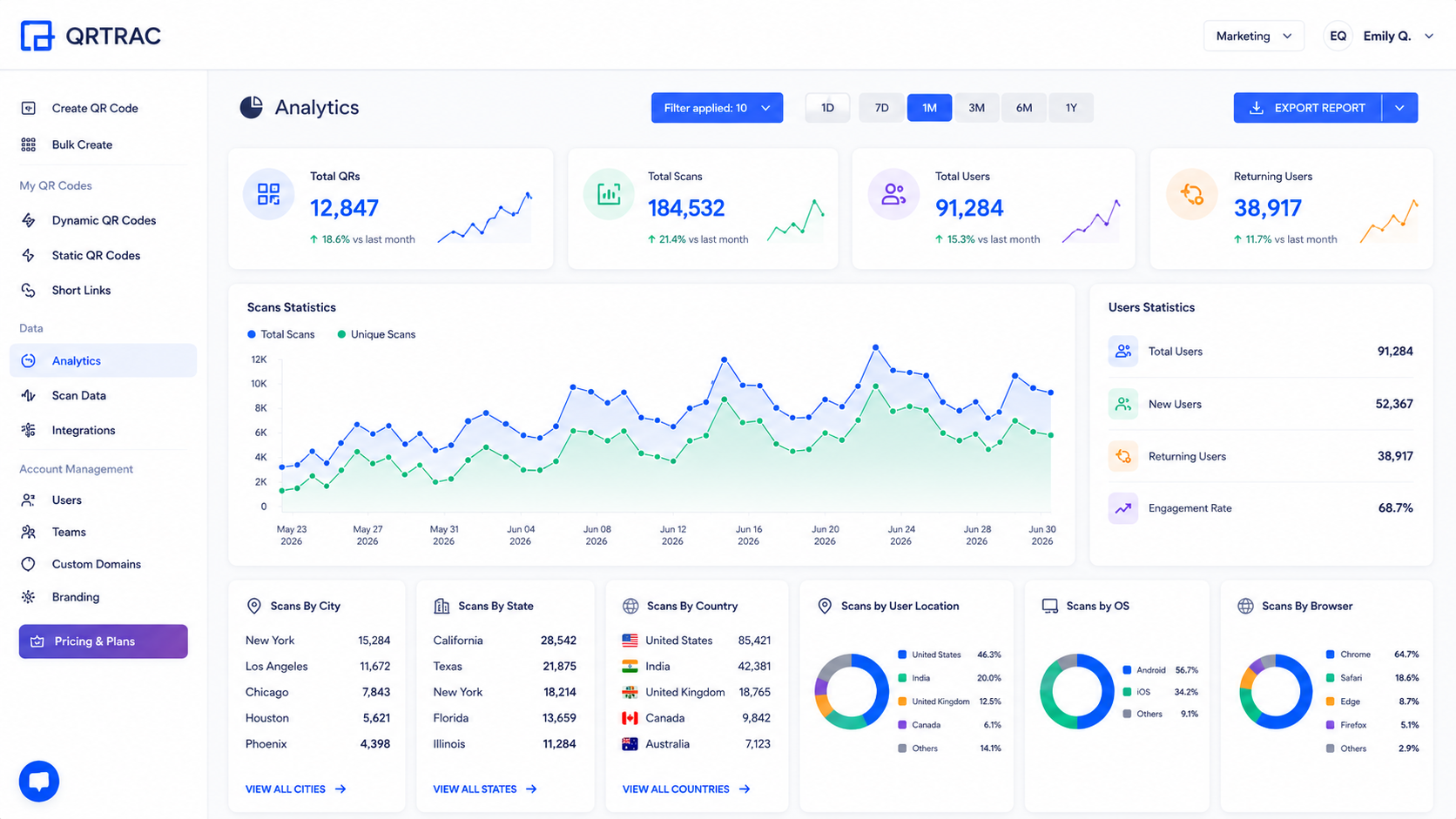
Tracking codes lets administrators learn how students interact with physical campus resources. When using dynamic links, you can monitor:
- Total scan counts: Which signs pull the most traffic.
- Timing patterns: When students scan help boards or dining codes.
- Device types: Whether users prefer Android or iOS devices.
- Referral data: Which specific boards or maps are driving student interest.
This data shows you which services require more physical support. For example, high scans on a printer code can alert IT teams to place more help resources in that library wing.
Note: A QR scan simply tells you that someone opened a digital gateway from that physical location. It does not replace student check-ins, enrollment rosters, or actual class attendance trackers.
QR Codes for Campus Marketing & Communication
QR codes also support campus outreach. Place them on mailers to alumni, admissions brochures, and banners promoting sports games. Direct links make it easy for prospective families or alumni to make donations, register for events, or buy tickets.
Common QR Code Mistakes on University Campuses
Avoid these setup errors when roll-outs happen:
- Dead link failures: Printing static codes that lead to old course schedules or deleted web pages.
- Poor signals: Placing codes in basements, parking decks, or concrete labs with no cellular reception or campus Wi-Fi.
- Illegible printing: Low-contrast colors or blurry prints that modern phone cameras fail to focus on.
- Missing instructions: Plain codes that offer no text indicating where the scan leads.
- Mobile issues: Linking to non-responsive web pages that force students to pinch-to-zoom on their phones.
- Visual crowding: Sticking multiple codes side-by-side on a poster so the camera app scans the wrong link.
- Missing fallbacks: Not writing the short URL beneath the code for students with broken cameras.
Best Practices for University QR Codes
- Use dynamic codes for any sign intended to hang for more than a week.
- Always print short, actionable text right next to the code.
- Test the code on multiple physical phone models before laminating or printing bulk signs.
- Verify campus Wi-Fi reception in the spot where you plan to install the code.
- Keep links updated to match current semester calendars.
- Provide a clean fallback link in plain text for accessibility compliance.
Realistic University QR Code Workflows
Example 1: Campus Wayfinding
Map Directory Board → Scannable Code → Live Google Map Pin → Real-time Walking Path
Example 2: Student Services Queue
Advisor Lobby Sign → Code Scan → Virtual Waitlist Form → Mobile Queue Ticket
Example 3: Classroom Assets
Chemistry Lab Station → Scannable Code → Lab Safety Instructions PDF → Student Lab Portal
Example 4: Guest Seminars
Auditorium Door Flyer → Code Scan → RSVP Webpage → Instant Attendance Tracker
Example 5: Poster Sessions
Research Poster corner → Code Scan → Raw Datasets on GitHub → Author Email Link
University QR Code Deployment Checklist
- Pick the physical sign location
- Check cellular and campus Wi-Fi signal at that exact spot
- Set up your mobile-optimized target webpage
- Choose dynamic routing to ensure future editability
- Generate the code using high-contrast styling
- Add explicit instructions (e.g., "Scan to view building guide")
- Run a scan test using both iOS and Android devices
- Print using high-quality matte material to prevent glare
- Hang the sign at accessible, eye-level heights
- Schedule automated checks to verify target links remain live
QR Codes vs Traditional Printed Information
QR codes do not replace traditional print signage. They simplify printed material. Instead of writing out directions, directories, and schedules on a massive, expensive physical poster, you print a simple overview poster with a code. This reduces printing bills, saves paper, and keeps information accurate.
Conclusion
Campus codes link physical campus environments with essential online portals. They improve student workflows by taking them directly to scheduling blocks, event guides, menus, and support tickets from where they stand.
By deploying dynamic links across campus buildings, offices, and directories, you build a cleaner, faster campus hub for everyone.
References & Sources
- EDUCAUSE Review (2025). "Digital Transformation in Higher Education Wayfinding."
- Inside Higher Ed (2026). "How Campuses are using Mobile Touchpoints for Gen Z."
- QRTRAC Internal Data (2026). "Campus Engagement Metrics."