
















Introduction: The Training Lifecycle
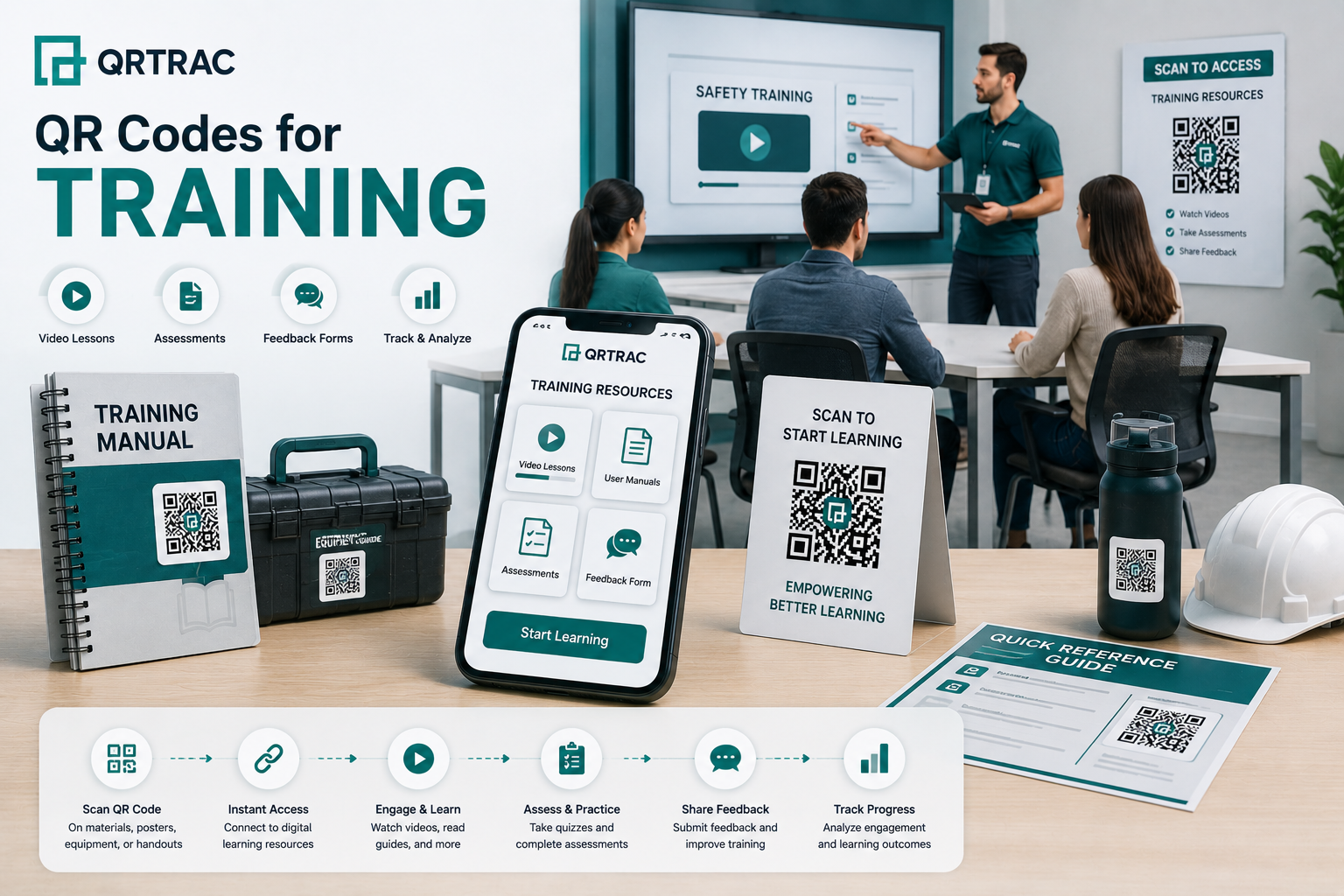
Training happens in real-world spaces, but the materials we need live online. QR codes link the two instantly. They put your digital manuals, videos, and checklists right in front of your team when they are standing on the workshop floor or sitting in the training room.
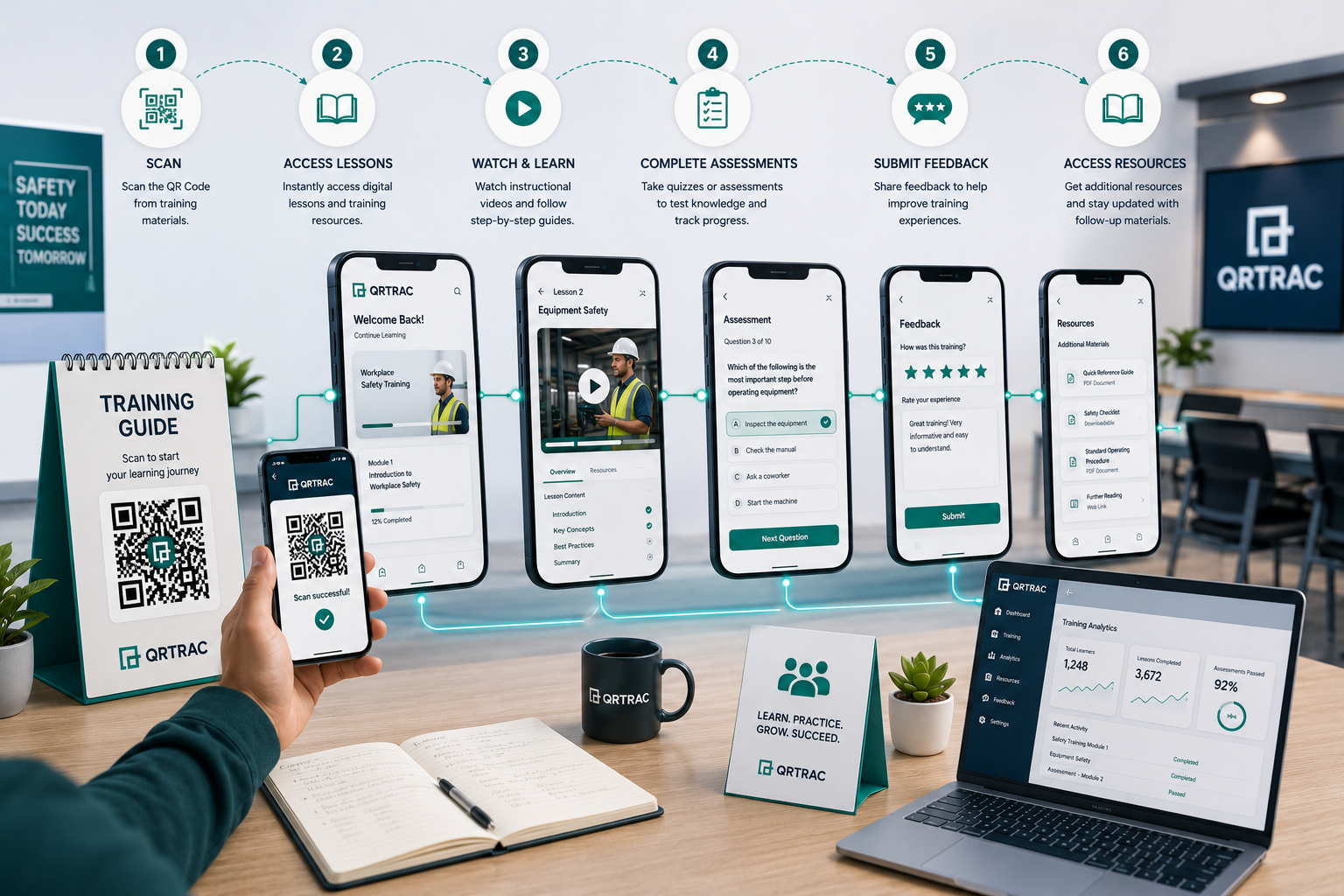
Consider a standard training lifecycle:
- Training Registration
- Training Session
- Scan QR Code
- Access Learning Material
- Watch / Read / Practice
- Complete Assessment
- Submit Feedback
- Access Follow-Up Resources
- Continue Learning
Let's be clear: a QR code doesn't replace your LMS or host your video. It acts as the front door. One scan takes a trainee straight to the video, PDF, or form they need, bypassing tedious searches.
What Are QR Codes for Training?
A training QR code is a physical shortcut to your digital assets. You print them on workbook margins, laminate them for heavy machinery, or stick them to safety signs. When your team scans them with a phone or tablet, they jump straight to the target web page. No typing URLs, no search bars, and no hunting through file directories.
These codes remove friction during both instructor-led sessions and self-paced study. Use them before class for sign-ups, during class for hands-on exercises, or after class for feedback.
Using Dynamic QR Codes lets you swap the destination URL behind the scenes. If a video guide changes, update the link in your dashboard. You won't have to reprint any paper.
Practical Examples:
- Safety handbook → Links to the latest OSHA compliance checklist.
- Machinery workbook → Links to a 2-minute engine startup video.
- Forklift steering wheel → Links to pre-operation safety checklist.
- Training room poster → Links to the slide deck for today's session.
- Final slide → Links to the digital quiz.
- Exit door plaque → Links to a quick 3-question feedback form.
How QR Codes Are Used in Training
Training Materials
Stop throwing away outdated paper manuals. Print a QR code on the cover or section header. Trainees scan it to view the live, updated PDF version on their phones. Your team always works from the latest revision.
Training Videos
Text can't explain physical movements well. Put a QR code next to a complex step in a guide. The trainee scans it to watch a 30-second YouTube or Vimeo demonstration right at their workspace.
Learning Modules
Link physical workspaces to your LMS. A QR code on a training desk can take the learner straight to their online module, bridging classroom sessions and self-paced digital courses.
Assessments & Quizzes
Check what your team learned. Print a QR code at the end of a chapter that links to a Typeform or Google Forms quiz. The code handles the connection; your form handles the grading.
Attendance
Ditch the clipboard. Put a QR code on the opening presentation slide. When attendees scan it, they enter their names on a digital sign-in page to register their attendance instantly.
Feedback
Get feedback while the class is fresh in their minds. Print a QR code on the final slide or exit door. Trainees scan it to rate the session in ten seconds before they walk out.
Employee Onboarding
Keep onboarding packages thin. Instead of handing new hires a 100-page binder, print a welcome card with QR codes. These codes open your company directory, health benefits, and IT setup guides.
Safety Training
Put safety steps where the danger is. Stick laminated QR codes directly onto hazardous machinery. If an operator needs to clear a jam, they scan the code to read the lockout-tagout steps on the spot.
Compliance Training
Keep compliance rules reachable. Post QR codes on breakroom boards or digital screens linking to updated harassment policies, safety sheets, or legal disclosures.
Equipment Training
Attach QR codes directly to specialized machinery like CNC mills or 3D printers. Operators scan them to view setup specs, calibration instructions, or maintenance logs.
QR Code Use Cases by Training Type
Employee Training
- Orientation portals
- Workplace procedures
- Company directory
- Policy handbooks
Corporate Training
- Workshop slide decks
- Interactive polls
- Presentation handbooks
- Session feedback forms
Technical Training
- CNC or machinery manuals
- Step-by-step video guides
- Troubleshooting wikis
- Calibration logs
Safety Training
- Lockout-tagout procedures
- Hazard communication guides
- Emergency contact lists
- OSHA compliance resources
Compliance Training
- Anti-harassment guidelines
- Data security protocols
- Regulatory updates
- Certification sign-offs
Instructor-Led Training
- Pre-work downloads
- Live lecture materials
- Shared group folders
- Post-class exit surveys
How to Implement QR Codes for Training
Ready to launch? Here is our step-by-step guide to putting QR codes to work in your training sessions:
- Define the goal: Determine exactly what you need to share. Example: Walk an operator through a complex machine setup.
- Find the placement: Pick where the trainee will need this info. Example: Directly on the machine's control panel.
- Choose the asset format: Keep it simple. Example: A short, 45-second video works better than a 50-page PDF manual for quick troubleshooting.
- Go Dynamic over Static: Dynamic codes let you change the destination link later. If you migrate your training site, you won't have to reprint any physical labels.
- Optimize for mobile: Trainees scan with their phones. The landing page, video, or checklist must load fast and look great on a small screen.
- Apply contrast and branding: Design the code with clear contrast. A dark code on a light background scans fastest.
- Run field tests: Grab an iPhone and an Android. Scan the code in low light, at an angle, and from different distances to make sure it works.
- Add instructions: Never print a bare QR code. Write a clear label next to it. Example: "Scan to watch startup steps."
- Label your files clearly: Keep your dashboard organized. Name your codes by department or physical machine location.
- Track engagement: Check your analytics to see which guides are scanned most often. If one code gets zero scans, find out why.
- Update links instantly: When a procedure updates, swap the link in your dashboard. The printed sticker stays right where it is.
Best Places to Use QR Codes for Training
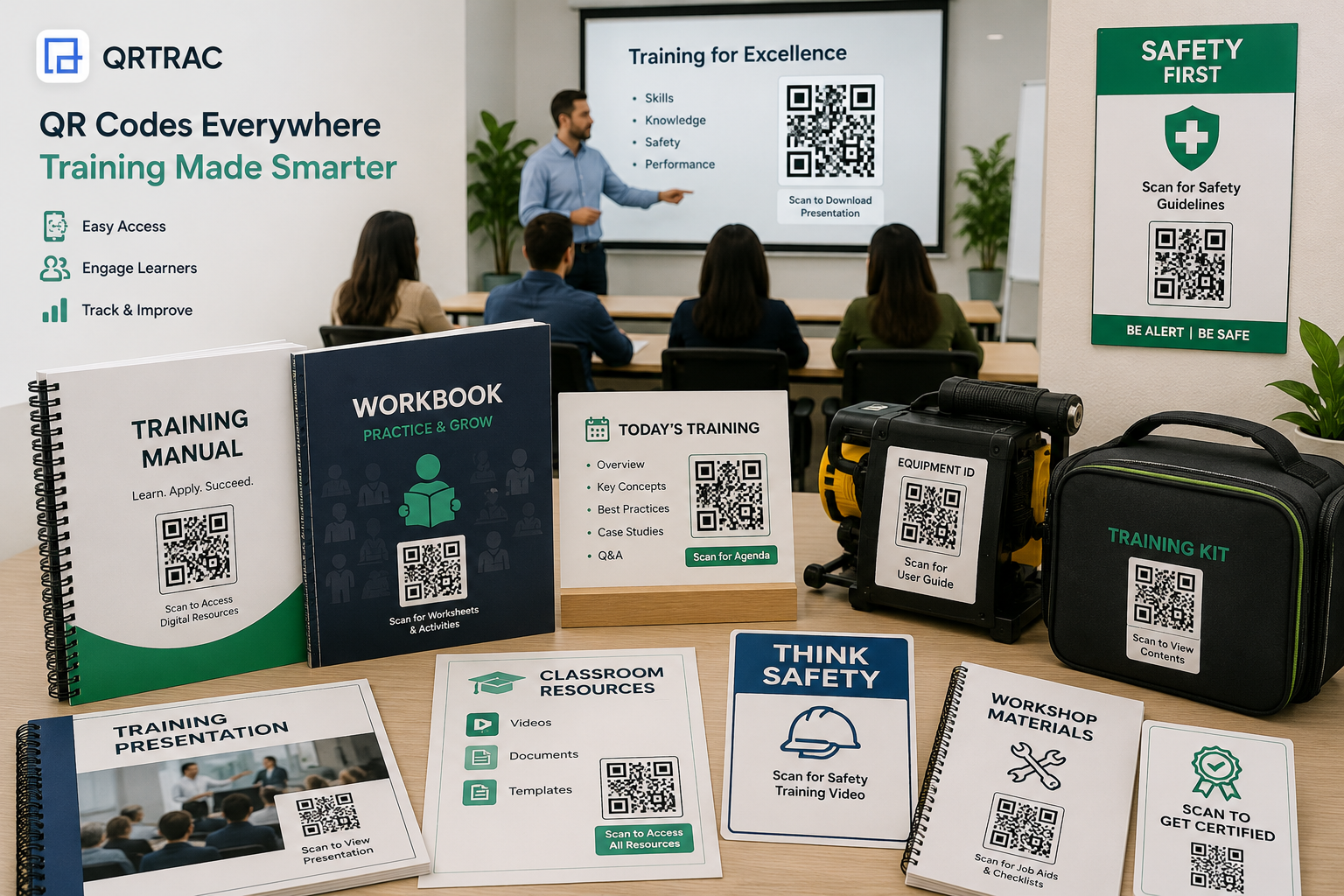
Where you place your codes changes how your team uses them. Try these locations:
- Workbook margins: Link text lessons to step-by-step video walk-throughs.
- Slide decks: Project a registration or quiz code on the main screen.
- Equipment dashboards: Stick a code next to the power switch for emergency shutdown steps.
- Safety warning signs: Link warning plaques to full SDS sheets or medical instructions.
- Breakroom notice boards: Display HR portals, policy updates, and team schedules.
- Onboarding packets: Print a single page of codes to replace a heavy stack of papers.
- Tools and hard cases: Put codes on specialized kit boxes to link to unboxing and setup guides.
Before you print, check these details:
- Lighting: Skip high-gloss laminates that reflect glare. Avoid dark corners.
- Scan distance: Make sure the code is big enough to scan from where the user stands.
- Minimum size: Stick to at least 2 x 2 cm (0.8 x 0.8 inches) for small materials.
- Contrast: Keep the background light and the foreground dark.
- A clear call to action (CTA): Tell users exactly what they get when they scan.
QR Codes for Employee Onboarding
First impressions matter. If you hand a new hire a thick, dusty binder on day one, you slow them down. Replace the clutter with a clean welcome card featuring QR codes.
These codes provide new employees with quick access to:
- Company directory and seating charts
- Direct deposit and tax forms
- Health benefits registration
- IT setup and software installation guides
- Company culture videos
Note: QR codes are the delivery method. They point employees to your HR tools, but they don't replace your central payroll or database systems.
QR Codes for Equipment & Technical Training
In factories, hospitals, and workshops, reading a manual at a desk doesn't help when you're standing in front of a stalled machine. Place durable, weatherproof QR codes directly on the hardware.
- Calibration checklists
- Troubleshooting videos
- Parts schematics
- Maintenance logs
- Lockout-tagout procedures
Technical Training Workflow:
Equipment
↓
Scan QR Code
↓
Open Training Resource
↓
Follow Instructions
↓
Access Troubleshooting / Support
QR Codes for Safety & Compliance Training
Keeping teams safe requires putting protocols where the hazards are. Do not expect workers to search an intranet during an emergency. Post QR codes on safety gear boxes, chemical lockers, and breakroom boards.
- Safety Data Sheets (SDS)
- First aid protocols
- Evacuation route maps
- OSHA reporting forms
Warning: Sticking a QR code on a wall doesn't satisfy compliance laws on its own. The code is simply the delivery tool. It gets your team to the safety documents faster, helping you maintain a safer, audit-ready workplace.
Dynamic vs. Static QR Codes for Training
Choosing the right code type keeps your training library from breaking when links change.
| Feature | Static QR Codes | Dynamic QR Codes |
|---|---|---|
| Edit links later | Locked forever. Cannot be changed. | Edit the link at any time. |
| Update printed manuals | Must reprint the manuals entirely. | Update target link without reprinting. |
| Swapping out media | Impossible without replacing the code. | Instant updates behind the scenes. |
| Scan metrics | No tracking data available. | Tracks total scans, device OS, and time. |
| Best used for | One-time printouts, permanent web pages. | Equipment tags, manuals, long-term programs. |
Our advice: Static codes work well for one-day events or links that will never change. Use Dynamic codes for physical assets, safety training materials, and guides that you will likely update next quarter.
QR Code Analytics for Training
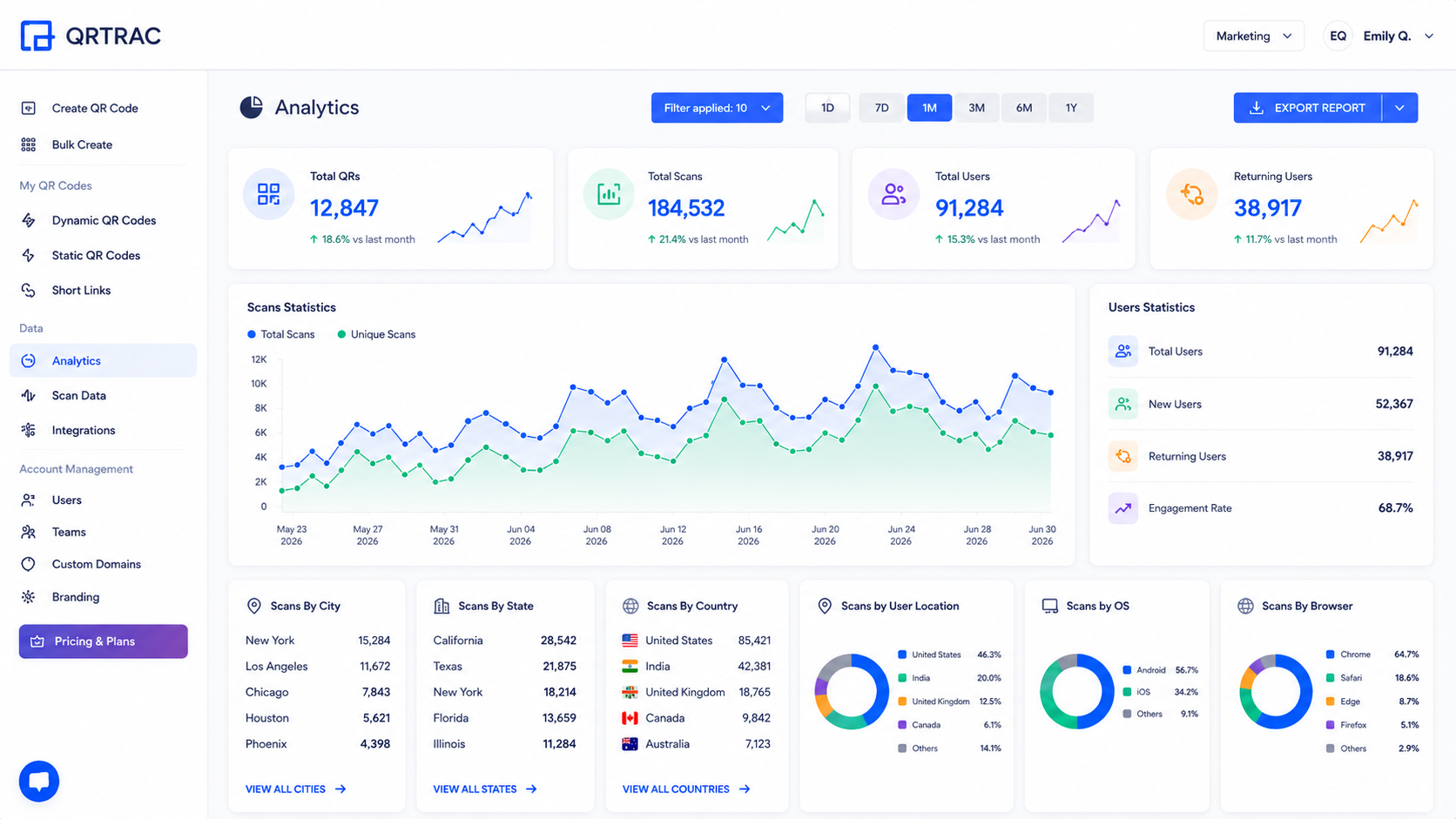
Dynamic QR codes let you see which physical training assets actually get used. You can track:
- Scan counts: See which manuals get opened and which are ignored.
- Timing: Check if operators scan safety codes during night shifts.
- Device types: Optimize your guides for the mobile browsers your team actually uses.
Remember: A scan only shows access, not comprehension. It proves an operator opened the guide, but you still need quizzes or practical checks to verify they understand the material.
Common QR Code Mistakes to Avoid in Training
- Dead links: Linking to staging environments or files with restricted access.
- Awful placement: Sticking codes under grease-prone valves or inside dark machine cabinets.
- Too small to read: Printing a tiny code that requires a magnifying glass to scan.
- Blank codes: Not adding a label or callout. Users won't scan a mystery black-and-white box.
- Desktop-only sites: Sending a mobile scanner to a page they have to pinch and zoom to read.
- Static codes on manuals: Forcing yourself to reprint 500 books just because a video link changed.
- No offline backup: Forgetting to print a short web address for workers without a working camera.
- Too many codes in one spot: Creating visual noise. Use one landing page link instead of ten separate codes.
Best Practices for Training QR Codes
To get the highest scan rates from your team, build your codes with these ground rules:
- Always label your codes: Write "Scan for PDF Manual" or "Scan for Startup Video."
- Optimize for speed: Compress PDFs and host videos on fast networks.
- Test before you print: Scan mockups in the actual training room lighting.
- Leave room to breathe: Keep a clear border (quiet zone) around the code.
- Go dynamic: Protect your budget against future URL changes.
- Use tough materials: Print on aluminum tags or thick vinyl for heavy machinery.
- Audit quarterly: Run a quick sweep of your active links to make sure nothing has gone dark.
Training QR Code Workflows
Here is how the transition from physical training to digital content works in practice:
Example 1: Employee Onboarding
Onboarding Material → QR Code → Company Policies → Training Video → Reference Resources
Example 2: Equipment Training
Equipment → QR Code → Manual → Demonstration Video → Safety Instructions → Troubleshooting
Example 3: Classroom Training
Workbook → QR Code → Learning Module → Supplementary Video → Quiz → Feedback Form
Example 4: Safety Training
Safety Sign → QR Code → Safety Procedure → Instructional Content → Reference Material
Worked example: replacing printed training binders
The problem: A manufacturing plant that relies on 200-page printed binders at every station has to reprint and redistribute them whenever a safety protocol changes. Until that reprint lands, workers can end up operating machines using an outdated guide.
The fix: Replace the binders with weatherproof vinyl QR codes stuck directly to each machine console. Scanning the code opens a short video of the startup sequence and a digital safety checklist that's always the current version.
What changes:
- Printing costs: A protocol update becomes a dashboard edit instead of a reprint-and-redistribute cycle.
- Onboarding: New operators work from the current video and checklist from day one, not whatever binder happened to be at the station.
- Audits: Every station points to the same, current safety checklist, which is exactly what an ISO 9001 audit wants to see.
Training QR Code Deployment Checklist
Run through this quick check before sending your files to the printer:
- Set a clear goal for the asset
- Pick the exact spot for the code
- Host the video or document online
- Select Dynamic for easy link updates
- Generate and brand your code
- Test scan on iOS and Android
- Verify the page loads fast on mobile
- Label the code with a clear action
- Place it in a well-lit, visible spot
- Show your instructors how to use them
- Track scans to measure use
- Schedule a quarterly link audit
Conclusion
QR codes turn static paper and physical workspaces into live learning pathways. By putting video walkthroughs, updated PDFs, and digital check-ins right where your team works, you remove the friction of modern training. Start with dynamic codes, test your physical placements, and keep your links updated. Your team will get the information they need, right when they need it, without the paper waste.
References
- Occupational Safety and Health Administration (OSHA). (n.d.). Hazard Communication Standard. https://www.osha.gov/hazcom
- International Organization for Standardization (ISO). (2015). ISO 9001:2015 Quality management systems — Requirements. https://www.iso.org/standard/62085.html