What is a Theater QR Code?
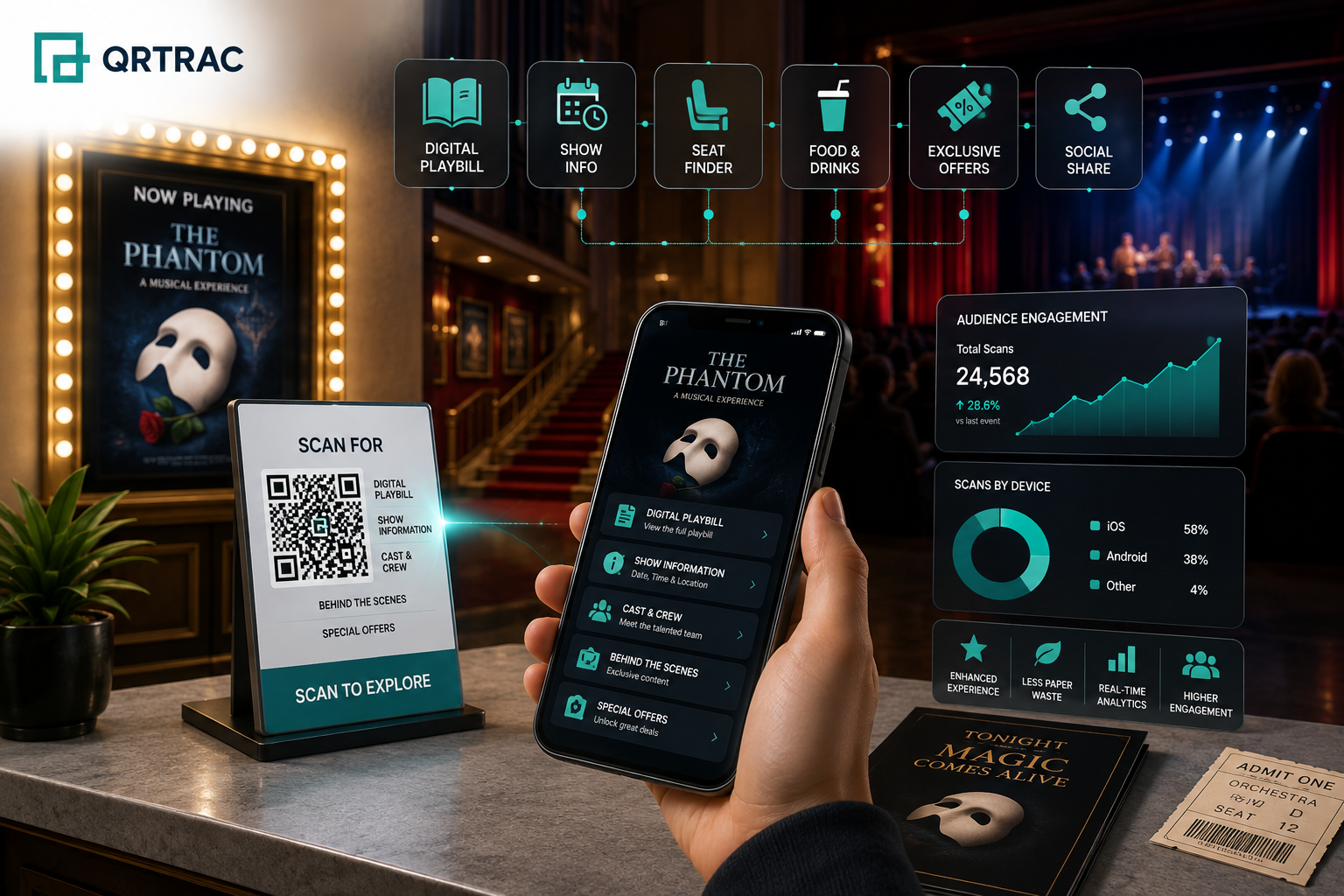
A theater QR code is a scannable, dynamic barcode placed on venue seats, playbills, or posters that instantly connects audiences to digital playbills, concession menus, or interactive event content using their smartphones, thereby eliminating costly printed materials and enhancing the live performance experience.
Benefits of QR Codes for Theaters
Theatrical productions and live event venues operate in a fast-paced environment where audience communication is critical. Traditional printed materials are costly, difficult to update, and environmentally taxing. QR codes solve these challenges by providing immediate digital bridges for patrons.
Implementing an effective QR code strategy offers significant operational advantages:
- Better audience engagement: Instantly connect patrons to immersive digital content, cast interviews, and behind-the-scenes media before the curtain rises.
- Easy access to digital playbills: Replace expensive, single-use printed programs with dynamic digital playbills that can be updated right up to showtime.
- Faster event information: Provide immediate access to schedules, runtimes, intermission details, and future show calendars.
- Better visitor communication: Communicate venue policies, emergency exits, and accessibility services instantly upon arrival.
- Reduced printed materials: Significantly cut printing costs and reduce the environmental footprint of your production.
- Improved customer experience: Empower visitors to pre-order intermission drinks or merchandise directly from their seats.
- Better event management: Easily manage digital ticketing and access control for VIP areas or meet-and-greets.
- Easier post-show engagement: Automate audience feedback collection and capture newsletter signups while the emotional impact of the performance is still fresh.
Example: Switching to Digital Playbills
Picture a theater that reprints its playbill for every cast change. With a QR code on the seatback or ticket linking to a digital playbill, a cast change becomes a quick edit instead of a print run, and scan data shows how many patrons actually open the cast biographies.
Expert Tip: The Power of Context
QR codes are only as effective as the context surrounding them. Never place a "naked" QR code on a poster or in a lobby. Always surround it with a clear, benefit-driven Call-To-Action (CTA) such as "Scan to read tonight's digital playbill" or "Scan to order intermission drinks."
How to Implement QR Codes in a Theater
Successfully rolling out a QR code ecosystem in a theater requires strategic planning. Follow this practical, 10-step implementation guide to ensure a smooth experience for your audience and staff:
- Identify audience touchpoints: Map the physical journey of your patrons—from the box office to the lobby, the concessions stand, and their seats. Identify where digital intervention adds value.
- Choose the correct QR Code type: Match the destination to the code type. Use PDF QR Codes for playbills, URL QR Codes for ticketing, and Form QR Codes for post-show surveys.
- Create digital theater resources: Develop the mobile-optimized content your QR codes will point to. Ensure your digital playbills, menus, and feedback forms load quickly on mobile networks.
- Customize QR branding: Use QRTRAC to design codes that match your venue or specific production's branding. Incorporate your theater's logo and color palette to build trust.
- Test the visitor experience: Print test codes at their intended size and place them in the actual physical environment. Test scanning them under the theater's specific lighting conditions.
- Place QR Codes throughout the venue: Deploy your codes strategically on posters, digital displays, seatbacks, and box office windows.
- Train front-of-house staff: Ensure ushers, ticket takers, and bartenders know exactly what each QR code does and can assist patrons who may struggle to scan them.
- Launch audience services: Roll out your QR code initiatives to the public. Consider making an announcement before the show instructing patrons to scan the code on the seat in front of them for the digital playbill.
- Monitor engagement: Use analytics dashboards to track which codes are being scanned, at what times, and in which locations.
- Update destinations using Dynamic QR Codes: As cast members change or understudies step in, use the backend to instantly update the destination URLs without reprinting any physical materials in the lobby.
Theater QR Code Use Cases
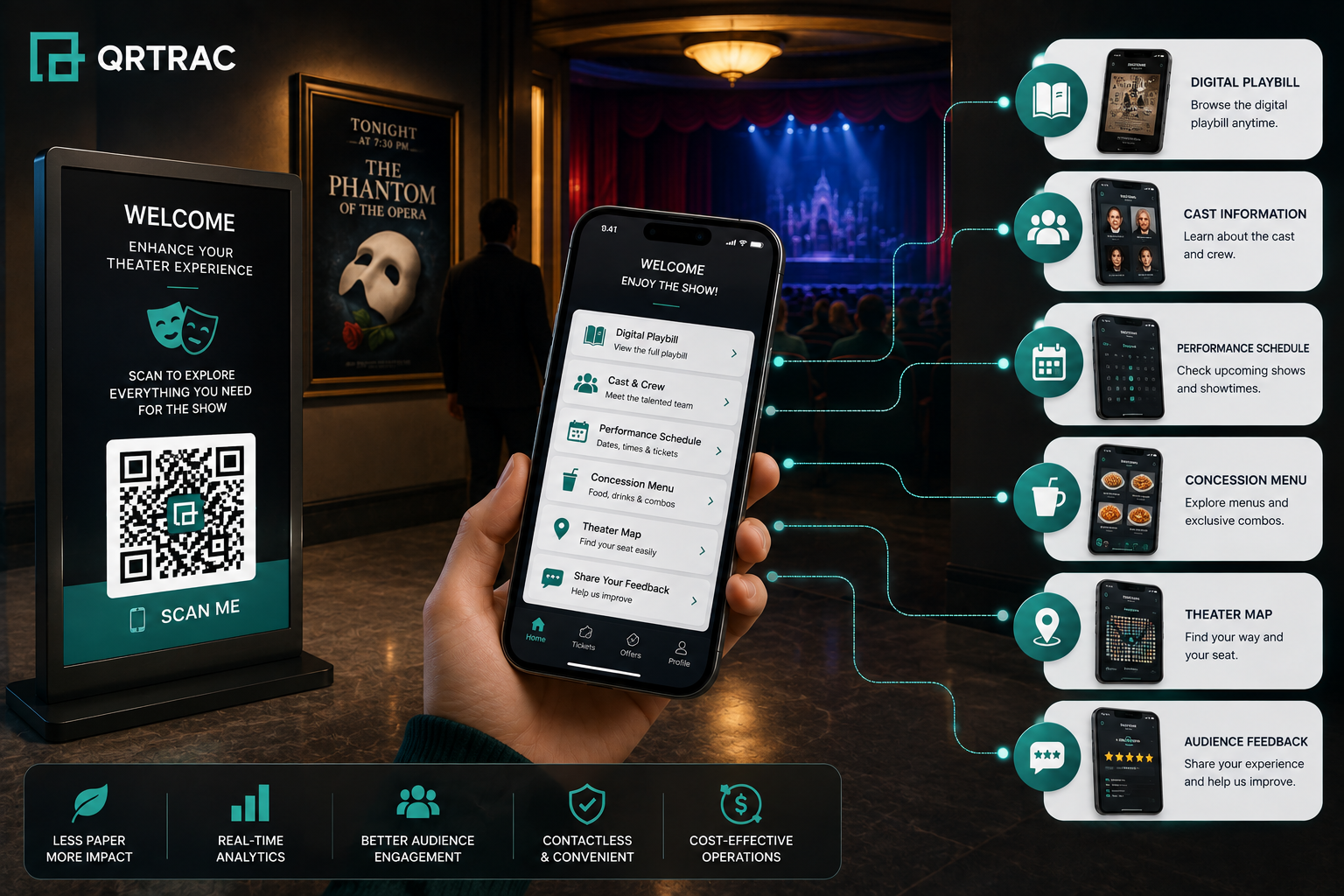
Theaters are dynamic environments with diverse operational needs. Here is a detailed look at how specific QR code deployments solve common venue challenges.
Digital Playbills & Cast Profiles
Venue challenge: Printing thousands of multi-page programs is expensive, wasteful, and immediately outdated if an understudy steps in.
How QR Codes solve it: A single code provides instant access to a rich, dynamic digital playbill.
Implementation process: Place a clearly labeled QR code on seatbacks or armrests. Link it to a mobile-responsive web page hosting the show's cast bios and director's notes.
Benefits: Zero printing costs, real-time updates for cast changes, and the ability to include video interviews with the director.
Recommended QRTRAC type: PDF QR Code or Website URL QR Code.
Concession Menus & Pre-Ordering
Venue challenge: Massive lines at the bar during a 15-minute intermission cause patrons to miss the second act or abandon their purchase entirely.
How QR Codes solve it: Patrons view the menu and pre-order their intermission drinks directly from their seats before the show starts.
Implementation process: Place QR codes in the lobby and on seating cards linking to a digital ordering platform.
Benefits: Smoother intermission crowd flow and improved customer satisfaction.
Recommended QRTRAC type: Website URL QR Code (linking to an ordering system).
Audience Feedback & Reviews
Venue challenge: Collecting actionable feedback post-show is difficult; patrons rarely fill out emailed surveys days later.
How QR Codes solve it: Captures sentiment while the audience is highly engaged, immediately after the curtain call.
Implementation process: Display a QR code on lobby exit screens or large banners by the doors with the CTA: "Tell us what you thought!"
Benefits: Significantly higher survey response rates and rapid generation of positive Google Reviews.
Recommended QRTRAC type: Google Review QR Code or Form QR Code.
Accessibility Information & Services
Venue challenge: Patrons requiring hearing assistance devices, sensory guides, or accessible seating need immediate, clear instructions upon arrival.
How QR Codes solve it: Bypasses the need to search the venue website or wait in line at the box office.
Implementation process: Place a clearly marked "Accessibility Services" QR code at the main entrance and box office windows.
Benefits: Creates a more inclusive, welcoming environment and reduces anxiety for patrons requiring accommodations.
Recommended QRTRAC type: Multi-Link QR Code (hosting multiple accessibility resources).
Choosing the Right QR Code Type
Different venue objectives require different QR code formats. Use this comparison table to select the most effective solution for your theater's needs.
| QR Code Type | Best Theater Use Case | Advantages & Implementation |
| Website URL QR | Ticketing, Concession pre-orders, Future show calendars | The most versatile option. Links patrons directly to your primary web ecosystem. |
| PDF QR | Digital Playbills, Seating charts, Venue maps | Perfect for replacing multi-page printed documents. Users can download the PDF to their phones. |
| Form QR | Audience feedback, Newsletter signups, Membership applications | Streamlines data collection by opening directly into a mobile-friendly survey or input form. |
| WhatsApp QR | Box office support, Lost and found inquiries | Initiates a direct chat with venue staff, providing immediate assistance without phone calls. |
| Multi-Link QR | Lobby displays, "Link in Bio" equivalent for posters | Consolidates multiple destinations (social media, upcoming shows, tickets) into one scannable menu. |
| Form QR Code | Post-show exit banners | Bypasses search steps and links patrons directly to the review submission page. |
| Location QR | Promotional materials, Social media graphics | Opens Google Maps or Apple Maps with routing directions directly to the theater entrance. |
Best Places to Use QR Codes in Theaters
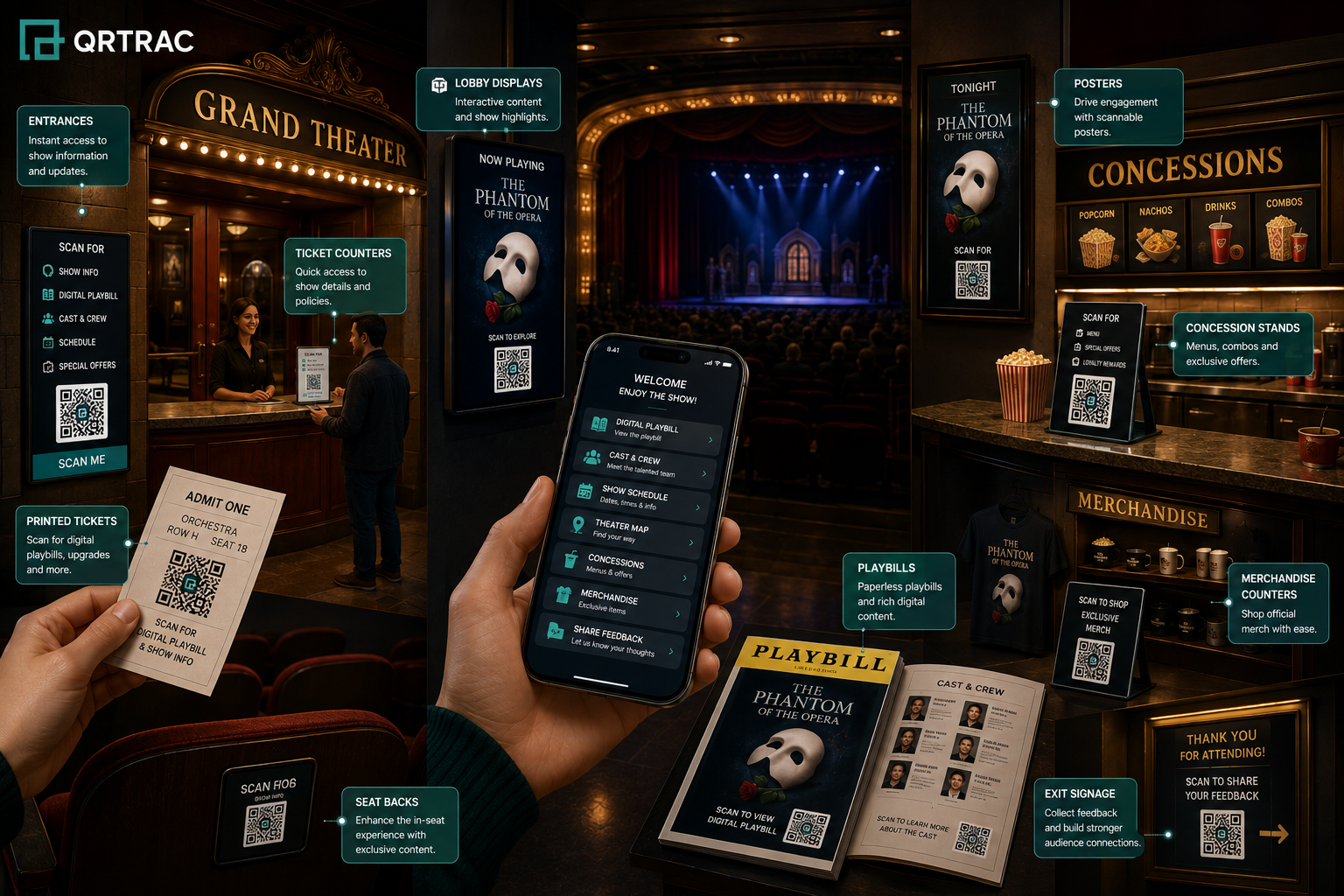
The physical placement of a QR code dictates its engagement rate. Scanning must be frictionless. Here is a guide to optimizing QR placement throughout your venue:
- Theater entrance: Place Location and Policy codes here. This helps visitors find their way and understand bag-check rules before they reach security.
- Ticket counters: Deploy Customer Support or WhatsApp QR codes so patrons waiting in line can get immediate answers to common questions.
- Lobby displays: Large digital screens or standing banners in the lobby are excellent for Multi-Link QR codes that promote upcoming seasons or membership programs.
- Printed tickets: If you still issue physical tickets, include a URL QR code on the stub linking to the digital playbill, so patrons have it before sitting down.
- Seat backs and armrests: The absolute best location for Digital Playbills and Concession Menus. Patrons have idle time here before the curtain rises.
- Playbills (Printed): If offering hybrid playbills, place codes inside linking to rich media, such as cast video interviews or director audio commentary.
- Posters (Street & Venue): Place a highly visible URL code linking directly to the ticketing page. Ensure the code is large enough to scan from a few feet away.
- Concession stands: Line-busting QR codes allowing patrons to view the menu while waiting, or order for intermission pickup.
- Merchandise counters: Display codes linking to an extended online catalog for sizes or items out of stock at the venue.
- Exit areas & Doors: The prime location for Audience Feedback and Google Review codes, capturing patrons as they leave.
How QR Codes Improve the Theater Audience Journey
A successful theater experience extends far beyond the performance itself. By integrating QR codes, venues can create a cohesive, frictionless journey for their patrons.
Here is how QR codes enhance every stage of the visitor lifecycle:
- Discover performance: A pedestrian sees a street poster, scans the code, and watches a trailer for the show on their phone.
- Book tickets: The same code takes them directly to a mobile checkout page, removing the friction of searching for the venue online.
- Arrive at the theater: A QR code on their digital ticket is quickly scanned by an usher for rapid entry, while lobby codes direct them to their seating section.
- Read digital playbill: Once seated, the patron scans the armrest. They immediately access the digital playbill, immersing themselves in the world of the play.
- Learn about the cast: Within the playbill, they click dynamic links to read actor biographies and view the director's notes.
- Visit concessions: Instead of waiting in a massive line, they scan a code to pre-order their intermission beverage.
- Leave feedback: Walking out of the theater, they scan an exit banner and leave a quick 5-star review about their fantastic experience.
- Explore future performances: A week later, they receive an email newsletter (which they signed up for via a lobby QR code) promoting the theater's next season.
Enhancing Theater Performances with Digital Playbills
The digital playbill is the most impactful QR code implementation for any theater. By moving away from costly print, venues unlock dynamic, rich-media capabilities that traditional booklets cannot match.
A well-structured digital playbill, accessed via a simple seatback scan, should provide access to:
- Performance information: Real-time runtimes, intermission lengths, and content warnings.
- Cast biographies: Expandable actor profiles with headshots and links to their professional social media profiles.
- Crew profiles: Giving well-deserved visibility to lighting, sound, and stage management teams.
- Director notes: Deep dives into the vision behind the production, potentially including audio or video messages.
- Accessibility information: Clear instructions on how to access hearing loops or accessible restrooms during intermission.
- Show schedules: Quick links to purchase tickets for upcoming shows while the audience is already engaged.
- Photo galleries: High-resolution rehearsal or production photos to build excitement.
Using QR Codes to Improve Theater Visitor Engagement
Beyond the playbill, QR codes serve as critical operational tools for venue management and front-of-house staff. They digitize previously manual processes, allowing staff to focus on hospitality rather than logistics.
Theaters should deploy specialized QR codes to facilitate:
- Food and beverage menus: Allowing patrons to browse offerings without crowding the bar area.
- Merchandise catalogs: Showcasing t-shirts, cast recordings, and souvenirs that can be purchased online and shipped to the patron's home.
- Membership information: Easily accessible sign-up pages for season tickets or venue donor programs.
- Upcoming performances: Instantly share the new season lineup and allow immediate ticket purchases.
- Audience surveys: Automating data collection on sound quality, seating comfort, and overall satisfaction.
- Google Reviews: Providing a one-scan solution for patrons to publicly review their experience.
- Newsletter subscriptions: Building a valuable email list for remarketing to local theatergoers.
- Community engagement: Linking to local partner restaurants, parking information, or community outreach programs associated with the theater.
Dynamic vs Static QR Codes
When generating QR codes for a venue, you must choose between Static and Dynamic codes. For the vast majority of theater operations, Dynamic QR Codes are the only viable choice.
| Feature | Dynamic QR Codes | Static QR Codes |
| Editing | Change the destination URL at any time without reprinting the physical code. | Permanent. If a link breaks, the code is useless. |
| Analytics | Full tracking available (scans, device type, location, time). | Zero tracking capability. No insights into audience behavior. |
| Updating performance information | Instant updates for cast changes, time shifts, or emergency cancellations. | Impossible. Changes require printing entirely new materials. |
| Managing digital playbills | Vital. Update the same seatback code for "Hamlet" in May and "Macbeth" in June. | Requires physically replacing the sticker on every single seat for every new show. |
| Scalability | High. Manage hundreds of codes across a large venue from a central dashboard. | Low. Only suitable for permanent, unchanging links. |
| Branding | Fully customizable with logos, colors, and short domains. | Basic aesthetic modifications, but URL remains long and generic. |
| Recommended theater scenarios | Seatbacks, playbills, posters, concession menus, ticketing. | Connecting to the lobby Wi-Fi network. |
Common Theater QR Code Mistakes to Avoid
Implementing QR codes without a strategy can lead to frustrated patrons and wasted effort. Avoid these critical operational mistakes:
- Poor placement: Placing codes in dimly lit hallways or too high up on posters makes them physically impossible to scan.
- Broken links: Forgetting to update the destination of a dynamic code when a new production takes the stage, leading patrons to a 404 error page.
- Using Static QR Codes for changing show information: The most expensive mistake a venue can make. If you print a static code on 1,000 seatbacks and the URL structure of your website changes, you have to scrape off and reprint 1,000 stickers.
- Ignoring mobile optimization: If your code links to a massive desktop-formatted PDF or a slow-loading ticketing site, patrons will abandon the page immediately.
- No clear CTA: Patrons will not scan a mysterious code. You must tell them exactly what they will get (e.g., "Scan for Digital Playbill").
- Poor print quality: Printing codes too small on playbills or on highly reflective, glossy surfaces prevents smartphone cameras from focusing properly.
- Ignoring analytics: Failing to review scan data means missing out on crucial insights regarding what audience demographics are actually engaging with your digital tools.
- Not testing the audience experience: Failing to test the codes under the actual ambient lighting of the theater before doors open.
Best Practices for Theater QR Codes
Venue Implementation Checklist
- ✔ Clear CTAs: Always pair the code with instructions like "Scan to Order" or "Digital Playbill."
- ✔ Professional branding: Maintain consistent venue branding on all codes with embedded logos.
- ✔ High-quality printing: Demand non-reflective, crisp printing from your suppliers.
- ✔ Mobile-friendly landing pages: Ensure all digital destinations render perfectly on smartphones.
- ✔ Dynamic QR Codes: Exclusively use Dynamic codes for operational materials.
- ✔ Routine testing: Implement pre-show testing of all active codes under theater lighting.
- ✔ Analytics monitoring: Check scan metrics weekly to gauge which content engages patrons most.
- ✔ Easy visitor navigation: Ensure the user journey post-scan is intuitive with large, tap-friendly buttons.
- ✔ Regular content updates: Schedule content refreshes aligned with cast changes or new productions.
- ✔ Consistent venue branding: Maintain a unified digital identity across all QR destinations.
Measuring Theater QR Code Performance
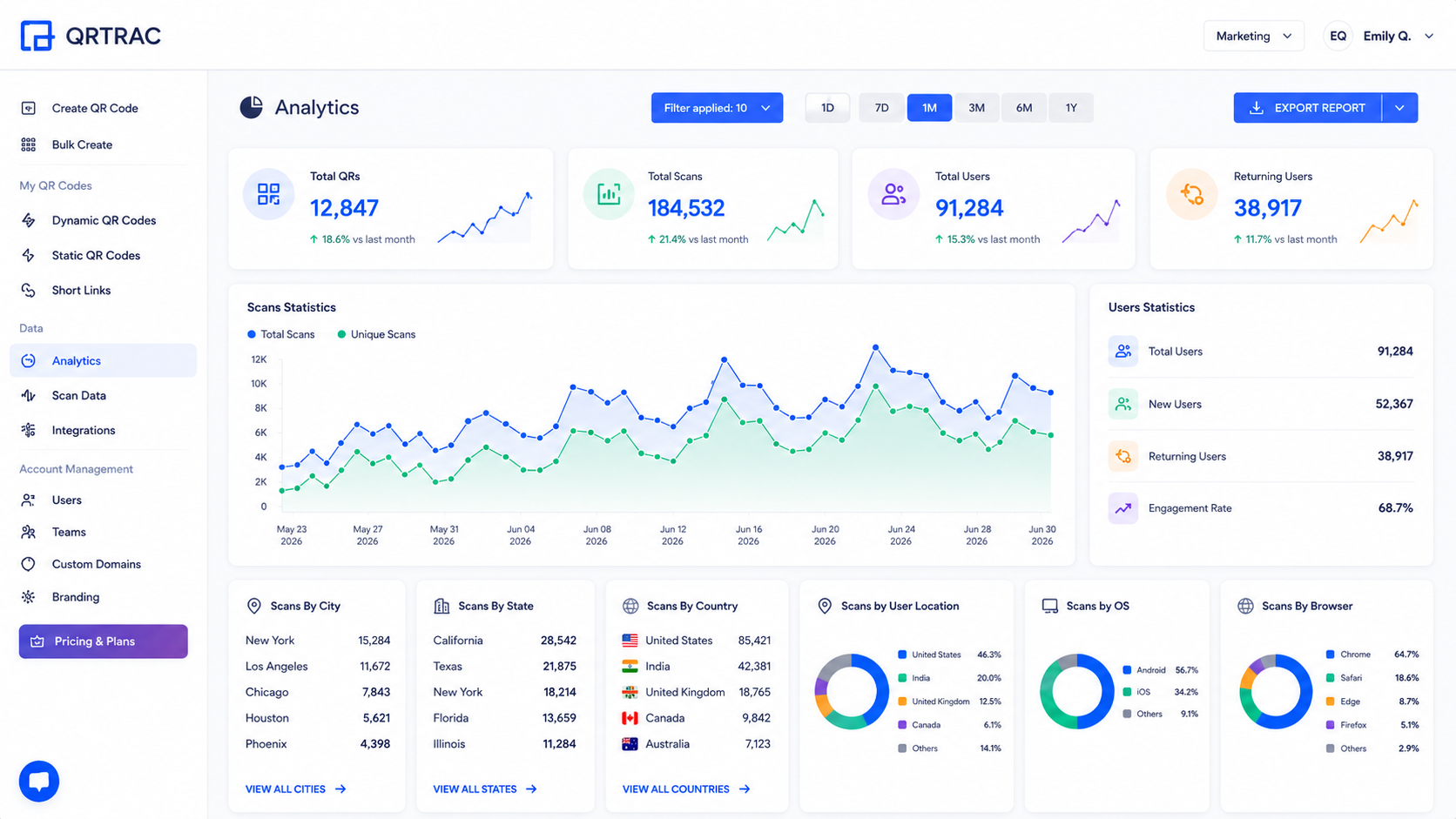
The ultimate advantage of using dynamic QR codes is the data. QRTRAC analytics help theater managers understand visitor engagement, allowing for continuous improvement of the audience experience.
By monitoring your dashboard, you can track several key metrics:
- Digital playbill views: Quantify exactly how many patrons are engaging with the show's literature compared to overall attendance.
- Cast profile visits: Identify which actors or production elements are generating the most audience interest.
- Concession menu interactions: Track pre-show vs. intermission scanning behavior to optimize bar staffing.
- Merchandise interactions: See which merchandise pages get the most traffic, informing inventory decisions.
- Audience feedback submissions: Measure the conversion rate of exit-banner scans to completed surveys.
- Newsletter signups: Track how effectively your lobby codes are building your marketing lists.
- Device types: Ensure your digital resources are perfectly optimized for the smartphones your specific demographic uses (e.g., iOS vs Android).
- Peak scan times: Correlate scanning spikes with 15-minute intervals before the show, or during intermission, to understand when your audience is most engaged.
Theater QR Code Deployment Checklist
Before opening the doors to the public for a new production, run through this launch checklist:
- ✔ QR Codes tested: Scanned under actual venue lighting from appropriate distances.
- ✔ Performance information verified: Cast lists and runtimes are accurate for tonight's show.
- ✔ Mobile compatibility confirmed: Playbills and menus render perfectly on both iOS and Android.
- ✔ Digital playbills updated: Understudies and last-minute notes are correctly reflected in the live URL.
- ✔ Staff trained: Ushers are briefed on how to instruct patrons to access the digital playbill.
- ✔ Analytics enabled: Campaigns are properly tagged in the QRTRAC dashboard.
- ✔ Backup URLs available: Fallback pages are ready in case of ticketing platform outages.
- ✔ Visitor instructions added: Clear "Scan Here" messaging surrounds every code.
- ✔ Printed materials reviewed: Code contrast and size verified before bulk printing posters.
Best Practices for Using QR Codes in Theaters
Theaters are public spaces that must cater to patrons of all technological comfort levels and physical abilities. Responsible QR code implementation—in accordance with ADA guidelines—ensures no one is left out of the experience.
- Clearly label every QR Code: Visitors must know what a code opens before scanning it. Never rely on the code alone.
- Place QR Codes where they are easy to scan before or after performances: Avoid high-traffic bottlenecks where stopping to scan poses a safety hazard. Ensure codes on posters or walls are placed at heights accessible to patrons in wheelchairs.
- Use Dynamic QR Codes for changing schedules and event information: Accurate information is a cornerstone of accessibility. Dynamic codes ensure patrons always receive the most up-to-date guidance.
- Ensure linked pages are mobile-friendly: High-contrast text, scalable fonts, and screen-reader compatibility are vital for accessibility on the destination page.
- Include accessibility information where appropriate: Use QR codes to explicitly link to sensory guides, ASL interpretation schedules, and venue accessibility maps.
- Regularly test QR Codes before every performance: A broken link severely damages the customer experience. Always maintain hybrid options (printed playbills) for patrons who prefer analog materials.
 By Eshwar Deshmukh
· Updated