















 By Aawes Shaikh
· Updated
Introduction
Moving freight is a daily grind. From the moment inventory hits your loading dock to final delivery and customer returns, operational speed relies on fast data access. When your warehouse staff has to search for paper manifests or log into separate desktop systems to verify handling rules, you lose time and money.
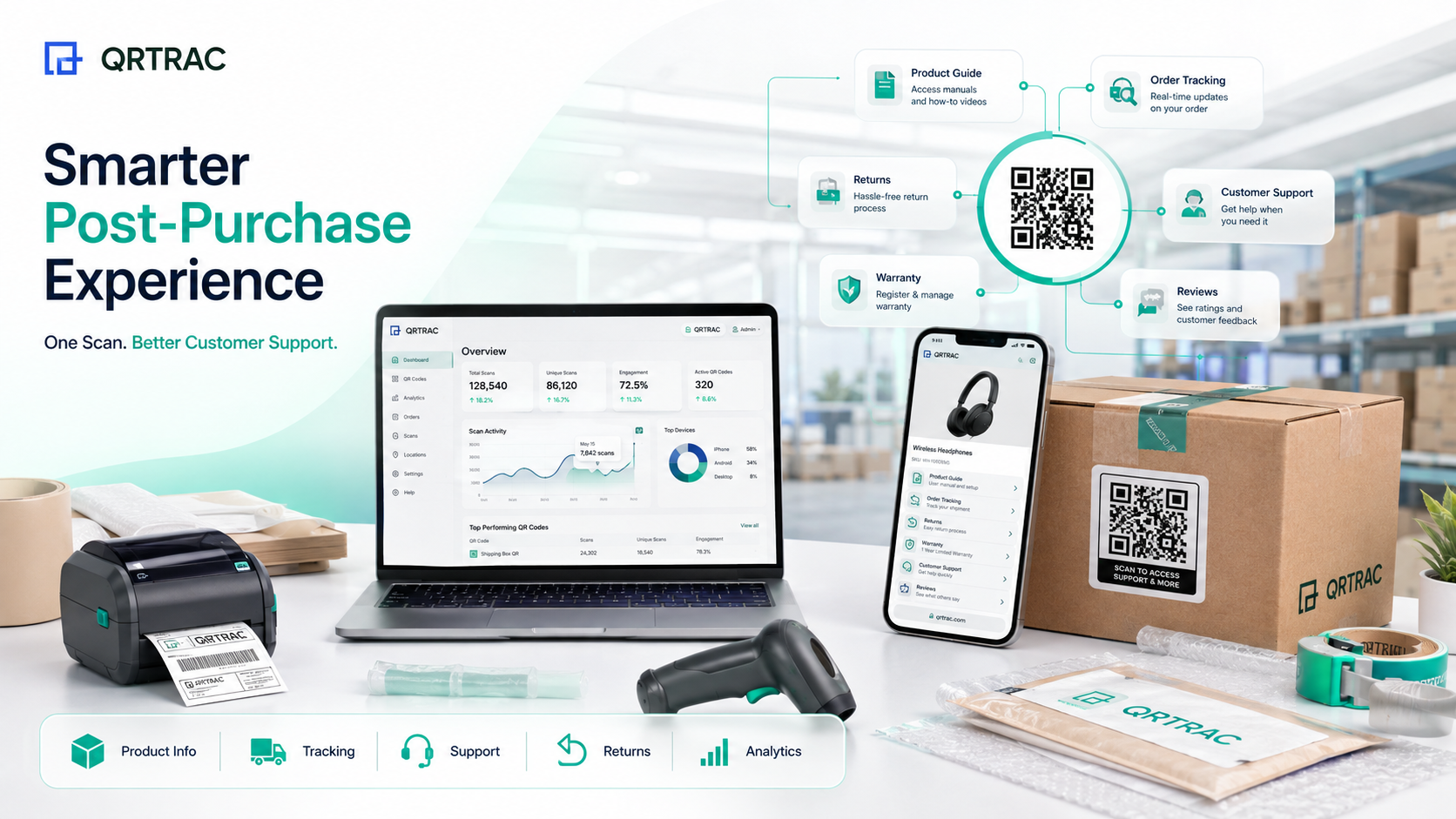
QR codes bridge this physical-digital gap. Stick them directly on boxes, pallets, or rack bins. Staff scan them with any smartphone or rugged warehouse tablet to instantly load packing slips, safety documents, or assembly manuals. Note that a QR code won't track package locations via GPS on its own. It serves as a rapid physical link. It points the scanner directly to the database or webpage where your tracking info lives.
What Are QR Codes for Shipping?
A shipping QR code is a 2D barcode printed on shipping labels, boxes, pallets, or product boxes. It links whoever scans it directly to specific digital files, websites, or software platforms.
We use two main configurations: Static (unchangeable destination) or Dynamic (editable destination). They replace paper binder lookups with quick digital links. A box might feature a QR code linking to carrier tracking. A product carton can link to assembly instructions. A return box can lead directly to your return portal.
QR Codes Across the Shipping Lifecycle
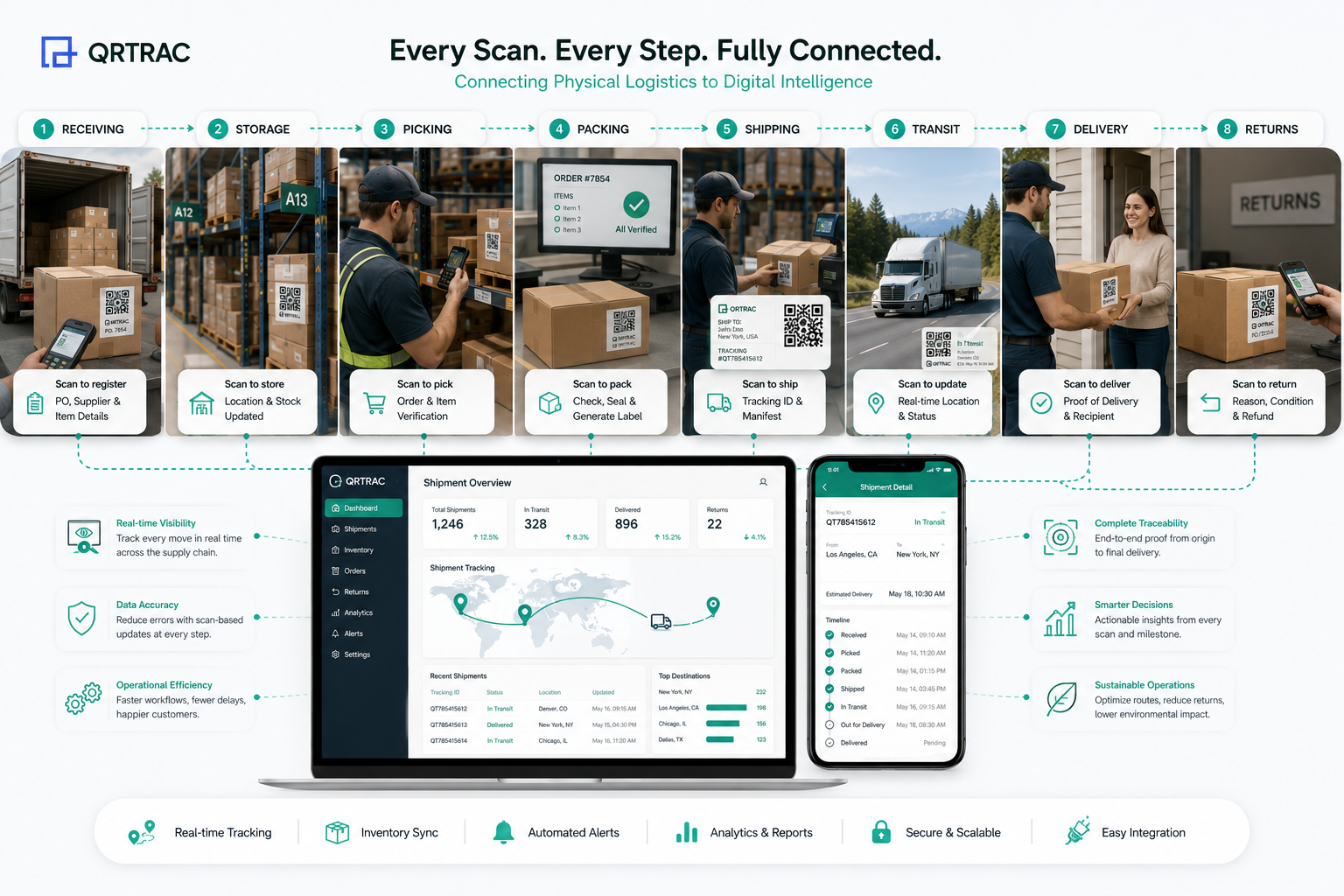
Here is how QR codes speed up workflows at every step of your supply chain.
1. Receiving
QR Code → Item / shipment details
Dock workers scan incoming freight to pull up digital manifests, origin certificates, or customs forms without paper delay.
2. Storage
QR Code → Rack or bin location
Codes placed on warehouse racks link to storage layouts, capacity limits, or internal part documentation.
3. Picking
QR Code → SKU verification
Pickers scan codes on storage bins to double-check part numbers before moving items to the packing station.
4. Packing
QR Code → Assembly & packing rules
Keep packing consistent. Workers scan the code to see if fragile items, electronics, or battery-powered products need specific bubble wrap or warning labels.
5. Shipping
QR Code → Tracking destination
Drivers or customers scan the code printed directly on the shipping label to load the carrier's tracking page.
6. Delivery
QR Code → Customer help center
Give the buyer immediate access to video manuals or customer support the moment they open the package.
7. Returns
QR Code → Self-service return portal
Keep reverse logistics simple. Customers scan the box to print their own return shipping label or schedule a pickup.
Worked Example: A 3PL Replacing Paper Manifests
This is an illustrative scenario, not a specific customer. Picture a third-party logistics (3PL) warehouse that tracks pallets with paper manifests that get torn, lost or misread.
The Problem: Forklift operators lose time at every pallet reading crumpled tracking sheets and cross-referencing manifest files.
The Solution: Swap paper for rugged polyester QR labels on every pallet. Operators scan them with warehouse tablets to pull up the digital manifest from the intranet.
What to expect:
- Faster check-in: A scan replaces searching through paper sheets.
- Fewer routing errors: The manifest on screen is always the current version.
- Less paper: Manifests no longer need printing for every pallet.
How QR Codes Are Used in Shipping & Logistics
You can deploy QR codes across different physical touchpoints to speed up manual workflows.
Shipping Labels
Print codes directly on your labels to link scanners to:
- Live carrier tracking pages
- Direct customer support channels
- Special delivery drop-off instructions
- Digital package manifests
Note: The QR code links to an existing database or website; it does not track physical coordinates on its own.
Packages & Boxes
Enclose or print codes on shipping boxes to show:
- Setup videos and safety instructions
- Digital manuals
- Troubleshooting guides
- Direct return instructions
Warehouse Operations
Keep your warehouse team moving with fast shortcuts for:
- Fast SKU verification
- Storage bin location maps
- Equipment safety sheets
- Picking routes and orders
Product Packaging
Use retail boxes to build better customer habits:
- Quick product registration forms
- Warranty documentation
- Customer feedback surveys
- Reorder links
Pallets & Containers
Use rugged codes on cargo containers to display:
- Hazmat handling protocols
- Customs declarations and manifests
- Digital bill of lading documents
- Destination facility codes
Returns
Unclog your customer service inbox:
- Direct links to your online return center
- Printable return labels
- Refund status checking tools
Customer Support
Connect buyers with help immediately:
- Live chat support lines
- Troubleshooting guides
- Delivery issue reporting tools
QR Codes on Shipping Labels & Packages
Printing QR codes on your labels, boxes, and envelopes binds your digital data to the physical cargo. When a driver scans a box on a porch, they see the customer's delivery preferences. When a buyer scans the box inside, they get the digital packing slip. No lost paper, no confusion.
Important Clarification
A QR code does not send location pings. It is a quick link. It points the scanner's phone or tablet to the webpage where your tracking data actually lives.
QR Codes for Warehouse Operations
Don't rip out your Warehouse Management System (WMS) or ERP. QR codes work alongside your current setup. Stick them on racks, bins, and machinery. Forklift drivers and pickers scan them to pull up SDS sheets, check stock levels, or log maintenance runs.
A typical warehouse workflow:
↓
Scan QR Code
↓
Identify Item
↓
Access Relevant Information
↓
Process Item
QR Codes for Product Packaging
The box is your first physical handshake with the buyer. Stop printing tiny 40-page booklets. Put a Product Packaging QR Code on the packaging to link directly to video setup guides, troubleshooting steps, or warranty forms. You save on printing and help buyers help themselves.
QR Codes for Returns & Reverse Logistics
Processing returns is a headache. Simplify it by printing a return QR code on the packing slip. When scanned, it opens your returns portal. The customer enters their order number, gets a pre-paid shipping label, and drops off the box. This keeps your support inbox empty and your warehouse receiving bay clear.
A typical return workflow:
↓
Scans QR Code
↓
Return Instructions
↓
Return Form / Existing Return Process
↓
Package Sent Back
↓
Support / Follow-Up
QR Codes for Pallets, Crates & Containers
Bulk shipments need heavy documentation. Apply rugged, weather-proof QR labels to pallets and cargo containers. Drivers and receiving staff scan them to instantly pull up bills of lading or customs declarations. This handles basic documentation sharing without the high cost of active IoT sensors or RFID tags.
QR Codes for Shipping Documents
Ditch the paper packets. Replace multi-page packing slips with a single QR code. Link to user manuals, safety sheets, and customs paperwork. You keep packages light and can update the files digitally even after the box leaves your facility.
QR Codes for Customer Shipment Experience
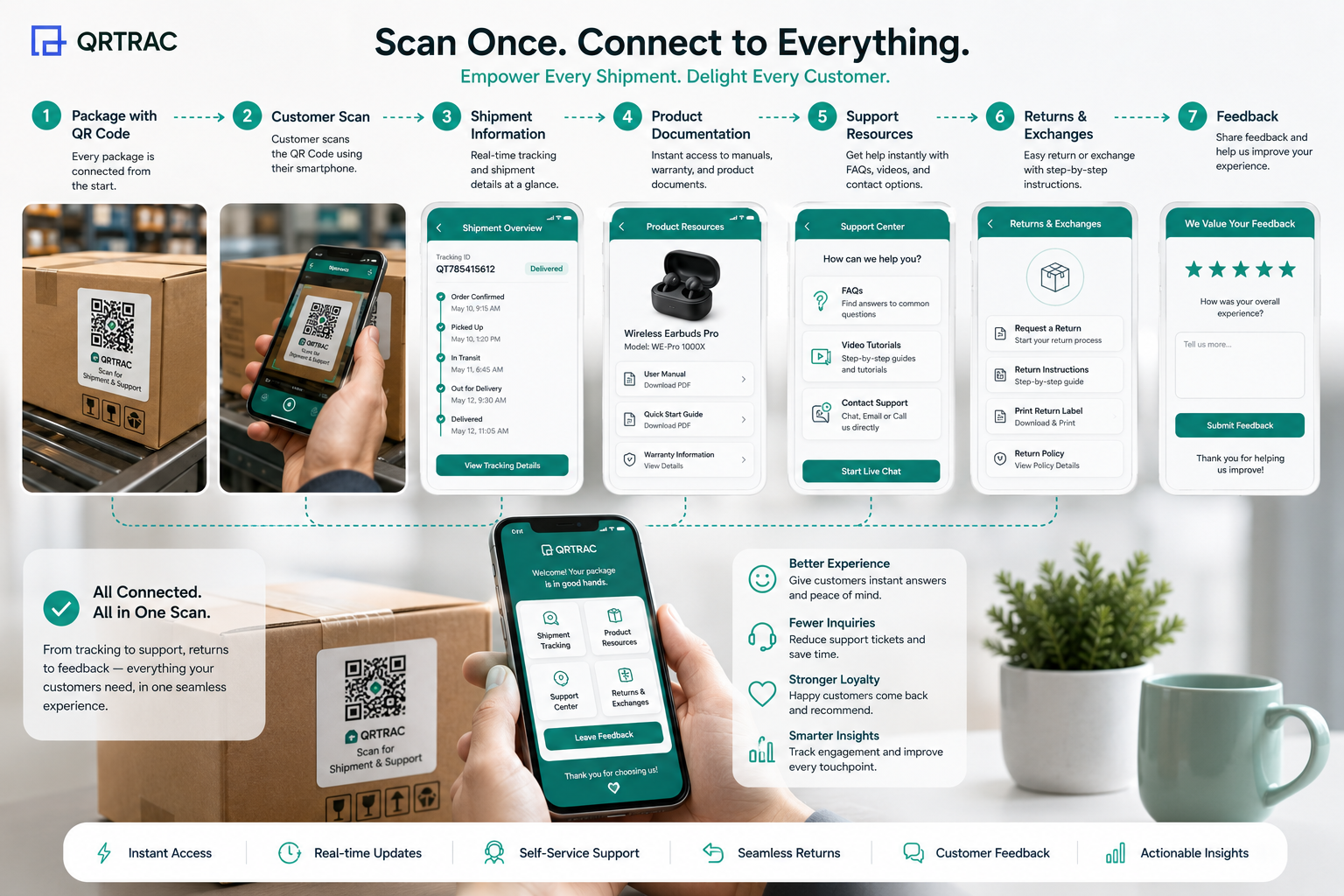
Keep buyers updated from dispatch to unboxing. A QR code on the box lets them view the real-time shipping status, register their product, or submit feedback with a single scan.
The customer journey:
↓
Customer Scans
↓
Gets Relevant Information
↓
Uses Product / Gets Support
↓
Returns or Provides Feedback if Needed
Dynamic vs Static QR Codes
We choose between static and dynamic codes depending on the target destination:
| Shipping Requirement | Static QR | Dynamic QR |
|---|---|---|
| Permanent product information | Suitable | Suitable |
| Changing documentation | Limited | Highly Recommended |
| Return instructions | Possible | Highly Recommended |
| Customer support | Possible | Highly Recommended |
| Existing tracking destination | Possible | Highly Recommended |
| Analytics | No data | Available where supported |
| Long-term packaging | Only for fixed URLs | Highly Recommended |
| Temporary campaign | Possible | Highly Recommended |
QR Codes vs Barcodes in Shipping
Do not replace your 1D barcodes. Use both. They perform different tasks.
Traditional Barcodes
Use 1D barcodes for:
- Sorting boxes on conveyor belts
- Fast SKU scanning at pack stations
- Legacy ERP and inventory systems
QR Codes
Use QR codes for:
- Linking users to websites, PDFs, or support portals
- Directing customers to setup manuals and videos
- Letting users start return processes instantly
- Gathering scan metrics and analytics
Best Places to Place QR Codes in Shipping
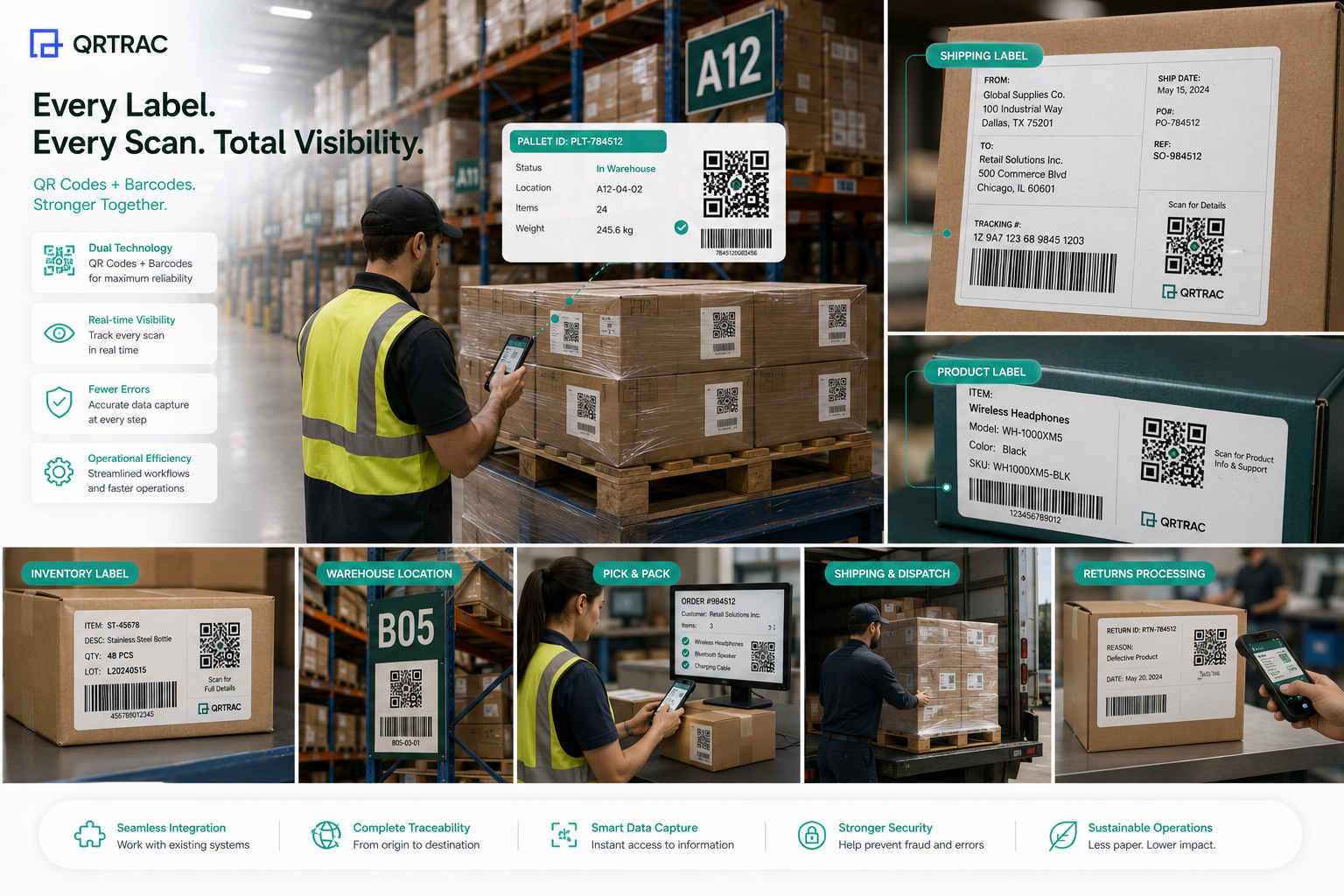
Positioning determines scan rates. Place codes where they stay flat and clean:
- Shipping labels: Keep them on flat faces to link to tracking.
- Outer boxes: Use for setup guides and customer support.
- Inner box lids: Perfect for return instructions or product manuals.
- Rack faces and bins: Place at eye level for quick warehouse checks.
Technical Requirements: Avoid placing codes over box seams, corners, or heavy tape. Maintain a clear quiet zone around the border. Ensure high contrast (black-on-white scans best) so devices can read the code under dim warehouse lights.
Always write a clear Call-to-Action (CTA) next to the code:
- "Scan to Print Return Label"
- "Scan for Video Setup Guide"
- "Scan for Customer Support"
- "Scan to View Manifest"
QR Code Analytics for Shipping
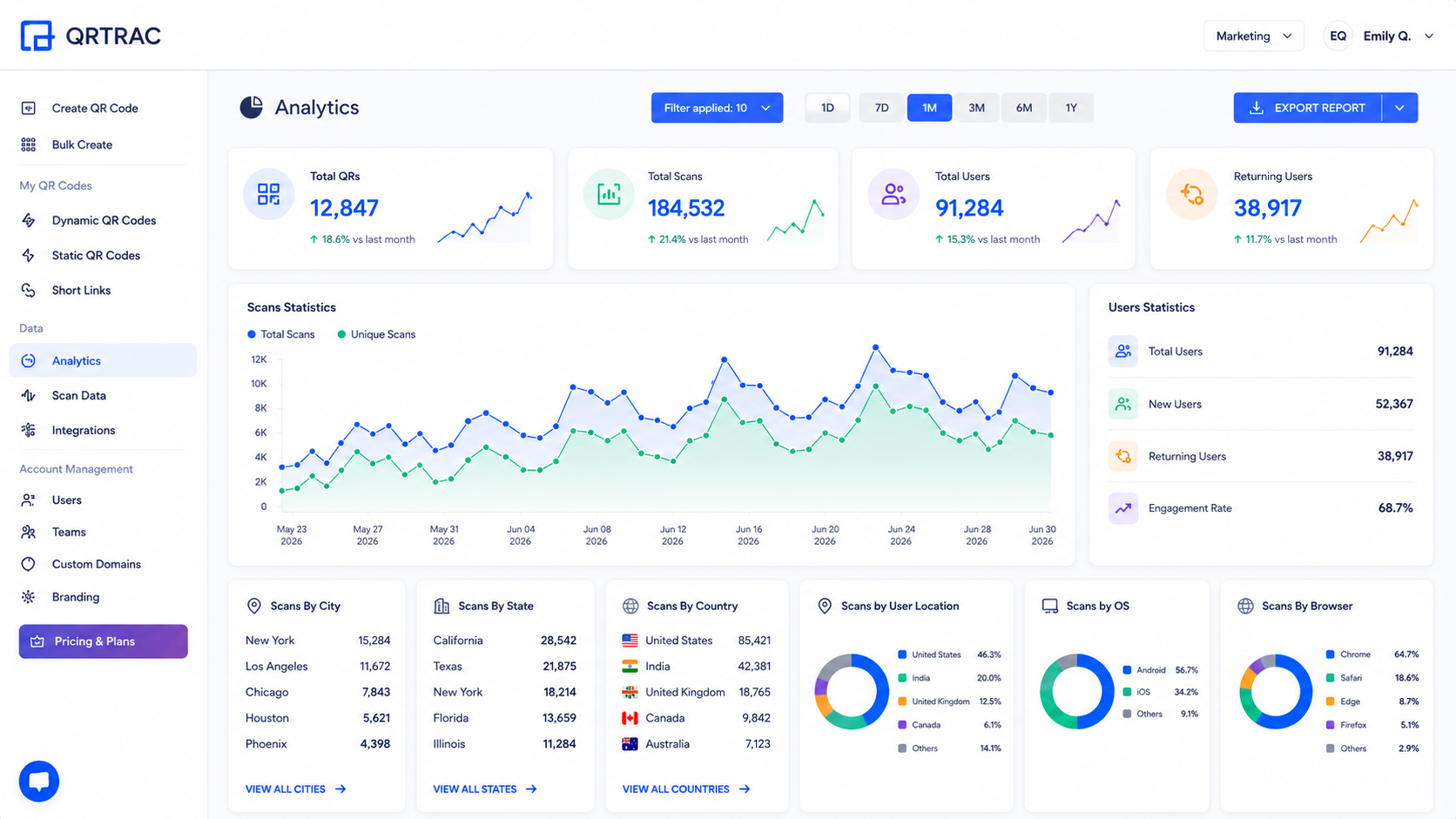
When you use Dynamic QR Codes, our dashboard tracks usage patterns using QR Code Analytics.
We capture: total scan counts, scans over time, device operating systems, and general location based on IP address. Use this data to spot where customers get stuck or see if warehouse teams are scanning safety guides.
CRITICAL DISTINCTION: Analytics vs Tracking
Do not confuse QR scan metrics with physical package tracking. A QR code scan does not automatically verify:
- Exact package location
- Delivery status
- Physical transit speed
- Successful delivery confirmation
Your telemetry, GPS devices, and carrier tracking networks manage actual physical status. The QR code is simply a link that directs users to that data.
Best Practices for Shipping QR Codes
- Write a clear CTA: Tell users exactly what they get when they scan.
- Maintain high contrast: Use dark codes on light backgrounds.
- Keep the quiet zone clear: Do not let graphics or text crowd the code.
- Print at an appropriate size: Keep codes at least 1 x 1 inch for reliable phone scanning.
- Test before printing: Verify the destination link works on different devices.
- Avoid box corners and curves: Keep codes flat to prevent warping.
- Use durable labels: Standard paper labels smudge. Use synthetic labels for outdoor storage.
- Design for mobile devices: Ensure target pages load quickly on phones.
- Keep targets updated: Edit dynamic destinations as policies change.
- Provide alternative search methods: Add a short, printed URL for users without working cameras.
Common Shipping QR Code Mistakes
Flimsy Labels on Cargo Pallets
Standard paper labels tear or run when exposed to rain. We recommend durable polyester labels for external cargo containers and pallets.
Warped Placements
Do not wrap codes around edges or place them over tape seams. It warps the image, making it unreadable.
Dead Links
Static codes linking to broken web pages cannot be updated. Use dynamic codes so you can change the target URL instantly.
No Call to Action
A code without text confuses users. Always write "Scan for instructions" so they know what to do.
Assuming QR Codes Track Shipments
Relying on scan analytics as physical proof of delivery can cause major inventory issues. Keep your WMS tracking and QR links separate.
Realistic Shipping QR Code Workflows
See how different stages of your logistics chain connect to digital endpoints:
Example 1: Shipping Package
Package → QR Code → Carrier Tracking page → Live transit data
Example 2: Product Packaging
Product Box → QR Code → Assembly Video → Warranty Registration
Example 3: Returns
Return Label → QR Code → Return form portal → Drop-off locations
Example 4: Warehouse
Storage Bin → QR Code → Digital inventory record → Safety manual
Example 5: Pallet
Pallet wrap → QR Code → Digital Bill of Lading PDF → Customs details
Shipping QR Code Deployment Checklist
- Map out where the QR code will be placed
- Choose between dynamic or static codes
- Connect to a mobile-friendly target URL
- Add a clear CTA ("Scan for assembly guide")
- Check image contrast and quiet zones
- Keep the print size at least 1 x 1 inch
- Test scans on different mobile devices
- Select heavy-duty synthetic labels for outdoor storage
- Check link performance regularly
Sources & References
- Smith, J. (2023). "The Digital Transformation of Modern Warehousing." Logistics Quarterly, 45(2), 112-118. Link
- GS1 Global Standards. (2024). "GS1 Digital Link: Transitioning from Barcodes to QR Codes in Supply Chain." Official Guide