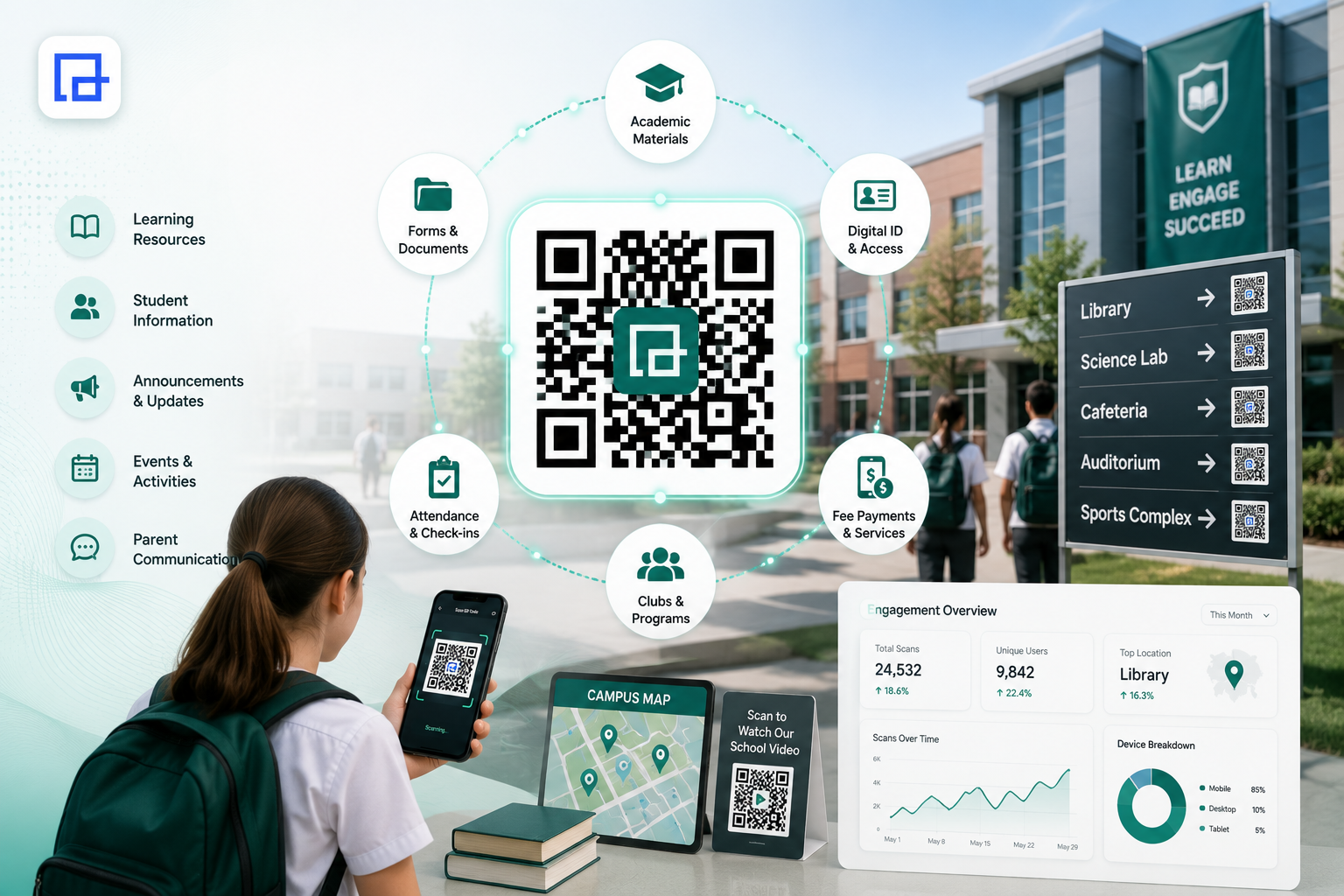
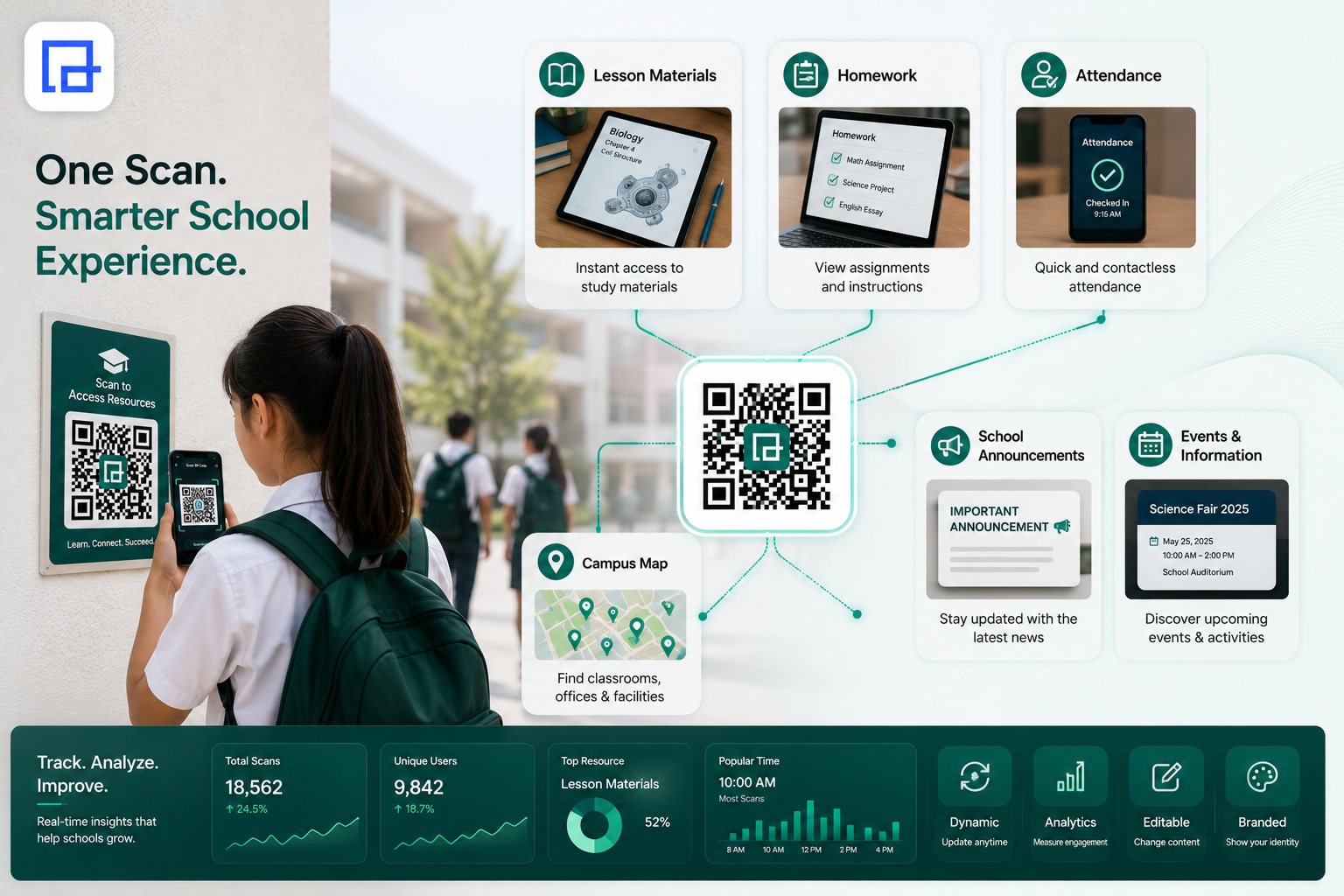
Ditch the paper trails. Connect your physical campus directly to digital resources. Print custom QR codes to share syllabi instantly, automate morning attendance, and send permission slips home without them getting lost in backpacks.
A school QR code is a scannable image that links students, parents, and teachers directly to digital portals. Instead of typing long URLs, you scan the code with a phone camera to open lesson plans, check into class, view lunch menus, or fill out permission slips. It connects physical paper and signs directly to the web.
Benefits of QR Codes in Schools
Schools run on paper. But printing thousands of worksheets, permission slips, and event fliers is expensive and slow. QR codes replace physical paperwork with instant web access. This saves administrative hours and keeps teachers focused on teaching.
Example: Faster Homeroom Check-Ins
Homeroom check-ins can create a daily bottleneck. Print a dynamic QR code linked to a secure form at each classroom doorway, and students check in from their phones. Responses land in one place, so office staff no longer re-key paper sign-in sheets.
Faster Access to Learning Resources
Students scan whiteboards to load slides, lab safety sheets, or textbook chapters on their phones. No more typing long links or logging into clunky portals.
Better Parent Communication
Stop sending letters home that end up crumpled at the bottom of backpacks. Put QR codes on newsletters so parents can tap to sign field trip permissions, RSVP to plays, or pay fees.
Easier Digital Administration
Speed up front-desk sign-ins, morning attendance, and support tickets. Staff and visitors scan codes to fill out forms right from their phones.
Improved Campus Wayfinding
Help new students and visiting parents find their way. Print maps on posters near entrances so guests can quickly locate classrooms, fields, and the library.
Reduced Printed Materials
Save on printing budgets. Link one permanent code on the cafeteria wall or classroom door to a live document for lunch menus, student handbooks, or course rules.
Better Event Management
Run sports tournaments, plays, and science fairs without paper programs. Scan codes on entry to show schedules, heat sheets, or digital tickets.
Better Student Engagement
Add depth to paper worksheets. Let students scan to watch step-by-step math tutorials, listen to foreign language audio, or take practice quizzes.
Improved Operational Efficiency
Free up administrative hours. Automatically collect feedback, gather permissions, and distribute study guides from a central dashboard.
How to Implement QR Codes in Schools
Rolling out codes across a school takes a little planning. Here is our 10-step playbook to get your campus set up.
1
Find your high-traffic spots
Spot where people look for updates: the front office desk, classroom doors, gym lobbies, and library shelves.
2
Pick the right code type
Use URL codes for web links, PDF codes for physical flyers or guides, and contact codes (vCards) for staff badges.
3
Build clean digital pages
Make sure your forms, spreadsheets, or PDFs load fast and read well on mobile screens. Most scans happen on phones.
4
Add your school colors and logo
Put your school's crest or emblem in the middle. This builds trust so students know the link is safe.
5
Run a test scan
Try the code with both iPhones and Androids. Ensure the links load quickly without formatting bugs.
6
Hang them at eye level
Print codes in high resolution. Do not stick them behind shiny glass or in dead zones with poor Wi-Fi.
7
Show teachers how it works
Teach your staff how to use the dashboard, generate quick codes, and swap out documents behind printed codes.
8
Announce the launch
Tell students during homeroom or assemblies, and send an email update home so parents know what to look for.
9
Track which codes get scanned
See which study guides or sign-up forms are popular. Adjust your content based on actual school engagement.
10
Swap links without printing again
Swap out your old files or forms for new ones inside your account. The printed sticker on the wall stays exactly the same.
School QR Code Use Cases
Here is exactly how different school departments use QR codes to fix daily challenges.
Lesson Materials & Homework Resources
Challenge: Students lose paper handouts or can't find specific links for evening homework.
Solution: Print a code at the bottom of a paper worksheet. Students scan it to watch a video explanation or upload their finished work.
How-To: Set up a Dynamic URL code linked to your Google Drive folder or Canvas/Google Classroom page.
Why it works: Cuts print volume and gives every student instant access to homework resources.
Challenge: Visiting parents and freshmen get lost during back-to-school nights.
Solution: Place codes near entrance gates and hallway maps. In the library, put codes on bookshelves to open digital databases or catalog search engines.
How-To: Stick PDF QR codes on reception walls for campus layouts, and URL codes on shelves for catalog lookups.
Why it works: Reduces stress for guests and links physical books to digital reference lists.
Downloads phone numbers and emails instantly to address books
Staff badges and back-to-school night handouts
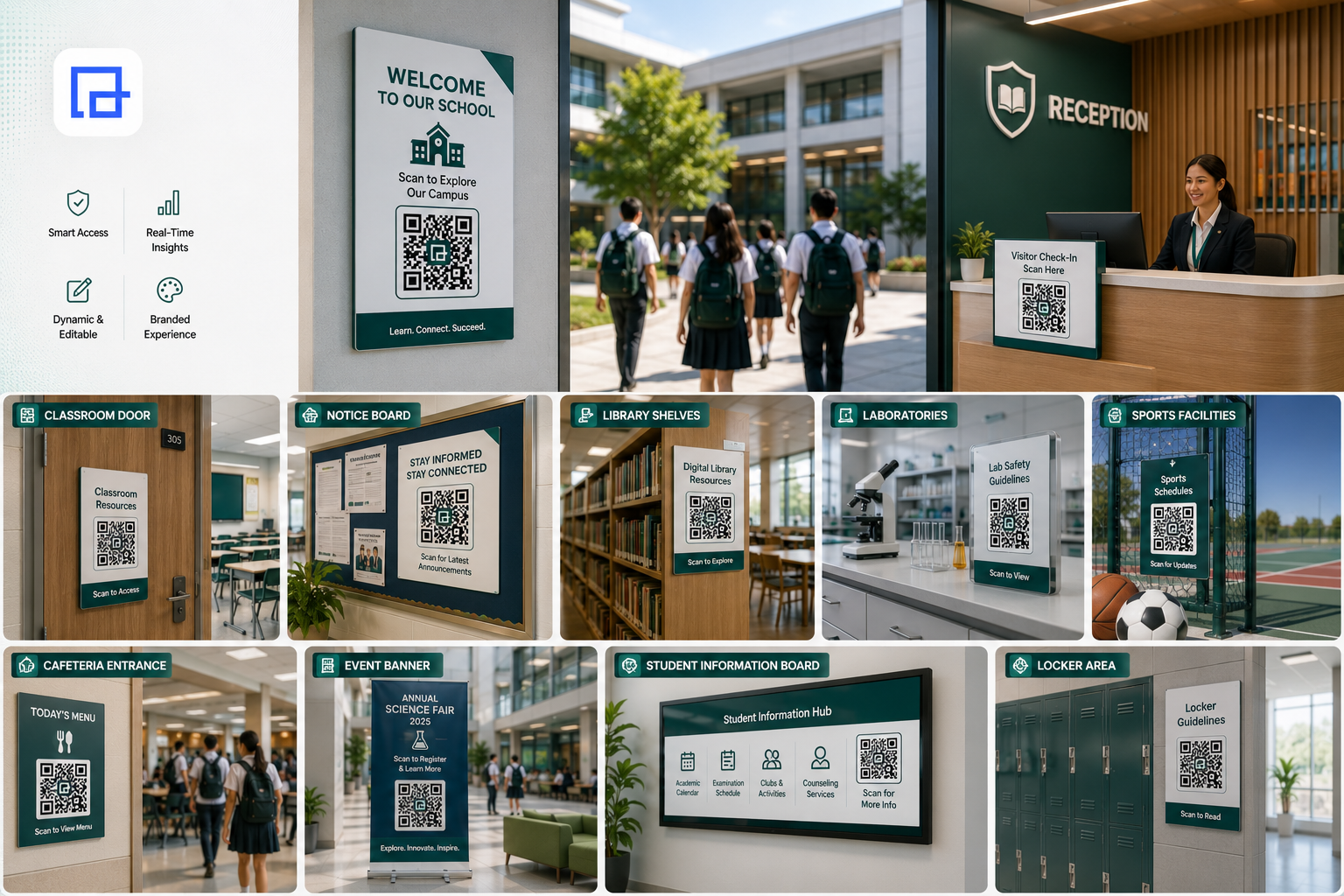
Best Places to Use QR Codes in Schools
Where you put your codes matters. Place them exactly where users need them to get things done.
Classroom Doors
Show class schedules, current office hours, or weekly learning goals.
Notice Boards
Turn paper notices into links for club sign-ups or tournament brackets.
School Reception
Set up sign-in forms and parking maps for visitors.
Library Shelves
Link directly to research databases, book catalogs, or reviews.
Laboratories
Provide step-by-step videos and equipment manual PDFs right at the tables.
Sports Facilities
Display practice schedules, roster lists, and game results.
Cafeteria
Post allergen warnings, weekly menus, and pre-order lunch forms.
Hallways
Link to school news, digital assemblies, or building guidelines.
Student ID Cards
Use scan codes for checking out library books or buying meals.
Event Banners
Sell tickets or display schedules for home games and theater shows.
PTA Boards
Give parents quick links to meeting notes and school policy manuals.
How QR Codes Improve the Student Journey
QR codes simplify a student's entire day. Here is how a daily campus run looks:
Arrival: Tap or scan student IDs at the turnstile for quick entry.
Homeroom: Scan the board at the bell to check in for attendance.
Science Class: Scan the table code to open the lab safety guide and experiment steps.
Study Hall: Scan the syllabus to view tonight's homework and submit files.
Finding Rooms: Scan hallway posters to check schedule changes or find classroom numbers.
Lunch: Scan a cafeteria poster to sign up for soccer tryouts or the debate club.
Dismissal: Scan the notice board to check weather updates or sports cancellations.
Library: Scan a shelf code to search digital databases for research papers.
Improving Classroom Learning with QR Codes
QR codes bring physical lessons to life. Instead of copying long URLs off the board, students scan to load materials instantly. This connects physical textbooks to video walkthroughs, digital quizzes, and resource sheets. Teachers save valuable instructional minutes and keep kids engaged.
Lesson notes: Scan the board to save class slides to study later.
Worksheets: Link physical worksheets to interactive homework help.
Video guides: Place codes on books to link to step-by-step video tutorials.
Turn-ins: Let students upload completed work directly to your drive portal.
Quizzes: Launch live class games or polls in seconds.
Resource libraries: Link directly to PDFs, historical archives, or source articles.
Study guides: Keep formulas and vocabulary keys pinned on classroom walls.
Class invites: Invite students to your Google Classroom or Canvas group with one scan.
Using QR Codes to Improve Parent Communication
Parent letters get lost. Paper updates get forgotten. QR codes solve this by turning physical flyers into digital shortcuts. You can print them on:
Weekly newsletters: Link printed highlights to photo galleries or video updates.
Permission slips: Link directly to forms for fast signatures and responses.
Campus alerts: Link to weather updates, closures, or emergency procedures.
Meeting schedulers: Let parents scan to book their slot for parent-teacher conferences.
Office contacts: Use vCard codes so parents save school contact details instantly.
Fee portals: Provide direct links to secure payment setups for field trips or lunches.
School calendars: Let parents subscribe to holiday schedules and school calendar syncs.
Contact updates: Give parents a quick way to update emergency numbers.
Dynamic vs Static QR Codes for Schools
Choosing the right system matters. Use this direct breakdown to see why schools rely on Dynamic QR Codes.
Feature
Static QR Codes
Dynamic QR Codes
Editing
Cannot be changed once printed
Update the destination link anytime
Analytics
No tracking
Full tracking (total scans, time of day, device types)
Updating resources
Must reprint the code
Change the syllabus or worksheet behind the same code
School announcements
Only good for permanent links
Rotate links to match current campus news
Scalability
Low; complex to manage at scale
High; run all school codes from one simple dashboard
Branding
Generic codes only
Custom domain support to match school branding
Best school scenarios
Static Wi-Fi passwords, permanent ID labels
Classroom flyers, menus, permissions, school events
Ready to use Dynamic QR Codes?
Create trackable, editable QR codes for your entire campus.
Poor placement: Sticking codes too high on notice boards or in dark hallways makes them unreachable. Keep them at eye level and in well-lit spots.
Broken links: Printing a code without testing it first leads to "Page Not Found" errors. It frustrates parents and hurts your school's digital credibility.
Using Static codes for shifting plans: If you link to a weekly lunch menu or study guide using a static code, you have to reprint and hang new codes every single week. Use dynamic codes instead.
Unfriendly mobile pages: Linking to complex desktop sites or hard-to-read PDFs. If it doesn't load cleanly on a phone screen, parents and kids won't use it.
Missing calls to action: Printing a bare code with no text. Always add a short note like "Scan to RSVP" or "Scan for homework video" so people know what they are scanning.
Bad printing: Printing codes too small or using fuzzy settings. If the camera can't focus on the square, the code won't open.
Ignoring your metrics: Not checking scan numbers. Monitoring scans helps you spot which study tools or announcements actually work.
Skipping the Wi-Fi test: Testing codes on cellular data but forgetting your school network blocks certain sites. Always test your links while logged into the student Wi-Fi.
Best Practices for School QR Codes
Write clear labels telling users where the code leads
Add your school crest and colors to build trust
Print high-contrast, sharp codes on matte paper
Link strictly to mobile-ready websites and forms
Use dynamic codes to change links without reprinting
Test all codes while logged into school Wi-Fi
Review monthly scans to see what students use
Keep school menus and resources simple and clean
Update target links as soon as documents change
Train teachers on how to build and use campus codes
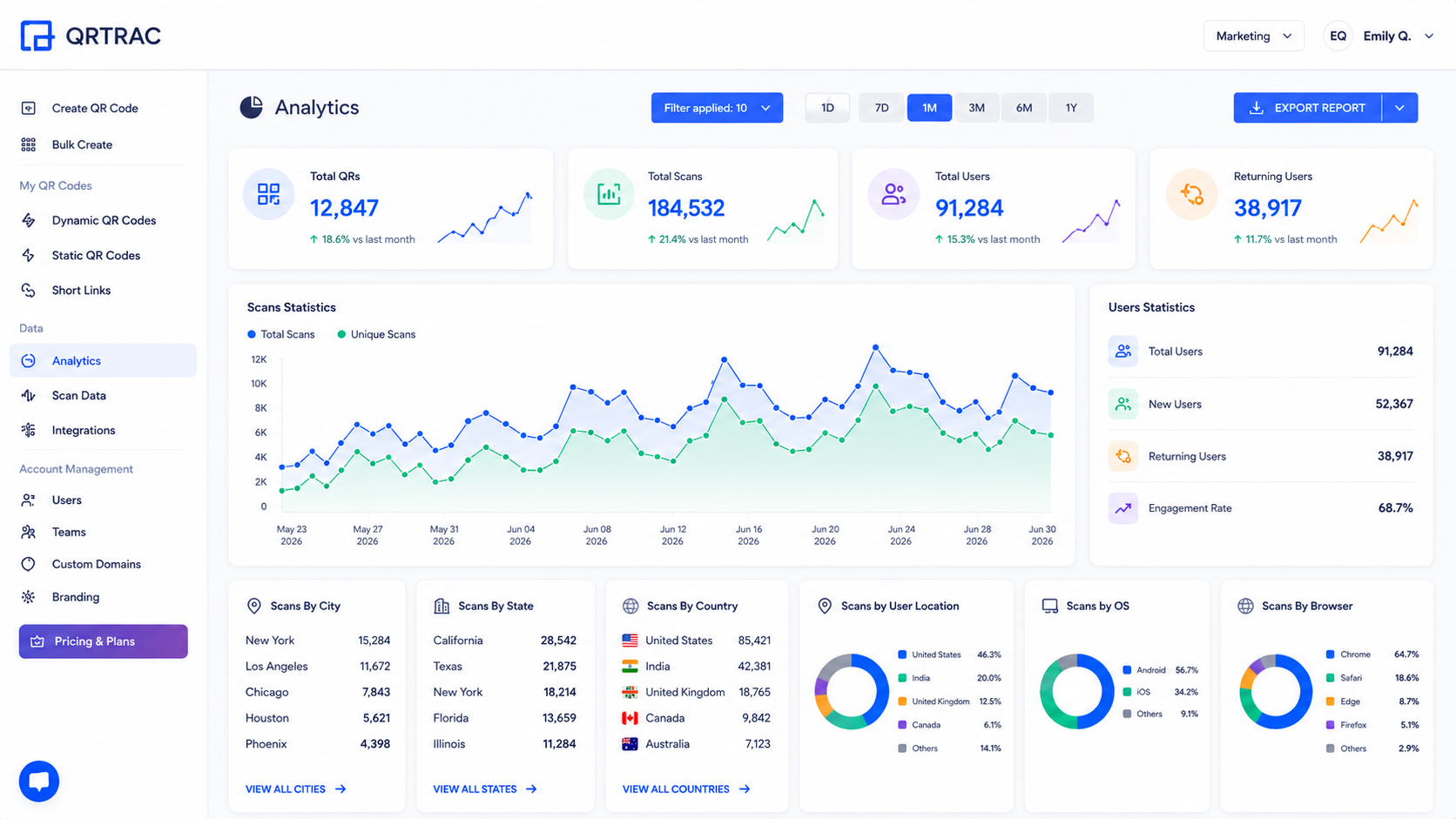
Measuring School QR Code Performance
Putting codes up is step one. Step two is seeing how they perform. Tracking dashboard scans lets you see which digital resources get used the most.
Study guide downloads
Homework portal check-ins
Classroom attendance logs
Parent sign-up rates
Event ticket scans
Library catalog searches
Device models (iOS vs Android)
Homeroom vs lunchtime scans
School QR Code Deployment Checklist
QR codes scanned and verified
Links checked for active status
Mobile loading tested
Study resources updated
Staff trained on dashboard basics
Scan tracking active
Direct links ready as backups
Action labels printed on signs
Print contrast checked
Best Practices for Using QR Codes Responsibly in Schools
Protecting student data and keeping links safe is your top priority. Follow these ground rules to run a secure, safe campus system:
Print only on official school items: Tell students never to scan random, unverified stickers around campus to keep them safe from phishing links.
Schedule monthly link tests: Run quick audits on main hallway codes to make sure links still load and haven't expired.
Use dynamic codes for shifting info: Swap outdated schedules or event info inside your setup instead of letting dead links sit on walls.
Protect student privacy: Only link to secure (HTTPS) portals that comply with FERPA and your local student privacy policies.
Label every code clearly: Ensure parents, kids, and teachers know exactly where the code takes them before they scan.
Conclusion
QR codes simplify campus life. They connect students to lessons instantly, help parents fill out permissions in seconds, and reclaim teaching hours lost to morning roll calls. By tracking scans and keeping your codes dynamic, you build a faster, cleaner school environment.
Want to simplify your campus workflows? Create safe, trackable, and professionally branded school QR codes today using the QRTRAC platform.
Sources & References
Family Educational Rights and Privacy Act (FERPA). U.S. Department of Education. studentprivacy.ed.gov
Digital Transformation in Education (2024). EDUCAUSE Research.
Frequently Asked Questions
Can schools update QR Codes after printing?
Yes. If you use Dynamic QR Codes, you can update the destination link inside your dashboard at any time without printing new codes. This is perfect for changing homework links or event calendars.
Which QR Code type is best for classrooms?
URL codes are the most popular. They let teachers link straight to Google Classroom, instructional videos, online quizzes, or lesson PDFs.
Can QR Codes simplify attendance?
Yes. Teachers can project a code on the board at the start of homeroom. Students scan it to open a secure check-in form and log their attendance instantly.
Where should schools place QR Codes?
Place them on classroom doors for weekly schedules, common room notice boards for sports calendars, the front desk for guest check-ins, and library shelves for search databases.
Can QR Codes improve parent communication?
Yes. Printing codes on paper flyers and weekly packets lets parents scan to sign permissions, RSVP to parent-teacher conferences, or pay field trip dues from their phones.
Can schools measure QR Code engagement?
Yes. Using QRTRAC, you can see how many times a code was scanned, check peak times, identify phone types, and track which study guides or newsletters get the most views.
How can schools use QR Codes for events?
Put codes on game banners or ticket stubs. Scanning them can open stadium maps, school tournament schedules, live drama programs, or calendar reminders for parents.
Upgrade Your Campus Workflows Today
Create secure, trackable QR codes for your school. Build parent trust and save administrative hours with custom domains and easy tracking.
 By Eshwar Deshmukh
· Updated