
















Why Pharmacies Need QR Codes
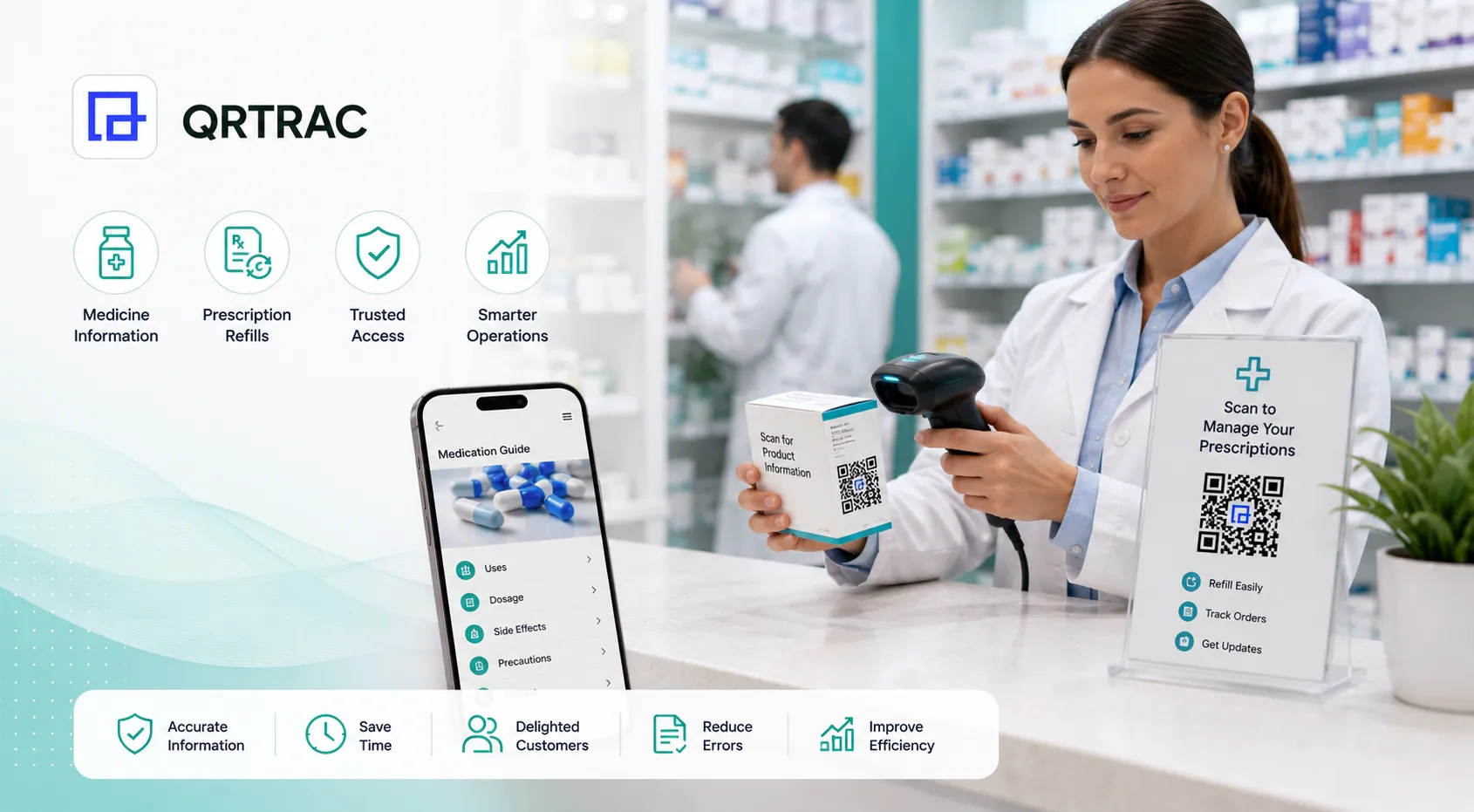
A busy pharmacy cannot afford to waste time on repetitive tasks. When your techs spend hours hunting down printed monographs or answering phone calls about store hours, your queue grows. QR codes put dosage instructions, refill portals, and vaccine forms directly onto drug packaging. This keeps your team focused on safe, accurate dispensing.
Ditch the Phone Hold
Patients scan a code on their prescription bottle to request a refill in three clicks. No more holding on line.
Direct Reconstitution & Dosage Info
Link directly to video guides showing how to mix oral suspensions or use an Albuterol inhaler correctly.
Error-Free Digital Refills
Input refill requests directly into your pharmacy software. Eliminate spelling mistakes from hand-written or phoned-in script numbers.
Private Patient Chats
Give patients a secure, quiet way to text your pharmacists via WhatsApp for sensitive questions about side effects.
No More Paper Monographs
Ditch the 10-page printed drug leaflets. Update your vaccine consent forms, privacy policies, and store flyers digitally.
Manage Holiday Hours
Let customers check holiday schedules and emergency contact numbers from your front door, even when the lights are off.
How to Implement QR Codes in Your Pharmacy
Deploying codes in a healthcare setting requires precision. You need to keep things secure while making them simple for elderly patients. Follow this step-by-step checklist to integrate codes into your daily workflow.
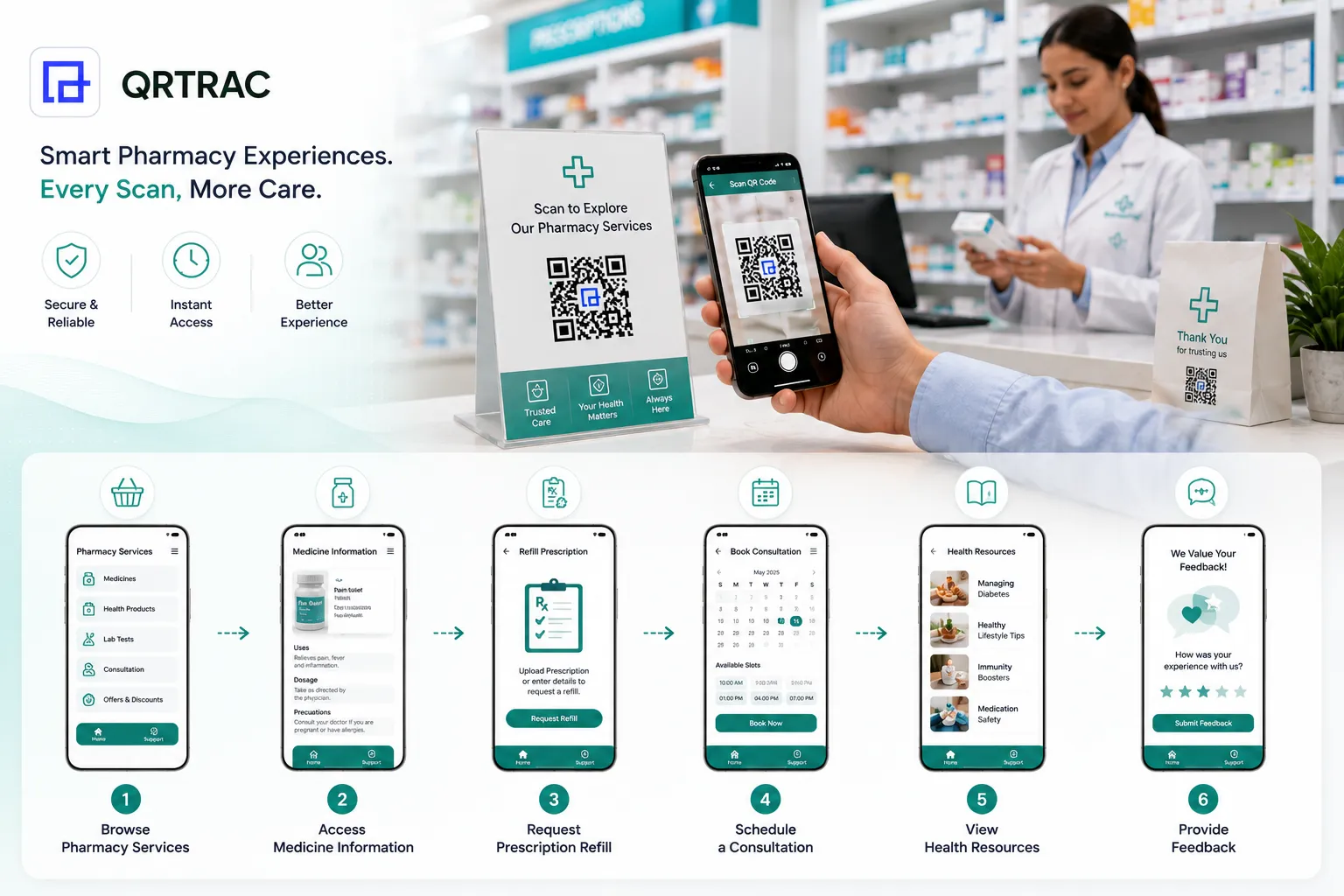
Map Your Friction Points
Identify where your team loses the most time. If technicians spend hours explaining how to use a glucose meter, that is your starting point.
Choose Dynamic vs. Static
Use dynamic codes for web pages so you can change the target link without reprinting labels. Use static codes only for permanent URLs.
Build for Mobile-First Browsing
Your digital refill form must load in under two seconds. Test it on older mobile browsers to ensure large buttons and simple input fields.
Incorporate Trusted Branding
Put your pharmacy's logo in the center. Match your corporate colors (like clinical blue or green) so patients know the link is safe and authentic.
Test in Low-Light Conditions
Scan your proof copy under fluorescent store lighting. Test it from different angles to ensure it scans through protective plexiglass.
Position for Natural Eye Flow
Mount codes on counter signs at checkout, attach them to the prescription bag flap, and print them directly on paper receipts.
Train Your Front-line Staff
Walk your cashiers and technicians through a scan. They need to show patients how to use the codes during checkout.
Write Clear Instructions
Never print a bare code. Write a short, active call-to-action nearby: 'Scan here with your phone camera to schedule your flu shot.'
Analyze Scan Traffic
Monitor your analytics dashboard weekly. See which displays get the most scans and which ones are being ignored.
Update Content on the Fly
When your vaccine scheduling link changes or you update your holiday hours, update the destination URL in your dashboard. You don't need to reprint a thing.
Pharmacy QR Code Use Cases
Here is how independent pharmacies and regional chains use scannable codes to solve everyday retail bottlenecks.
Medicine Information
Patients lose the multi-page folded monographs that come stapled to their drug bags.
The Solution:Put a PDF QR code on the bottle label that links to a clean, digital version of the side effects and storage instructions.
Patients can pinch-to-zoom to read tiny print and access the info anytime.
Recommended Type: PDF QR Code or URL QR CodePrescription Refills
Staff spend the first two hours of every morning listening to voicemail refill requests.
The Solution:Print a dynamic code directly on the medicine bottle label linking to your online refill form.
Patients order refills in seconds without dialing your number.
Recommended Type: Dynamic URL QR CodeVaccination Scheduling
Phone calls for flu, COVID, and travel vaccines tie up your phone lines during peak hours.
The Solution:Display a booking code on your checkout counter and waiting room tables.
Spreads out patient arrivals and cuts manual data entry.
Recommended Type: URL QR CodeHome Delivery Setup
Local customers switch to mail-order pharmacies because they do not know you offer home delivery.
The Solution:Add a QR code to your shopping bags linking to your courier signup page.
Retains local patients by offering a digital-first delivery setup.
Recommended Type: Dynamic URL QR CodeDirect Store Maps
Patients cannot locate your drive-thru window or after-hours drop box.
The Solution:Print a Location QR code on your physical mailers and store brochures.
Launches Google Maps directly on the patient's phone to show the exact driving route.
Recommended Type: Location QR CodeCounter Feedback
You only hear from patients when something goes wrong, leaving you with low review scores.
The Solution:Display a Feedback QR code next to your signature pad at the register.
Captures ratings instantly while patients are happy with their quick checkout.
Recommended Type: Form QR CodeChoosing the Right QR Code Type
Select the code type that matches your goal. Use this table to decide which format fits your pharmacy's operations.
| QR Code Type | Best Pharmacy Use Case | Advantages |
|---|---|---|
| Website (URL) QR | Refills, vaccine registration | Takes patients directly to secure, web-based intake forms. |
| PDF QR | Digital medication guides, storage charts | Eliminates paper waste. Patients can download and save the file to their phone. |
| Form QR | Customer feedback, surveys | Collects structured reviews and ratings at the cash register. |
| WhatsApp / Email QR | Direct clinical inquiries | Opens a chat window with a pre-formatted message addressed to your pharmacist. |
| Location QR | Drive-thru lanes, local clinics | Instantly opens Google Maps or Apple Maps with pre-set navigation. |
| Google Review QR | Store reputation building | Sends happy patients directly to your business profile to leave a rating. |
Best Places to Use QR Codes in Pharmacies
If your patients do not notice the codes, they will not scan them. Focus on high-traffic touchpoints where patients are already waiting.
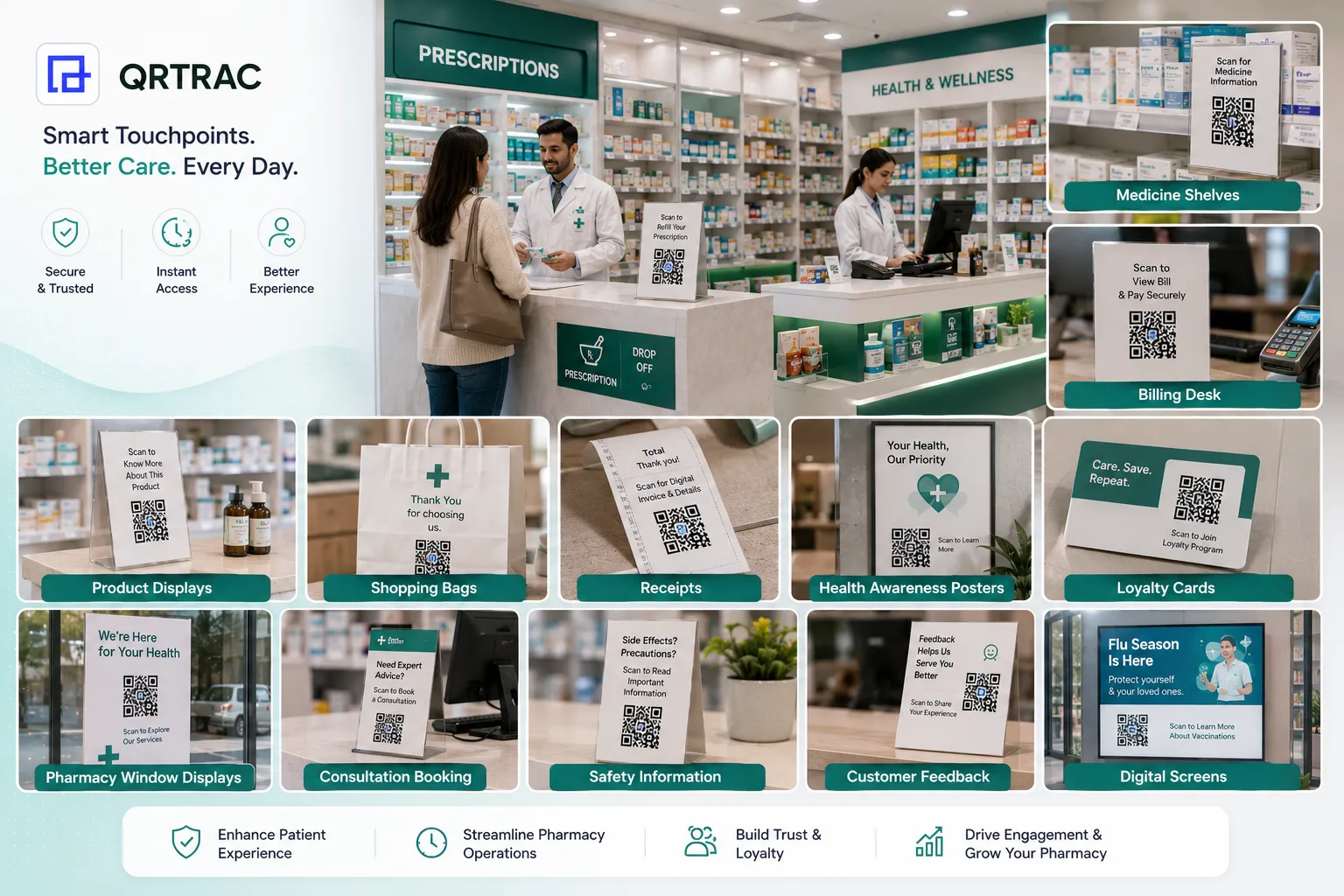
- The Consultation Desk Ideal for booking private health screenings or signing up for custom blister packaging.
- OTC Shelves Place codes next to blood pressure monitors to link to a video showing how to place the arm cuff.
- The Checkout Register Collect feedback or sign patients up for your rewards program while their transaction processes.
- Front Door & Entryways Share emergency numbers and holiday closures when the store is locked.
- Prescription Bags Target repeat customers with a direct link to submit their next refill request online.
- Educational Flyers Link physical pamphlets on heart health to digital resources or symptom checkers.
How QR Codes Improve the Pharmacy Customer Journey
Watch how a clear digital strategy guides a patient from the street to their first dose at home.
1. Checking Vaccine Openings
A patient scans a code on your front window to see if walk-in flu shots are available before entering.
2. Signing Up for Rewards
While waiting for a pharmacist, they scan a counter card to enroll in your store's digital loyalty program.
3. Asking Private Questions
Instead of speaking loudly at a busy counter, they scan a WhatsApp code to text their sensitive questions directly to your pharmacist.
4. Sharing Fast Feedback
At checkout, they scan a code next to the card terminal to rate their service in under ten seconds.
5. Accessing Digital Guides
At home, they scan the bottle label to watch a quick video on how to store their refrigerated antibiotic.
6. Ordering Next Month's Dose
Three weeks later, they scan the same bottle label to request a refill, completely bypassing your phone queue.
Improving Pharmacy Services with QR Codes
Convert your physical pharmacy counter into a digital-first health hub. These tools help you serve more patients per hour without exhausting your staff. Note: Use codes for scheduling and lookups. Never use them to replace direct clinical advice from a licensed pharmacist.
- Refill Portals: Route patients to your secure, script intake form.
- Delivery Signups: Let patients register for home delivery and manage courier drops.
- Product Demos: Link to step-by-step videos for glucometers, inhalers, and epipens.
- Vaccine Calendars: Keep your walk-in lines short by steering patients to digital appointment schedulers.
- Health Screenings: Register patients for community blood pressure and cholesterol drives.
Building Stronger Customer Relationships
Patient retention comes down to trust and accessible support. QR codes bridge the gap between in-store visits and home care.
Ditch Paper Signup Forms
Make joining your loyalty program simple. A single scan takes patients to a mobile registration page, eliminating manual data entry at the counter.
Instant Pharmacist Texting
Print WhatsApp or SMS codes on your receipts. Patients get a secure line to ask non-urgent questions without waiting on phone holds.
Dynamic vs Static QR Codes for Pharmacies
Choosing your technical framework determines how easily you can scale your operations. We recommend dynamic codes for all pharmacy environments.
| Feature | Dynamic QR Codes (Recommended) | Static QR Codes |
|---|---|---|
| Editing Link | Yes. Change the target URL anytime without reprinting your labels or signs. | No. The code breaks if your website URL changes. |
| Scan Tracking | Yes. Monitor total scans, peak traffic hours, and mobile operating systems. | No data tracking available. |
| Content Updates | Instant. Swap out digital drug sheets or store hours instantly in your dashboard. | Requires printing and sticking new codes over old ones. |
| Scalability | High. Ideal for managing dozens of codes across multiple store locations. | Hard to manage. Must be updated manually one by one. |
Common Pharmacy QR Code Mistakes to Avoid
1. Glare and Bad Placement
Placing codes behind thick plexiglass shields or in dark corners makes them impossible to scan. Keep codes well-lit and accessible.
2. Using Rigid Static Codes
Printing static codes on permanent prescription bags is risky. If your website changes, those bags become useless trash. Use dynamic codes instead.
3. Cluttered Desktop Pages
Sending a patient to a non-responsive desktop site ruins the experience. Make sure your refill and booking forms are fully optimized for thumbs and small screens.
4. No Call-to-Action
An unexplained code is a blank square. Always write clear instructions like "Scan to Refill" next to your code.
Best Practices for Pharmacy QR Codes
- Write Action-Oriented CTAs: Frame every code with text like "Scan to check your prescription status."
- Brand Your Codes: Embed your store logo in the center so patients know the link is safe.
- Prioritize High Contrast: Always print dark codes on crisp, white backgrounds to speed up scanning.
- Simplify Online Forms: Test your forms to ensure they can be completed with one hand on a mobile screen.
- Educate Your Technicians: Ensure every employee knows where each code goes and how to help patients scan them.
Measuring Pharmacy QR Code Performance
Track your scans to understand what your patients need. Your dashboard shows you exactly how customers interact with your physical touchpoints.
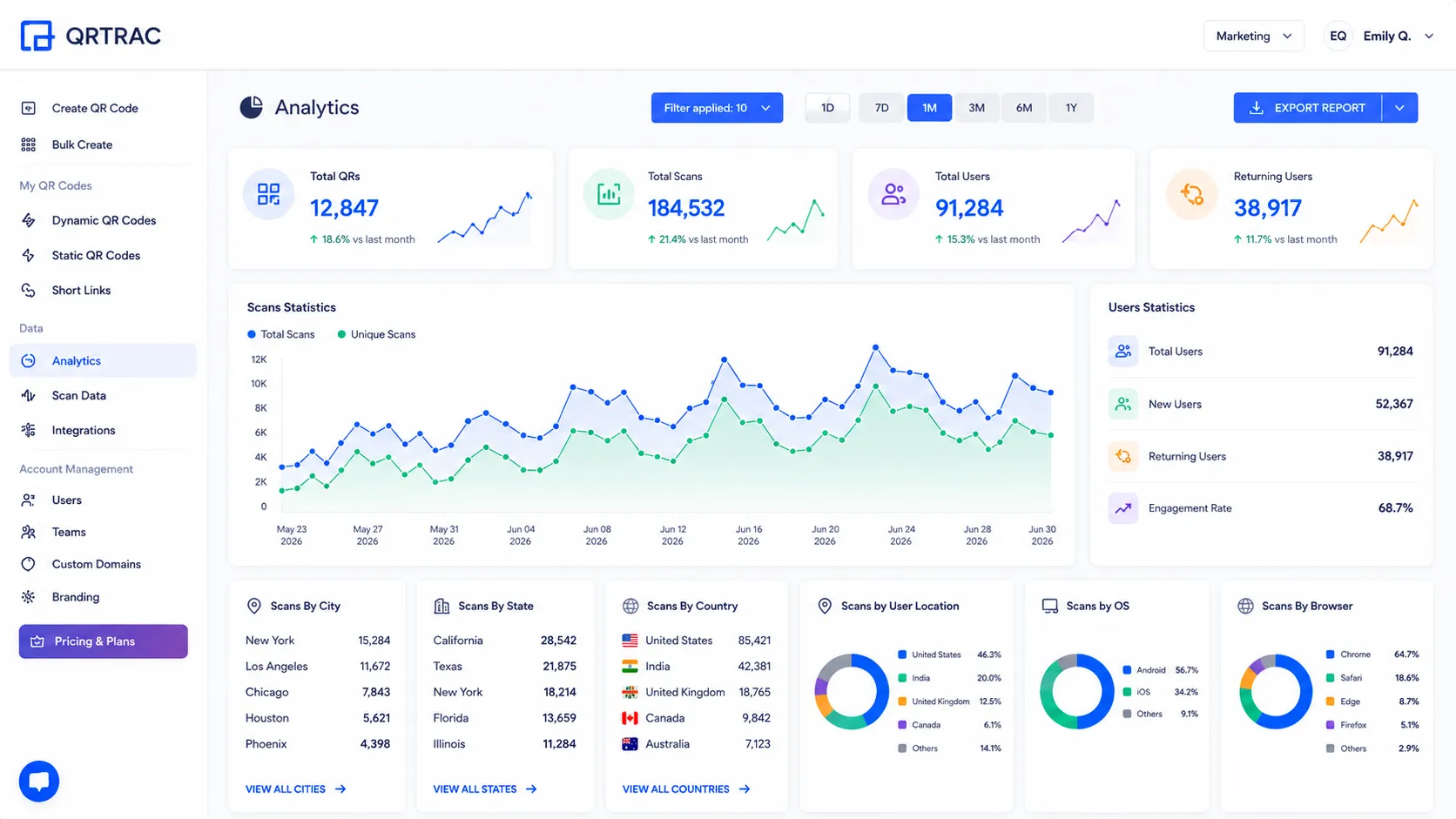
Learn when patients scan most often so you can schedule your staff accordingly.
Track which drug guides or vaccine pages get the most clicks to tailor your digital inventory.
Identify which operating systems your patients use to keep your digital portals fully compatible.
Pharmacy QR Code Deployment Checklist
Frequently Asked Questions
Can we change where a pharmacy QR code links after we print it?
Yes, if you use dynamic codes. You can update the target website, digital monograph, or store hours from your dashboard without reprinting your labels or signs.
Which QR code type is best for retail pharmacies?
Dynamic URL codes are best. They let you route patients to secure refill portals, digital leaflets, or vaccine booking schedules while retaining the power to update those links instantly.
How do QR codes speed up prescription refills?
Patients scan the code printed on their medicine label. This bypasses your busy phone lines and takes them directly to a mobile form where they input their script number.
Can we use QR codes to answer patient questions about medications?
Yes. Link a PDF code to digital medication leaflets detailing side effects, storage, and pediatric dosage rules. This saves paper and provides clear safety info.
Where is the best place to display codes in the pharmacy?
Place them on your checkout counters, on prescription bag labels, next to OTC blood pressure cuffs, and on your front window for after-hours information.
Can we track how many patients scan our codes?
Yes. Dynamic codes track total scans, peak scan times, and device types, showing you which store signs are working best.
Ready to Modernize Your Pharmacy Counter?
Integrating QR codes is a direct way to reduce workload pressure on your pharmacy team while providing fast, reliable service to your patients.
Take control of your pickup queues. Build your custom pharmacy QR codes with QRTRAC today.
Create Pharmacy QR Codes Now