















 By Aawes Shaikh
· Updated
Introduction
Drivers expect parking to be fast. When they run into broken pay stations, complex validation processes, or confusing multi-level structures, traffic backs up. Ensuring clear, instant communication at entry gates, parking bays, and elevator lobbies keeps cars moving and drivers happy.
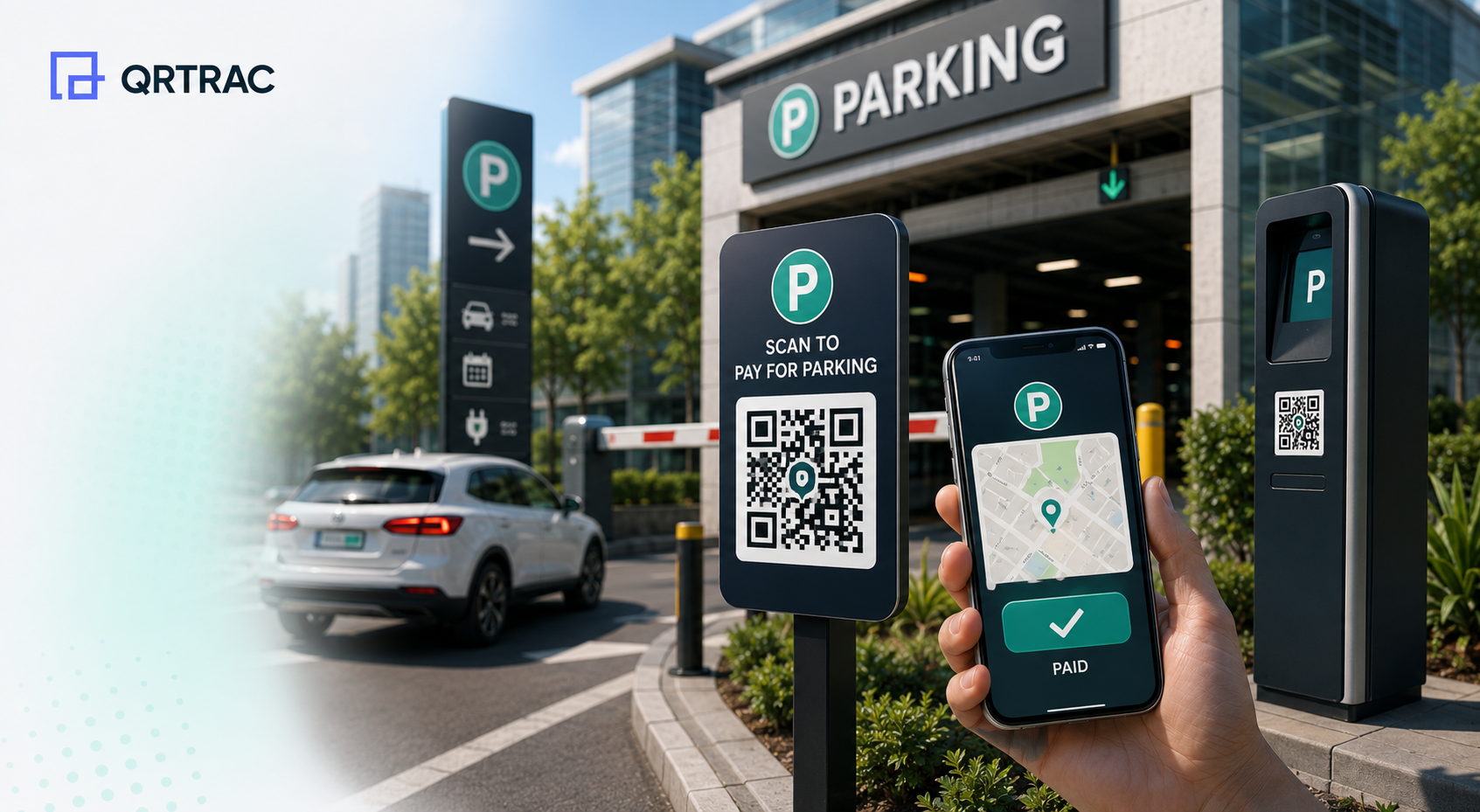
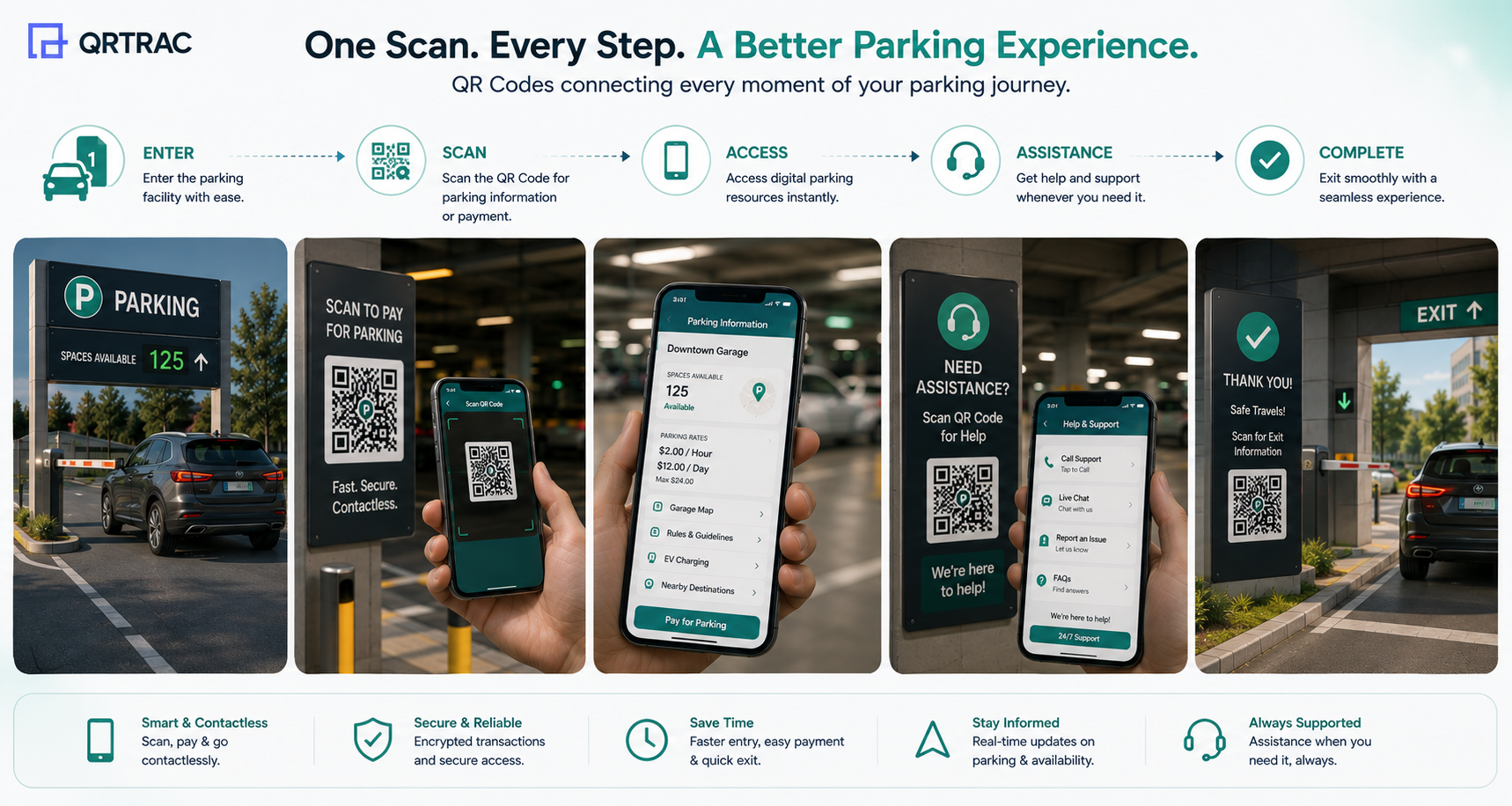
QR codes bridge the physical gap between a driver's car window and your digital services. By scanning a code on a sign or concrete pillar, drivers instantly load payment portals, parking rules, or facility maps on their phones. Keep in mind: a QR code is a digital gateway. It does not replace your gate barriers or process transactions itself. Instead, it securely redirects drivers to the digital tools and payment processing systems you already have running.
What Are Digital Parking Tags?
A digital parking tag is a scannable QR code placed on parking signs, meters, walls, or ticket stubs. It gives drivers instant access to the digital resources they need on-site.
When a driver points their phone camera at the code, they get redirected to a website, app, or digital form. Static codes use fixed links that cannot be changed. Dynamic codes let you edit the target URL whenever you want. This means you can update parking rates, change maps, or switch payment providers without scraping off and replacing old physical stickers across your entire garage.
Practical setups include:
- Signage at the curb → Scan to view local parking rules
- Entry kiosks → Scan for general parking information
- Pay pillars → Scan to open your payment gateway
- Garage pillars → Scan to load level and zone maps
- Visitor bays → Scan to register a guest vehicle
- Ticket machines → Scan to request active help or report a fault
How QR Codes Fit into Your Parking Setup
Every parking facility has unique bottlenecks. Here is how you can use scannable links to solve them.
Parking Information
Instead of printing tiny text on massive physical signs that drivers ignore, let them scan for detailed details:
- Hourly, daily, and monthly rates
- Operating hours and holiday schedules
- Height and weight limits for larger vehicles
- Towing zones and local enforcement policies
- Student, employee, or resident permit criteria
- Direct contact lines for the facility manager
Parking Payments
Get drivers to pay faster by using a Payment QR Code that opens:
- Your current mobile payment web portal
- App store download pages for your parking app
- Step-by-step instructions for phone pay
- Active digital ticket validation pages
How It Works
The QR code acts solely as a shortcut. It directs the phone's browser to your existing payment processor. It does not handle credit card data or process money directly.
Parking Entrances & Exits
Use codes at entry lanes or exit barriers to handle common driver issues:
- Step-by-step gate instructions
- Validation scanning options
- Last-minute mobile payment before exit
- Instant support lines for trapped drivers
Note: A standard QR code will not lift a gate arm unless you integrate it with your facility's access control software.
Parking Garages
Help drivers find their way through dense, multi-level structures with codes on each floor:
- Floor plans and exit routes
- Level and zone identifiers to help drivers remember where they parked
- Safety instructions and emergency contacts
- Direct links to digital payment options
Parking Permits
Manage zoned spaces efficiently by giving drivers instant registration links:
- Permit application forms
- Resident and employee parking guidelines
- Student parking zone maps
- Temporary permit validation portals
Note: Enforcement officers still need their own scanning tools to check vehicle plates or permits in your database.
Visitor Parking
Take the pain out of guest registration in residential complexes or offices:
- Guest check-in screens
- Instant license plate registration
- Visitor-specific rates and duration limits
- Interactive walking maps to office lobbies or apartment blocks
Parking Customer Support
When pay stations jam or gates fail, give drivers a self-serve support option:
- Instant maintenance reporting forms
- Direct contact lines to the parking office
- Emergency roadside assistance links (for dead batteries or flat tires)
- Feedback submission pages
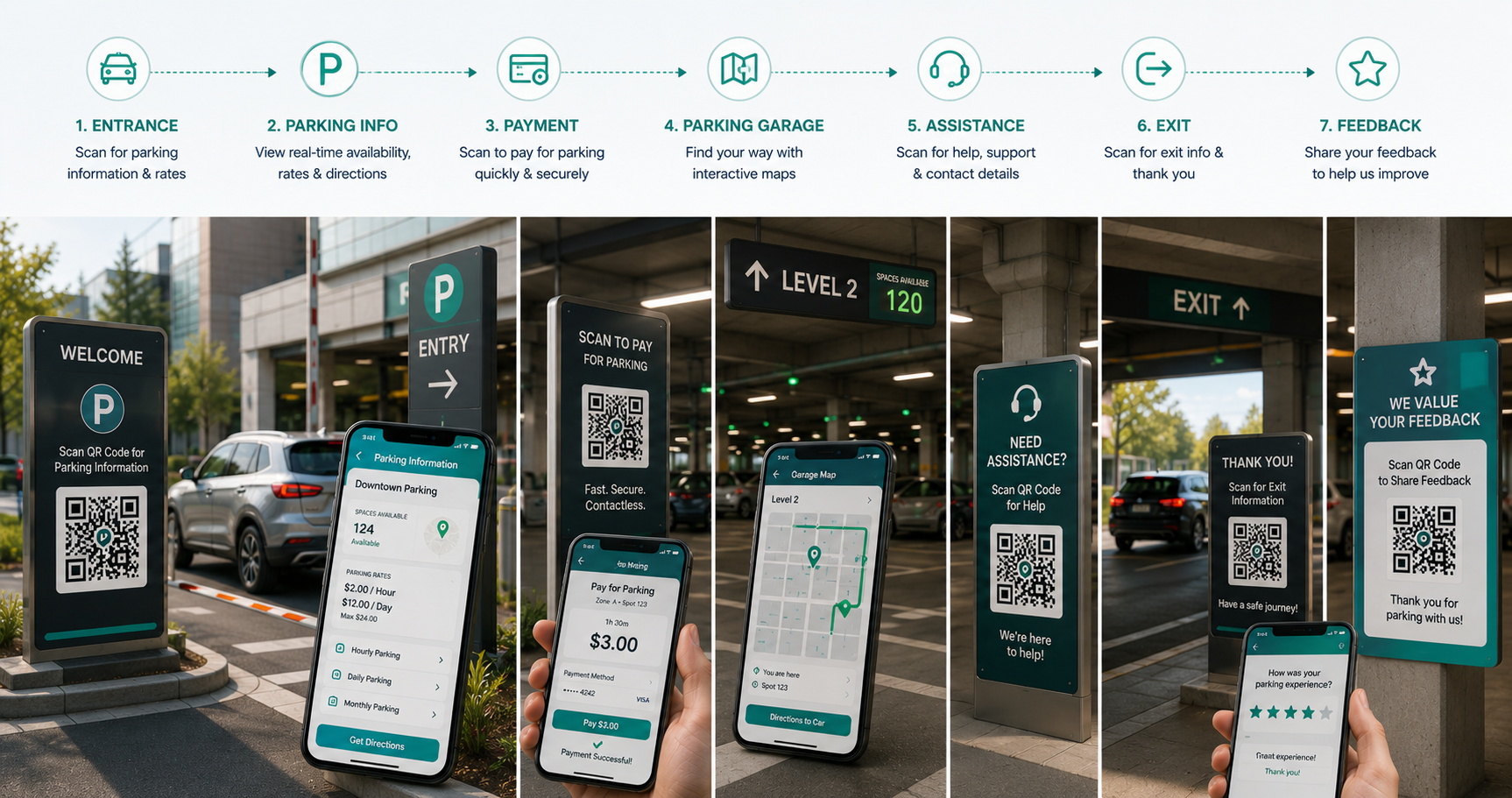
QR Codes Across the Parking Journey
A driver interacts with your facility in stages. Placing QR codes at key points ensures they get relevant help right when they need it.
↓
Scan Entrance Sign for Rates
↓
Find Parking Space
↓
Scan Column to Save Level Location
↓
Pay on Phone
↓
Return & Scan to Find Car
↓
Exit Gate
↓
Scan for Feedback Receipt
- Entry: Drivers scan an entryway sign to review daily rates before entering.
- Parking Bay: Drivers scan a wall sticker to bookmark their exact level and zone.
- Payment: Drivers scan a sign at the elevator bank to pay on their phones while walking.
- Exit: Drivers scan a receipt link at the exit gate if they need to request a business expense invoice.
Direct Links for Parking Payments
Digital payments speed up turnover and lower equipment maintenance costs. QR codes let you transition drivers to mobile pay without forcing them to stand in line at physical pay stations.
By scanning a code on a meter post or wall sign, the driver jumps straight to your web payment screen. They type in their plate number, pay with their phone wallet, and secure their spot. They don't have to download a bulky app or stand in the rain poking at a dirty touch screen.
Standard Mobile Pay Flow:
Using Codes in Multi-Level Parking Garages
Massive concrete garages can confuse drivers. Placing QR codes across parking decks keeps people oriented.
Put high-visibility stickers near stairwell doors, elevator lobbies, and individual floor zones. Scanning these codes opens interactive maps, exits, or floor reminders. This reduces the time drivers spend wandering around looking for their cars or trying to locate the exit ramps.
Helping Drivers Locate Stalls and Vehicles
Forgetful drivers clog up lanes searching for their vehicles. Use simple digital bookmarks to help them find their way.
- Level-Specific Codes: Let drivers scan a sign in the lobby to load a reminder graphic that says "You are parked on Floor 3, Zone B."
- Zone Graphics: Direct users to a simple floor plan detailing elevators, stairs, and exits.
Keep in Mind
A standard QR code cannot track a car's physical position via GPS. It works as a digital bookmark. The driver must scan the physical tag on the wall to record their location on their device.
Simplifying Parking Permits
Managing long-term permits for office complexes, residential buildings, and university campuses requires clear workflows. Use QR codes on signposts in permit-only zones. Drivers can scan the code to register their vehicle, apply for a monthly pass, or renew an expiring permit. This eliminates paper applications and manual processing backlogs at the main office.
Friction-Free Visitor Parking
Visitor parking can be a major headache for residential property managers and hospitals. A clear visitor registration QR code speeds up the process.
When guests pull into a designated visitor stall, they scan the sign, register their license plate, and input their host's details. Your system updates instantly. This allows enforcement officers to immediately see who is authorized to park, reducing unfair towing and administrative disputes.
Improving EV Charging Station Access
As electric vehicles fill your lots, chargers need clear instructions. Put QR codes on charger housings to help drivers use them without hassle.
The code can open activation instructions, current charging rates (per kWh), or the payment gateway for the station.
Note: QRTRAC creates the scannable codes. You link them to your existing EV charger software or vendor portal to activate the units.
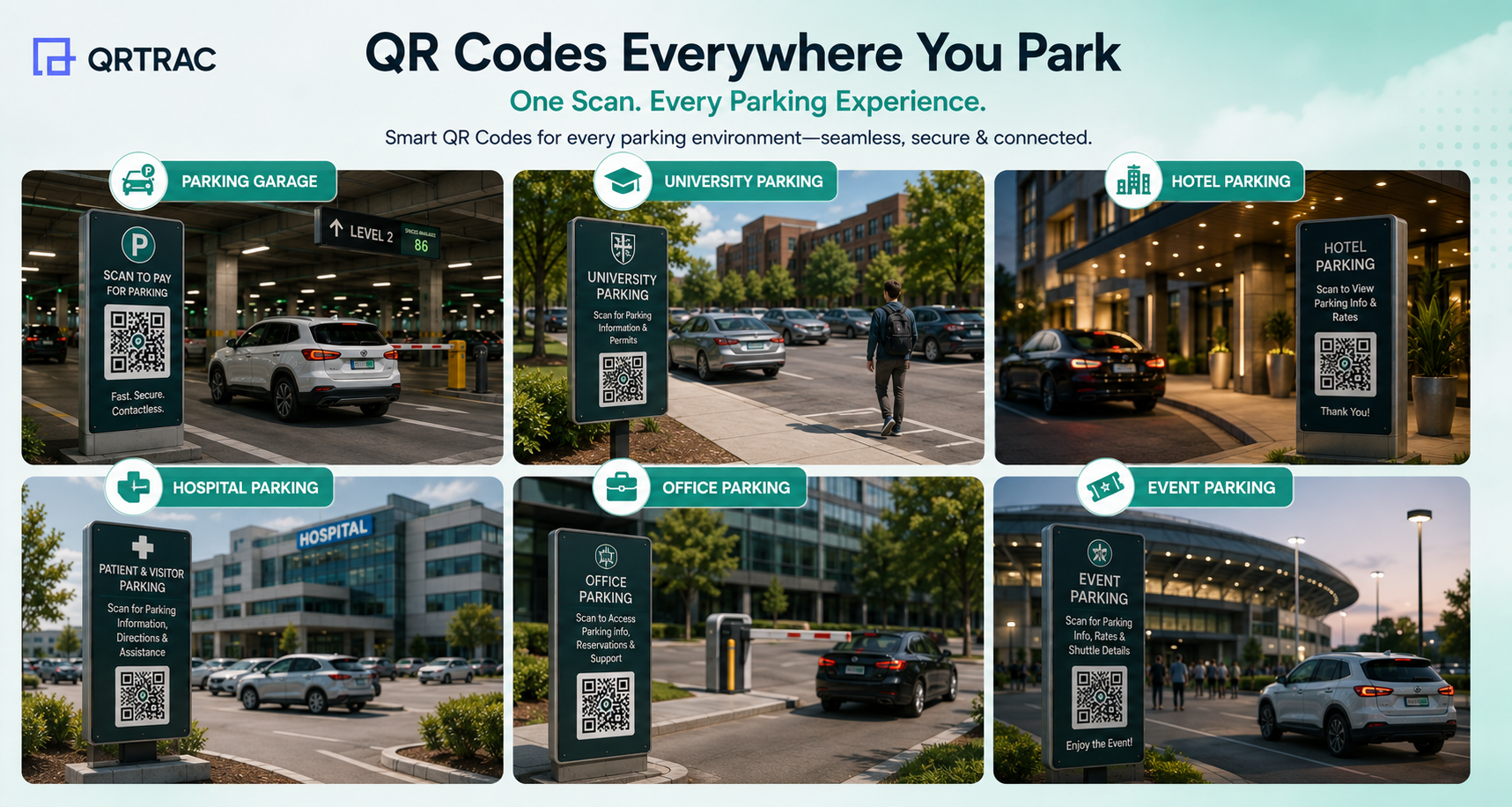
Where to Use Parking QR Codes
Implement scannable touchpoints across various environments:
Universities
Manage student permit applications, direct visitors to approved zones, and show digital campus maps.
Hospitals
Help patients find the nearest entrance, outline parking rates clearly, and simplify validation processing near check-in desks.
Hotels
Speed up guest check-in, provide valet parking instructions, and link to overnight parking payment portals.
Offices
Coordinate employee parking passes, manage delivery lanes, and register guest vehicles instantly.
Shopping Centers
Promote validation offers from retail stores and link shoppers to EV charging stations or lost-car maps.
Event Venues
Keep game-day traffic moving by letting fans pre-pay for parking or scan to open dynamic gate directions.
Static vs Dynamic QR Codes for Parking
Your choice between Static and Dynamic QR codes depends on how often your facility's operational links will change.
| Parking Use Case | Static QR | Dynamic QR |
|---|---|---|
| Permanent parking rules | Suitable | Suitable |
| Parking rates that may change | Requires Reprinting | Highly Recommended |
| Payment link | Risk of dead links | Highly Recommended |
| Visitor parking | Suitable | Highly Recommended |
| Parking support | Suitable | Highly Recommended |
| Temporary event parking | Not Viable | Highly Recommended |
| Analytics | Not Available | Included |
| Changing garage information | Requires Reprinting | Highly Recommended |
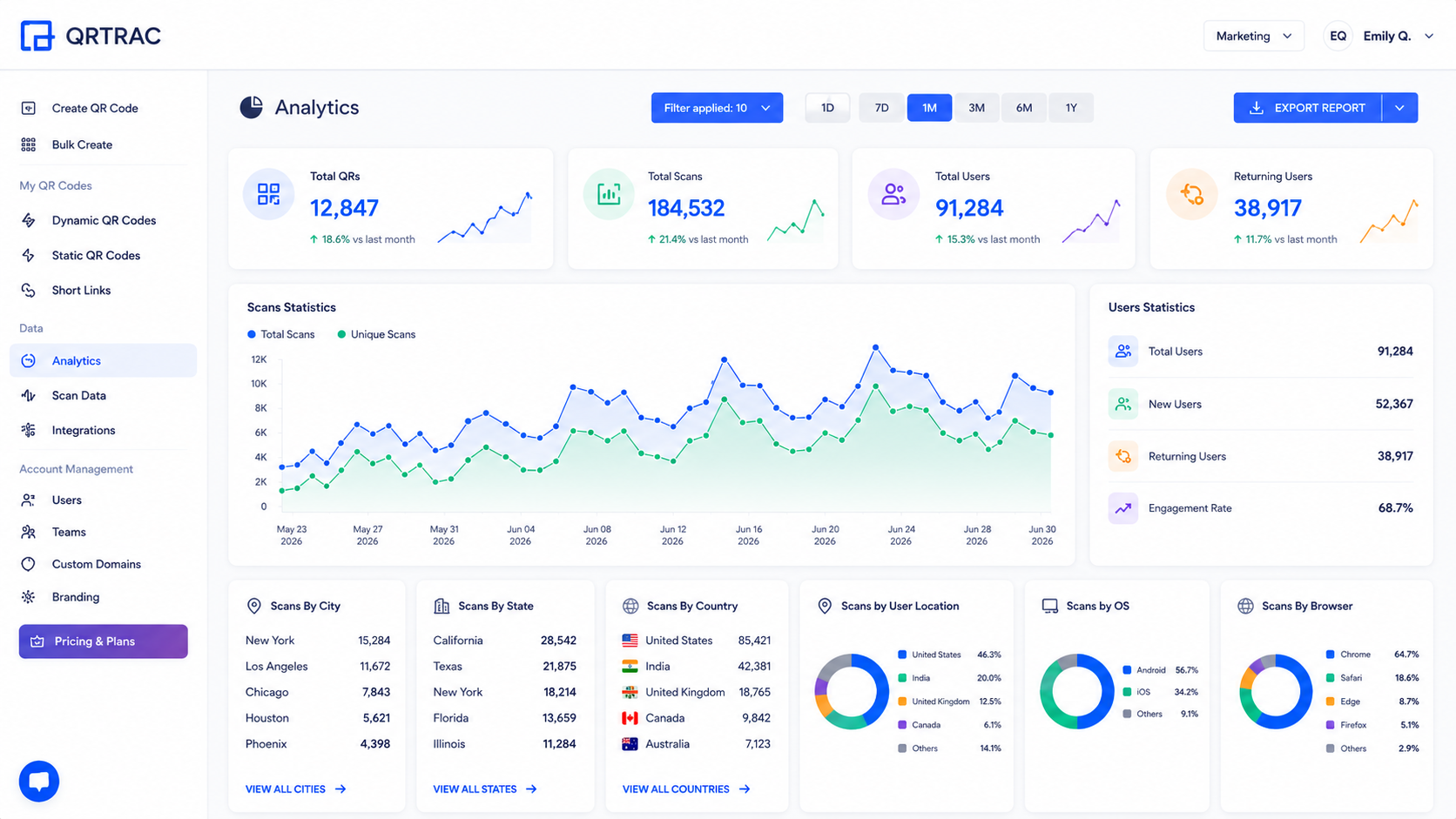
QR Code Analytics for Parking Operators
Dynamic QR codes gather scan metrics that help you monitor driver behavior across your facilities.
Track how often people scan specific zones, which floors generate the most payment traffic, what times of day are busiest, and what phone operating systems your visitors use. If you see high scan rates at an entryway meter but zero scans at a rear parking bay, you can adjust your sign placement or rate structure accordingly.
Data Distinctions
A scan count does not equal vehicle count. Scan metrics tell you how many drivers accessed your digital portal. They do not track vehicle occupancy, payment completions, or stay durations unless combined with your backend transaction database.
Where to Place Your Parking QR Codes
Location determines how easily drivers can scan your codes. Prioritize these areas for maximum engagement:
- Entry Signs: Display codes on boards before drivers reach the gate, giving them time to scan rules or prepare payment.
- Pay Stations: Place stickers directly next to coin slots or card readers to offer an immediate mobile fallback.
- Elevator Lobbies: Capture pedestrian traffic while they wait for elevators on their way back to their cars.
- Stairwells: Use level-specific stickers right next to floor numbers.
- Reserved Bays: Mount codes on signposts in individual spots for immediate visitor registration.
- EV Bays: Mount codes directly onto charging posts.
Technical Basics: Size matters. A code scanned from inside a car window needs to be larger than one scanned from two inches away. Print codes on matte, non-glare, weather-resistant vinyl or aluminum plates. This prevents headlights or sunlight from blinding phone cameras.
Example CTAs:
- "Scan for Parking Rates"
- "Scan to Pay"
- "Scan for Garage Map"
- "Scan for Parking Rules"
- "Scan to Call Attendant"
Parking QR Code Best Practices
- Give every code a direct job: Tell drivers exactly what they get when they scan.
- Keep text clear and short: Use obvious actions like "Scan to Pay."
- Test before you print: Verify that your link loads quickly on both iOS and Android.
- Test in real-world environments: Ensure garage shadows or bright streetlights don't disrupt scans.
- Provide high contrast: Black codes on white backgrounds scan fastest.
- Ensure mobile compatibility: Make sure the destination page is lightweight and easy to read on mobile.
- Use durable physical materials: Protect outdoor codes with UV-resistant coatings.
- Deploy dynamic links: Maintain control over where codes point, even after they are glued to concrete.
- Monitor scan traffic: Watch spikes in scans to spot high-congestion hours.
- Maintain non-digital options: Always display critical rules in plain text for drivers without phones or cellular service.
Common Parking QR Code Mistakes
Terrible Placement
Do not place codes too high for wheelchair users or too low for comfortable scanning from a car window.
Bad Lighting
Dimly lit garage corners make codes unreadable. Install them directly under active overhead lights.
Weather Damage
Paper stickers peel and fade in rain and sun. Use heavy-duty, outdoor-grade vinyl or metal panels instead.
Broken Links
If your payment URL changes and you used a static code, you will lose revenue. Use dynamic codes so you can update links instantly.
Confusing Payment Paths
Do not redirect drivers to a page that forces them to create an account before paying. Keep the checkout process under three steps.
Treating Scans as Vehicle Occupancy
A scan count only tells you someone viewed your page. It does not prove a vehicle is physically parked in a space.
Excluding Offline Drivers
Do not lock important safety rules behind a QR code. Keep essential policies printed directly on your signs.
Realistic Parking QR Code Workflows
These examples show how you can integrate scannable codes into daily operations.
Example 1: Mobile Payment Flow
Driver pulls into bay → Scans signpost code → Browser loads checkout → Driver enters plate number and pays
Example 2: Interactive Garage Directory
Driver parks on Level 3 → Scans column sticker → Phone saves Level 3 map bookmark → Driver returns later and opens saved link
Example 3: Guest Registration Flow
Visitor parks in apartment bay → Scans visitor sign → Enters phone number and host room unit → System alerts property manager
Example 4: Kiosk Support Ticket
Pay station fails → Driver scans troubleshooting code on kiosk → Mobile form submits error directly to technician
Example 5: EV Charger Instructions
Driver plugs in EV → Scans charger code → Phone opens activation screen → Charging starts
Note: These are hypothetical implementation examples, not real customer case studies.
Parking QR Code Deployment Checklist
- Select physical parking placement locations
- Define the exact job of the code
- Set up the destination URL or portal
- Decide between Static or Dynamic
- Create your high-contrast QR code
- Scan on multiple Android and iOS devices
- Print a test sheet and verify scan distances
- Verify the target website is mobile-friendly
- Add clear, punchy call-to-actions
- Mount physical signs at driver eye-level
- Order weather-resistant aluminum plates for outdoor bays
- Test the installed signs under direct garage lighting
- Check links monthly to prevent dead ends
- Track scan traffic patterns in your dashboard
- Ensure offline backup instructions remain on signs
QR Codes vs Traditional Parking Systems
QR codes do not replace your gates, loops, LPR (License Plate Recognition) cameras, or pay stations. They integrate with them. They serve as the physical-to-digital bridge, making your backend technologies easier for drivers to actually use.
The distinction is clear: A QR Code provides access to information or a digital destination, while your Parking System manages the underlying parking operation. Together, they eliminate long payment lines and speed up space turnover.
Conclusion
Frictionless parking keeps drivers coming back. By using QR codes at entryways, elevators, pay stations, and exits, you eliminate manual hassle and speed up turnover. Start small: place codes at your most congested pay station and watch the digital shift happen.
References & Sources
- International Parking & Mobility Institute (IPMI). "The Rise of Contactless Parking and Mobile Solutions." parking-mobility.org
- Smart City Expo World Congress. "Digital Transformation in Urban Mobility and Parking Infrastructures."
- QRTRAC Internal Data (2025). "User Engagement Metrics for Dynamic Digital Touchpoints in Enterprise Parking."