
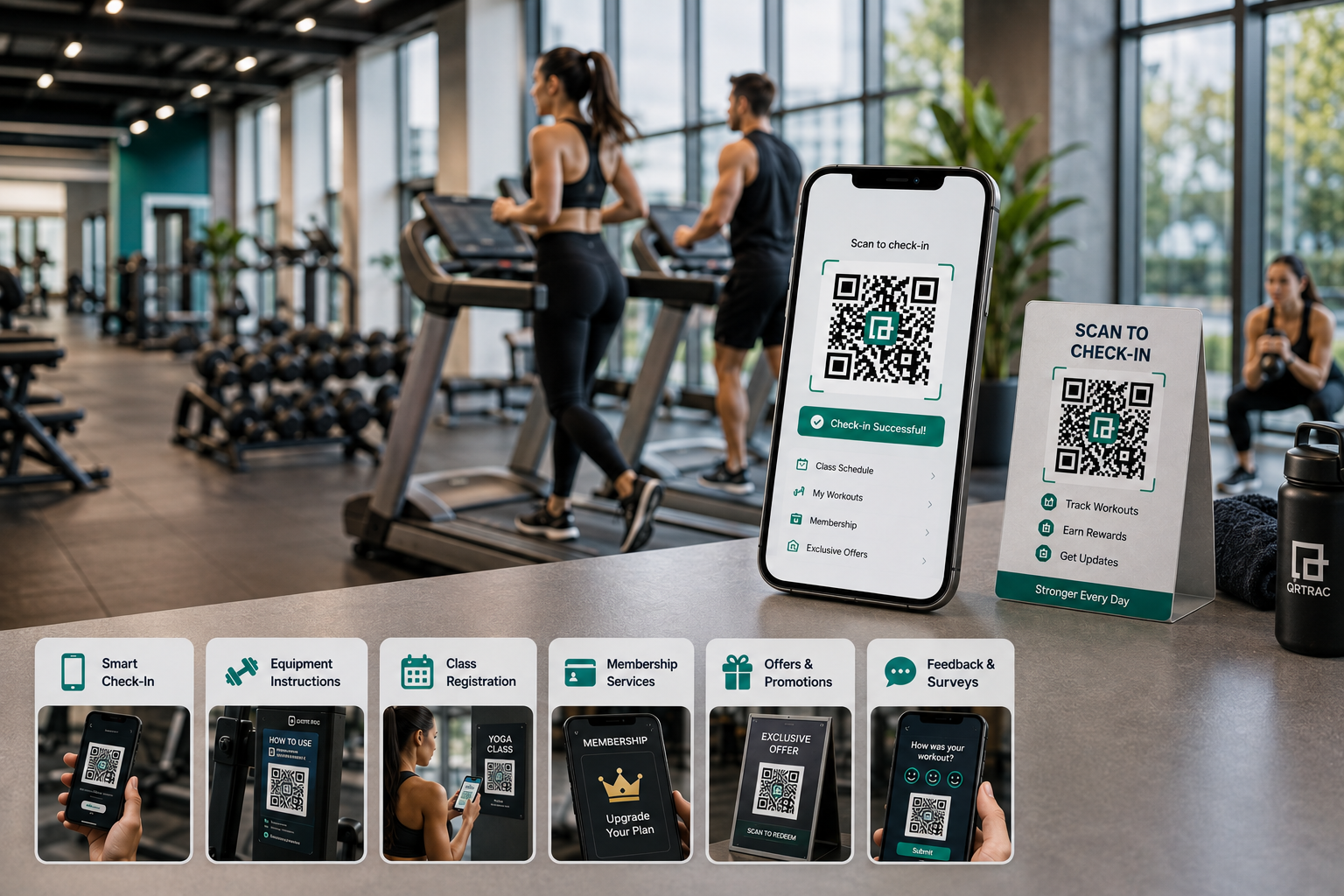
















Connecting the Complete Gym Member Journey
Gym members interact with your physical space in dozens of ways. They swipe at the front door, adjust the treadmill, check the class whiteboard, and use the locker rooms. QR codes bridge these physical spots with your digital systems. No more manual data entry, no extra apps.
Place them right, and you simplify every step of their workout day:
This guide shows you how health clubs, boutique studios, and local gyms use QR codes to run cleaner operations and keep members moving.
What Are QR Codes for Gyms?
A gym QR code is a physical shortcut. When a member points their phone camera at it, it instantly opens a webpage, video, or form. It means you can paste a sticker onto a squat rack or reception desk and link it directly to a digital resource like a location map, video, or form.
Practical Examples:
Static vs. Dynamic Basics
Static QR Codes: The destination URL is permanently encoded. If the link breaks or changes, you must print and paste a new physical code.
Dynamic QR Codes: Gyms prefer these because you can update the destination link at any time. You can change a code on the front door from linking to a "Summer Promo" to a "Fall Promo" without printing a new sign.
These small codes cut down repetitive questions at your front desk. Instead of explaining how to adjust the cable crossover machine for the tenth time today, you let a sticker do the work.
How Gyms Can Use QR Codes
Here is exactly how to set up QR codes across your facility to handle daily tasks.
Gym Check-In
Stick a QR code at your front desk or outer door. It links directly to your check-in page or member portal. Note: The QR code is just the doorway. Your existing gym management software (like Mindbody, Gymdesk, or Zen Planner) handles the actual scan. Destinations include:
- Member check-in portals
- Visitor and guest registration forms
- Class attendance sign-ins
- Digital waivers for new arrivals
Gym Equipment Instructions
Walking up to a complex selectorized machine can intimidate new members. A vinyl sticker on the shroud can link to: Proper pin placement, seat height adjustments, target muscle maps, and 15-second form demos.
- Step-by-step exercise demonstrations
- Proper setup and adjustment guidance
- Safety information and warnings
- Troubleshooting guides for digital consoles
- Trainer-created form videos
Workout Resources
Help members who do not know what to do next. Put codes in your stretching zone or turf area to share: Kettlebell complexes, foam rolling guides, or a 'workout of the day' Google Doc.
- Daily or weekly workout plans
- Bodyweight exercise guides
- Form and technique demonstration videos
- Beginner orientation resources
- Approved training reference materials
Fitness Classes
Keep class bookings full without manual signups. Put codes on studio doors to show: Live weekly timetables, waitlist signup forms, and substitute instructor updates.
- Live class schedules and timetables
- Digital class registration and reservations
- Instructor profiles and bios
- Required class resources (e.g., cycling resistance guides)
- Follow-up stretching materials
Personal Training
Help your personal trainers book clients on autopilot. Put a code on their bio cards or the PT board linking to: Free 15-minute assessment bookings (using Calendly or Acuity), trainer transformation galleries, and customized assessment forms.
- Trainer profiles and specialties
- Direct consultation booking links
- Client-specific training resources
- Take-home workout materials
- Post-session follow-up information
Membership Information
Let walk-ins sign up without waiting for front desk staff. A code on your front window lets prospects check pricing tiers, sign waivers, or buy day passes on their phone.
- Breakdown of membership plans and tiers
- New membership registration portals
- Self-service membership renewals
- Upgrade options
- General membership support and terms
Payments
Make it easy to pay for extras. Stick a code by the fridge or pro shop desk for: Beverage payments, drop-in fees, or towel service upgrades.
- Paying outstanding membership dues
- Purchasing drop-in class fees
- Booking personal training packages
- Paying for secondary services (e.g., towel service, locker rentals)
Feedback
Catch issues before they turn into bad Google reviews. Place small stickers in locker rooms or near exits for: Reporting broken locker keys, reporting empty soap dispensers, and quick rating surveys.
- General member satisfaction feedback
- Post-interaction service surveys
- Reporting broken or malfunctioning equipment
- Post-class instructor feedback
- Facility cleanliness suggestions
Gym Marketing
Get real results from physical marketing. Add codes to your local flyers, mailers, or window banners to track: Local lead generation, trial pass signups, and local community challenge registrations.
- Linking to seasonal membership promotions
- Free-trial registration forms
- Member referral campaign details
- Gym social media profiles
- Review pages (Google, Yelp)
- Registration for gym events or challenges
QR Code Use Cases by Gym Area
Every corner of your facility has a job. Match your QR codes to the physical location of your members.
Entrance / Reception
- Check-in portals
- Membership information
- New member registration
- General support
- Contact information
Workout Floor
- Specific equipment instructions
- Exercise demonstration videos
- General workout resources
- Safety and form information
Group Fitness Area
- Digital class schedules
- Class registration links
- Instructor information
- Pre-class resources
Locker / Member Areas
- Gym rules and policies
- Facility and amenity information
- Support requests
- Facility feedback forms
Trainer Area
- Trainer profiles
- Consultation booking
- Training program resources
Café / Juice Bar
- Digital menu access
- Mobile ordering (if supported)
- Nutrition and macro information
- Café promotions and feedback
QR Codes on Gym Equipment
Placing codes directly on strength and cardio machines lets members learn independently. No one wants to stop mid-workout to look for a trainer just to ask how to adjust the leg press.
The Equipment Workflow
Match the destination to the gear:
- Treadmills & Cardio: Link to console setup guides.
- Spin Bikes: Show saddle and handlebar setup videos.
- Pin-Selected Machines: Link to 10-second videos showing target muscle groups.
- Cable Stations: Link to an attachment library showing alternative handles.
- Free Weights & Squat Racks: Place safety and spotting guidelines nearby.
- Functional Training Zones: Provide workout ideas for kettlebells or battle ropes.
- Recovery Lounges: Show how to operate massage guns or recovery chairs.
Note: A QR Code simply directs the user to a digital resource. It does not automatically track equipment usage data unless it is integrated with a specialized gym tracking system.
Gym Check-In With QR Codes
Save your front desk staff from morning and evening rushes. Instead of everyone crowding around a single tablet or waiting in line to scan a barcode, let members scan a wall poster to check in.
The Check-In Workflow
This workflow can be adapted for various audiences:
- Members: Scanning to verify attendance or open access gates (if integrated with your access control software).
- Visitors & Guests: Scanning to fill out required waivers and liability forms before entering the workout floor.
- Classes: Scanning a code outside a studio door to confirm attendance for a specific session.
- Events: Rapid check-in for fitness competitions or seminars hosted at your facility.
It is important to understand the distinction: The QR Code is the delivery mechanism. Your existing gym management software or CRM is the system that actually processes and records the check-in.
QR Codes for Classes & Personal Training
Remove the friction from booking sessions. If a member likes a class, they should be able to book the next one immediately while standing right outside the studio door.
Group Fitness
- Class Schedules: Link directly to your live timetable so members always see the most accurate schedule, avoiding issues with outdated printouts.
- Registration: Direct members to the booking page for high-demand classes like cycling or hot yoga.
- Instructor Profiles: Allow members to learn about the instructor's background and teaching style.
- Class Feedback: Gather immediate reviews after a session ends.
Personal Training
- Trainer Profiles: Display QR Codes on trainer bio boards, linking to full digital profiles and success stories.
- Booking: Provide a direct link to the trainer's scheduling calendar (e.g., Calendly or your gym's CRM).
- Training Resources: Trainers can create customized QR Codes for their clients that link to specific homework routines.
- Workshop Registration: Promote specialized lifting clinics or nutrition seminars.
QR Codes for Gym Membership & Payments
Save hours of admin work. Instead of typing card numbers manually over the phone, let members pay securely on their own phones using your existing billing gateway.
- Membership Plans: Link to a detailed comparison of your basic, premium, and family tiers.
- Registration & Renewal: Direct users to your secure sign-up portal to complete the process on their phone.
- Upgrades: Allow members to easily add amenities, such as tanning or towel service, to their account.
- Dues & Fees: Provide a direct link to your billing portal for paying membership dues, drop-in class fees, or personal training packages.
Note: A QR Code acts as a shortcut to a URL. It does not process payments itself, but safely directs members to your compliant payment gateway (such as Stripe, Mindbody, or Square).
Best Places to Place QR Codes in a Gym
Context is everything. Put your codes where members naturally look when they need information.
| Placement Location | Why It's Useful |
|---|---|
| Gym Entrance / Front Doors | Captures members for fast check-in and provides facility hours for arriving visitors. |
| Reception Desk | Ideal for new member registration, liability waivers, or general support inquiries. |
| Weight & Cardio Machines | Provides immediate access to safety guidelines, form videos, and machine setup instructions. |
| Class Boards / Studio Doors | Allows members to view digital schedules and register for upcoming sessions. |
| Locker Rooms | A private area ideal for gym policies, facility feedback, and maintenance reporting. |
| Trainer Bio Boards | Connects members directly to trainer profiles and booking calendars. |
| Juice Bar / Café | Great for digital menus, nutritional information, or placing orders. |
| Printed Posters / Flyers | Bridges offline marketing to online actions like free trial sign-ups. |
Physical Considerations for Placement
- Visibility & Lighting: Ensure the code is in a well-lit area without severe glare.
- Scan Distance & Size: A QR Code on a poster high on a wall needs to be much larger than one on a treadmill console.
- Surface Condition & Durability: For equipment, use high-quality, sweat-resistant, durable vinyl stickers that won't peel or blur when cleaned.
- Clear CTA Labeling: Always tell the user what they get by scanning (e.g., "Scan for Workout Video").
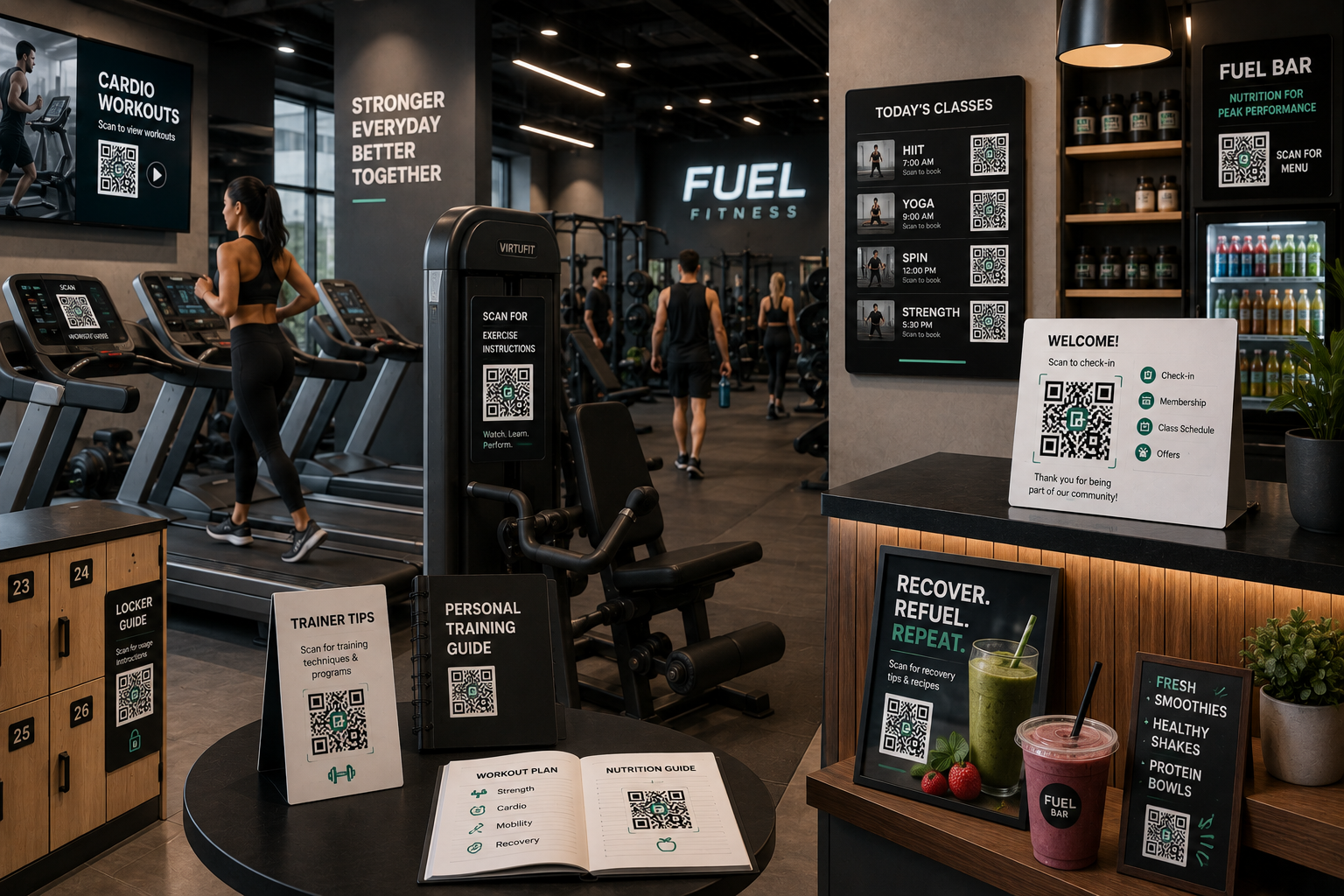
Dynamic vs Static QR Codes for Gyms
How do you choose between static and dynamic codes? It depends on whether you need to change your links later.
| Feature | Dynamic QR Codes | Static QR Codes |
|---|---|---|
| Destination Editing | Yes, can be changed anytime without reprinting. | No, permanently fixed. Requires a reprint if changed. |
| Analytics & Tracking | Yes, tracks scans, devices, and times. | No tracking available. |
| Ideal For Class Schedules | Excellent. Update the URL if your scheduling software changes. | Risky. If the schedule URL breaks, the poster is useless. |
| Ideal For Promotions | Excellent. Reuse the same code for Spring and Fall offers. | Poor. Requires new printing for every new campaign. |
| Ideal For Basic Wi-Fi | Not necessary. | Excellent. The Wi-Fi network format is simple and static. |
The rule of thumb: Use static codes for things that never change, like guest Wi-Fi logins. Use dynamic codes for anything that changes—like class schedules, menu pricing, or seasonal promotions—so you do not have to reprint your physical signs.
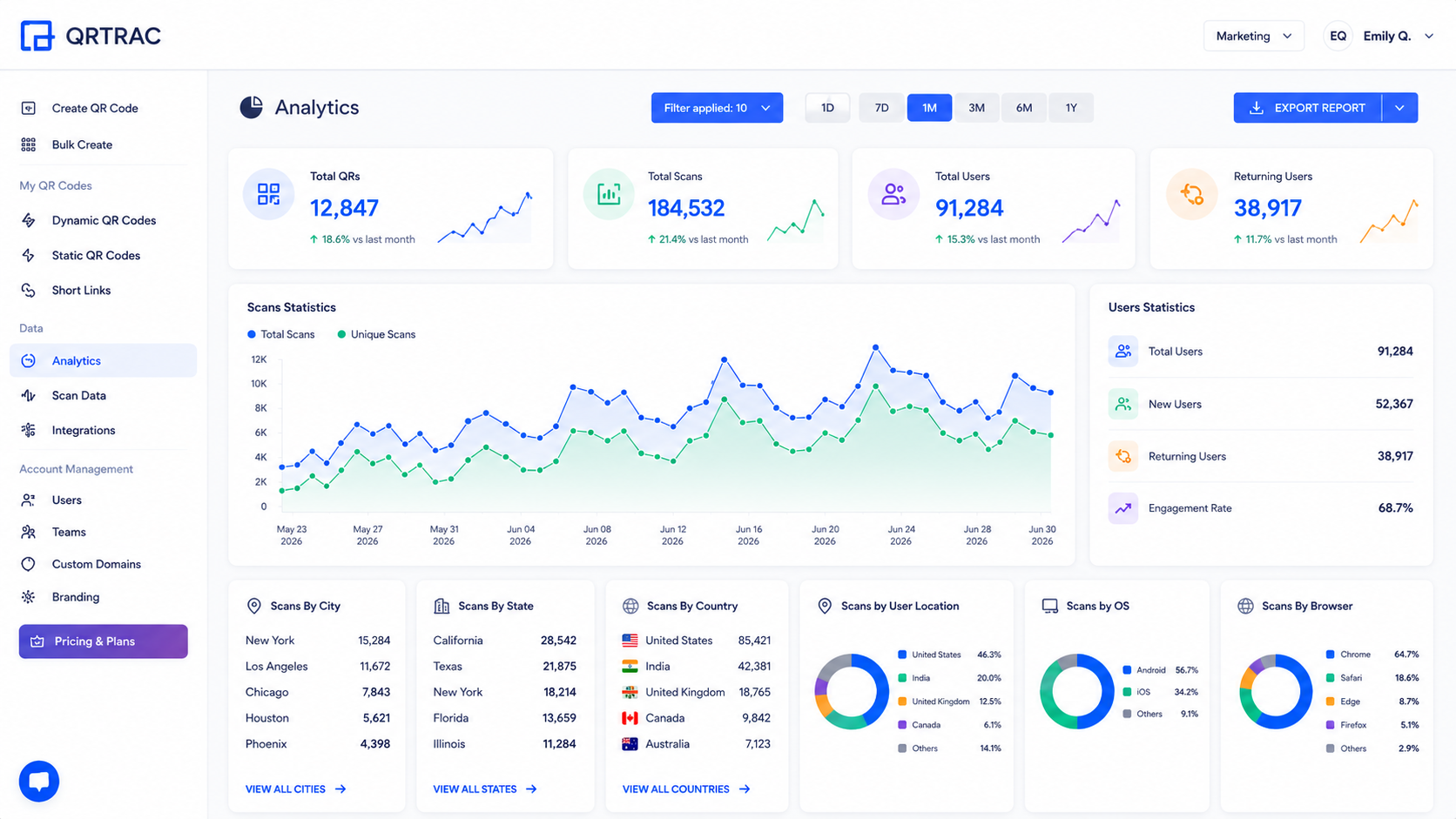
QR Code Analytics for Gyms
Dynamic codes give you hard data on how members interact with your gym's physical space.
Relevant Metrics You Can Track:
- Total Scans: The overall volume of engagement with a specific code.
- Scan Activity Over Time: Helps identify peak hours (e.g., discovering that class schedule codes are scanned most at 5:00 PM).
- Device Information: Understand what operating systems your members use, which is helpful if you are developing a gym app.
- Geographic Information: Confirms scans are happening at your location (or tracks which direct mail route performed best).
- Most-Accessed Resources: Determine if members care more about the treadmill instructions or the squat rack safety guide.
- Promotional Activity: Measure which posters or flyers generate the most traffic to your landing page.
Important Analytics Context
Keep this in mind: A scan only shows that someone opened the link. It does not track workout intensity, member retention, or physical results. Use it to measure interest, not actual gym attendance.
QR Codes for Gym Member Services
Give your members a fast track to support. They should not have to leave the gym floor to report a maintenance issue or ask a billing question.
- Request Assistance: Connect to the front desk or concierge for immediate help.
- Report Issues: Allow members to quickly report empty sanitizing stations or malfunctioning equipment via a digital form.
- Facility Information: Provide digital access to opening hours, holiday schedules, and gym policies.
- Contact Trainer: A direct link to a staff directory or trainer messaging portal.
- General Support: Link to FAQ pages regarding billing, guest policies, or cancellation terms.
QR Codes for Gym Marketing
No one types out long URLs from flyers. QR codes turn physical advertisements into instant landing page hits.
- Membership Promotions: Link direct mail flyers to specific promotional landing pages.
- Free Trial Registration: Place codes on window displays so passersby can instantly sign up for a day pass.
- Referral Campaigns: Display codes at the front desk allowing members to easily send a referral link to a friend.
- Social Media: Encourage members to follow your Instagram or TikTok for workout tips.
- Review Pages: Direct satisfied members to your Google Business or Yelp page.
- Event Registration: Drive sign-ups for specialized workshops, lifting competitions, or community runs.
Common QR Code Mistakes in Gyms
A broken code frustrates your members. Avoid these layout and operational mistakes:
Broken Links
Avoid this by using Dynamic QR Codes, allowing you to fix dead URLs instantly without reprinting.
No Clear CTA
Never place a bare QR Code. Always include a Call to Action like "Scan for Class Schedule."
Poor Equipment Placement
Don't place codes too close to moving parts, handles, or where sweat regularly pools. Use durable, wipeable labels.
Mobile-Unfriendly Destinations
Ensure the page you link to (like a PDF schedule) is easily readable on a smartphone screen.
Insufficient Contrast
Printing a dark gray code on a black machine makes it unscannable. Maintain high contrast.
Outdated Information
Ensure your staff regularly reviews where the codes point to prevent linking to last year's pricing.
Not Testing
Test codes with both iOS and Android devices after installation.
Too Many Codes
Avoid using too many QR Codes without a clear purpose, which can overwhelm members.
Best Practices for Gym QR Codes
Follow these simple rules for a successful deployment:
- Use a clear CTA: Tell users exactly what to expect (e.g., "Scan to view treadmill tutorial").
- Keep destination pages mobile-friendly: 100% of scans happen on mobile devices. Design for the small screen.
- Test before deployment: Scan the code with both iOS and Android devices in the actual gym lighting before finalizing placement.
- Maintain proper contrast and quiet zone: Keep the code dark against a light background, and leave empty space (the quiet zone) around the borders.
- Use appropriate QR Code size: A code on a treadmill screen can be 1 inch, but a code on a wall poster should be large enough to scan from several feet away.
- Use durable labels for equipment: Gyms are humid, sweaty environments. Use high-quality, water-resistant vinyl.
- Use Dynamic QR Codes where appropriate: Retain the ability to edit destinations and track engagement.
- Review destinations regularly: Perform quarterly audits to ensure all codes point to live, accurate pages.
- Provide alternative access: Always include a short URL alongside the QR Code for members who prefer to type it in.
- Track scans responsibly: Use analytics to improve the user experience, but remember that a scan is just a scan.
Realistic Gym QR Code Workflows
How do these setups work in real life? Here are five simple examples:
Example 1: Equipment Education
Equipment → QR Code → Exercise Guide → Demonstration Video → Safety Instructions
Example 2: Member Check-In
Gym Entrance → QR Code → Check-In Destination → Member Completes Check-In
Example 3: Fitness Class Access
Class Board → QR Code → Schedule → Registration → Class Information
Example 4: Personal Training
Trainer Area → QR Code → Trainer Profile → Booking Page → Training Resources
Example 5: Gym Café
Table / Counter → QR Code → Digital Menu → Order / Information → Feedback
*These are implementation examples for demonstration, not customer case studies.
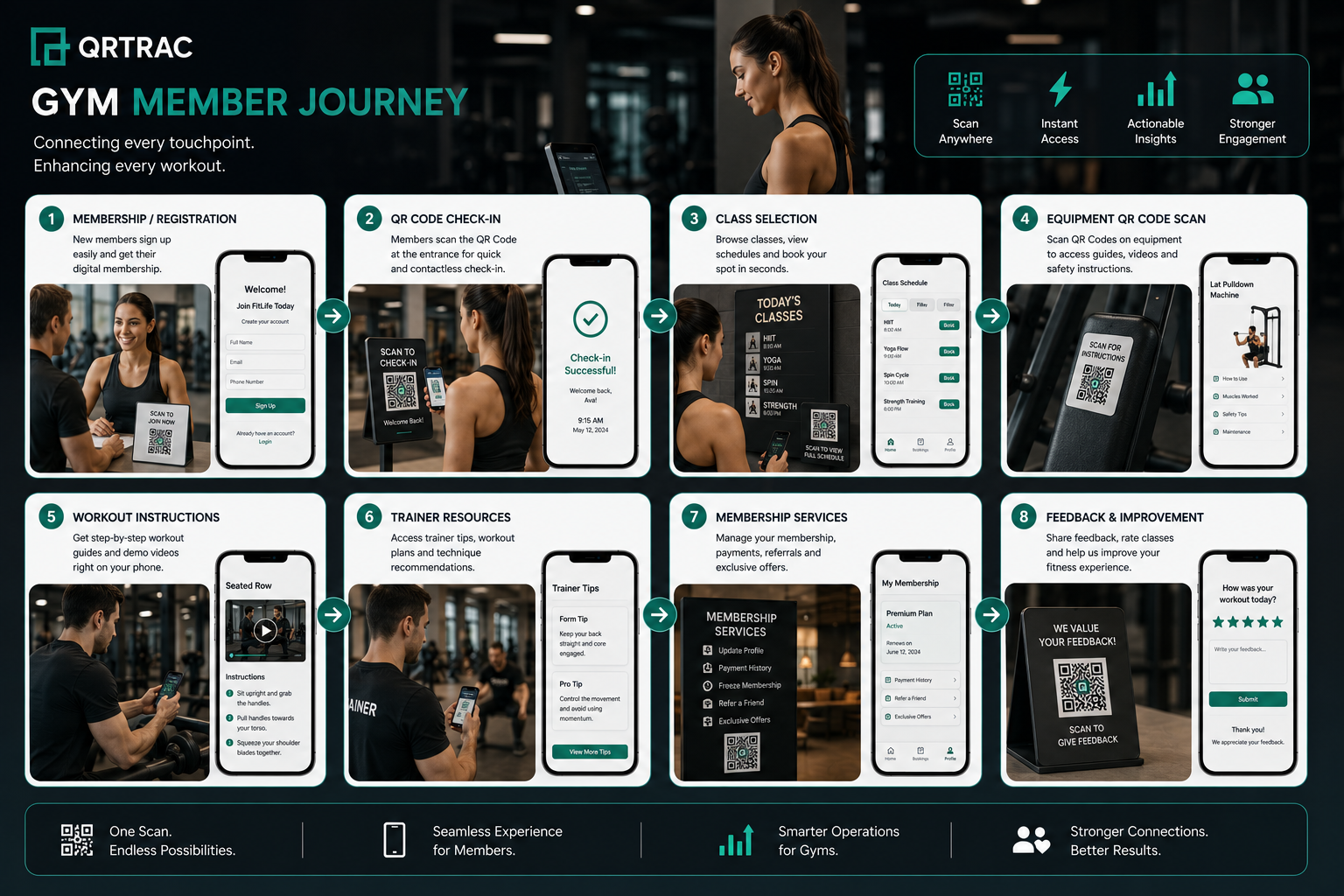
Gym QR Code Deployment Checklist
- Identify gym touchpoints (equipment, reception, locker rooms)
- Define the purpose of each QR Code
- Select the correct destination URL
- Choose Static or Dynamic QR Code based on needs
- Create and design the QR Code
- Test on multiple mobile devices (iOS and Android)
- Check mobile usability of destination page
- Add a clear CTA to the design
- Select appropriate placement in the facility
- Use durable printing where needed (like equipment stickers)
- Train staff on what the codes do and how to help members
- Enable analytics where appropriate
- Set a schedule to review destinations regularly
References & Sources
- IHRSA (2024). The Importance of Digital Member Engagement in Fitness Facilities.
- QRTRAC Internal Data (2025). Analytics on Dynamic QR Code Scan Rates in Health Clubs.
- ACSM (2025). Fitness Trends: Technology Integration on the Gym Floor.