
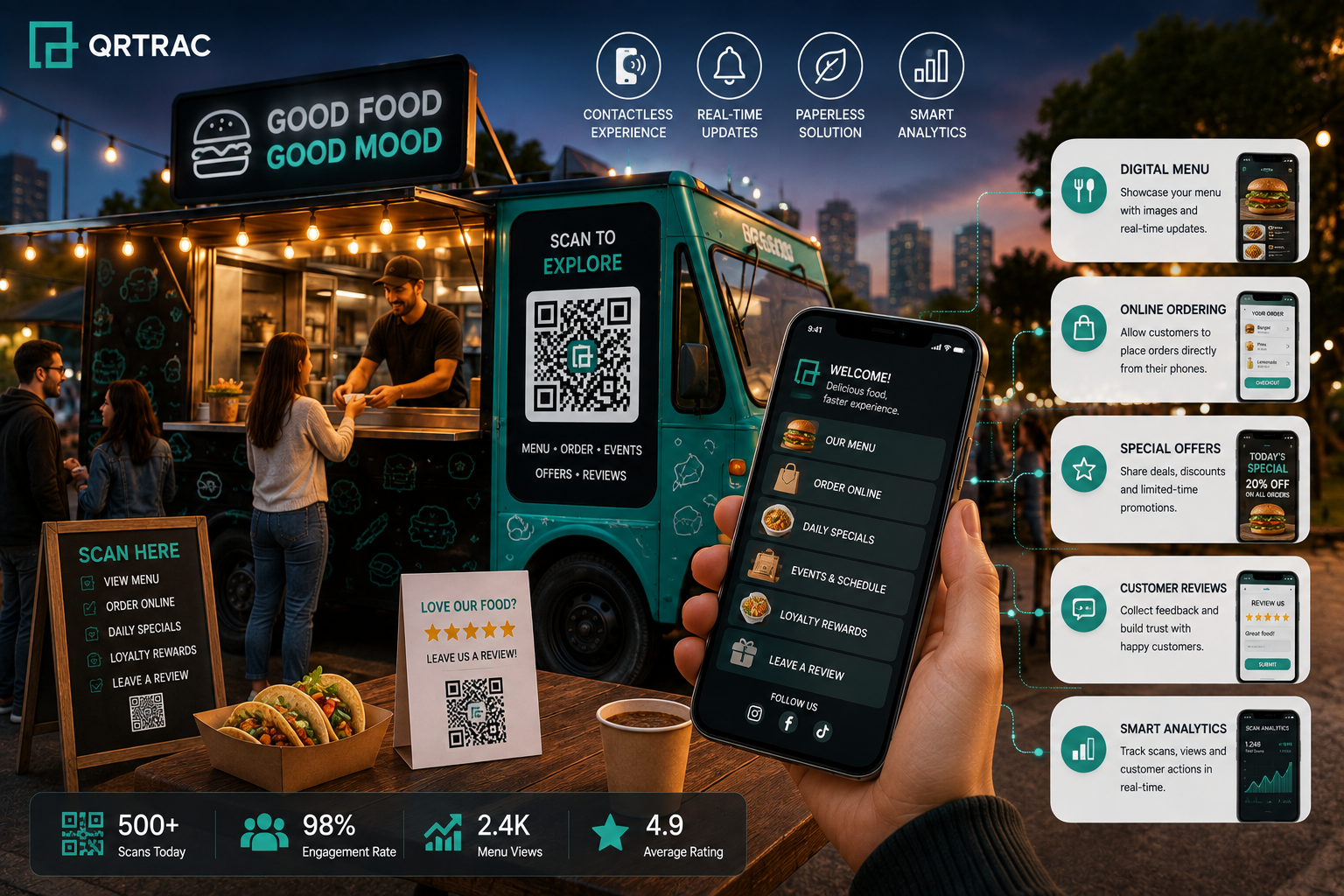
















Key Insight
QR codes on food trucks keep your service fast and your lines moving. Our platform helps you coordinate ordering, social media growth, and feedback directly from the sidewalk.
Understanding QR Code for Food Trucks
Food truck QR codes connect hungry customers on the sidewalk to your kitchen in seconds. When you run a mobile kitchen, every second of friction at the service window costs you money. Using QR codes is about speeding up your line and getting orders to the grill faster.
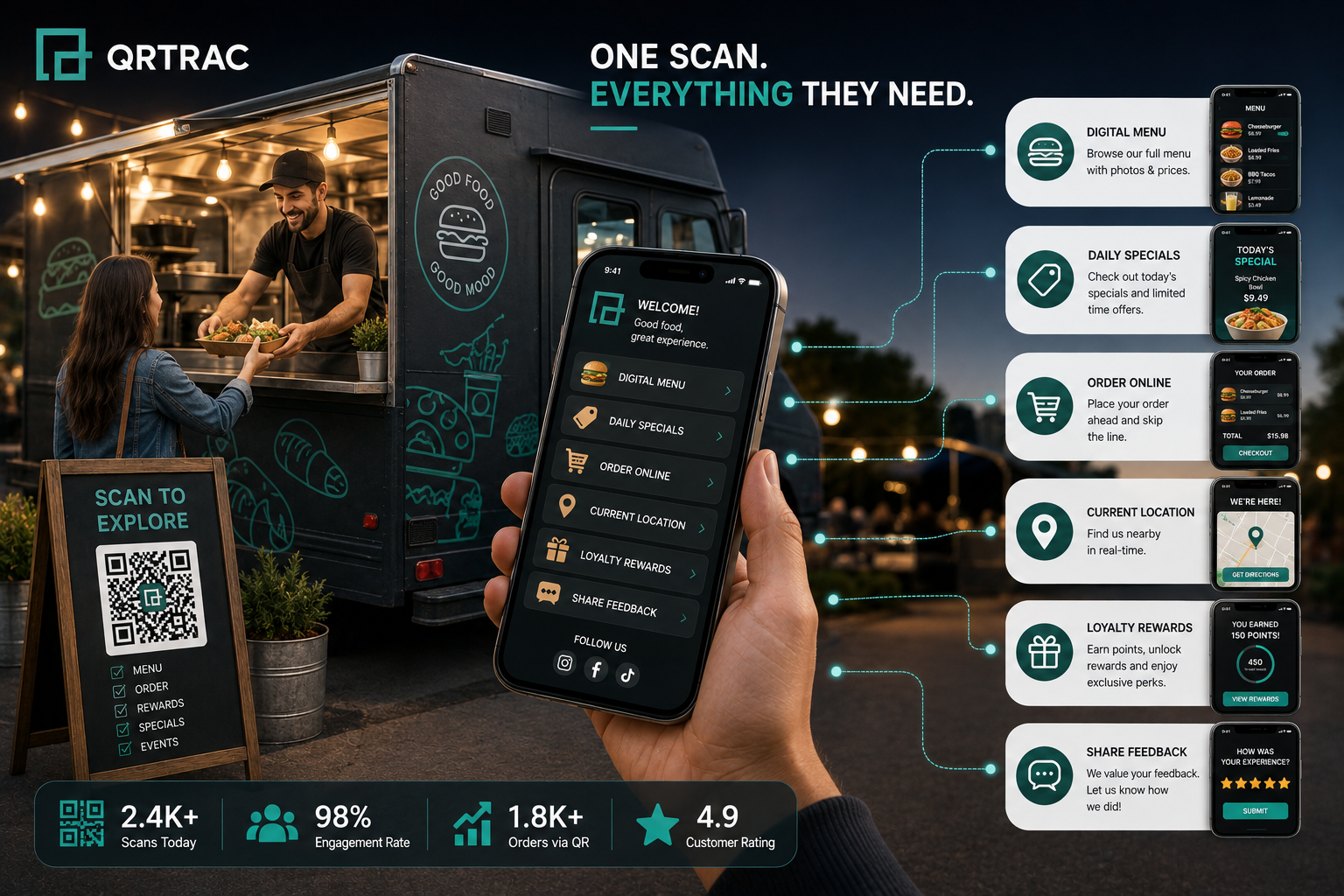
QR codes have evolved from simple website links to live tools that coordinate your entire mobile kitchen. They handle the heavy lifting of showing menus, taking payments, and collecting feedback, so your crew can focus on cooking.
Why QR Codes Work on the Street
QR codes are the most efficient way to link physical diners to digital tools. Here is why they are so effective:
- Universal Access: Customers scan with their own phone cameras. No apps required.
- Immediate Action: Link directly to order screens, social pages, or review forms.
- Live Updates: Change a menu price or mark an item sold out instantly.
- Real Analytics: See exactly where and when people scan your truck's code.
- High ROI: Low setup costs that pay for themselves by speeding up checkout times.
Benefits of QR Code for Food Trucks
Operational Benefits
- Get faster orders without long lines crowding the sidewalk.
- Prevent order mistakes by letting customers type their own modifications.
- Keep your menu accurate in real-time.
- Direct kitchen staff on what to prep next by seeing what items are viewed.
Customer Benefits
- No more squinting at a chalkboard menu in bright sunlight.
- Pay with Apple Pay or Google Pay in two taps.
- Grab food and go without touching cash or dirty clipboards.
- Review ingredient lists and food safety alerts on their own screens.
Business Benefits
- Boost order sizes with automatic digital prompts for sides and drinks.
- Capture email addresses and social followers to grow your regular crowd.
- Cut menu printing costs down to zero.
- Build a direct, independent sales channel away from expensive third-party delivery apps.
Implementation Guide
Step 1: Map Out Your Flow
Decide what you want scanners to do. Are they ordering ahead, checking your weekly schedule, or leaving a review? Focus on the step that causes the most friction in your daily service.
Step 2: Generate Dynamic Codes
Set up your codes using QRTRAC's dashboard:
- Choose dynamic QR codes so you can change links later without scraping old stickers off your truck wrap.
- Customize the design colors to match your truck's branding.
- Set up custom short domains to keep links clean and professional.
- Verify the code works on multiple test devices under varied light settings.
Step 3: Build a Mobile-First Target
Your landing page must load fast on cellular networks. Avoid heavy files:
- Build clean, responsive menu pages.
- Keep page assets small to help them load fast in spotty outdoor coverage.
- Add clear, bold call-to-action buttons like "Order Now" or "Find Us Tomorrow."
Step 4: Stick and Test
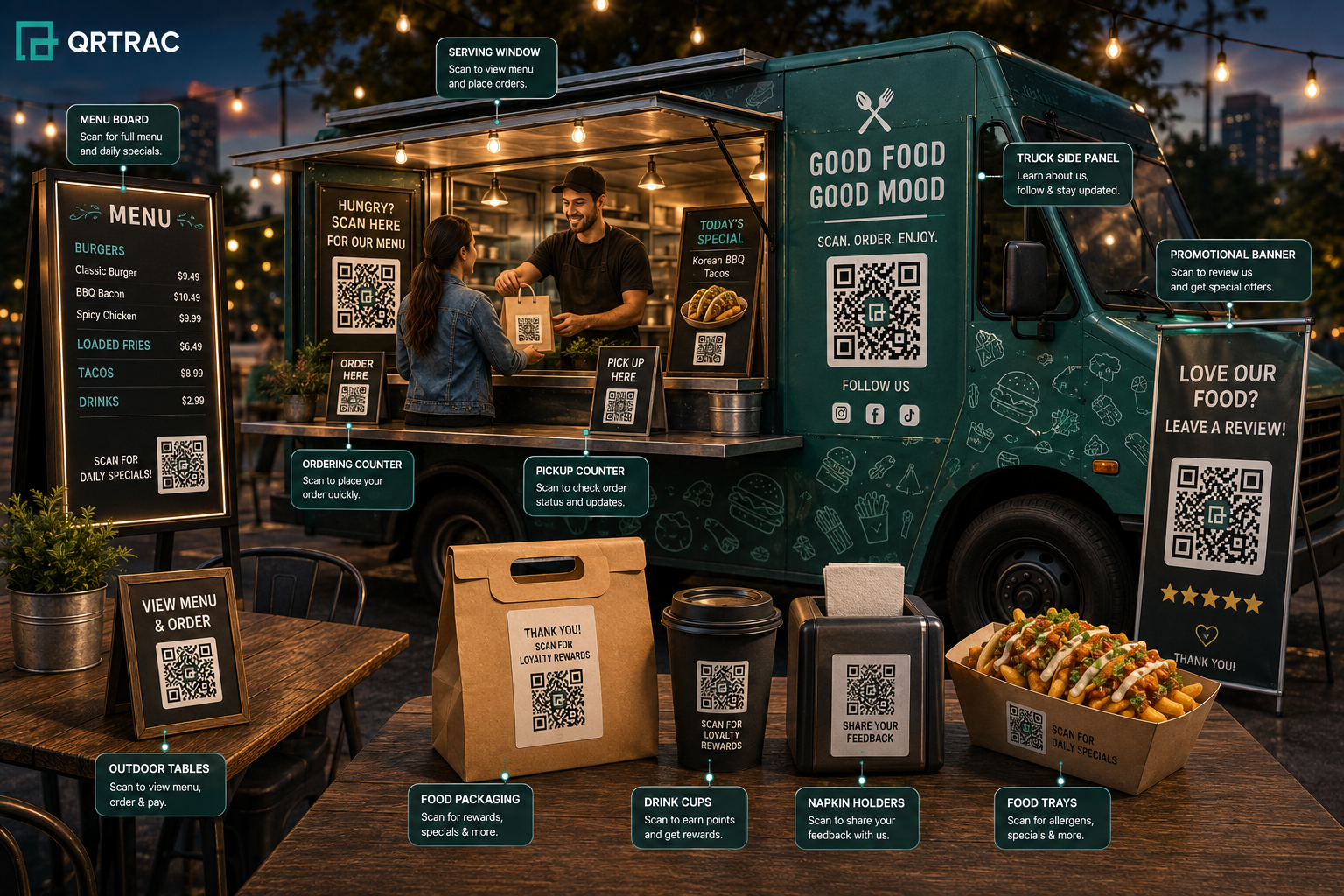
Place your physical signs where people gather:
- Print codes on high-quality, weather-resistant vinyl.
- Place codes at eye level near the service window and queuing line.
- Instruct your cashier to point out the codes to people waiting to order.
Best Practices
Pro Tips for Success
- • Use dynamic codes so you can change links without reprinting stickers.
- • Scan the code yourself under direct sunlight before launching.
- • Give people a clear reason to scan (e.g., "Scan to Skip the Line").
- • Keep your destination pages lightweight for fast loading on 4G/5G.
- • Update your digital menus in real-time to avoid selling out of dishes people are trying to order.
Design Best Practices
- Keep high contrast—dark codes on light backgrounds scan fastest.
- Leave a clear border (quiet zone) around the code.
- Make codes large enough. A menu code on a window needs to be at least 4x4 inches.
- Avoid glossy lamination that causes sun glare.
Content Best Practices
- Build for vertical phone screens, not desktop monitors.
- Show prices clearly and list allergens.
- Put your call to action at the very top of the page.
Analytics and Optimization
- Track which hours get the most scans.
- Compare scans against actual sales to find where orders drop off.
- Switch up locations to see which neighborhood scans the most.
Real-World Food Truck Scenarios
Food truck owners use QR codes to solve concrete operational problems. These scenarios show how they work in the wild:
Key Use Cases
- Digital ordering at busy breweries without dedicated kitchens.
- Catering lead generation using vehicle wraps.
- Post-purchase review prompts at the napkin station.
Street-Level Advantages
- Zero physical handoffs of menus or receipts.
- Immediate feedback loops before diners leave the curb.
- Simple social media following directly from food containers.
Common Challenges and Solutions
Challenge: Low Scan Rates
Solution: Put a giant callout above the code. Don't just show a black square; write "Scan to Order & Pay Here" in bold letters so people know what to do.
Challenge: Connection Dropouts
Solution: Keep dynamic QR code destination pages lightweight. If customers have slow mobile coverage, simple text and optimized images will still load instantly.
Challenge: Customer Hesitation
Solution: Have your window staff prompt them: "You can skip the line by scanning the sign right behind you."
Deep Dive: Digital Menus vs. PDF Menus for Food Trucks
When food truck operators first adopt QR codes, they often make the mistake of linking to a raw PDF menu. This creates friction on the street. PDFs force hungry customers to pinch, zoom, and scroll sideways in the sun. If the text is too small, they will walk away.
A responsive web menu adapts to any screen. It loads instantly and remains legible under direct sunlight. More importantly, you can edit it on the fly.
Managing Inventory on the Fly
If you run out of your signature brisket taco at 1:00 PM, toggle it off in your dashboard. The next scanner won't see it, avoiding disappointment at the window and keeping your service smooth.
High-Volume Event & Festival Strategies
Festivals and street fairs offer massive volume, but long lines kill sales. If your line is 50 people deep, the next group will walk over to the next truck.
Line-Busting with Order-Ahead Workflows
Line-busting works by moving the ordering process down the sidewalk. Place A-frame signs with large QR codes 30 feet away from your truck. Customers browse and order while waiting in line. When they reach the counter, they simply grab their food and go. This parallel processing boosts your peak-hour throughput by up to 40%.
Worked example: a taco truck at a music festival
Picture a taco truck at a weekend music festival with wait times over 45 minutes. Ten high-contrast QR codes along the barrier rails let customers scan and pay before they ever reach the order window.
The idea: moving the ordering and payment step back down the line, instead of stacking it at the window, raises how many orders the truck can clear in a peak hour, and keeps cash out of the kitchen.
Strategic Physical Placement
- The 20-Foot Rule: Make codes huge so people can scan them from a distance.
- Line zip-ties: Secure weather-resistant placards to temporary metal crowd barriers.
- The Handout Station: Stick review and social codes near the napkins and forks where people wait for their food.
Integrating QR Codes with Food Truck POS & Payment Systems
Your QR code must connect directly to your Point of Sale (POS) system. If your crew has to manually type digital orders into a register, you lose all efficiency.
Smooth Handoffs
Choose a system like Square, Toast, or Clover. Link your QR code straight to their native mobile ordering portal. When a customer scans and orders, the ticket fires straight to your kitchen printer or display screen.
Cashless Operations and Hygiene
In small food trucks, staff often swap between taking dirty cash and handling fresh food. Shifting orders to digital payments removes this risk entirely. Customers scan, pay on their own devices, and wait for their order number.
Location Tracking & Social Media Multi-Links
Food trucks move constantly. Your fans need to find you today, not where you were last week.
The Power of the Multi-Link
Instead of a basic homepage link, use a Multi-Link QR code. When scanned, it shows three simple buttons:
- Today's Location: A live link to Google Maps showing where you are parked right now.
- Instagram Updates: Quick link to view your latest daily postings.
- Book Catering: A fast form for wedding planners or corporate coordinators.
Print this Multi-Link QR code on your takeout bags and burger wraps. When customers take lunch back to the office, their coworkers scan the packaging to find out where you are parked.
Customer Loyalty & Retention via QR
Retaining customers when you change locations requires active connection.
Digital Punch Cards
Paper punch cards get lost, wet, or thrown away. Switch to a digital punch card triggered by a QR scan on your window. When customers scan, they collect a stamp. After ten visits, they get a free meal voucher via email. This gamified approach lets you build an email list of local regulars.
Automated Review Generation
For reviews, place a feedback QR code near your pickup window. Program it to ask a quick rating question. If they choose five stars, send them to Google. If they choose lower, send them to a private email form so you can resolve the issue before they write a bad public review.
Weatherproofing & Physical Material Guide
Outdoor business means your QR codes face rain, freezing wind, high sun, and hot grease.
Choosing the Right Materials
Avoid regular paper stickers. Use UV-coated vinyl decals on your truck exterior. They won't fade under direct sunlight. For permanent signs, use anodized aluminum plates or matte-finish acrylic. High-gloss finishes reflect sunlight, blinding phone cameras and rendering the code useless.
Countering Grease and Wear
Clean exterior signs daily with a quick wipe to remove kitchen grease. A greasy code loses the sharp contrast required for fast scanning.
Advanced Analytics & Operations Management
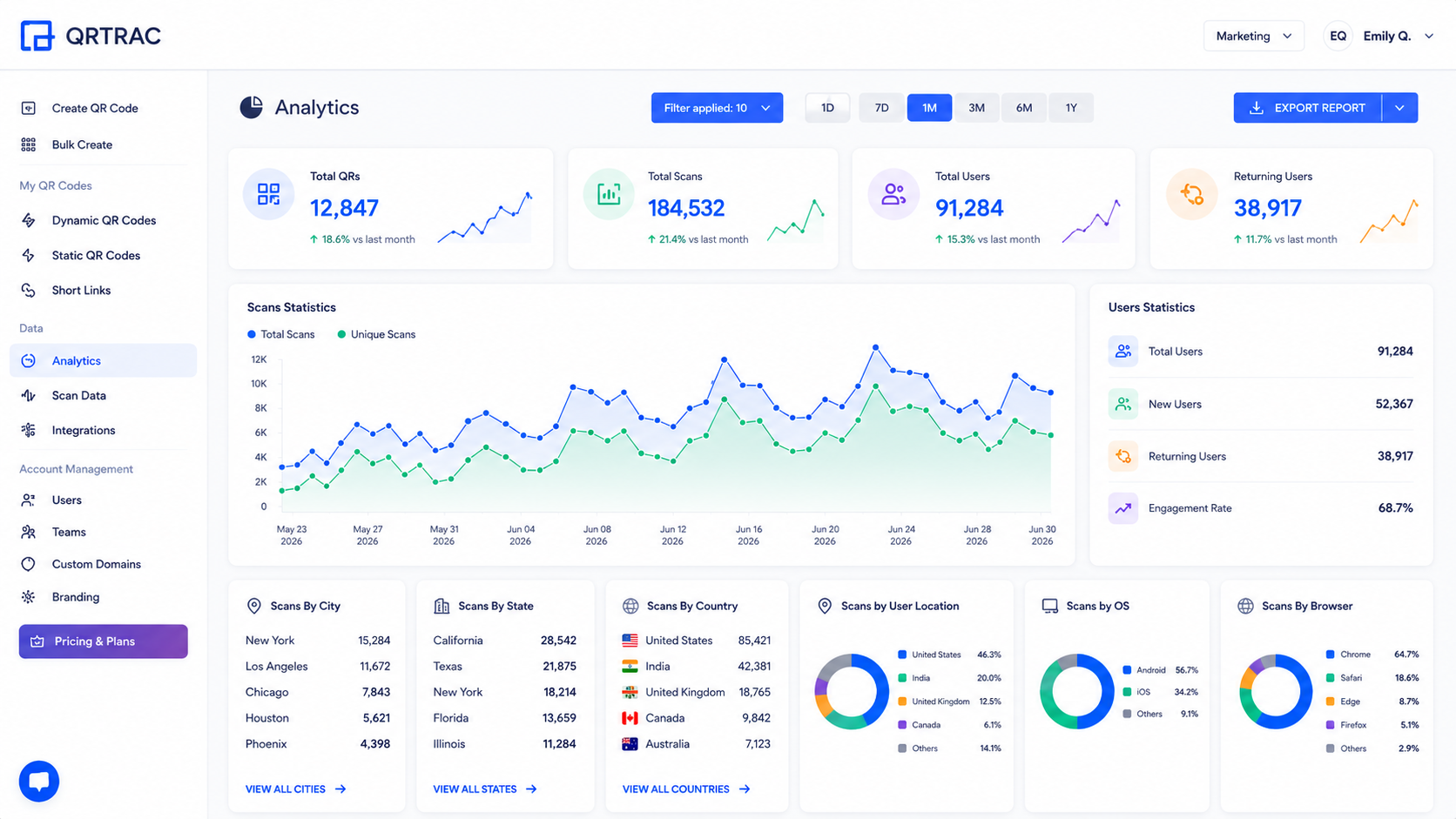
Dynamic QR codes capture vital data with every scan, giving you real insights to guide your operations.
Tracking Peak Engagement Windows
Track peak hours to optimize prep. If scans spike at 11:15 AM from the business park next door, you know exactly when to drop fries and prep tortillas before the rush physically arrives.
Location-Based Performance Tracking
Compare locations. If a brewery spot generates 400 scans but only 50 orders, while a corporate park generates 100 scans and 90 orders, you know where to park your truck for better margins.
Device and OS Insights
Check if your scanners use iOS or Android. If 80% use iOS, make sure your Apple Pay checkout is front and center to make payments effortless.
Cost and ROI Analysis for Food Truck QR Codes
Moving to digital codes saves money almost instantly. Here is how the investment pays off.
Elimination of Printing Costs
Food truck menus change constantly due to meat prices and local supply. Printing new flyers and menu boards every time costs hundreds. Dynamic QR codes let you change your digital menu instantly at zero cost.
Labor Optimization
When half your crowd orders through their phones, your window staff can step back to help box meals, pour drinks, and keep the kitchen moving during peak hours.
Upselling and Increased Average Order Value (AOV)
Digital menus up-sell automatically. When customers order a burger, the screen asks if they want to add fries and a drink. This simple prompt can raise your average order size without any extra effort from your staff.
Building Community Partnerships with QR Codes
Partner with local craft breweries that don't have kitchens. Place QR code tent cards on their tables.
The Brewery Partnership Model
Patrons scan, order from your truck outside, and get an SMS text when their food is ready. They get great food without losing their seats, and you get a packed order queue.
Cross-Promotional Marketing
Offer brewery patrons a small discount on their next order if they scan the table code, keeping the venue owners happy and your sales high.
Advanced Strategy: Time-Based Dynamic Routing
Advanced platforms let one QR code route to different links depending on the time of day.
Breakfast vs. Lunch Menus
Scan at 9:00 AM? The code opens your breakfast burrito menu. Scan at 11:30 AM? The same code opens your lunch taco menu automatically. No manual board switching required.
Optimizing QR Code Placement on Truck Wraps
Your truck wrap is a rolling billboard. Place a large QR code on your truck exterior to collect catering leads even when parked or in traffic.
The Driving-Speed Rule
Make the code at least 18 by 18 inches and place it on the flat rear panel of your truck. Drivers stopped behind you at traffic lights can scan it safely to book you for corporate catering. Avoid curved panels or doors, which distort the pattern and break scannability.
The Future: QR Code and NFC Hybrids
The next step is pairing QR codes with NFC tags.
Instant Tap-to-Order
Customers can either scan the code or tap their phone against your window sticker to open the menu instantly. This hybrid setup completely removes the step of opening a camera app, moving people through your ordering queue even faster.
Conclusion
QR codes on food trucks are not just digital menus—they are the control center for your street business. By setting up dynamic, trackable codes, you speed up checkout lines, keep menu pricing flexible, and build direct channels to turn casual park diners into lifetime customers.
Start small with a single menu code, analyze your scan data, and expand your digital setup as you grow your routes.
References & Industry Sources
- Square Point of Sale. "Mobile Ordering for Food Trucks." Developer Documentation.
- Toast POS. "Order & Pay at the Table." Product Integration Guides.
- ISO/IEC 18004:2015. "Information technology — Automatic identification and data capture techniques — QR Code bar code symbology specification."
