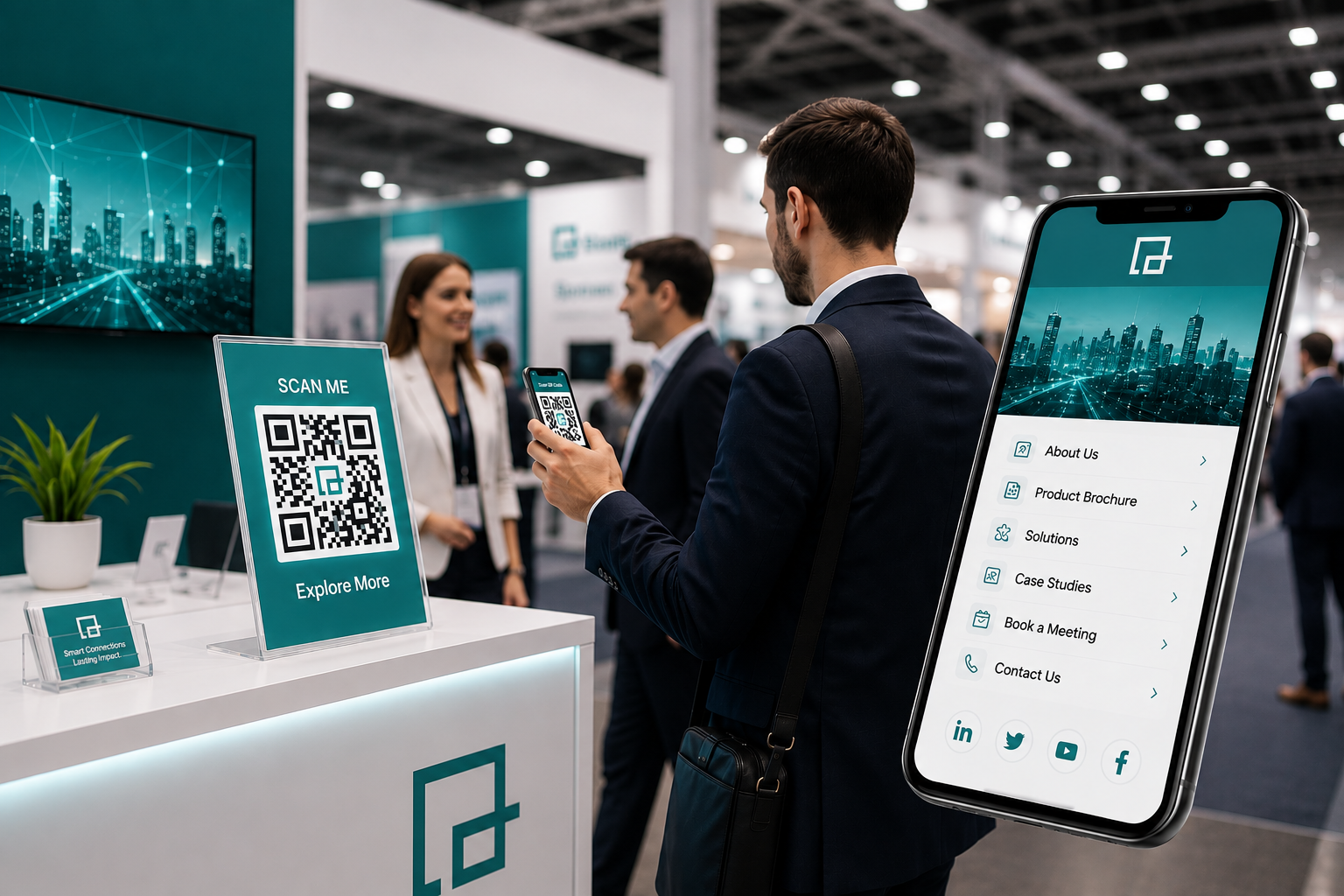
Benefits of Exhibition QR Codes
Paper handouts get heavy. Your booth staff get overwhelmed. QR Codes solve both bottlenecks by acting as digital assistants across your booth space.
- • Engage visitors instantly: Show a 30-second assembly demo or video walkthrough right next to your display unit.
- • Send heavy files instantly: Deliver 100-page installation manuals or CAD drawings straight to their phone storage.
- • Slash shipping costs: Stop paying freight fees for heavy cardboard boxes of flyers. Go entirely digital.
- • Collect clean lead data: Eliminate transcription errors. Let attendees fill out your pre-configured CRM forms directly.
- • Exchange contact info faster: Share a digital contact card so prospects can save your direct mobile number instantly.
- • Engage self-directed buyers: Give quiet prospects room to research on their own terms without waiting for a sales rep.
- • Automate post-show emails: Trigger immediate, automated emails with the exact PDF spec sheets the lead requested.
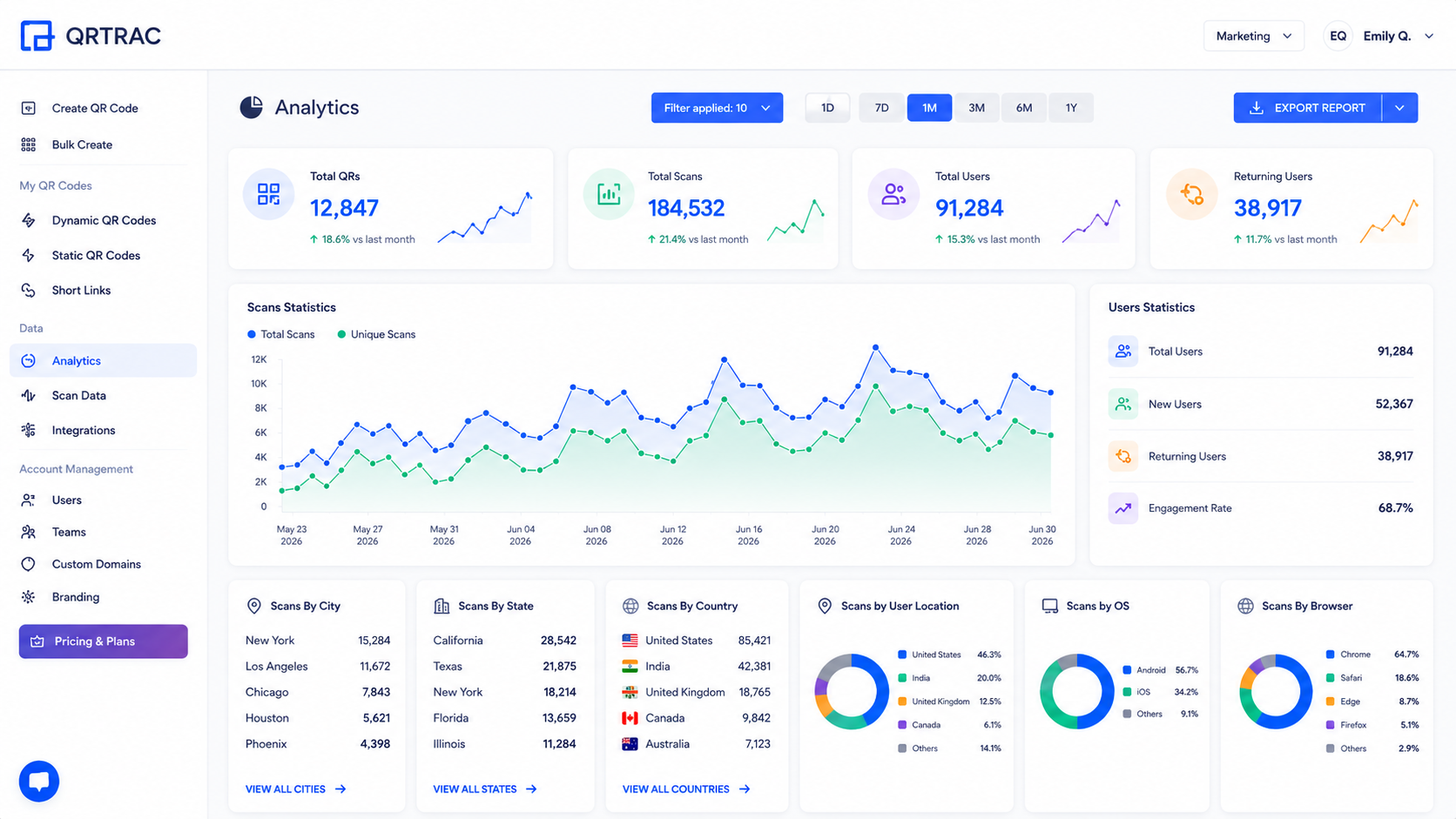
- • Measure real-world ROI: Trace exactly which banner or product stand pulled in the most scans over the three-day event.
How to Implement QR Codes for an Exhibition
Do not just slap a random QR Code on your banner at the last minute. Plan your touchpoints ahead of time to make sure they work on the noisy, crowded show floor.
1. Map the path
Find where visitors look—on your main banner, next to a demo machine, or on your badge.
2. Match your goals
Choose PDF codes for catalogs, vCards for team badges, and URL forms for registrations.
3. Keep files light
Venue Wi-Fi is notoriously slow. Ensure every page and PDF loads in under two seconds.
4. Add your logo
Customize your codes with brand colors so attendees trust what they scan.
5. Test under harsh glare
Scan your test prints under direct spotlights and dim corners before printing bulk signage.
6. Position at chest-to-eye level
Avoid placing codes near floor level where people have to bend down.
7. Brief your sales team
Ensure your reps know exactly which code goes where and how to guide prospects.
8. Print backup short URLs
Include a short, clean text link right below the code in case a camera fails.
9. Check Day 1 metrics
Look at your scan numbers at the end of the first day. Reposition low-performing signs.
10. Keep links flexible
Use dynamic codes so you can fix mistakes or update files mid-event without reprinting.
Exhibition QR Code Use Cases
Here is a detailed breakdown of how to deploy QR Codes across different scenarios within your exhibition strategy.
Visitor Registration
- Problem: Long entry lines kill momentum at your booth entrance.
- Solution: Put a large registration code on your welcome banner so attendees can check in while they walk up.
- How: Position a 10x10 inch code near the entrance queue.
- Goal: Wipe out check-in bottlenecks.
- Best choice: URL QR Code linking to your registration portal.
Digital Brochures & Product Catalogs
- Problem: Stop paying freight for printed lookbooks. Heavy paper catalogs end up in hotel trash.
- Solution: Stick a tabletop acrylic sign next to your flagship models for instant PDF downloads.
- How: Place small tabletop signs next to your featured products.
- Goal: Let buyers save your specs to their phones with one click.
- Best choice: PDF QR Code or Multi-Link QR Code.
Interactive Product Demonstrations & Videos
- Problem: Explaining complex machinery in a loud, crowded hall is exhausting.
- Solution: Put a code next to physical parts to open 3D exploded views or video case studies.
- How: Stick a durable decal next to the main components on display.
- Goal: Keep visitors engaged even when all your reps are speaking with other prospects.
- Best choice: List of Links QR Code with a video widget, or a URL QR Code that opens your video.
Lead Capture Forms & Meeting Booking
- Problem: Card swaps are slow, and you always lose critical contacts.
- Solution: Let prospects book physical meetings or submit inquiries on the spot.
- How: Print the code on badge cards or the main reception counter.
- Goal: Get clean, structured contact data directly into your CRM.
- Best choice: Form QR Code or URL QR Code linking to Calendly or HubSpot.
Digital Business Cards
- Problem: Running out of physical paper business cards halfway through day two of a trade show.
- Solution: Share contact details digitally directly from your badge.
- How: Print a personal vCard code on the back of every staff member's badge.
- Goal: Instantly save your number, email, and LinkedIn to a prospect's phone.
- Best choice: vCard QR Code.
Social Media & Feedback Forms
- Problem: Visitors leave your booth and forget your brand name by the time they reach the next hall.
- Solution: Prompt a quick LinkedIn follow or a 2-second survey before they walk away.
- How: Put a code on a sign near your booth exits or lounge chairs.
- Goal: Turn offline conversations into online followers.
- Best choice: Social Media QR Code or Form QR Code.
Choosing the Right QR Code Type
Not all QR Codes act the same. Depending on your objective, select the format that delivers the best experience.
| QR Type | Best Exhibition Use Case | Advantages | Recommended Implementation |
| Website Link | Driving to custom landing pages | Dead-simple, highly flexible | High-level wall graphics |
| PDF Download | Distributing catalog specs | Saves freight costs, keeps hands free | Product display stands |
| Link Gallery | Consolidating resources | Combines social, catalogs, and forms | Welcome reception desk |
| Form Builder | Capturing sales leads | Feeds database directly | Meeting tables and check-in boards |
| vCard Contact | Swapping contact details | Saves to address book instantly | Exhibitor team badges |
| Chat Trigger | Starting instant text chats | Launches WhatsApp with pre-filled text | Technical help counters |
| Map Locator | Guiding guests to booths | Opens phone GPS directly | Pre-show email newsletters |
Best Places to Use QR Codes at Exhibitions
If visitors don't see your code, they won't scan it. Position them where people naturally stop, wait, or browse.
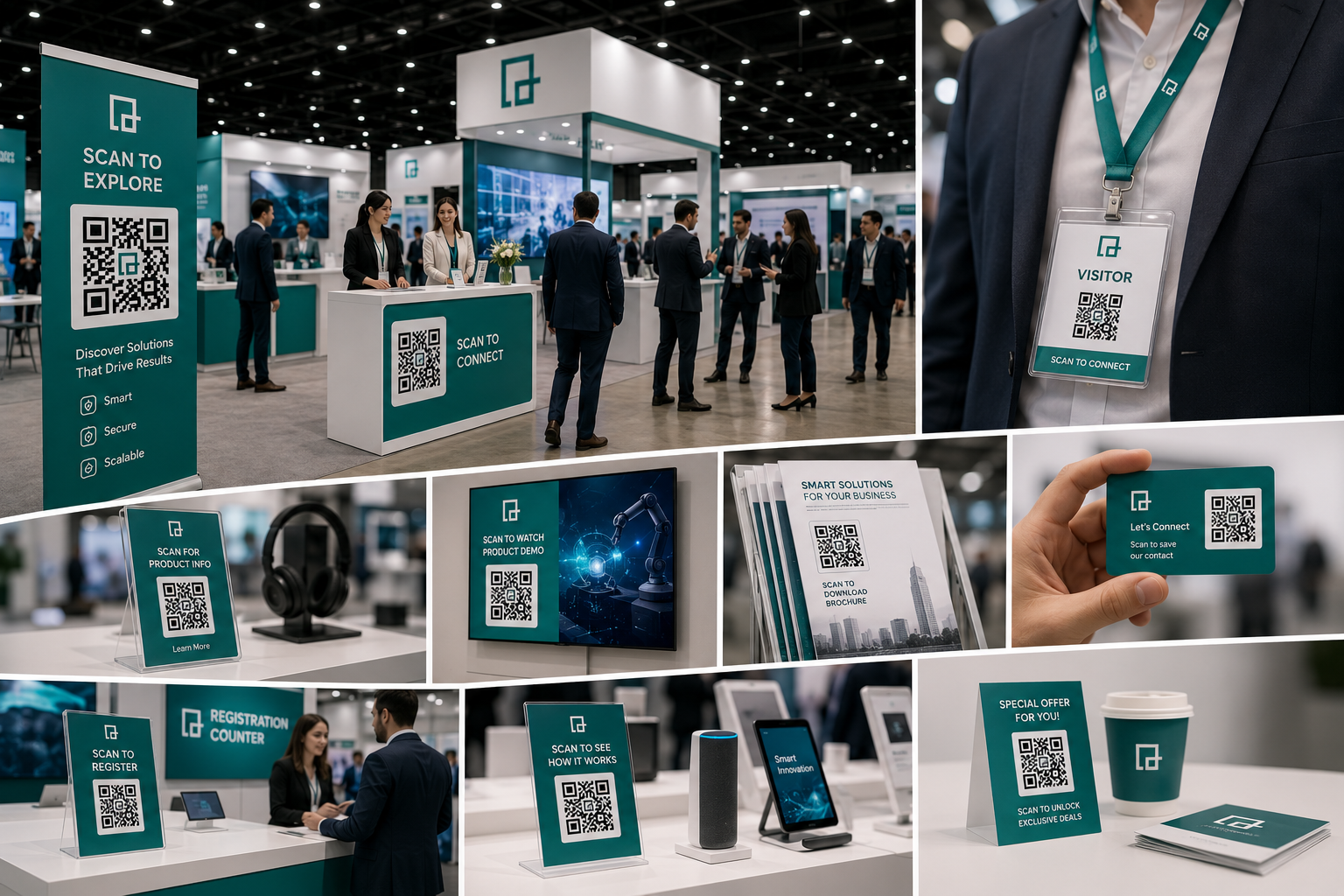
- Registration tables: Erase wait lines by offering direct self-service check-in.
- Lanyards & Badges: Wear your contact info so prospects can scan you during coffee breaks.
- Booth walls & Banners: Catch far-away eyes with large, sharp graphics on fabric walls.
- Product stands: Feed technical specs to buyers while they test your physical hardware.
- Presenter screens: Leave a code on your final slide so the room can download your presentation deck.
- Handouts: Convert single-page flyers into gateways for your entire product lineup.
- Swag items: Print a code on notebooks or pens to stay accessible long after teardown day.
- Digital displays: Show a code during video loops so passersby can pause and scan.
How QR Codes Improve the Exhibition Visitor Journey
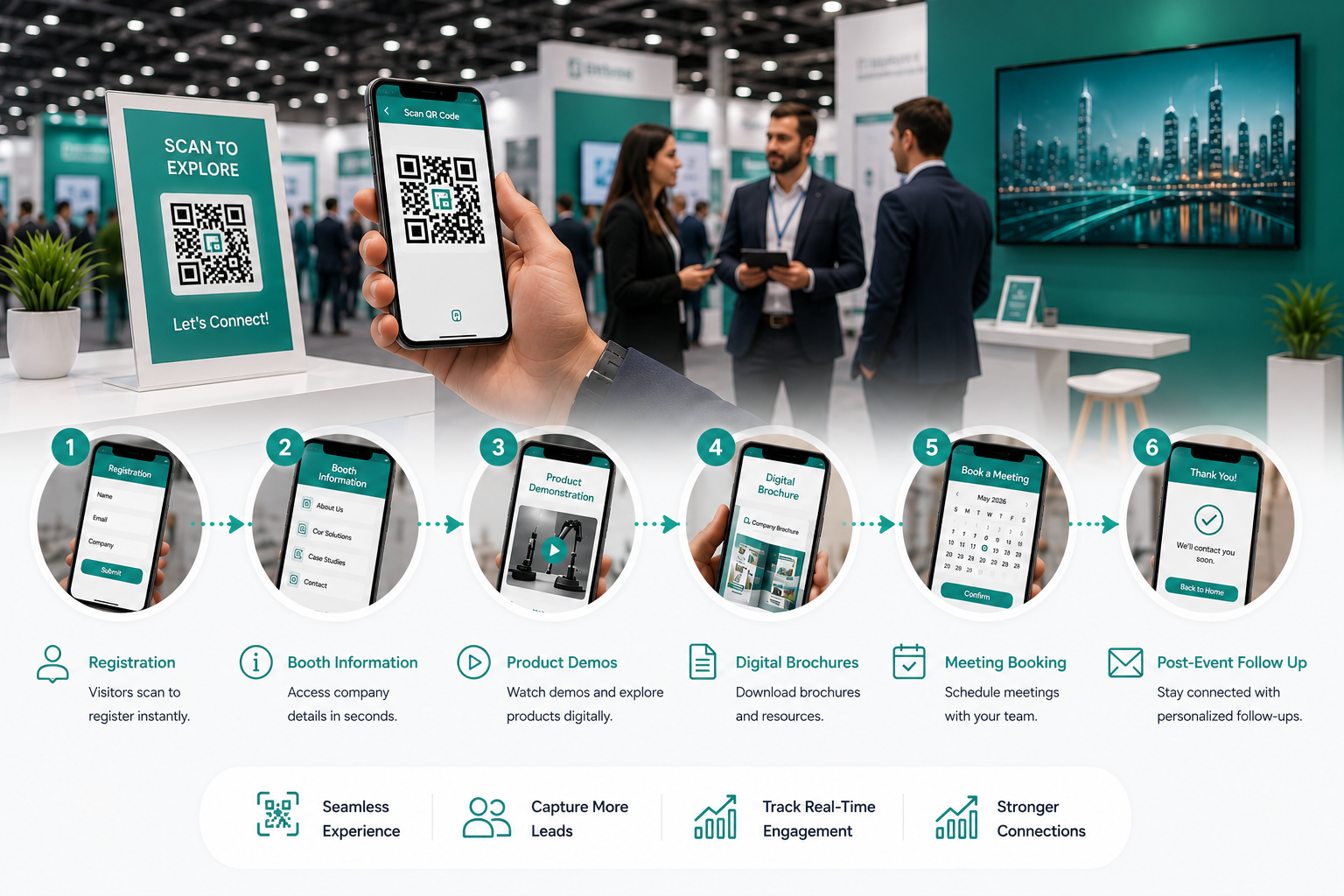
Here is how a visitor interacts with your brand using QR Codes:
1. Skip the line: Scan the main entryway poster to register on the fly.
2. Get around the floor: View a live map to find specific exhibitor booths without getting lost.
3. Research offline: Scan a tabletop stand to review case studies while reps are in meetings.
4. Lock in follow-ups: Book a real-time calendar invite for a post-show consultation.
5. Save contacts: Swap digital business cards instantly without losing paper slips.
6. Pack light: Download high-res catalogs directly to a phone, leaving bulky bags behind.
Showcasing Products Digitally with QR Codes
Booth real estate costs a premium. You cannot pack every size, colorway, and model variant into a 10x10 space. QR Codes act as a digital showroom extension. Place them next to your display models to show:
- Complete technical spec sheets and compliance docs.
- High-definition video walkthroughs and 3D product models.
- Step-by-step installation guides and user manuals.
- Real-world case studies from actual clients.
- Confidential partner pricing sheets and wholesale order forms.
- Interactive 3D configurators where buyers customize their own setups.
Using QR Codes for Lead Generation and Post-Event Follow-Up
Trade shows are too expensive for weak lead tracking. Manually transcribing paper lead sheets at the end of the night is a recipe for errors. Connect your QR Codes straight to quick, mobile-friendly forms.
When visitors scan to join a contest or download a guide, their information goes straight to your marketing pipeline. Link to your scheduler so hot leads can book follow-up slots before they leave your booth.
This saves your sales reps from chasing bad contacts. It also lets you trigger immediate, automated emails with the exact resources they asked for, beating your competitors to the punch.
Dynamic vs Static QR Codes
For exhibitions, you almost always need the flexibility of a Dynamic QR Code. Here is the decision matrix:
| Feature | Dynamic QR Codes (Recommended) | Static QR Codes |
| Link Updates | Change destination URLs instantly without reprinting. | Hardcoded URL. One typo ruins your entire print run. |
| Scan Analytics | Track scan count, devices, dates, and peak hours. | Zero tracking. You won't know if anyone scanned. |
| Asset Management | Swap PDFs or files mid-show on your dashboard. | Requires physical reprints if resources change. |
| Efficiency | Ideal for flexible, fast-moving trade show setups. | Only safe for permanent links like your main homepage. |
Common Exhibition QR Code Mistakes to Avoid
Avoid these costly printing and placement errors on the trade show floor:
- Awkward placement: Putting codes near the floor or above eye level forces people to bend or stretch.
- Glossy finishes: Printing on shiny plastic sheets reflects venue lights, blinding phone cameras.
- Broken static links: Using static links that break if you change a website directory mid-event.
- No call-to-action: Displaying a bare black square without instructions. People need to see "Scan for CAD Files".
- Heavy landing pages: Building complex pages that crash on crowded, low-bandwidth convention center Wi-Fi.
- Dead-end routing: Pointing a code to your general homepage instead of a hyper-focused landing page.
Best Practices for Exhibition QR Codes
- ☑ Pair every code with an action phrase (like 'Scan to Download Price List')
- ☑ Match the design to your brand colors and insert your logo
- ☑ Stick to matte paper or fabric materials to avoid reflective glare
- ☑ Test the scanning process on multiple devices before finalizing your print orders
- ☑ Use dynamic codes so you can fix broken destination links on the fly
- ☑ Simulate low-network conditions to ensure your pages load fast
- ☑ Tag individual codes separately to track which booth areas perform best
- ☑ Keep user paths straightforward with minimal form fields
- ☑ Ensure your booth team knows exactly where each code leads
Exhibition QR Code Deployment Checklist
Run through this checklist the day before the exhibition doors open:
✔ Test scans completed
✔ Mobile responsive designs confirmed
✔ Page loading speeds optimized
✔ PDF documents uploaded and checked
✔ Booth staff briefed on the workflow
✔ Tracking links verified
✔ Short URLs printed beneath codes
✔ Calls-to-action visible
✔ Signage prints double-checked