Stop printing paper menus and running back and forth with card readers. Learn how busy espresso bars use QR codes to speed up morning rushes, sync orders directly to the bar, and collect digital tips effortlessly.
What is a QR code for a café? It is a digital link on a physical surface—like a table tent or cup. Customers scan it with their phone camera to instantly read menus, order a double-shot latte, pay via Apple Pay, or collect loyalty stamps.
Running a coffee shop means battling the morning rush. Lines out the door turn away hurried commuters. According to industry data, speed of service dictates your daily revenue. QR codes act as extra cash registers. They let your customers order the moment they sit down or stand in line, taking pressure off your register staff.
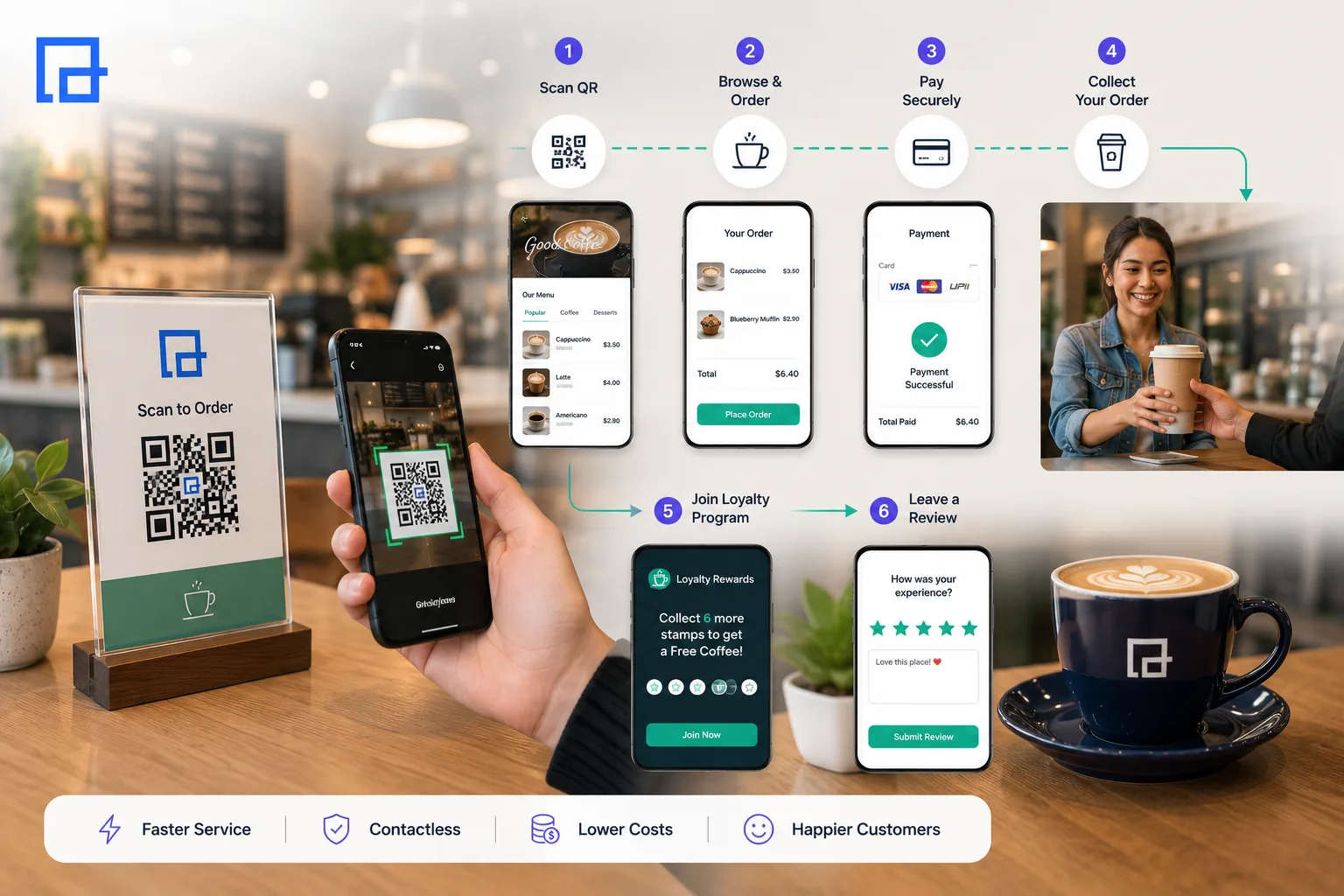
Customers scan from their table and order instantly. The ticket prints right at the bar. No lines, no order entry errors during the 8 AM rush.
Out of oat milk or sourdough? Tap your screen to hide the item. Swapping to your summer iced menu takes seconds. You will never have to cross items out on chalkboards again.
No more running cards at the table. Customers check out right from their phones using Apple Pay or Google Pay. It speeds up table turnover by 10 to 15 minutes.
Get more than just a quick sale. Drive scans to your Instagram page, collect emails for weekend events, or let customers join your loyalty club before they finish their drink.
Don't just print a URL and hope for the best. To get real results, you need a plan that matches your daily café workflow. Here is how to roll them out.
Walk your floor like a customer. Find the natural stopping points—the front window, the line queue, the tables, and the pickup counter. Place codes exactly where people wait.
Use Wi-Fi QR codes for laptop users, Dynamic URL codes for your menu, and custom social codes to build your Instagram following.
Customers will view your menu on 6-inch screens. Keep text clean, use high-contrast fonts, and upload fast-loading, appetizing images of your signature pastries.
Generic black-and-white squares look spammy. Brand your codes with your café’s signature colors and drop your logo right in the center to build trust.
Scan your printed samples using cheap Android phones and old iPhones. Test them under your café's warmest dim lighting to ensure they read instantly.
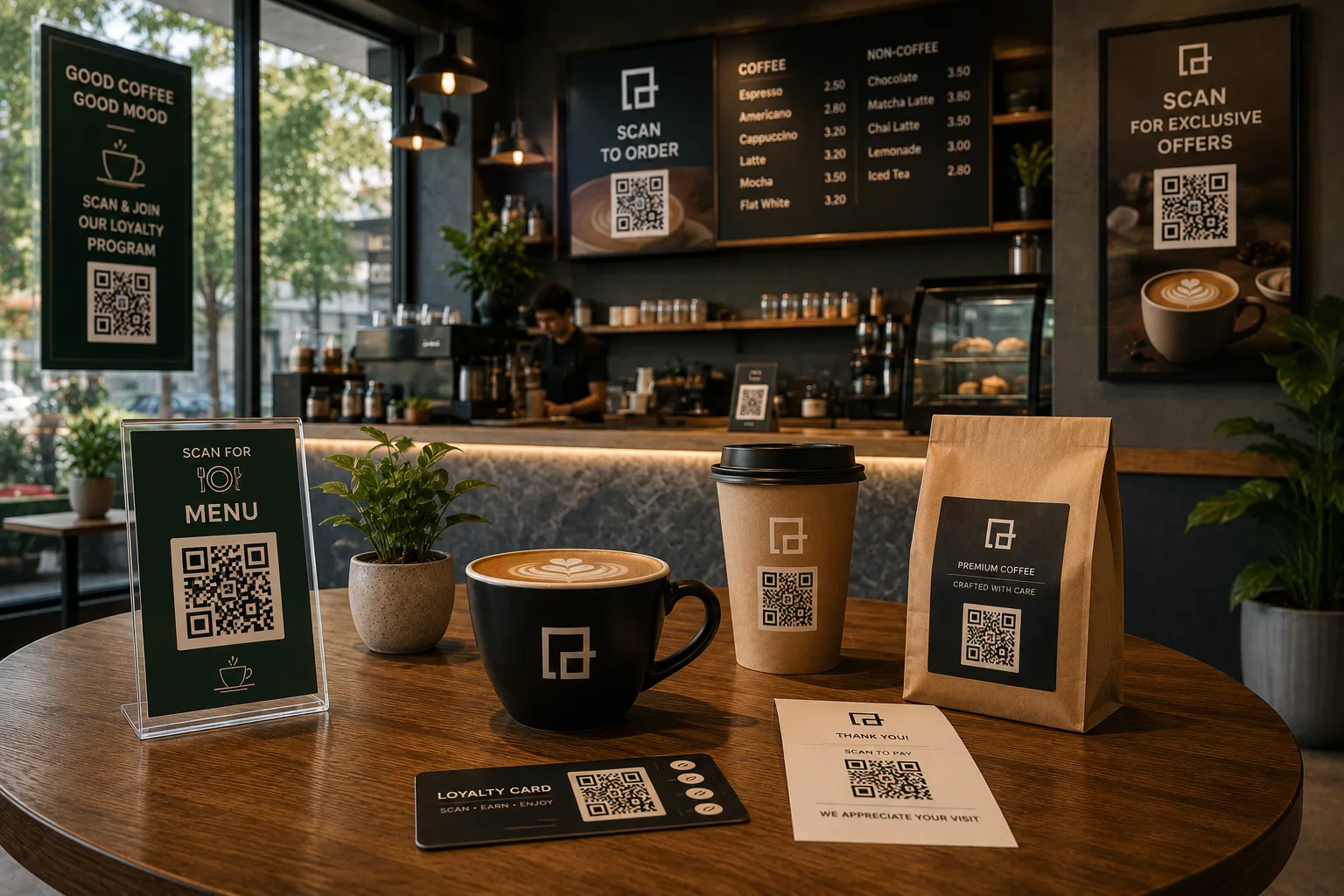
Stick codes to table tents, acrylic blocks, and entry doors. Always write a clear action prompt next to them, like "Scan to order your morning brew."
Your baristas must know how the system works. Teach them how to guide customers who are scanning for the first time.
Roll out the system. Keep just a couple of physical menus behind the counter for accessibility, and let the QR codes do the heavy lifting.
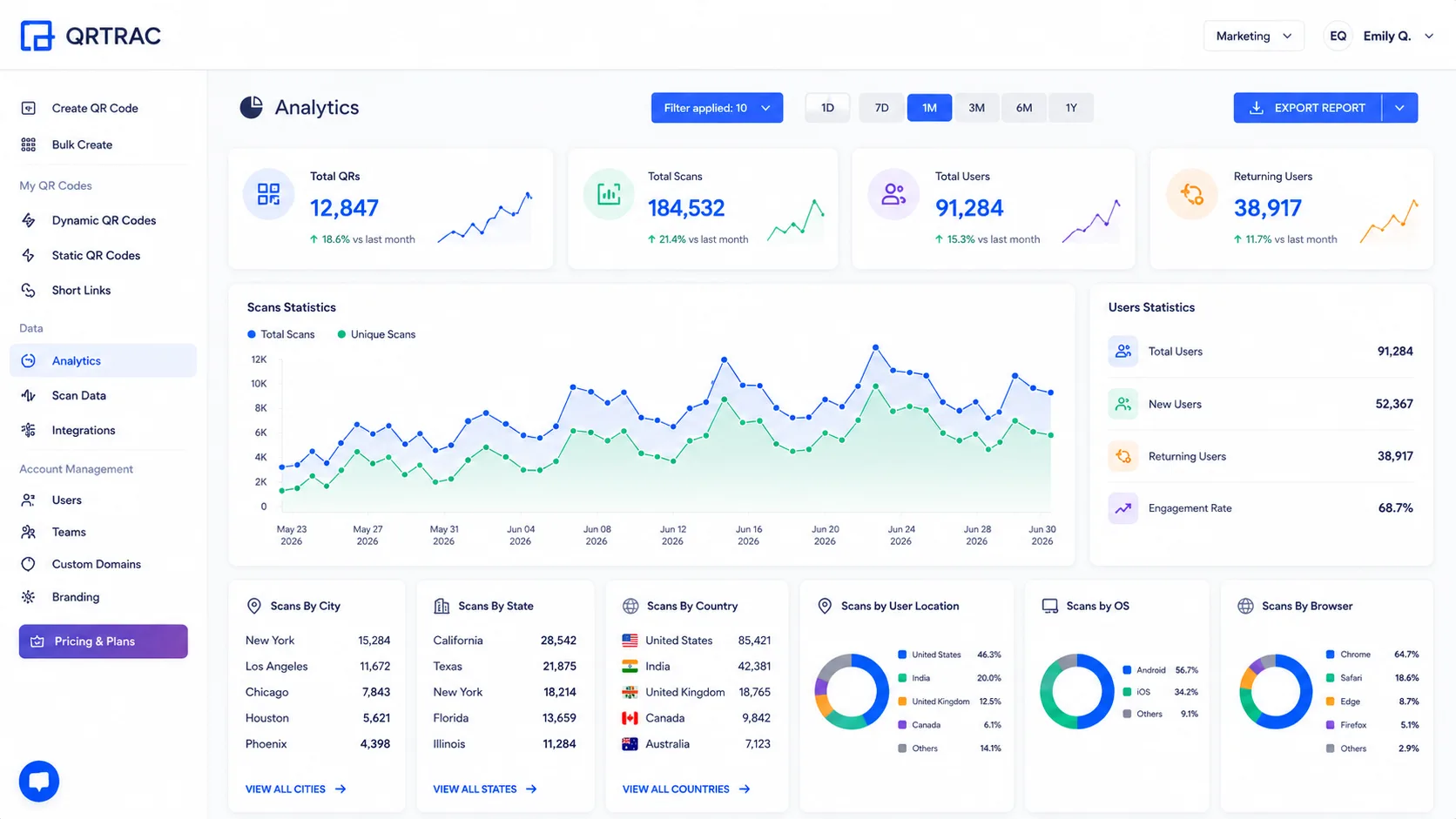
Check your dashboard. See which tables scan the most, what hours are peak digital ordering times, and which menu items draw the most clicks.
Swap lunch menus, adjust espresso prices, or test a new seasonal drink without reprinting a single piece of paper using Dynamic QR Codes.
From simplifying the ordering process to boosting online reviews, here are the most effective ways to use QR Codes in your coffee shop.
Different codes serve different steps of your daily workflow. Pick the specific format that aligns with your shift goals.
| QR Code Type | Best Café Use Case | Advantages | Recommended Implementation |
|---|---|---|---|
| Menu QR | Interactive mobile menus | Mobile-friendly, visually appealing, easy to update items and prices | Table tents, counter displays |
| Website QR | Sending traffic to web ordering apps | Sends traffic directly to your online store | Storefront windows, posters |
| Google Review QR | Gathering customer feedback | Bypasses search directly to your review page | Printed receipts, exit doors |
| Wi-Fi QR | Guest internet access | No need to type long, complicated passwords | Condiment stations, tables |
| Payment QR | Contactless checkout | Speeds up the transaction process at the register | POS terminals, tableside checks |
| Multi-Link QR | Link-in-bio style landing pages | Shows menu, social media, and loyalty programs in one scan | Takeaway bags, coffee cups |
| Form QR | Customer surveys and feedback | Collects structured data privately to improve service | Receipts, email newsletters |
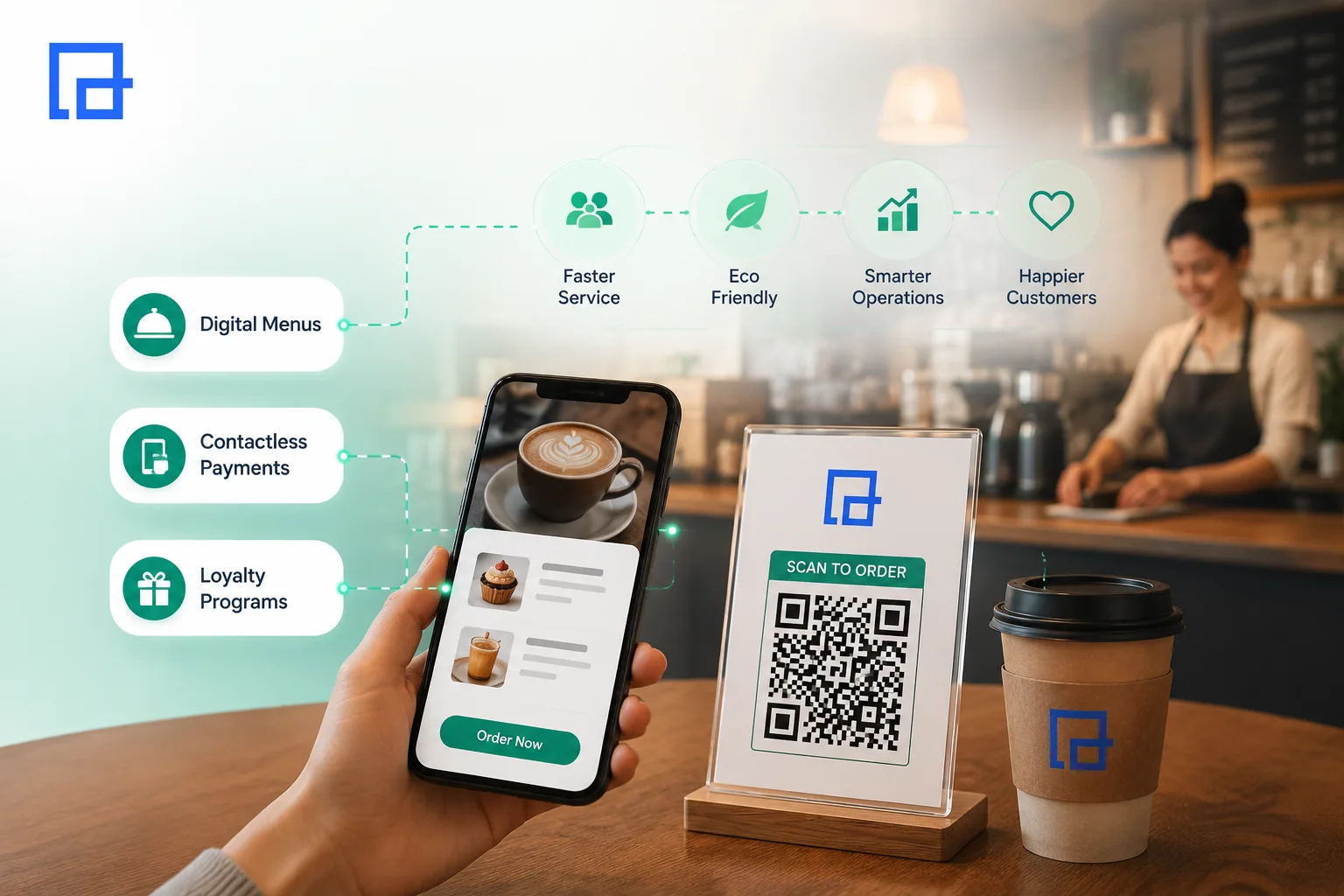
Placement determines your scan rates. Put codes where customers have the most idle time and highest buying intent.
Ideal for dine-in crowds. Let them sit, chat, and order another round of lattes without getting up.
Perfect spot for payment codes and instant loyalty program sign-ups as they pay.
Transforms plain white cups into marketing assets. Link them to your Instagram page or a coupon.
Captures hurried commuters. They scan, buy, and walk in just to grab their bag.
Best home for a Google Review link. Ask for feedback while their espresso high is still fresh.
Link to a quick video showing the farm origin or the perfect home-brewing guide.
By placing your codes strategically, you build a smooth, self-guided path that respects your customers' time.
A customer walks into your packed shop at 8:30 AM. Instead of leaving due to the line, they grab the last empty stool.
They scan the table corner code. They look through your clean mobile menu, checking allergen details and drink sizes.
They select an iced americano, add a blueberry muffin, and pay using Apple Pay. The order routes straight to the espresso bar printer.
While drinking, they scan the cup code to join your loyalty club. Before leaving, a quick scan on their receipt lets them drop a 5-star Google review.
Paper menus are static and expensive. Digital menus are dynamic sales machines. Here is how upgrading your menu changes your day-to-day operations:
Customer retention keeps your coffee shop alive. QR codes eliminate physical punch cards that people lose or wash in their jeans.
Customers scan at the bar, type their number, and start earning points. No app downloads required.
Sell weekly or monthly prepaid coffee memberships to secure upfront recurring cash flow.
Collect emails with a simple signup code. Send them a free birthday pastry coupon automatically.
Place a multi-link code on takeaway bags to turn cup-carrying customers into Instagram followers.
Avoid broken links and expensive reprinting. Use this comparison to see why dynamic codes are mandatory for café operations.
| Feature | Dynamic QR Codes (Recommended) | Static QR Codes |
|---|---|---|
| Menu Updates | Change the link or PDF instantly from your dashboard. | Locked forever. If you change your menu link, you must reprint every code. |
| Analytics | Tracks total scans, times of day, and mobile device types. | Zero tracking. You have no idea if people scan them. |
| Scalability | Grow from one table to five locations with clean code management. | Messy. Hard to manage if you print more than a few codes. |
| Marketing | Repurpose the same code for breakfast, lunch, or seasonal drinks. | Cannot be changed or updated for new campaigns. |
Ensure your digital setup works perfectly by steering clear of these common pitfalls:
Follow these ground rules to make sure your customers scan and order without hiccups:
When you generate codes with QRTRAC, you get real-time scan data. Use these analytics to make smarter decisions about staffing and inventory.
See when customers scan the most. Match your staff schedule to your actual digital rush hours.
Compare scan numbers from window decals against table tents to see which spots get the most eyeballs.
See if your crowd uses iPhones or Androids. Use this to polish your digital ordering design and prioritize Apple Pay vs Google Pay.
Run a poster campaign for your weekend brunch. Track exactly how many scans it gets to measure your marketing ROI.
Run through this quick checklist before printing your final table displays and posters:
Yes, as long as you generate Dynamic QR Codes. Dynamic codes allow you to change the destination URL in your dashboard at any time, meaning you never have to reprint expensive table tents if your menu link changes.
The most effective option is a Dynamic Website URL QR Code that links directly to a mobile-optimized ordering system or an HTML menu page on your existing website.
Absolutely. By placing a QR Code on your storefront window, passing pedestrians can scan, order, and pay without waiting in line, dramatically increasing takeaway volume.
Yes. Payment QR Codes link directly to secure payment gateways, allowing customers to check out using Apple Pay, Google Pay, or standard credit card entry on their personal devices.
They remove friction. Instead of manually searching for your Instagram page or loyalty sign-up form, a customer simply scans a code on their coffee cup to connect with your brand instantly.
High-impact locations include table tents for ordering, the register for payments, the storefront window for takeaway, and directly on packaging (like cups and pastry bags) for loyalty and social media engagement.
While it is best practice to keep a few printed menus behind the counter for customers without smartphones, QR Codes can replace 90% of your printed menus, saving significant printing costs and operational hassle.
QR codes are not just a temporary fallback—they are a core tool for modern espresso bars and busy roasteries. By moving your menu, ordering, and payments to scannable codes, you speed up service, cut printing overhead, and let your baristas focus on what they do best: brewing incredible coffee.
Start with a few table tents, test your workflow, and use dynamic tracking to see what your customers love most.
Build clean, branded, and trackable QR menus with QRTRAC. Keep your morning lines moving and your customers coming back.