The Role of QR Codes in the Rental Lifecycle
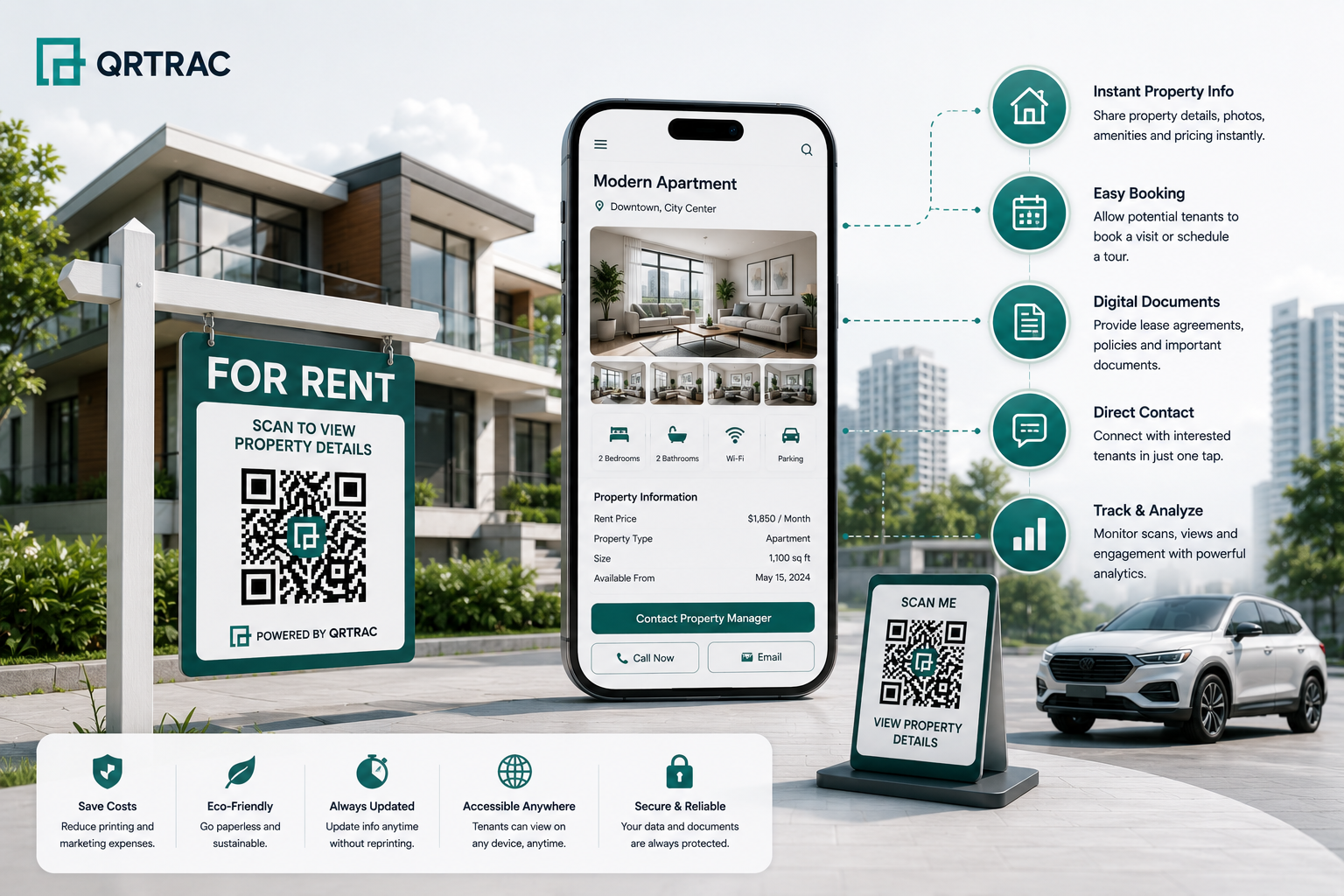
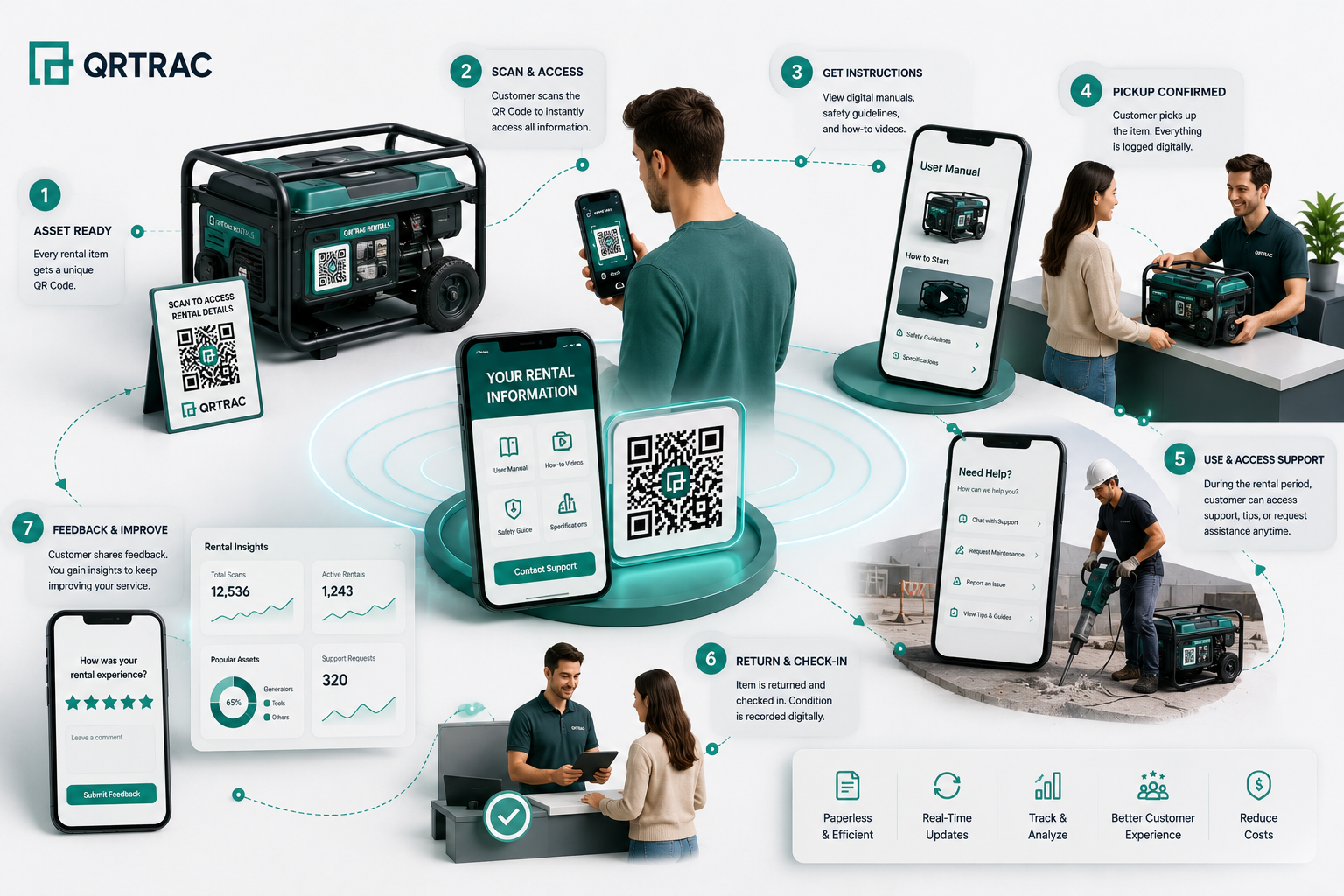
If you rent out equipment, property, or vehicles, you spend half your day answering the same questions. You explain how to start the engine, where to find the Wi-Fi password, or how to hitch the trailer. A QR code gets this info directly onto your customer's phone.
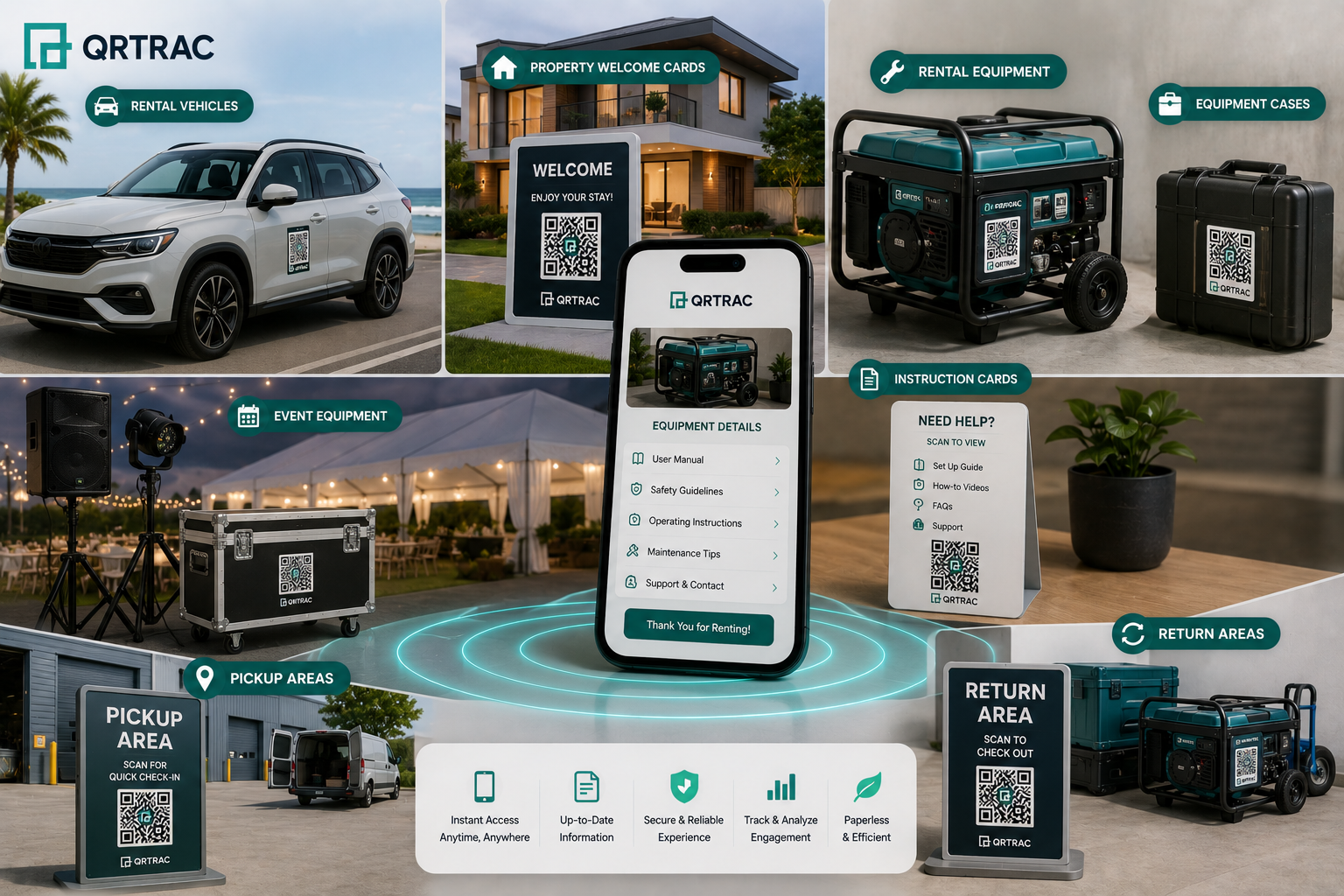
We stick codes directly on the physical asset. When customers scan them, they see setup videos, safety checklists, or PDF manuals instantly. They don't have to search their inbox or type long URLs.
How the Information Flows:
- Physical Asset: Your skid steer, cabin door, or kayak paddle.
- The Scan: The renter opens your guide with their smartphone camera.
- Immediate Setup: They watch a quick engine-start video on-site.
- Simple Handover: You collect digital signatures and photo inspections without paper forms.
- Troubleshooting: They find answers to quick questions instead of calling your front desk.
- Easy Reporting: They take a photo of any damage and upload it directly.
- Fast Returns: They see drop-off steps and lockbox codes.
- Quick Feedback: They leave a Google review before driving away.
Every rental operation has its own flow. QR codes won't run your whole business for you, but they do make it easy to connect customers to your existing PDFs, web forms, and helpline numbers.
What Are QR Codes for Rentals?
A rental QR code is a physical sticker on your gear that links to a digital asset. We suggest using dynamic QR codes. If you update your safety videos, change your Wi-Fi password, or upload a new manual, you can update the destination link inside your dashboard. You won't have to reprint or replace a single physical sticker.
Realistic examples of rental QR Code applications include:
- Equipment: Link directly to a PDF operator guide or a YouTube setup tutorial.
- Vehicles: Share starting instructions or roadside recovery phone numbers.
- Vacation Rentals: Open a digital guest book with check-in details and Wi-Fi codes.
- Event Gear: Show staging or tent assembly instructions.
- Rental Properties: Explain house rules, thermostat settings, and local coffee shop recommendations.
- Outdoor Gear: Share mandatory river safety rules or climbing harness checks.
QR Code Use Cases by Rental Business Type
Equipment Rentals
You cannot stand over every customer to make sure they run your equipment safely. Put QR codes next to the ignition switch.
- Examples: Mini-excavators, concrete saws, wireless mics, wood chippers.
- Use Cases: PDF operator guides, video tutorials, emergency stop rules, and quick service hotlines.
Vehicle Rentals
Campers, utility trailers, and boat rentals have learning curves. Save your phone line by providing quick dashboard access.
- Examples: Vans, ebikes, cargo trailers, motorhomes.
- Use Cases: Slide-out room instructions for RVs, tire pressure specs, key drop-box locations, and towing helpline numbers.
Property Rentals
Avoid midnight messages about the thermostat. Place codes right where guests look for answers.
- Examples: Airbnbs, corporate event spaces, short-term lease offices.
- Use Cases: Wi-Fi logins, hot tub instructions, trash pickup schedules, and plumbing repair forms.
Event & Party Rentals
Customers usually set up party gear themselves under tight deadlines. Clear instructions prevent damaged property.
- Examples: Stage lighting, commercial tents, PA speakers, photo booths.
- Use Cases: Stage assembly videos, packing lists, after-hours emergency numbers, and box-up diagrams.
Outdoor & Recreation Rentals
Safety compliance is critical on the trail or water. Renters need warnings before they start.
- Examples: Paddleboards, e-bikes, ski gear, wall-tents.
- Use Cases: PFD safety steps, river map downloads, storm procedures, and support phone links.
How to Implement QR Codes for Rental Businesses
Want to deploy QR codes across your inventory? Follow this practical process:
- Find your support bottleneck: Look at your call log to see which items cause the most questions.
- Format your content for mobile: Make sure manuals are mobile-friendly PDFs or quick videos.
- Generate dynamic codes: This lets you swap links later without touching the physical sticker.
- Add clear frames: Don't print bare black squares. Write "Scan to Start Engine" or "Scan for Wi-Fi".
- Test with multiple devices: Scan the code with an old Android and a new iPhone.
- Choose rugged materials: Order weatherproof vinyl for machinery and metal plates for hand tools.
- Place codes in flat, well-lit spots: Avoid curved pipes or dark compartments.
- Instruct your counter staff: Tell them to point out the stickers during customer handovers.
- Track your scan data: Look at your dashboard weekly to see which guides get the most traffic.
- Improve based on metrics: If a machine still gets phone calls but zero scans, move the sticker.
QR Codes for Rental Equipment & Assets
When you rent out tools, heavy machinery, or expensive cameras, clear guides protect your gear and help your customers.
Place a tough sticker on each item so your customer can scan to see:
- Model numbers and power specs
- Load capacities and fuel requirements
- PDF operator manuals
- Start-up videos and assembly guides
- Safety warnings and OSHA compliance steps
- Pre-use checklist guides
- Troubleshooting steps (e.g., "how to prime the engine")
- Your shop phone number and support form
Note: Do not confuse customer-facing QR codes with internal asset tags. These QR codes are for the renter. Your warehouse team can still use separate inventory barcodes or RFID tags to check items in and out.
QR Codes for Rental Check-In & Check-Out
Speed up your check-in counter. While QR codes don't process credit cards directly, they connect your physical customers to your online software.
You can link handover QR codes to:
- Digital waivers and check-in forms
- Lockbox locations and gate codes
- Liability terms and cancellation rules
- Return forms where renters sign off on condition
- Google review links or customer satisfaction surveys
- A WhatsApp support link for immediate check-in help
- Checkout steps (e.g., "leave keys in drop-box and lock the gate")
QR Codes for Damage Reporting & Maintenance
Catch issues before the next customer arrives. A quick workflow saves your mechanics time:
- The customer spots a crack or leak on a wood chipper.
- They scan the 'Report Damage' sticker on the frame.
- The scan opens a quick form.
- They snap a photo of the cracked belt and submit.
- Your service desk gets the photo and files the order.
- Your technician orders the replacement part before the gear returns.
This captures critical data right when the issue happens. Renters don't have to search for emails or wait on hold to tell you something is broken.
QR Codes for Rental Properties
Stop answering the same three texts every Friday night. Put answers where your guests stand.
Set up codes in your rental properties to link to:
- Check-in instructions and smart lock tips
- Instant Wi-Fi setup codes
- House rules, quiet hours, and trash days
- Instructions for the hot tub, thermostat, or coffee maker
- Your curated list of local diners and hiking trails
- Permit rules and visitor parking spots
- A quick form to report a running toilet
- Local emergency services and utility contacts
- Check-out checklist (e.g., thermostat target temperature, key placement)
Where to put them:
Place the Wi-Fi code right at the front door or on the kitchen counter. Put small stickers directly on the thermostat or espresso machine. Leave a full welcome guide QR code on the living room table.
QR Codes for Rental Vehicles
Renting out campers or utility vehicles means your assets leave the yard. A simple sticker on the dashboard, key fob, or fuel door gives renters instant access to:
- How to operate camper accessories (e.g., RV generators, pop-tops)
- Roadside assistance and towing phone numbers
- Fuel requirements (e.g., Premium Gas Only) and tire pressures
- Return lane locations and key drop-off instructions
- Direct helpline chat
- Maps of approved service stations
Be realistic: a QR code is not a GPS tracker. It is simply an on-the-road reference guide to keep drivers informed and safe.
Best Places to Place QR Codes for Rentals
Where you place your stickers dictates whether they work. Smart placement is everything.
- Heavy machinery: Directly next to the ignition or battery disconnect.
- Campers: Inside the fuel door and on the master power switch panel.
- Cabins: Behind the entry door and on the kitchen island welcome sign.
- AV cases: On the inside lid of the sound board fly-case.
- Activity gear: Zip-tied laminated tags on raft frames.
- Hard cases: On the lid of the camera or drone case to show packing guides.
- Stage gear: On the back panel of sound boards or under heavy tables.
- Countertops: Next to the cash register for last-minute terms or waivers.
Considerations for physical placement:
- Good lighting: Make sure it isn't hidden in a dark compartment.
- Right sizing: A code scanned from across a yard needs to be much larger than a sticker on a key fob.
- Tough materials: Use laminated vinyl for tools or outdoor gear.
- Keep it flat: Do not wrap codes tightly around narrow poles or pipes, or camera lenses won't read them.
- Add a short label: Never print a bare code. Tell people what happens when they scan.
Dynamic vs. Static QR Codes for Rentals
This is the single most important decision in your setup.
| Feature | Dynamic QR Codes | Static QR Codes |
| Edit the Destination Link | Yes, redirect the link anytime. | No, permanent link. |
| Track Scans & Data | Yes, tracks scan counts and devices. | No tracking. |
| Update Instructions Later | Easy. Just upload your new PDF link. | Requires printing new stickers. |
| Lifespan of Asset | Perfect. One sticker lasts for years. | Risky. Links break if your site changes. |
| Manage at Scale | High. Control thousands from one screen. | Poor. Hard to track individual stickers. |
Our Recommendation:
Never use static codes for physical inventory. You will change your website layout, update PDF guides, or switch support links. Dynamic codes save you from peeling off old stickers.
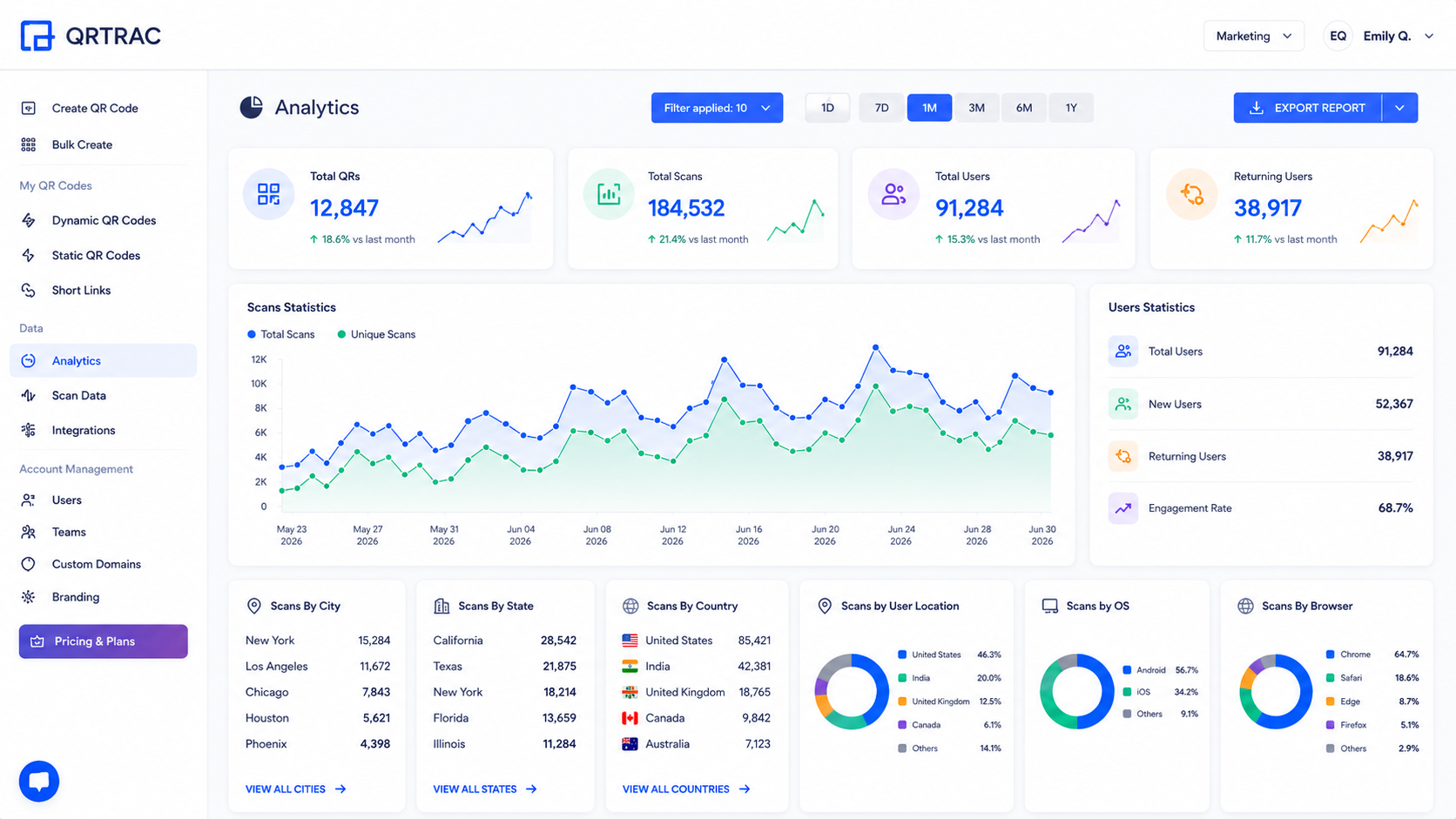
QR Code Analytics for Rental Businesses
Understand customer behavior on the job site or in your rental cabin. Track:
- Total scan count: See how often renters look at your safety steps.
- Scan times: High search volumes at 10 PM might mean your instructions are confusing.
- Device types: Optimize files for Android and iOS screen sizes.
- Rough location: Track where assets are being used (when permitted).
- Most-read guides: Identify which machines require the most assistance.
Use this data to spot issues. If one machine's QR code gets scanned ten times more than others, its physical controls are probably confusing. Update the video guide to address this.
Common Mistakes to Avoid
Watch out for these deployment errors:
- Dead links: Verify your web pages stay active. (Dynamic codes let you fix this instantly).
- Bad lighting: Placing stickers in dark corners where cameras cannot scan them.
- Cheap materials: Using paper labels on wet or muddy equipment. They will turn to mush.
- Low-res printing: Blurry, pixelated codes that cameras can't scan.
- No instructions: Printing a naked black-and-white square with zero context.
- Desktop-only pages: Forcing users to pinch-and-zoom a massive desktop PDF on their phone.
- Using static links: Trapping your stickers with links that break when your website changes.
- Skipping testing: Putting stickers on gear without scanning them first.
- Outdated content: Leaving old contact numbers or obsolete manuals live.
Best Practices & Checklist
Use this simple checklist to build a reliable setup:
- Write strong CTAs: "Scan to Start Engine" or "Scan for Wi-Fi Password."
- Go mobile-first: Make sure text reads well without zooming.
- Test early and often: Scan your codes on multiple devices before deployment.
- Stick to a readable size: Keep stickers at least 1x1 inch for close-up scans.
- Ensure strong contrast: Use dark-colored codes on a clean white background.
- Invest in durable materials: Choose heavy vinyl, polyester, or metal tags for rugged gear.
- Audit your links: Check your dashboard quarterly to ensure all pages are live.
- Go Dynamic: Give yourself the power to edit targets later.
- Watch your dashboard: Track which items require the most support.
- Provide a fallback option: Always print your office number on the label for users with dead batteries.
Rental QR Code Deployment Checklist
Real-World Rental Workflows
Worked example: hydraulic attachment support calls
The problem: Hydraulic excavator attachments confuse operators who rent them only occasionally, and that shows up as a steady stream of support calls asking how to hook them up, tying up staff and slowing down work sites.
The fix: Apply heavy-duty dynamic QR stickers to every machine dashboard. Scanning the code opens a mobile-friendly portal with a short hookup video and a PDF guide, so the answer is on the machine itself.
What to expect: Fewer calls about hookup basics, and scan analytics that show which machines generate the most questions, so you know where to improve the physical labels first.
Here are more practical examples of how QR Codes fit into actual rental business operations. These are implementation examples showing the flow of information.
Example 1: Construction Equipment
Skid Steer Dashboard ↓ Customer Scans Code ↓ Engine Start Guide ↓ Hydraulic Hookup Video ↓ OSHA Safety PDF
Example 2: Cabin Vacation Rental
Front Door Welcome Card ↓ Guest Scans Code ↓ Smart Lock Guide ↓ Instant Wi-Fi Access ↓ Trash & Checkout Checklists
Example 3: Campervan Rental
RV Console Sticker ↓ Renter Scans Code ↓ Water Pump Instructions ↓ Propane Stove Setup ↓ Gray Water Dump Map
Example 4: Stage & Audio Rental
PA System Flight Case ↓ Planner Scans Code ↓ Speaker Wiring Guide ↓ Audio Mixing Tutorial ↓ After-Hours Help Line
QR codes link your physical rental assets directly to your digital guides. They help you share manuals, speed up pickups, and protect your gear without forcing customers to search for information.
Whether you run an e-bike fleet, a tool shop, or a beach house, these codes save your staff time and protect your equipment. By deploying Dynamic QR codes, monitoring your scan data, and placing stickers in well-lit spots, you can run a much more efficient rental shop starting today.
 By Aawes Shaikh
· Updated