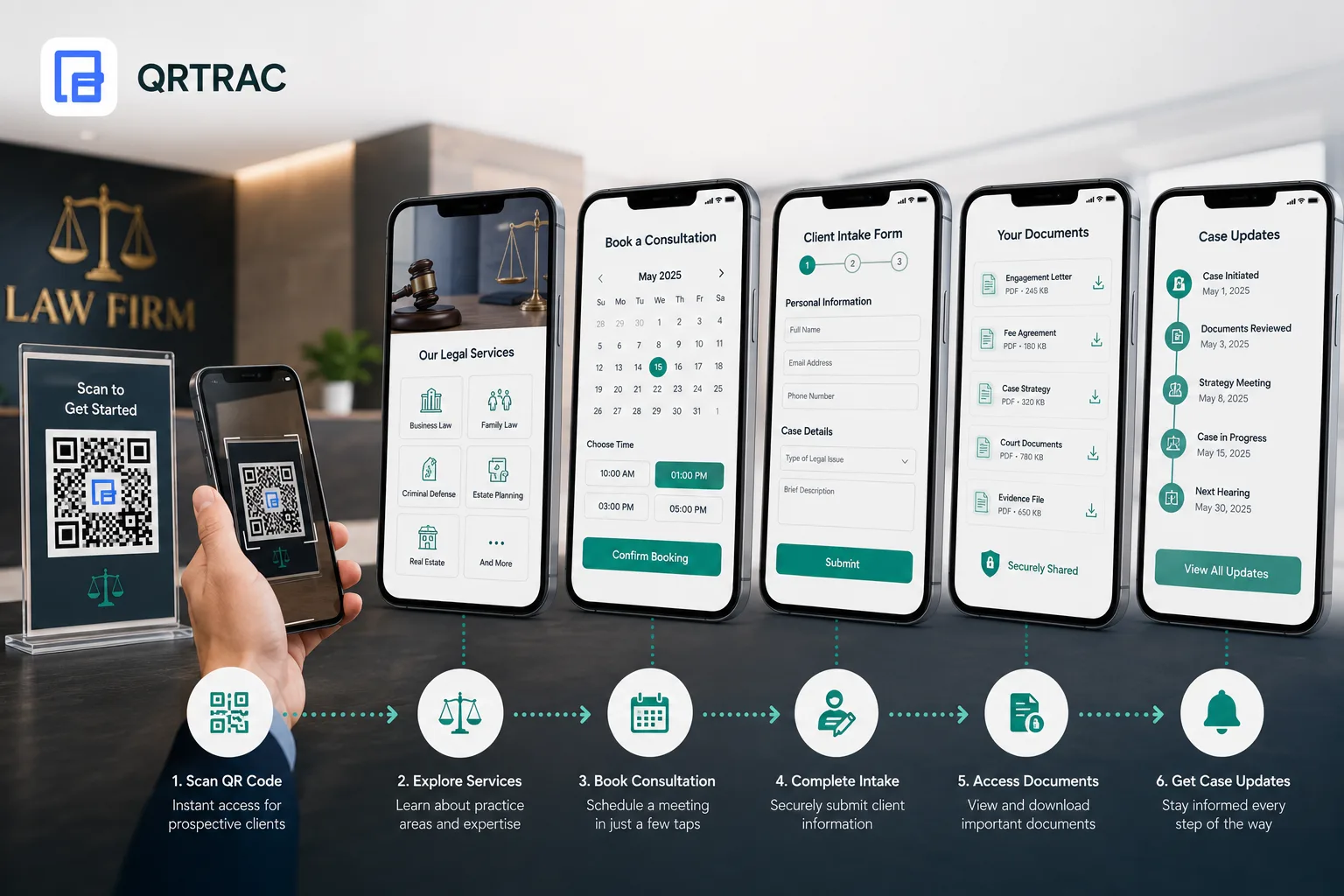
Stop chasing signatures and manual data entry. Use QR codes to onboard new clients, share case documents securely, and book consultations instantly.
What is a QR code for a law firm? A law firm QR code lets clients scan with a phone to fill out intake forms, book consultations, save your business card details, or view case folders. It links physical touchpoints directly to your digital systems.
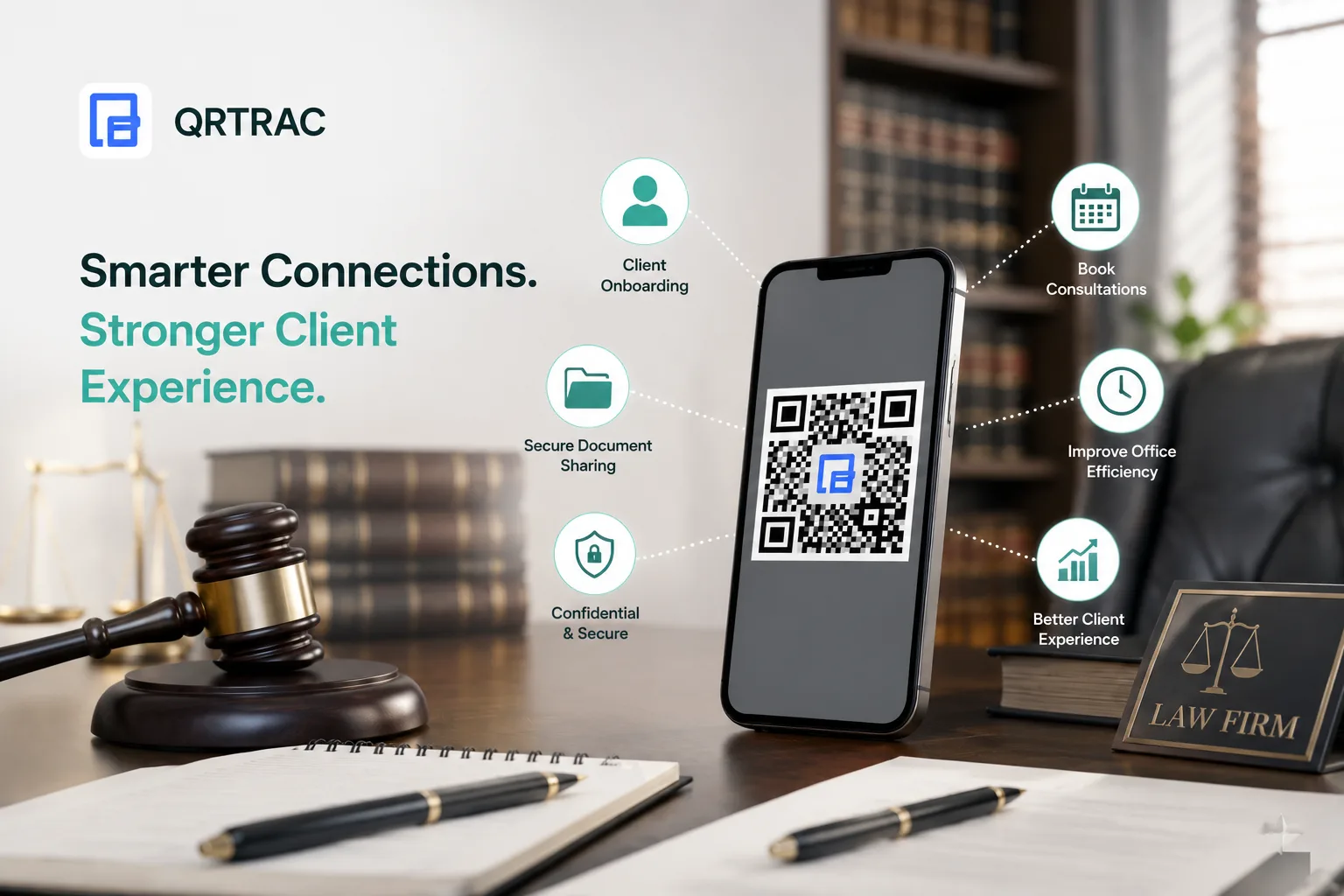
Using QR Codes in your daily workflows does more than cut down on paper. It connects static letters, brochures, and cards to secure client portals, making it simple for people to hire you and send over sensitive information.
Deploying QR Codes successfully requires a strategic approach. Follow this checklist to configure and print codes that work perfectly every time.
Look at where clients struggle or wait. Your reception desk standees, mailers, and attorney business cards are high-value starting points.
Pick the right format—like a Website URL for consultation bookings or a vCard for attorney profiles.
Use HTTPS links. Ensure that all forms, file uploads, and portals look clean and function perfectly on smartphones.
Keep a professional image. Use your brand colors and place your firm's logo in the center of the QR Code.
Scan the test code with both iOS and Android devices. Check how it performs in bright light and dim waiting rooms.
Never print a naked code. Add short, direct text like "Scan to check in" or "Scan to schedule your review" beneath the code.
Brief your receptionists, paralegals, and clerks. They should know what each QR code does and how to help clients who need assistance.
Do a clean sweep. Replace old printed brochures, intake sheets, and sign-in books across all your office locations.
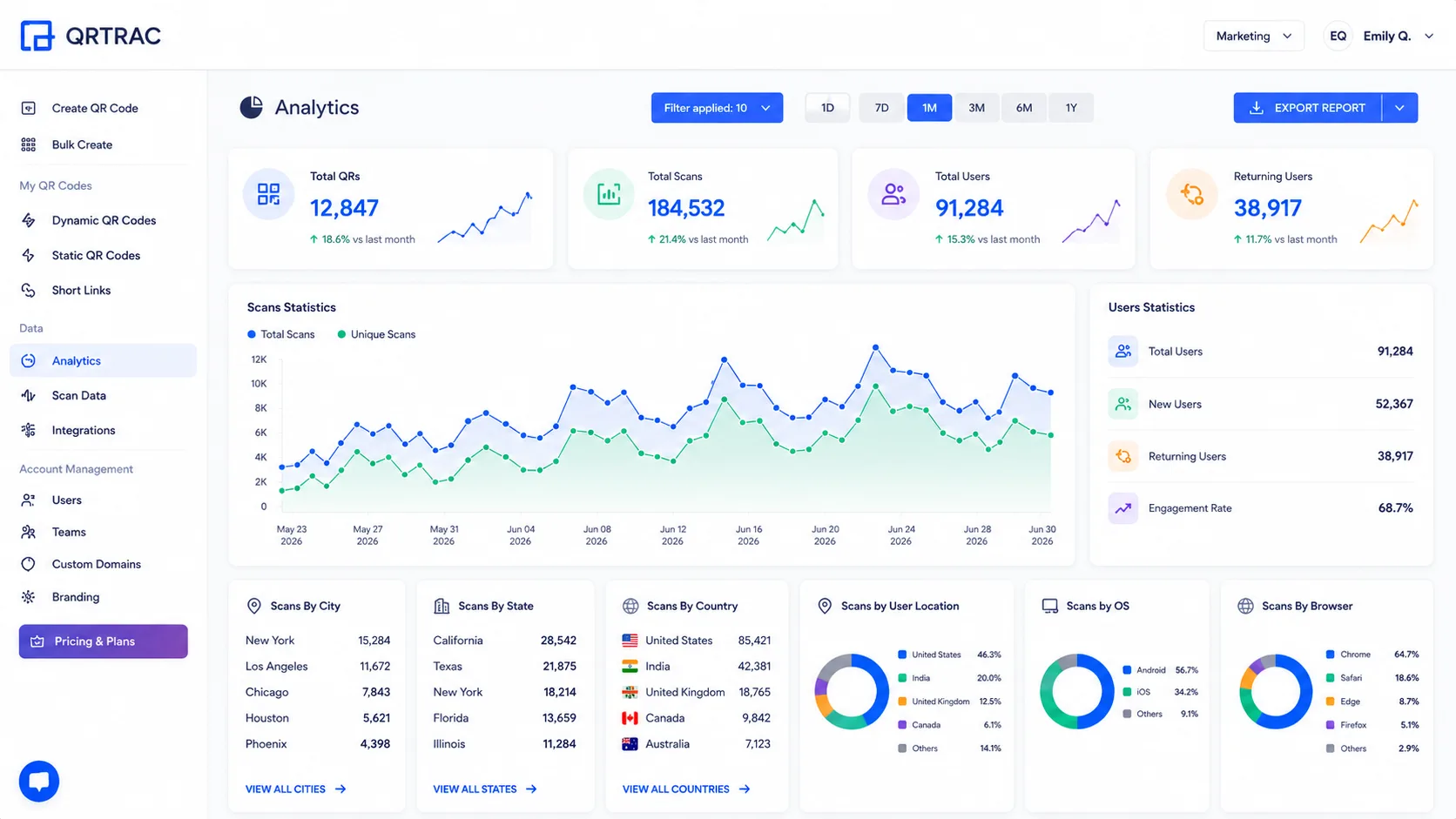
Review scan analytics to find out which print campaigns or signs pull in the most inquiries.
Use Dynamic QR Codes so you can change intake forms or booking links without reprinting your displays.
These practical applications help streamline daily logistics, cut down administration, and simplify client contact.
Pick the right format to make it as simple as possible for clients to complete the action you want.
| QR Code Type | Best Legal Use Case | Advantages | Recommended Implementation |
|---|---|---|---|
| Website QR | Practice areas, firm homepage, scheduling portals | Versatile. Sends prospects to your site or calendar. | Print ads, office mailers, window signs |
| PDF QR | Court prep guides, checklists, intake sheets | Downloads documents instantly to mobile devices. | Welcome packets, lobby signs, seminar flyers |
| Digital Business Card | Attorney contact details | Saves contact cards straight to address books. | Attorney business cards, email footers |
| Form QR | Intake, review forms, event sign-ups | Collects formatted data on mobile cleanly. | Lobby stands, conference desks |
| Email QR | Document submissions, general inquiries | Auto-drafts a blank email to your case desk. | Client portal instructions, letterheads |
| Location QR | Driving directions | Launches native map apps for fast navigation. | Appointment reminder cards, contact pages |
| Google Review QR | Client feedback | Takes users directly to your review panel. | Invoices, follow-up emails, closing folders |
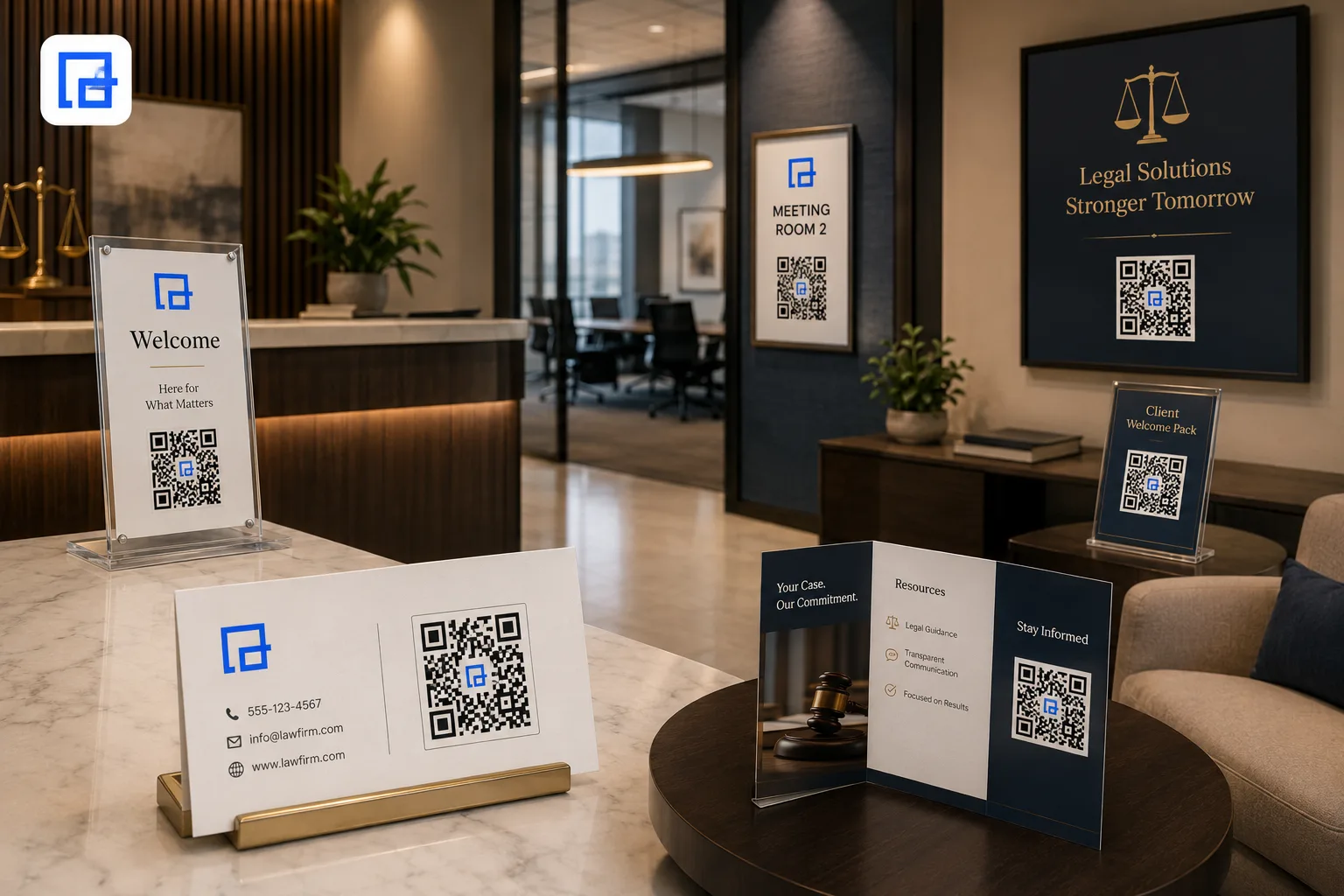
Smart physical placement makes it easy for clients to interact with your firm:
Replace paper check-in sheets with links to secure digital intake forms and office Wi-Fi networks.
Put a vCard QR code on the back so clients save your direct office number instantly.
Link static printed folders to walk-through video guides, pricing tables, or secure file-drop links.
Allow after-hours walk-by traffic to scan, bookmark your site, or book a consultation on their phones.
Provide quick access to meeting-room Wi-Fi, presentation links, or screen-sharing instructions.
Incorporate a Location QR code so clients can launch GPS mapping to your exact office suite instantly.
A frictionless journey builds client confidence early. Here is how QR codes clean up the process:
A potential client spots your mailer or billboard, scans the code, and reads your client success stories instantly—no manual URL typing needed.
They read your bio, scan the code on your card, and book an intake slot directly on your firm's calendar.
They arrive at your lobby, scan the front-desk standee, and complete their intake form privately on their phone.
They review physical updates or letters, using QR codes to log into their encrypted Clio client portal safely.
When you handle client data, security isn't optional. Use QR codes to drop client-facing documents directly to their devices:
Never host highly sensitive or unencrypted case details directly inside raw QR codes. Instead, configure the QR code to point to your secure, password-protected Clio or MyCase client portal.
For professional legal environments, choosing between static and dynamic codes is the difference between an editable asset and a costly reprint mistake.
| Feature | Dynamic QR Codes (Recommended) | Static QR Codes |
|---|---|---|
| Link Editing | Change the target URL anytime from your dashboard | Locked forever. If your site structure changes, the code breaks. |
| Scan Analytics | Track scans, times, device types, and locations | Zero tracking metrics available |
| Document Swaps | Swap an old PDF with a revised one using the same code | Must generate and print an entirely new code |
| Density and Print Quality | Short redirect link keeps the pattern light and easy to scan | Long links make the pattern dense and hard to scan when printed small |
| Ideal Legal Scenarios | Business cards, intake forms, portals, direct mail ads | One-off event signs, office Wi-Fi setups |
Putting codes behind highly reflective office glass, on deep folds, or in courthouses without cell reception renders them useless.
If you use static codes and update your intake software or domain name, your printed brochures are instantly broken.
Printing codes smaller than 1 inch square makes them tough to scan for clients with older phones.
A bare QR code looks suspicious. Give it a clear label like 'Scan to check in' or 'Scan to pay invoice'.
Failing to check which codes get scanned means you are flying blind on your physical marketing spend.
Linking clients to desktop-only PDFs or complex websites creates immediate friction. Always optimize pages for mobile.
With QRTRAC analytics, you can see how clients interact with offline signs and print mailers. Key metrics to monitor include:
Track calendar bookings, guide downloads, and business card scans. This lets partners see exactly which physical ads bring in cases, helping you focus your marketing spend.
Yes, if you generate Dynamic QR Codes. Dynamic codes let you update the destination link from your QRTRAC dashboard at any point. You never have to reprint business cards or brochures if a link changes.
For general resources like court checklists, a PDF QR Code works best. For sensitive or private files, use a Secure Website URL QR Code that directs users to log into your secure client portal.
Yes. Place a booking QR code linked to Clio or Calendly on mailers and lobby displays. Clients scan to schedule their appointment immediately without waiting on hold.
QR codes do not encrypt files directly; they are simply pathways. Always point the QR code to an encrypted, authenticated portal rather than linking straight to raw case documents.
High-impact locations include your lobby desk, the back of attorney business cards, legal brochures, presentation slides, and inside printed welcome packets.
Adding QR codes to your practice isn't about looking high-tech—it's about billable hours. By linking print to your digital intake, you save your staff time and make it easier for clients to hire you.
Using Dynamic QR Codes ensures you stay agile. You can swap out forms, update calendar software, or shift target links behind your printed materials instantly. It builds a fast, secure, and modern bridge straight to your services.
Stop wasting hours on manual intake and lost contact cards. Build your first secure legal QR code in minutes.